Sorted:

2-1

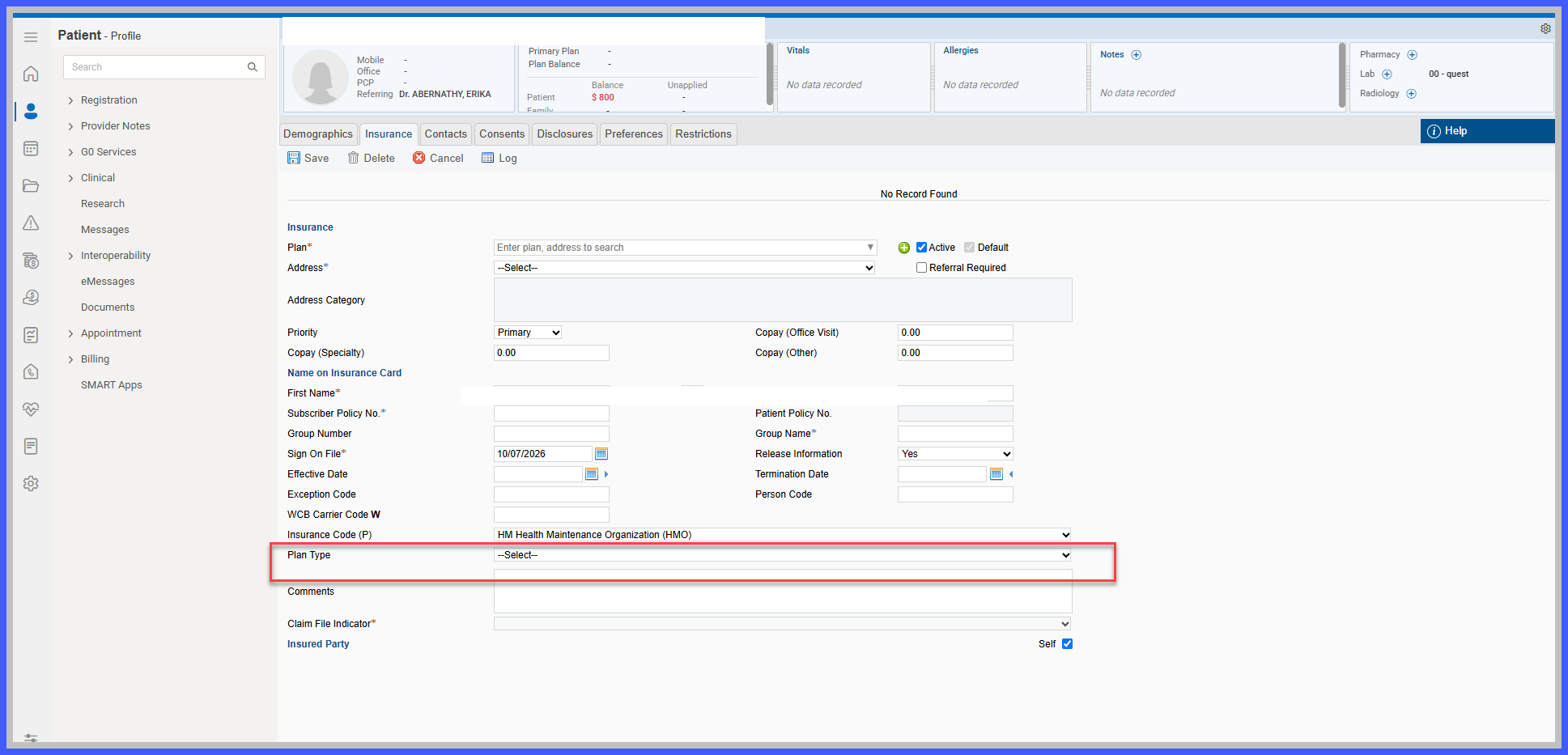
New Plan Type Field in Patient Insurance Demographics

Patient Demographics has been enhanced with a new Plan Type field within the Insurance section, allowing practices to record and maintain the type of insurance plan associated with each patient's coverage.

The field provides a predefined list of plan categories, including commercial insurance, managed care, Medicare, Medicaid, government-sponsored plans, and account-based plans. This gives front-desk, eligibility, and billing teams a consistent reference for identifying insurance plan types without repeatedly reviewing payer documentation or eligibility responses.
4-1

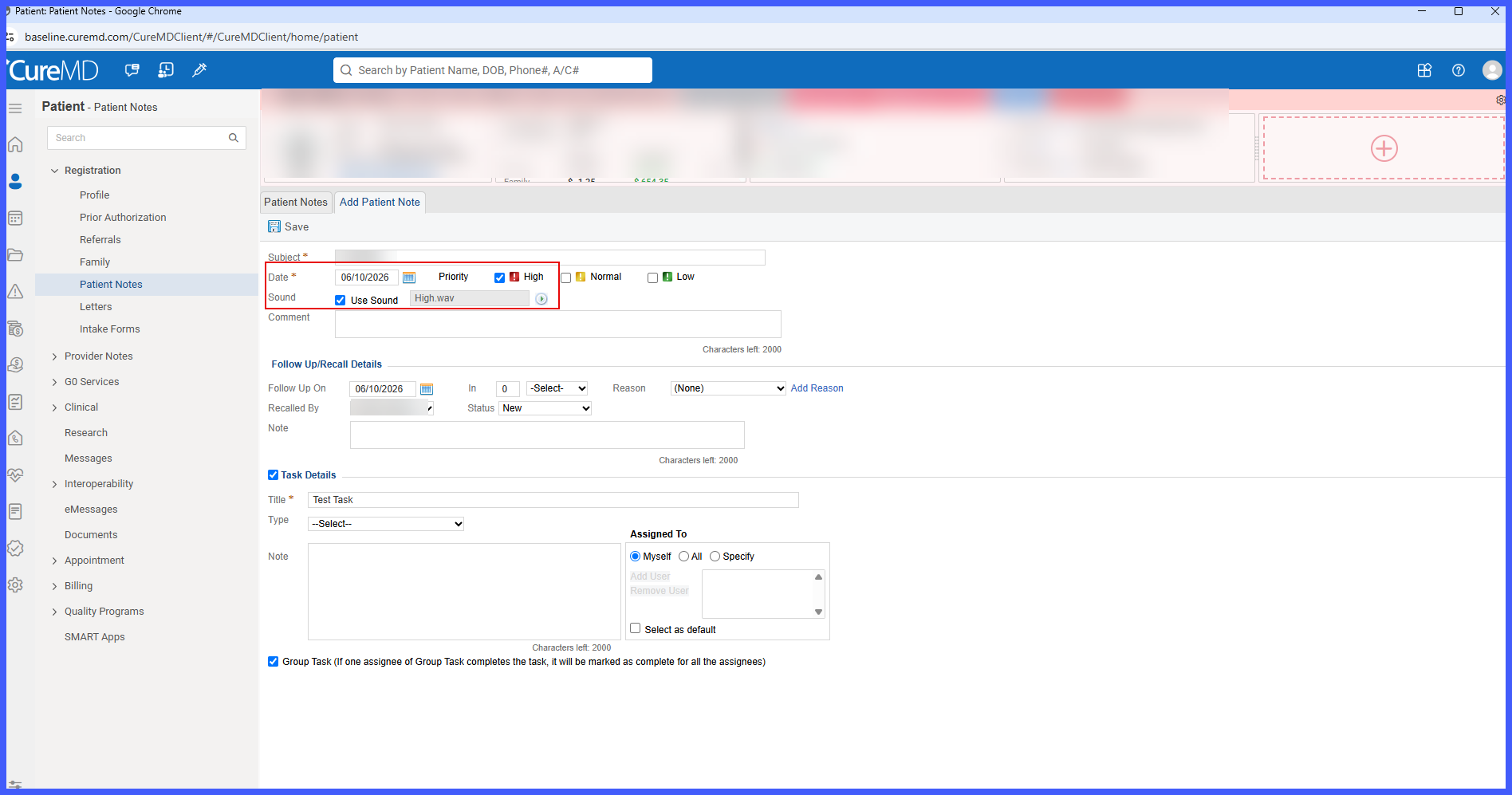
Enhanced Sound Notification Controls for High-Priority Patient Notes

Patient Notes have been enhanced to provide greater control over sound notifications for high-priority information.

The Sound option is now available exclusively for Patient Notes marked as High Priority and is no longer displayed for Appointment Notes or Follow-up Notes. Additionally, when multiple applicable Patient Notes have sound notifications enabled, the notification sound plays only once per event, reducing repetitive alerts while keeping users informed of important patient information.

2.1

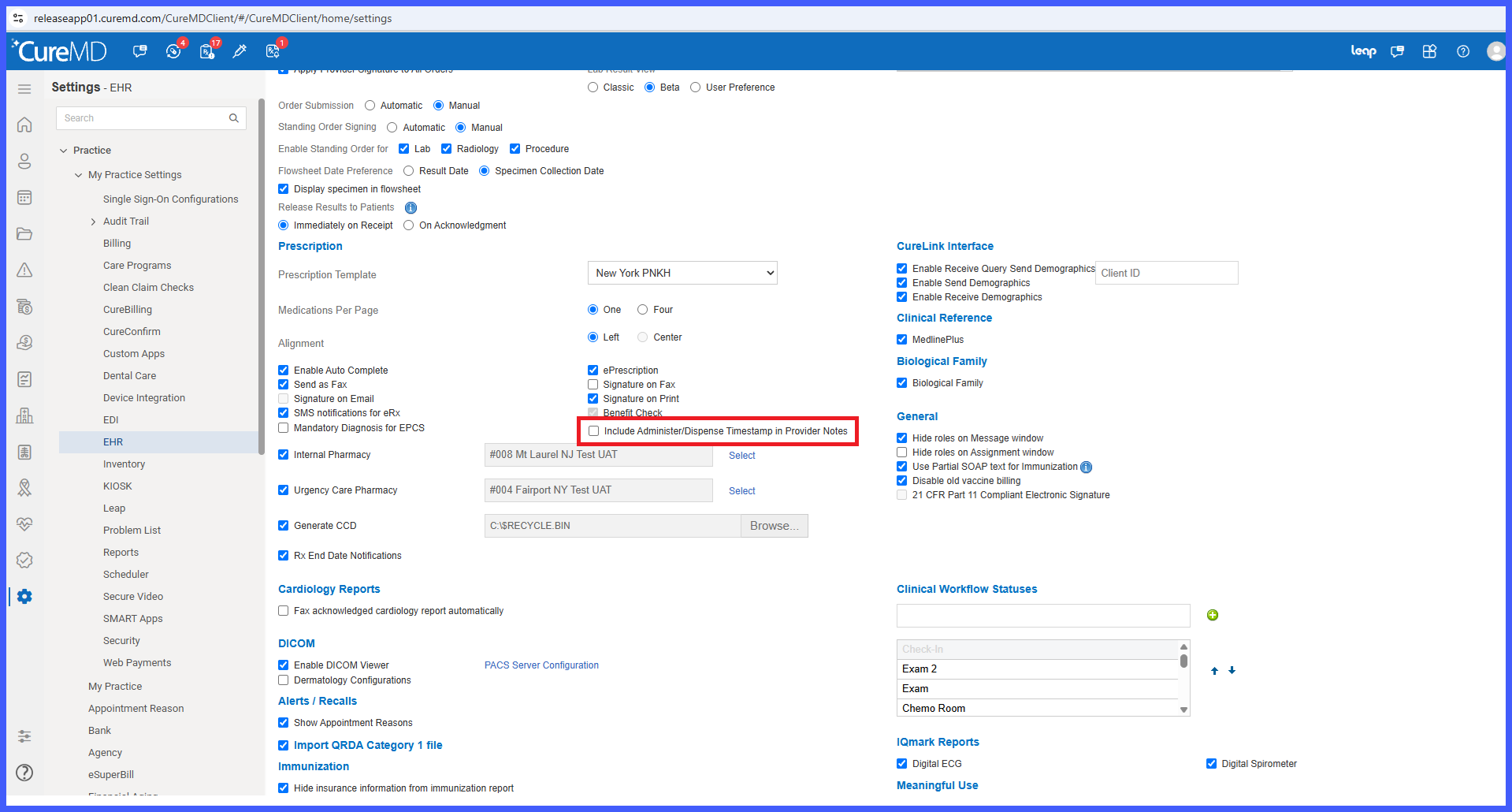
Configurable Administer/Dispense Timestamp Display in Provider Notes

Provider Notes have been enhanced with a new practice-level setting that allows administrators to control whether user names and action timestamps appear in the SOAP text for administered or dispensed medications and prescriptions.

Previously, the SOAP text automatically included the name of the user who performed the administration or dispensing action, along with the corresponding timestamp.

With this enhancement, practices can choose whether to include this information, providing greater flexibility in clinical documentation while preserving existing behavior by default.

3.1

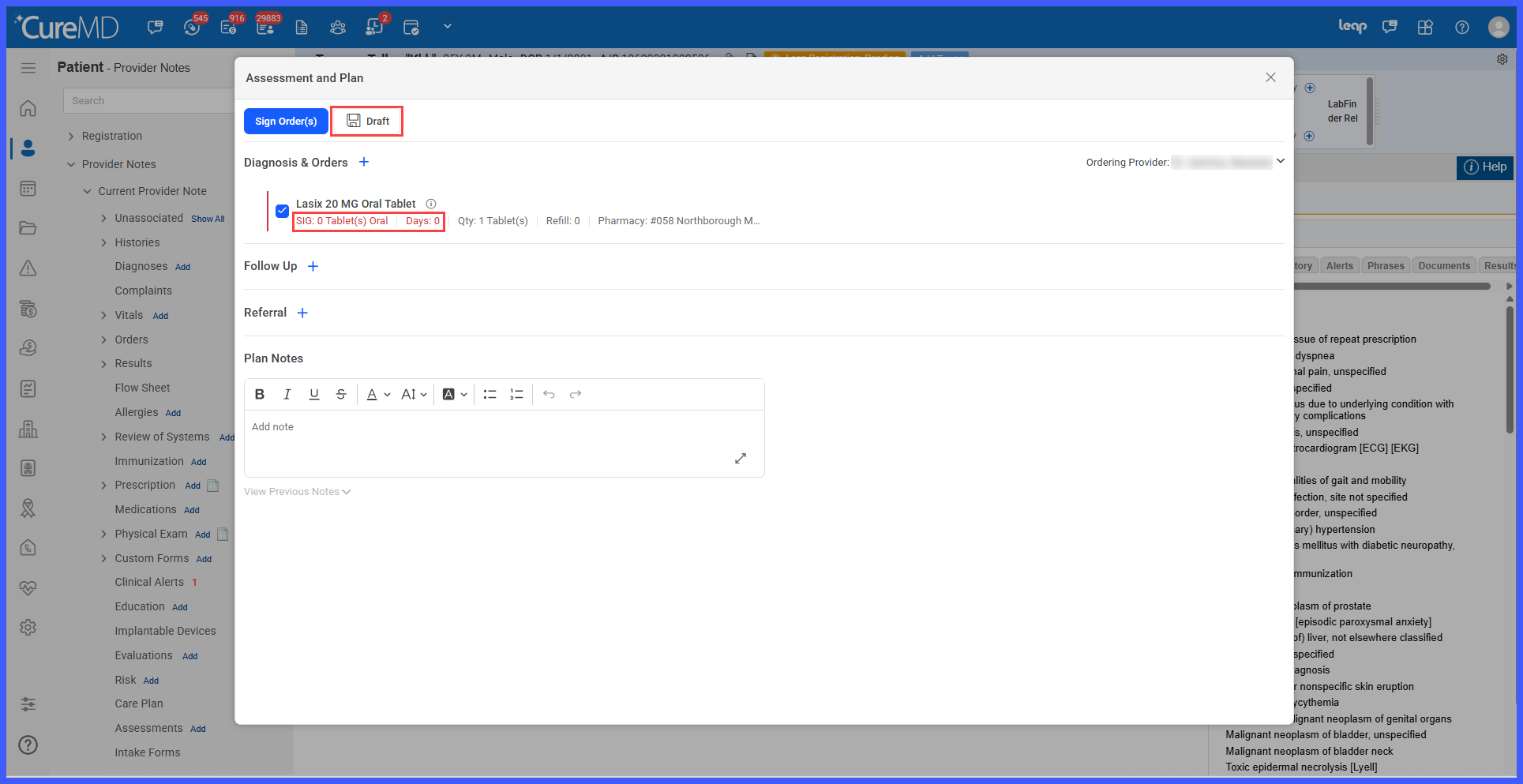
Save Treatment Plan Drafts Without Completing Prescription Sig Details

The Assessment and Plan workflow has been enhanced to allow providers to save Treatment Plan drafts without completing all mandatory prescription Sig details.

Previously, providers were required to complete the Dose, Frequency, and Days fields before saving a Treatment Plan, even when saving it as a draft. This prevented providers from saving incomplete treatment plans during an encounter when prescription instructions had not yet been finalized.

With this enhancement, providers can save Treatment Plan drafts containing incomplete prescriptions and return to complete the missing information later. Mandatory Sig validation remains enforced when signing prescriptions, ensuring that incomplete orders cannot be signed or transmitted to the pharmacy.

1-1-1

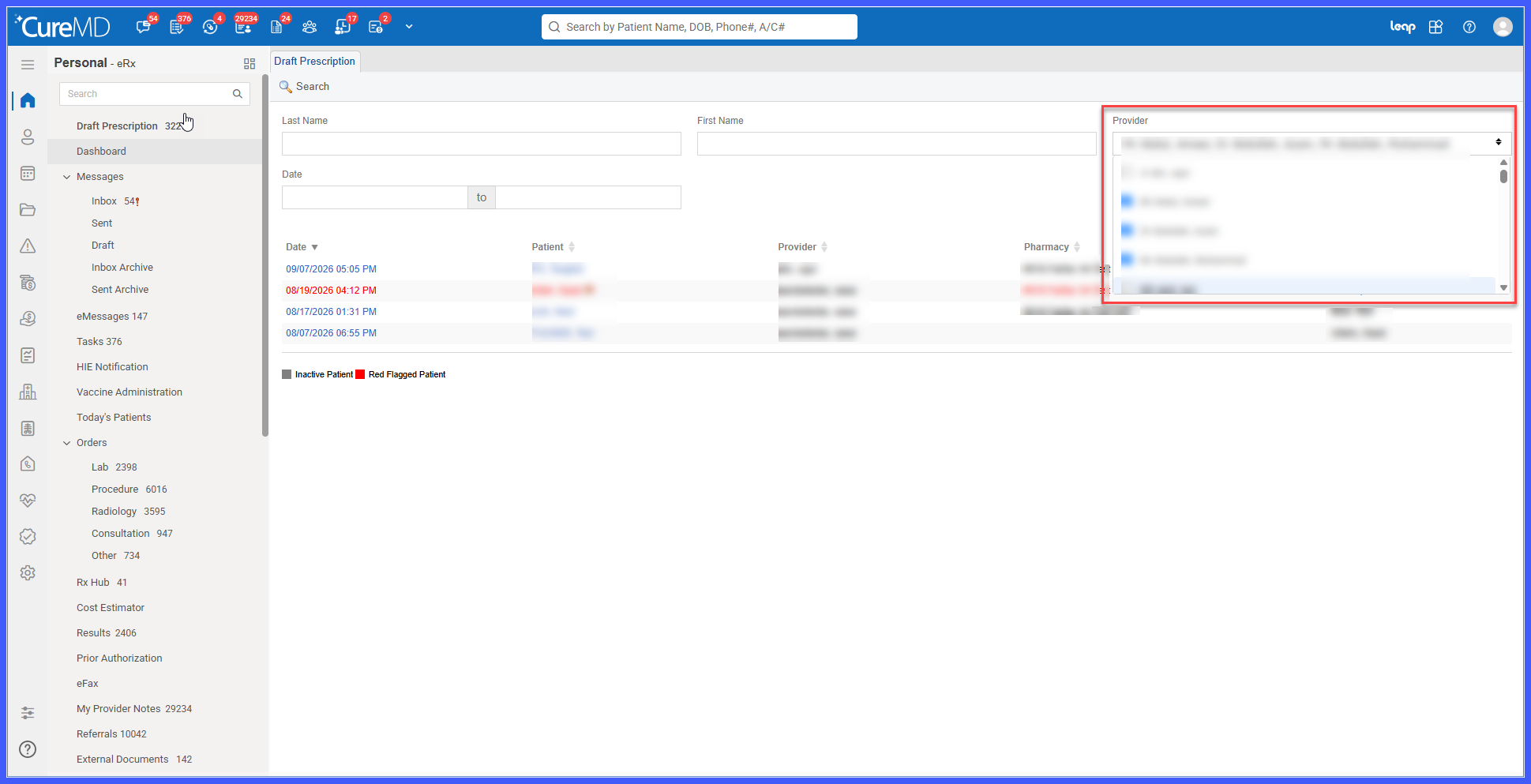
Multi-Select Provider Filter for Draft Prescriptions

The Draft Prescription workflow has been enhanced with a new Provider filter under the Personal module and multi-select functionality across both Personal and Administration.

Users can now select multiple providers and review their draft prescriptions in a single search, eliminating the need to search for each provider individually. This enhancement provides a consistent filtering experience across both modules and makes it easier to locate draft prescriptions.

Picture8-1

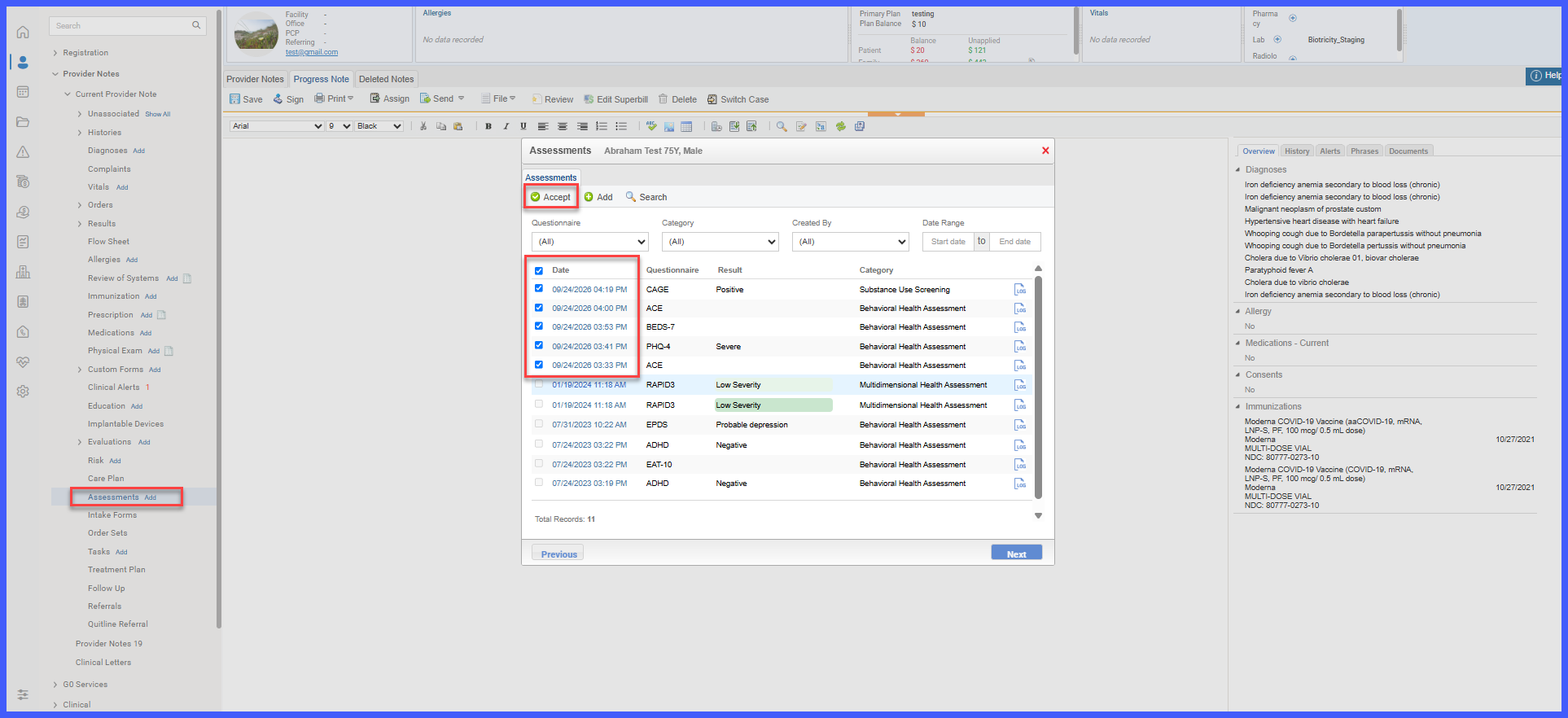
Multi-Select Assessments for Provider Notes with Single- and Multi-Instance Support

The Assessments workflow within Provider Notes has been enhanced to allow providers to select and link multiple eligible Assessments to a note in a single action.

The updated workflow introduces checkbox-based multi-selection, improved Assessment association management, a dedicated Assessments tab, and support for both single-instance and multi-instance Assessment components within Provider Note templates. Existing Assessment data, scoring rules, and Provider Note behaviors remain unchanged.

Picture5

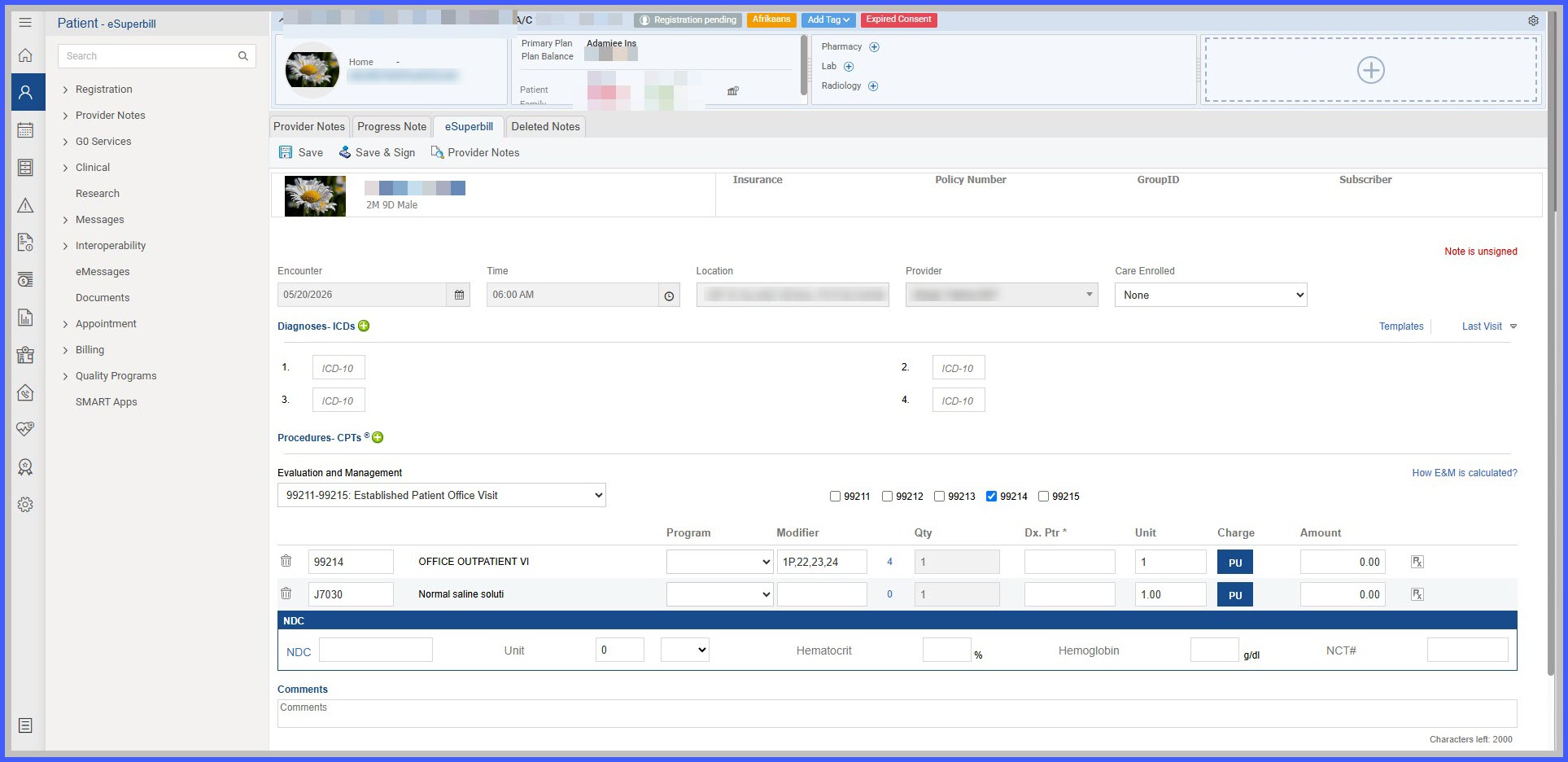
Display NDC, NCT, Unit, HGB, and HCT Values on Signed eSuperBill Preview and Print

This enhancement ensures that applicable medication and laboratory-related values captured on an eSuperBill remain available after the eSuperBill is signed. NDC, NCT, Unit, HGB, and HCT values are now retained in both the signed eSuperBill Preview and printed output, providing consistent information before and after finalization.

abcd

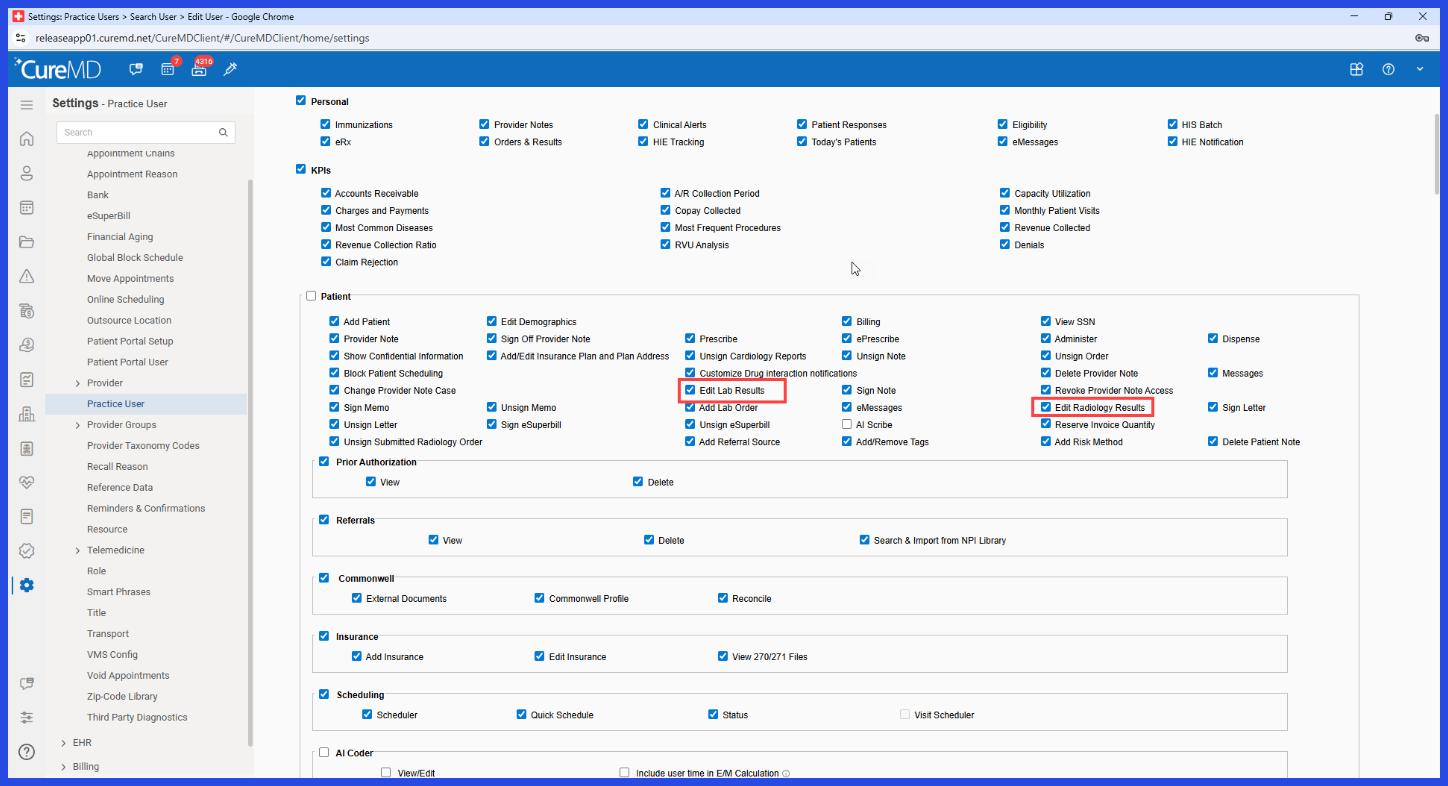
Updated Add/Edit Lab & Radiology Result Permissions

The Lab Results and Radiology Results permissions have been renamed to more clearly communicate the access they control. The previous "Edit" terminology has been updated to "Add/Edit" to clarify that the same permission governs both adding and editing results.

Picture6

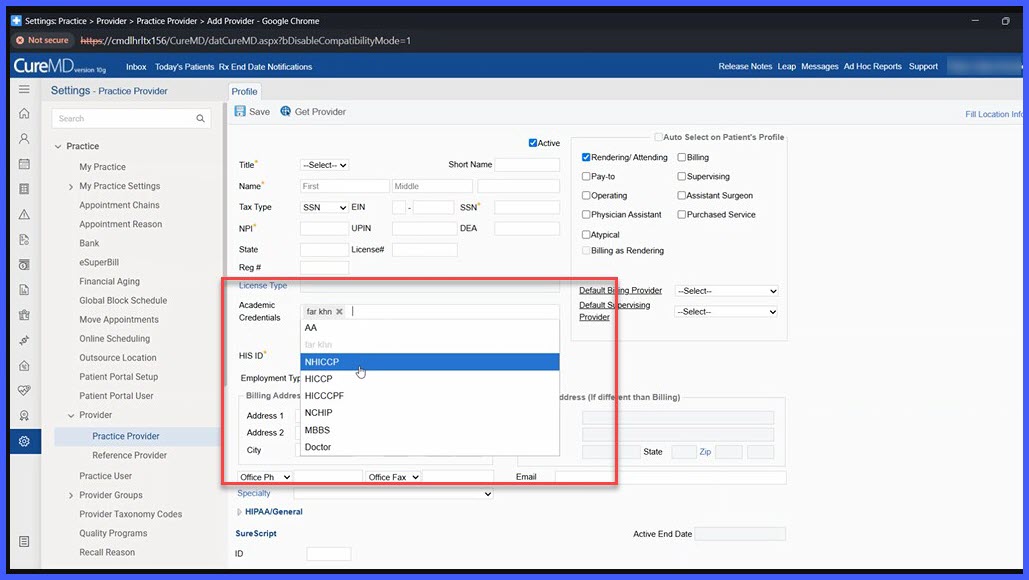
Academic Credentials for Practice Provider Profiles

A new Academic Credentials field has been added to the Practice Provider Profile, allowing Practice Admin users to maintain provider-specific academic credentials directly within the provider's profile.

The field supports multiple credential selections and makes the stored information available for inclusion in Provider Notes, reducing the need to manually enter provider credentials during clinical documentation.

prenatal-2

Prenatal Flow Sheet Usability Enhancements

The Prenatal Flow Sheet within Provider Notes has been enhanced to make prenatal documentation easier to review and complete during an encounter. The updated on-screen layout introduces standard OB abbreviations, grouped Cervix (Cx) and Urine headers, descriptive header tooltips, new Pain and Edema columns, and a streamlined visit date format.