Sorted:

111111111111111111111111111-2

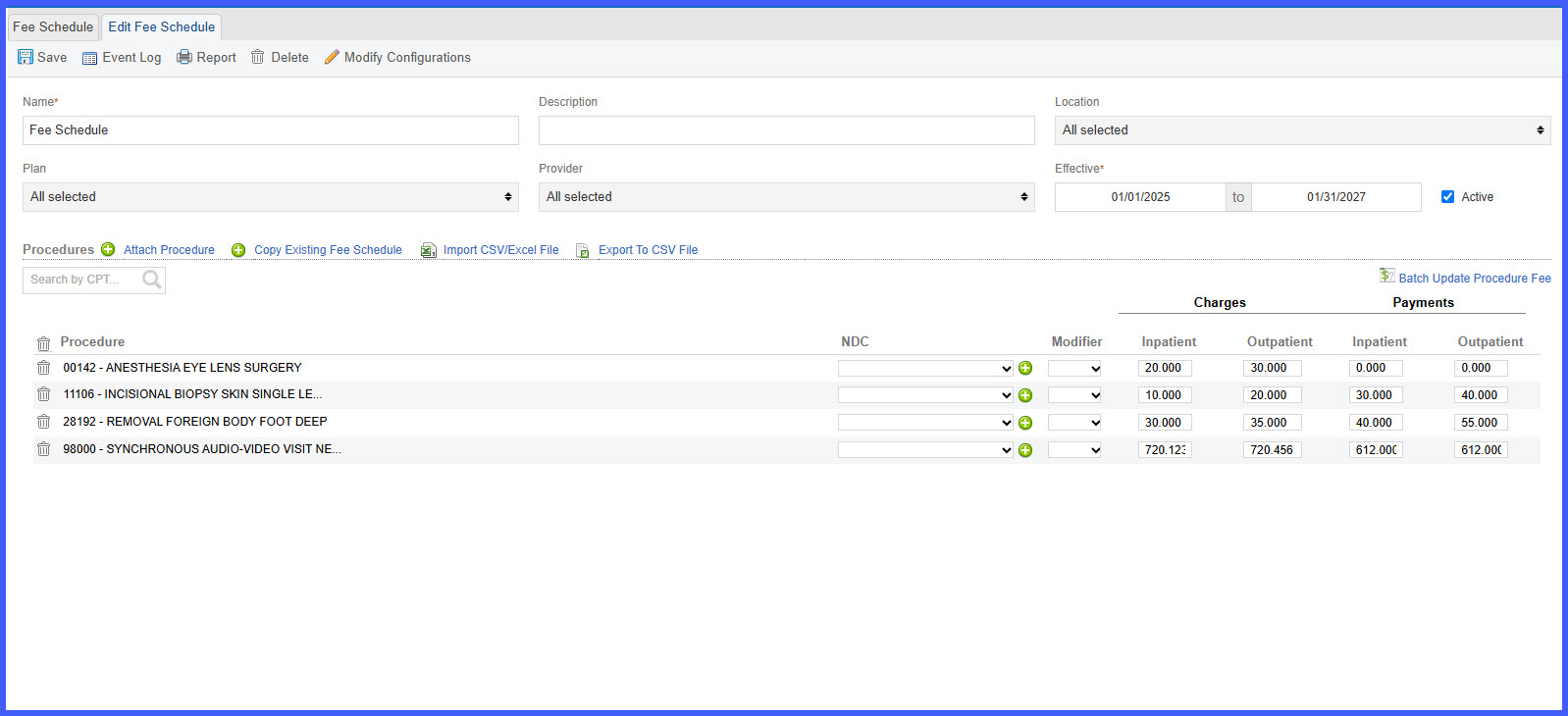
Support Three Decimal Places in Fee Schedule, Charge Master, and Contract Rates

This enhancement introduces support for three decimal places in rates configured within Fee Schedule, Charge Master, and Contract Rates. Administrators can now enter and maintain rates with precision up to 0.000, improving the accuracy of unit-based charge calculations and reducing discrepancies caused by premature rounding.

ABN-Form-REL

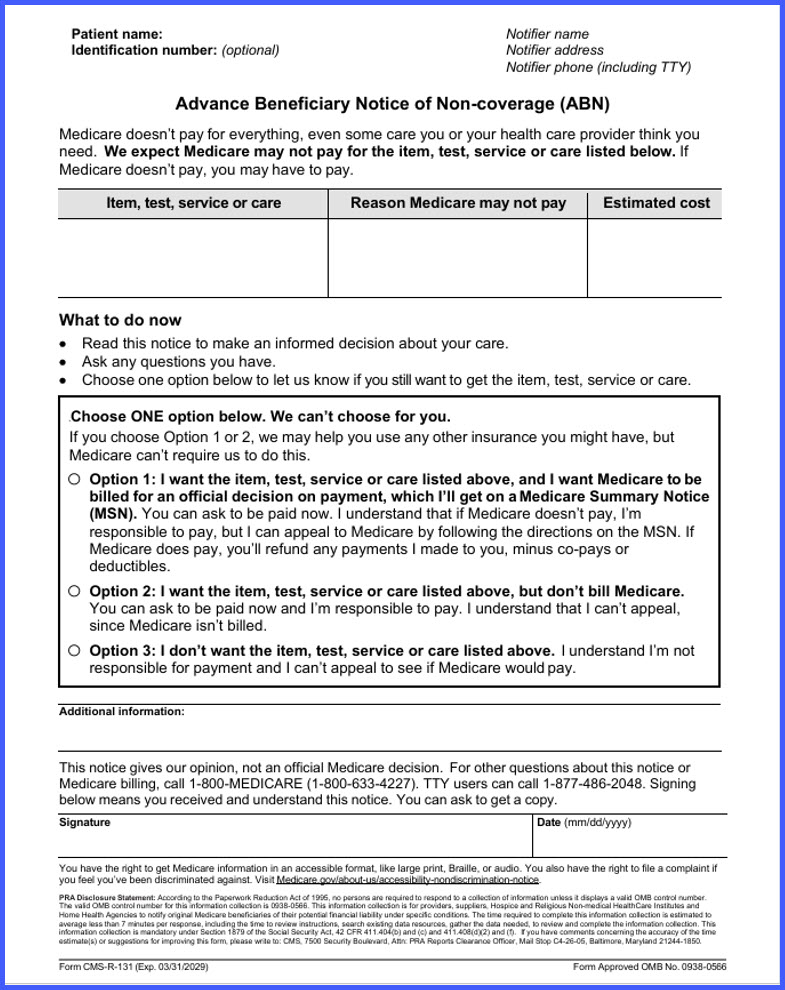
Updated Advance Beneficiary Notice of Noncoverage (ABN) Form

This enhancement updates the Advance Beneficiary Notice of Noncoverage (ABN), Form CMS-R-131, available within the Patient Consents workflow. The updated form ensures practices and patients are presented with the current version of the ABN for applicable Original Medicare services.

disable

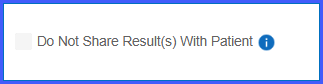
Disable "Share with Patient" for Procedures When Results Release on Acknowledgment

This enhancement aligns procedure-level patient sharing settings with the practice-wide Result Release configuration. When results are configured to release On Acknowledgment, the Share with Patient option is disabled for all procedures, ensuring results cannot be shared before provider acknowledgment.

Setting-side-2

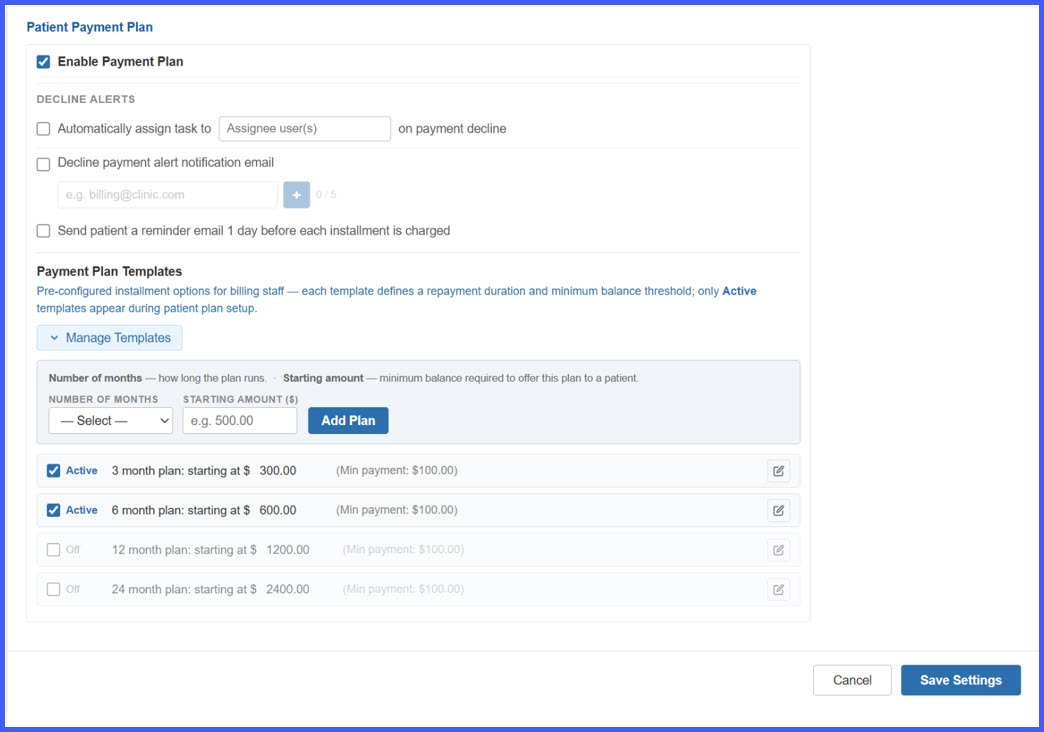
Enhanced Payment Plans – Configurable Templates, Automated Patient Reminders, Card Expiry Alerts, and Payment Decline Notifications

This release introduces a comprehensive set of enhancements to the Payment Plan workflow, covering practice-level configuration, patient payment plan creation, automated installment reminders, card-expiration notifications, payment-decline alerts, and staff-facing decline reporting.

Billing staff can now configure reusable Payment Plan Templates, apply eligible plans based on patient balances, and manage payment-plan alerts from a centralized settings area. Patients receive automated Email and SMS communications for upcoming installments, expiring cards, and failed payments, while practice staff can receive a consolidated Daily Payment Decline Summary for easier follow-up.
OB1

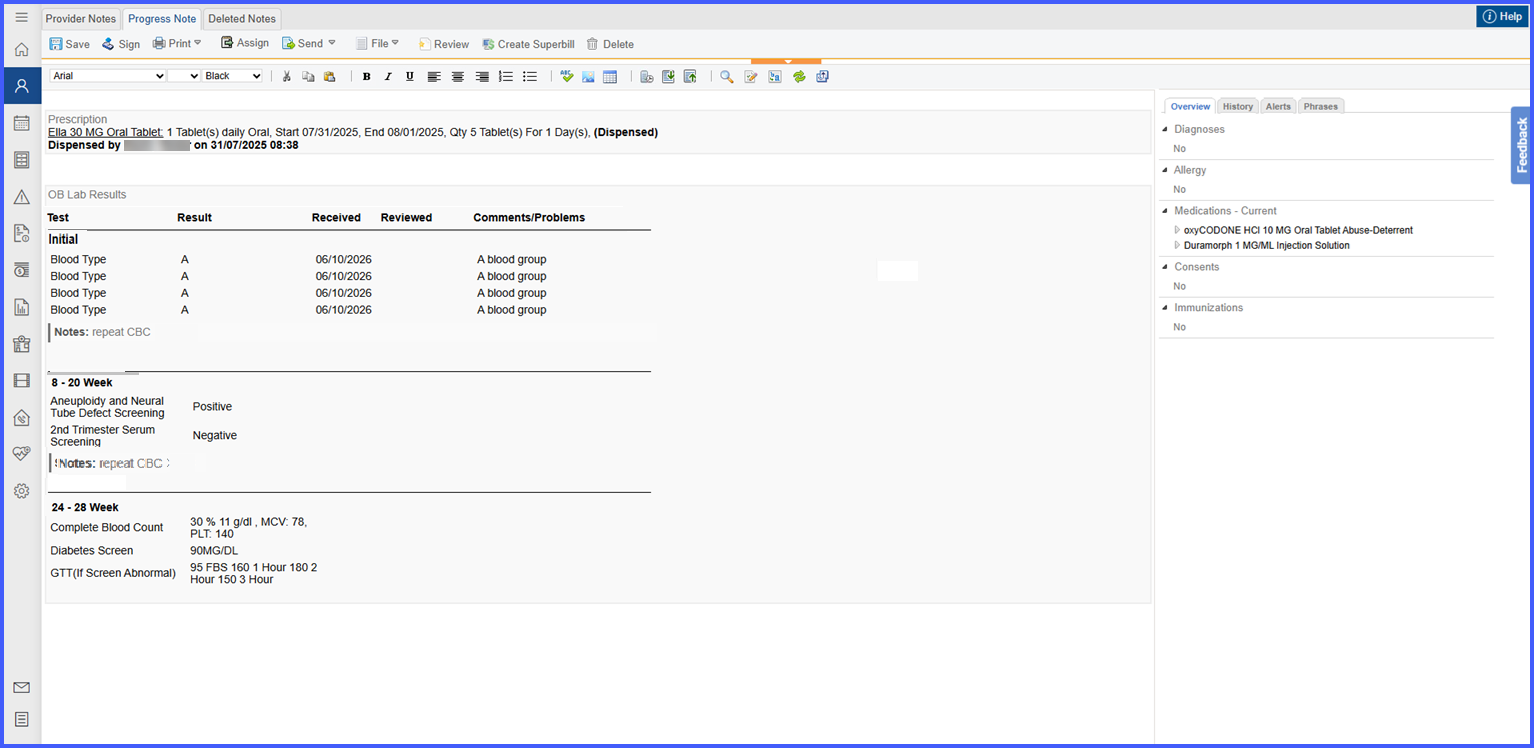
OB Lab Results Comments and Selected Results Now Display Correctly in Provider Notes

This enhancement improves OB Lab Results documentation within Provider Notes by ensuring that accepted test results and section-level comments are accurately carried over from the OB Lab Results modal. The updated layout also provides clearer organization of results, comments, and OB lab sections for easier clinical review.

Shared-Exam-Room-rel

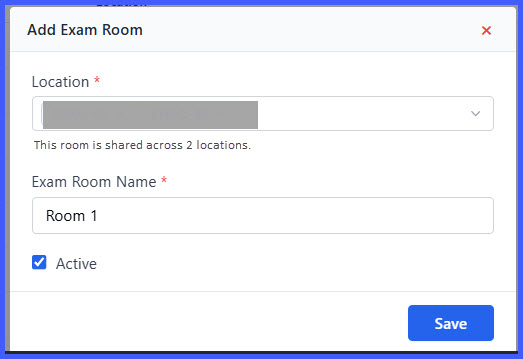
Shared Exam Rooms and Occupied Room Assignment

This enhancement introduces shared exam room support, allowing a single exam room to be associated with multiple locations while improving room assignment visibility across scheduling workflows. Users can now identify occupied rooms before assignment, view occupancy details, and assign shared rooms without maintaining duplicate room records.

Diagnoses-Review-2-1

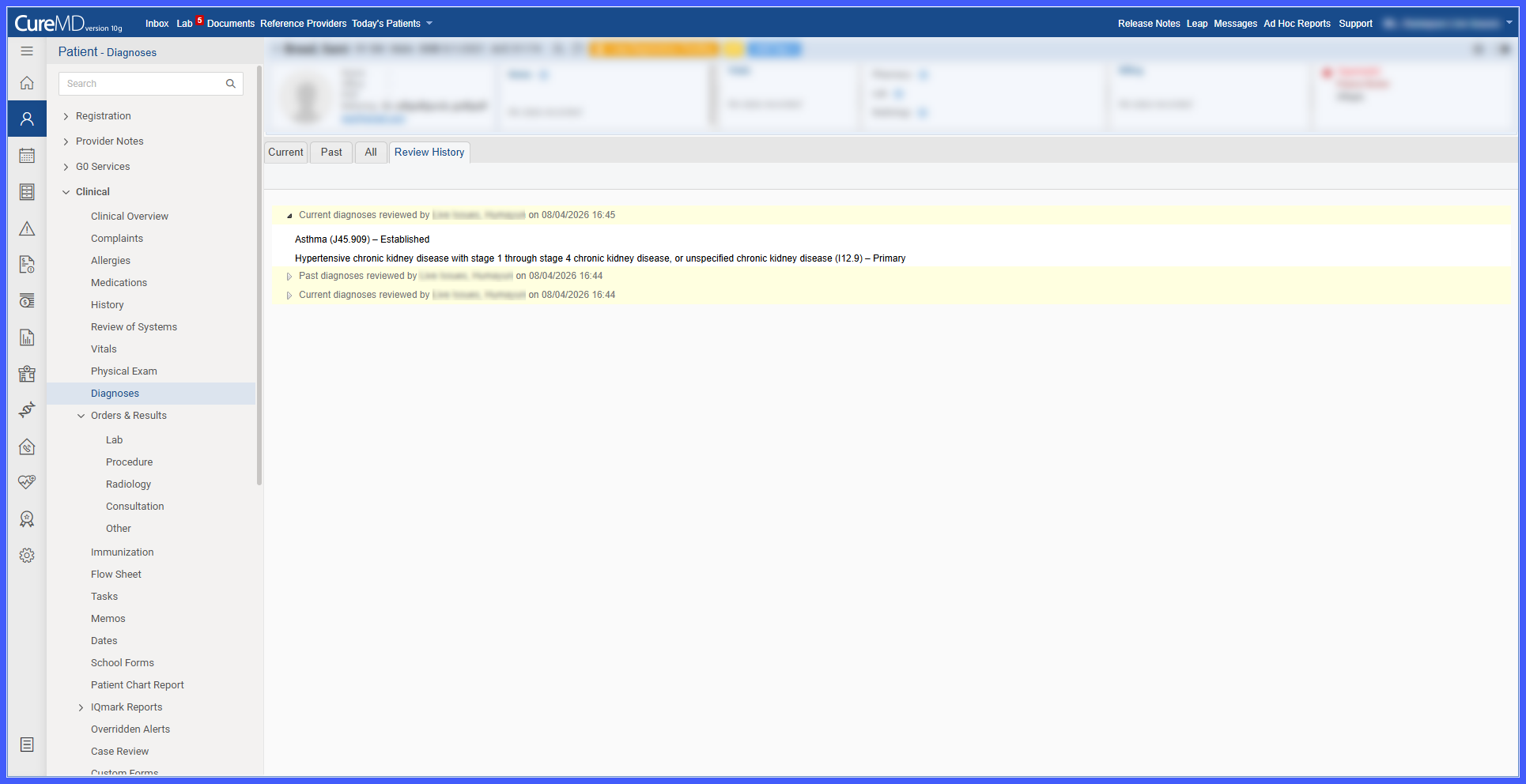
Diagnoses Review and Attestation

This enhancement introduces a structured review and attestation workflow for patient diagnoses. Providers can now review diagnoses from the Current, Past, or All tabs, access a detailed history of completed reviews, and view the latest review information directly within the Diagnoses section of the SOAP Provider Note.

intg2

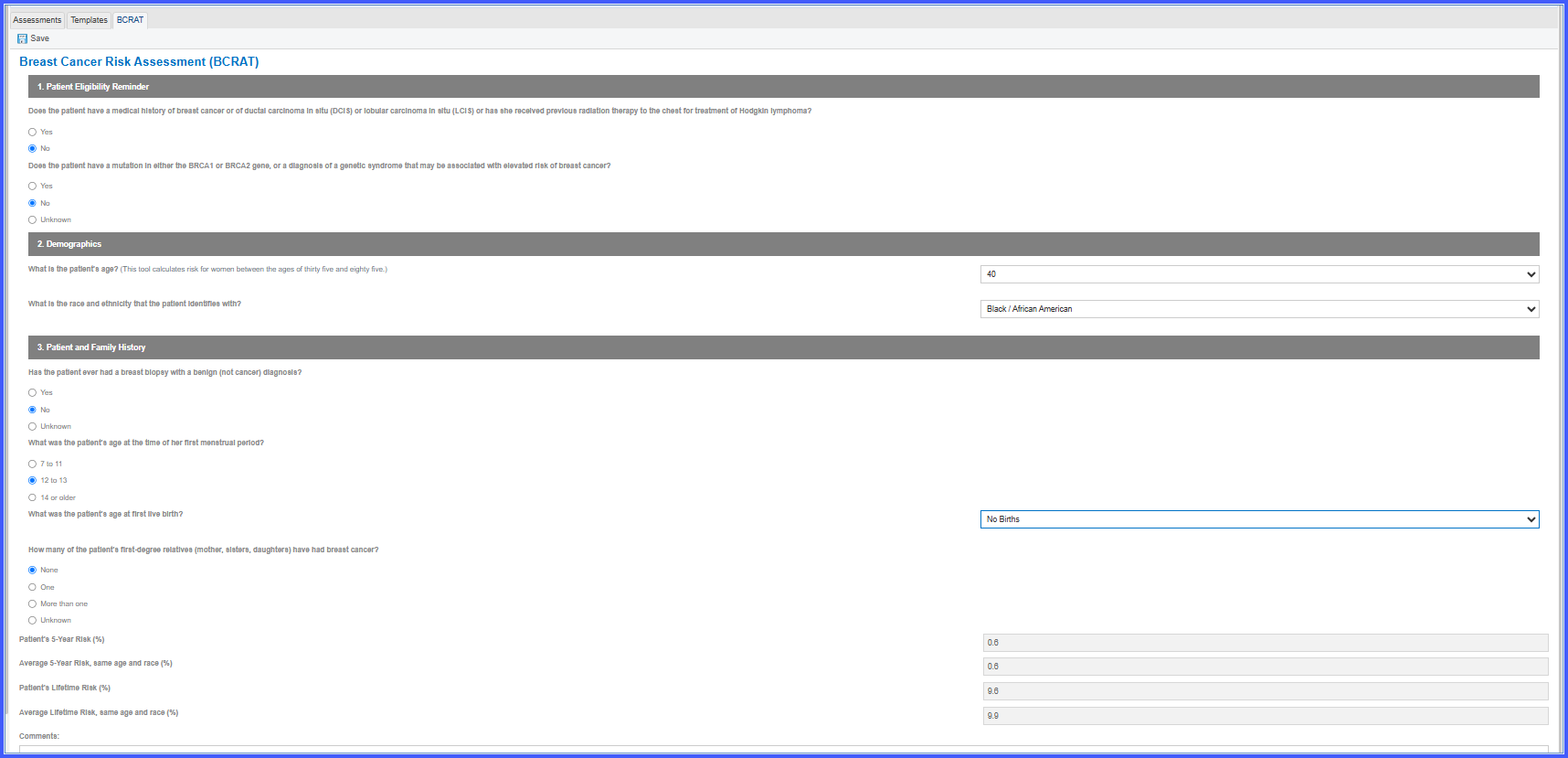
Breast Cancer Risk Assessment (BCRAT) Integration in 10G

This enhancement introduces the Breast Cancer Risk Assessment (BCRAT) form within the 10G Assessments module. Users can now perform standardized breast cancer risk assessments directly within CureMD, calculate 5-year and lifetime risk, and retain the assessment inputs and calculated results as part of the patient's clinical documentation.

radiology2

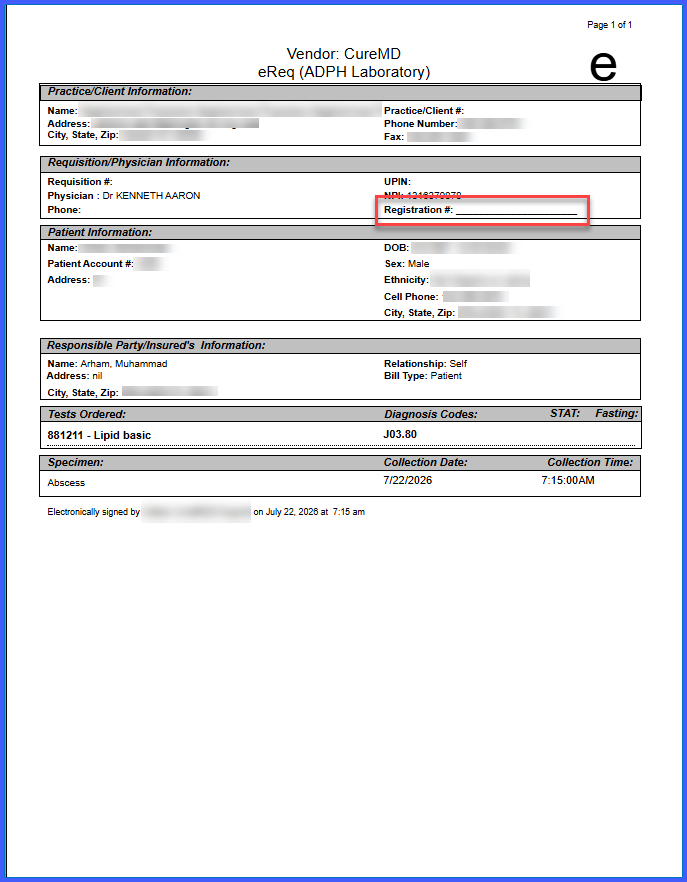
Display Provider Registration Number on Lab and Radiology Requisition Templates

This enhancement introduces a provider-specific Registration Number field that can be stored in the Practice Provider profile and displayed on applicable Lab and Radiology requisition templates. The Registration Number is printed alongside the provider's name and NPI, supporting regulatory requirements and reducing the risk of requisition rejection due to missing provider information.

chemo4

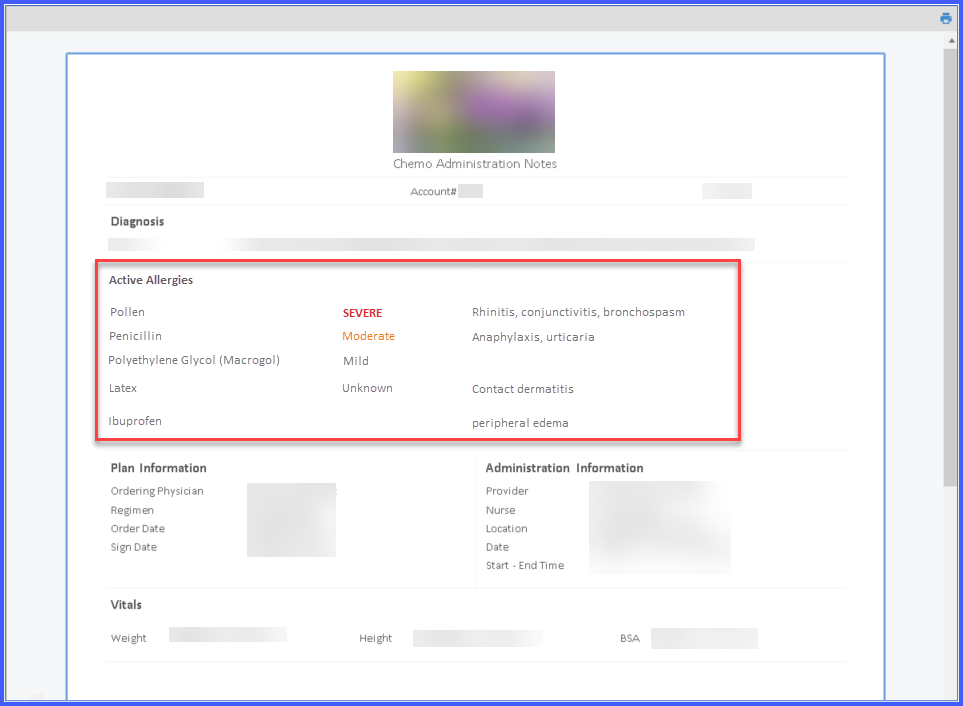
Active Patient Allergies Display Across Chemotherapy Workflows

This enhancement improves patient safety by making active allergy information readily visible across key Chemotherapy Manager workflows. Active allergies are now displayed in Chemo Plan Reports, Drug Administration Reports, Administration Notes, and the Patient Banner, allowing clinicians to review important allergy information without navigating to other areas of the patient chart.