Sorted:

Setting-side-2

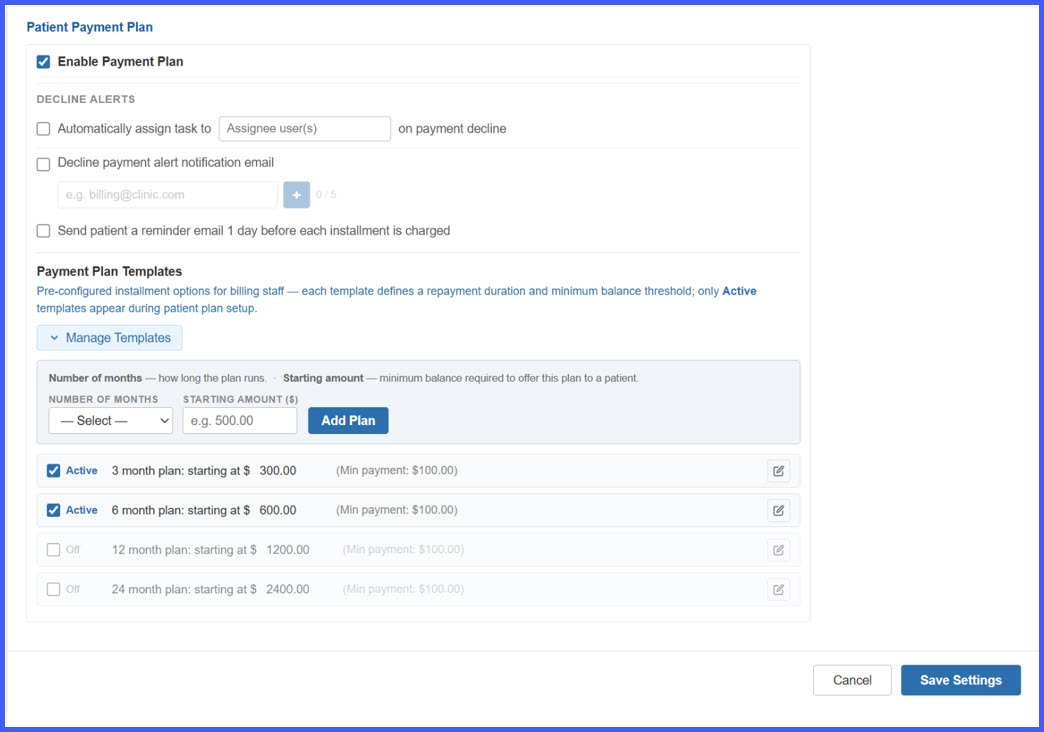
Enhanced Payment Plans – Configurable Templates, Automated Patient Reminders, Card Expiry Alerts, and Payment Decline Notifications

This release introduces a comprehensive set of enhancements to the Payment Plan workflow, covering practice-level configuration, patient payment plan creation, automated installment reminders, card-expiration notifications, payment-decline alerts, and staff-facing decline reporting.

Billing staff can now configure reusable Payment Plan Templates, apply eligible plans based on patient balances, and manage payment-plan alerts from a centralized settings area. Patients receive automated Email and SMS communications for upcoming installments, expiring cards, and failed payments, while practice staff can receive a consolidated Daily Payment Decline Summary for easier follow-up.
Provider-Note-1

View and Edit Patient Documents from Provider Notes

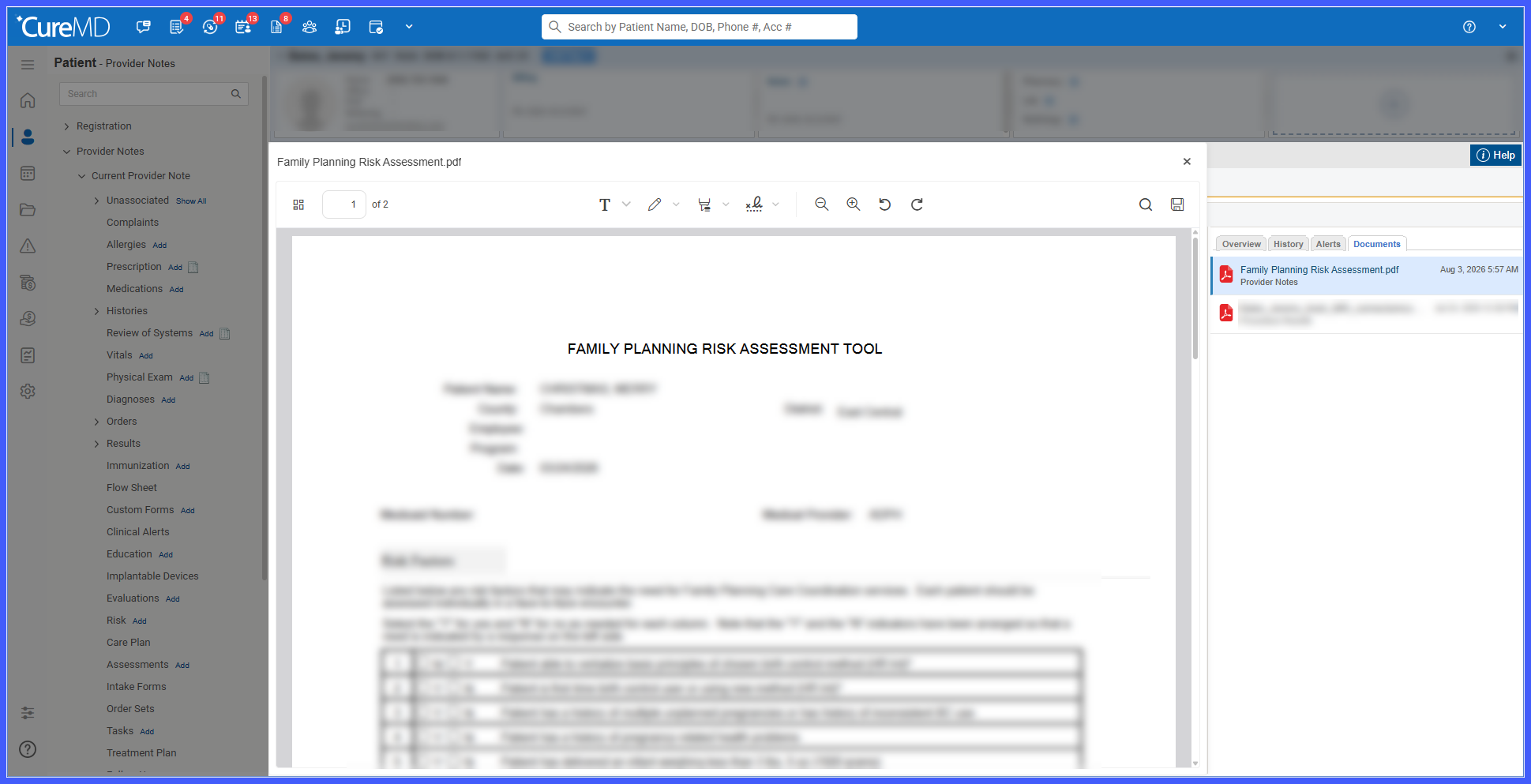
This enhancement adds a Documents tab to the right-side panel of Provider Notes, allowing users with the required Document Manager permission to access and manage patient documents without leaving the Provider Notes workflow. Users can quickly review available documents, open supported files in an overlay, and edit documents when editing is supported.

E3-BB

Extended Multiple View with Page Navigation for Enterprise Scheduling

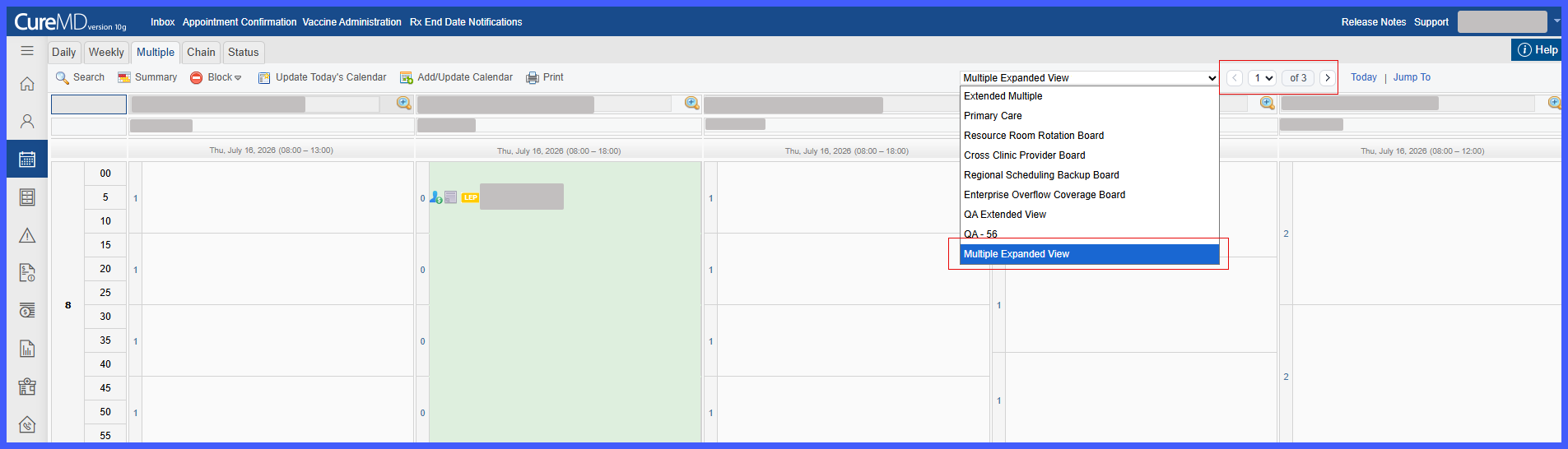
This enhancement introduces Extended Multiple View within the Scheduler, allowing enterprise practices to view and manage larger groups of provider and resource calendars through page-based navigation. Calendars are organized into pages of up to five, now allowing users to navigate across an unlimited number of configured calendars while retaining existing Multiple View scheduling functionality.

E2-BB

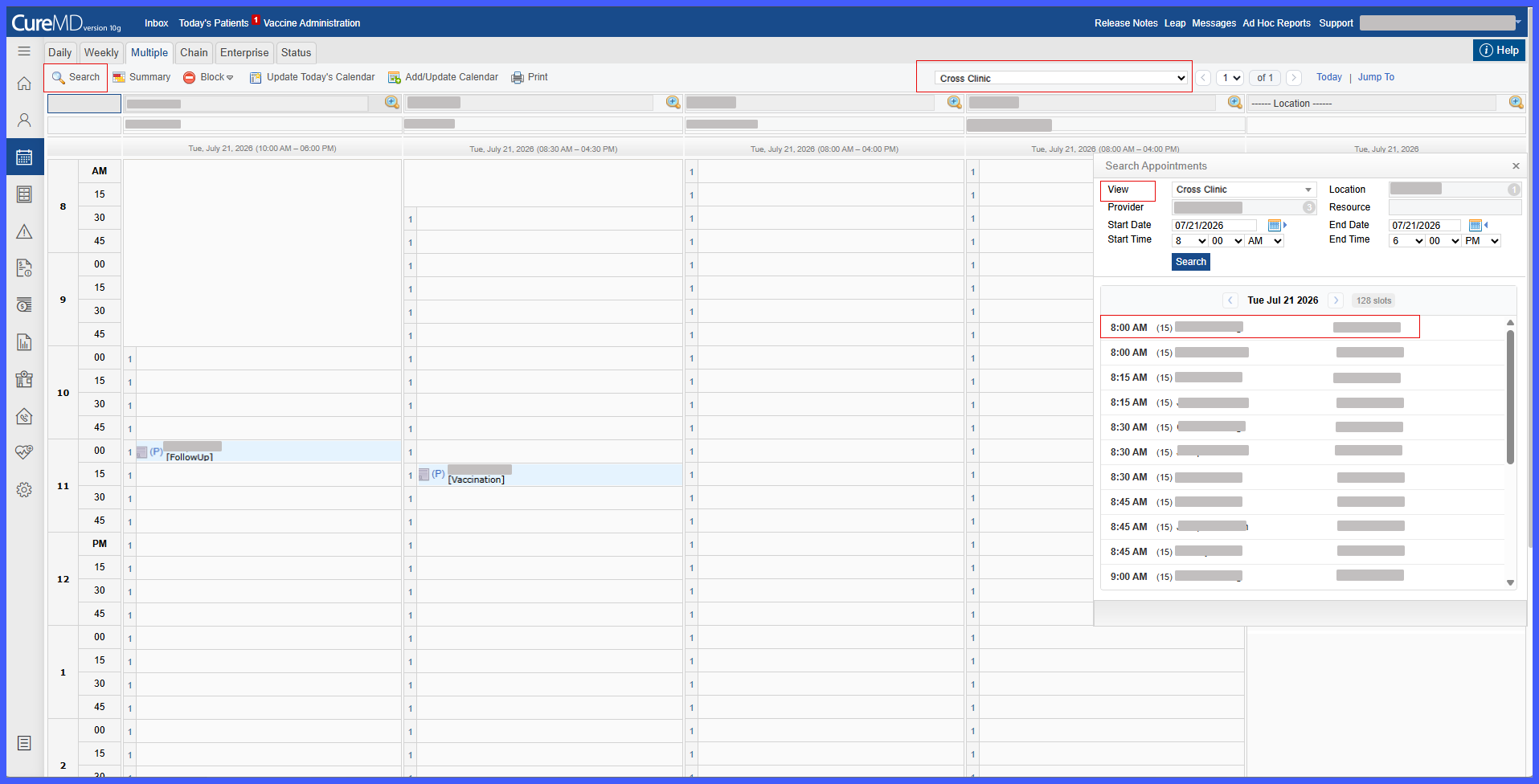
Search Available Appointments in Extended Multiple View

This enhancement introduces Search Appointments within the Extended Multiple View Scheduler, allowing front desk staff to quickly locate available appointment slots across multiple providers, resources, and locations. The search uses the selected Saved View to automatically populate scheduling criteria and presents available slots in an organized view while continuing to follow existing scheduling and availability rules.

REL8-7

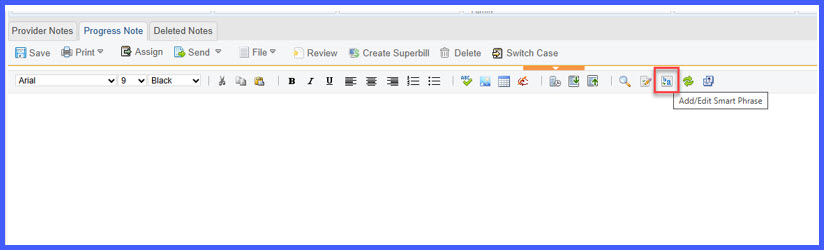
Enhanced Smart Phrases with Dynamic Fields and Flag Support

This enhancement expands Smart Phrase functionality within Provider Notes by introducing Enhanced Smart Phrases. Users can now create reusable Smart Phrases containing structured controls and dynamic fields (Flags), allowing patient, provider, visit, and insurance information to be inserted automatically while supporting more interactive clinical documentation.

REL-8-3

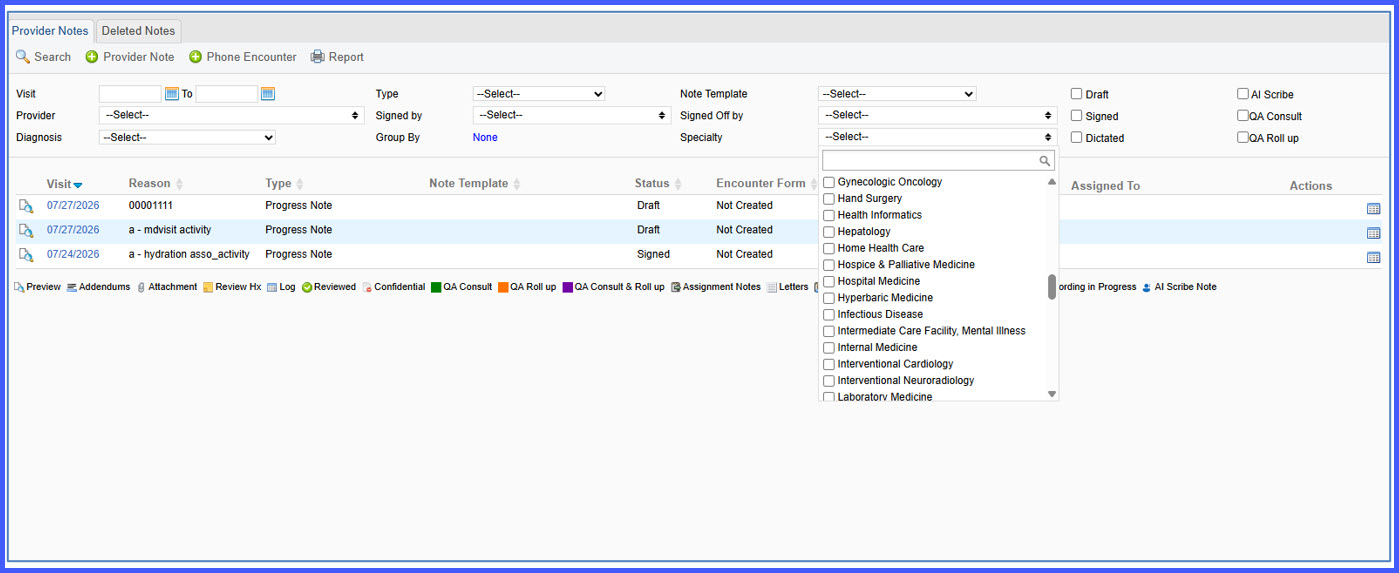
Specialty Filter for Provider Notes

This enhancement introduces a Specialty filter within Provider Notes, allowing users to quickly locate documentation created by providers from specific specialties. The new filter is also available in My Notes, making it easier for multi-specialty practices to find relevant provider documentation.

REL-8-1

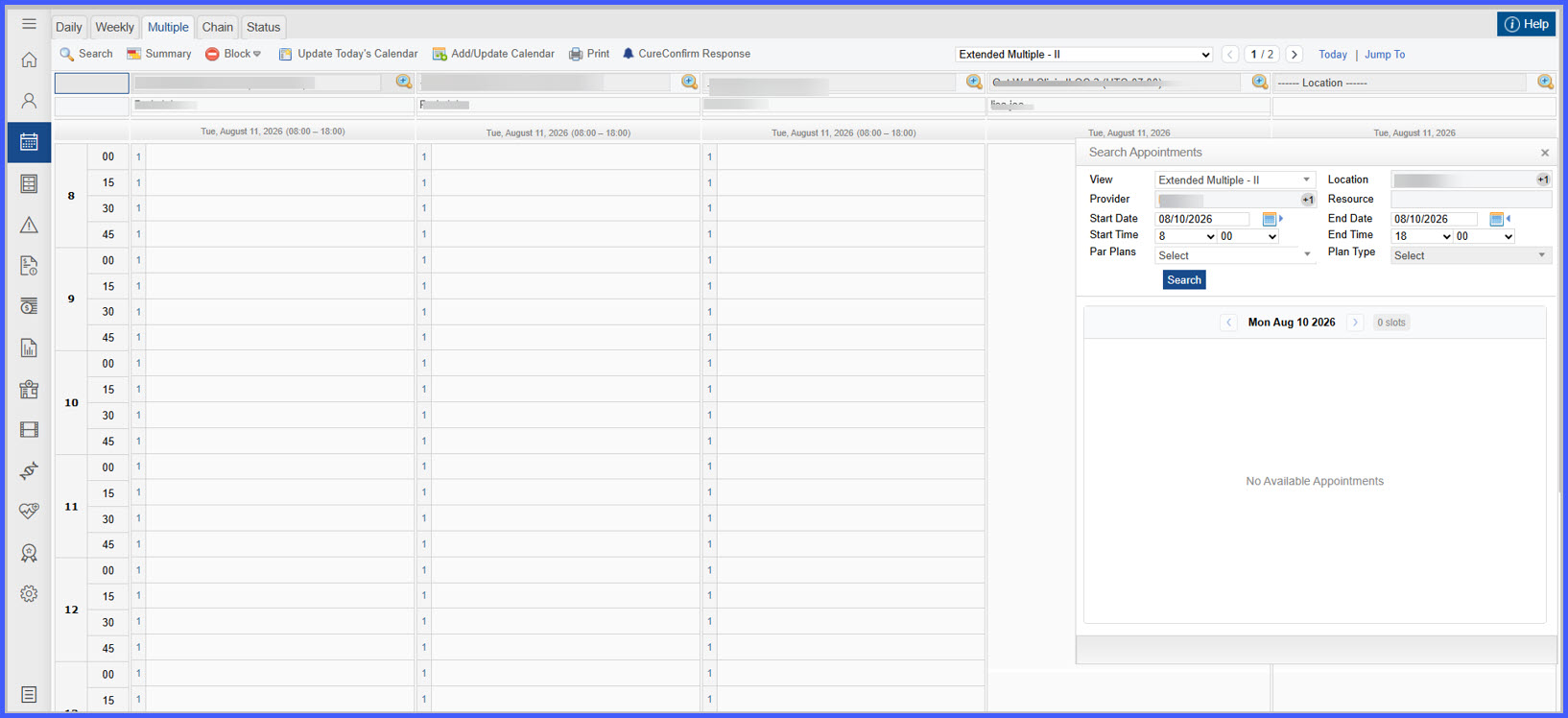
Filter Appointment Search Results by PAR Provider Status

This enhancement adds PAR-aware provider filtering to the Search Appointments workflow in Scheduler Multi-View. Users can now filter appointment search results using PAR Plan and Plan Type while viewing provider participation status during booking, helping ensure appointments are scheduled with the appropriate participating providers.

schd1

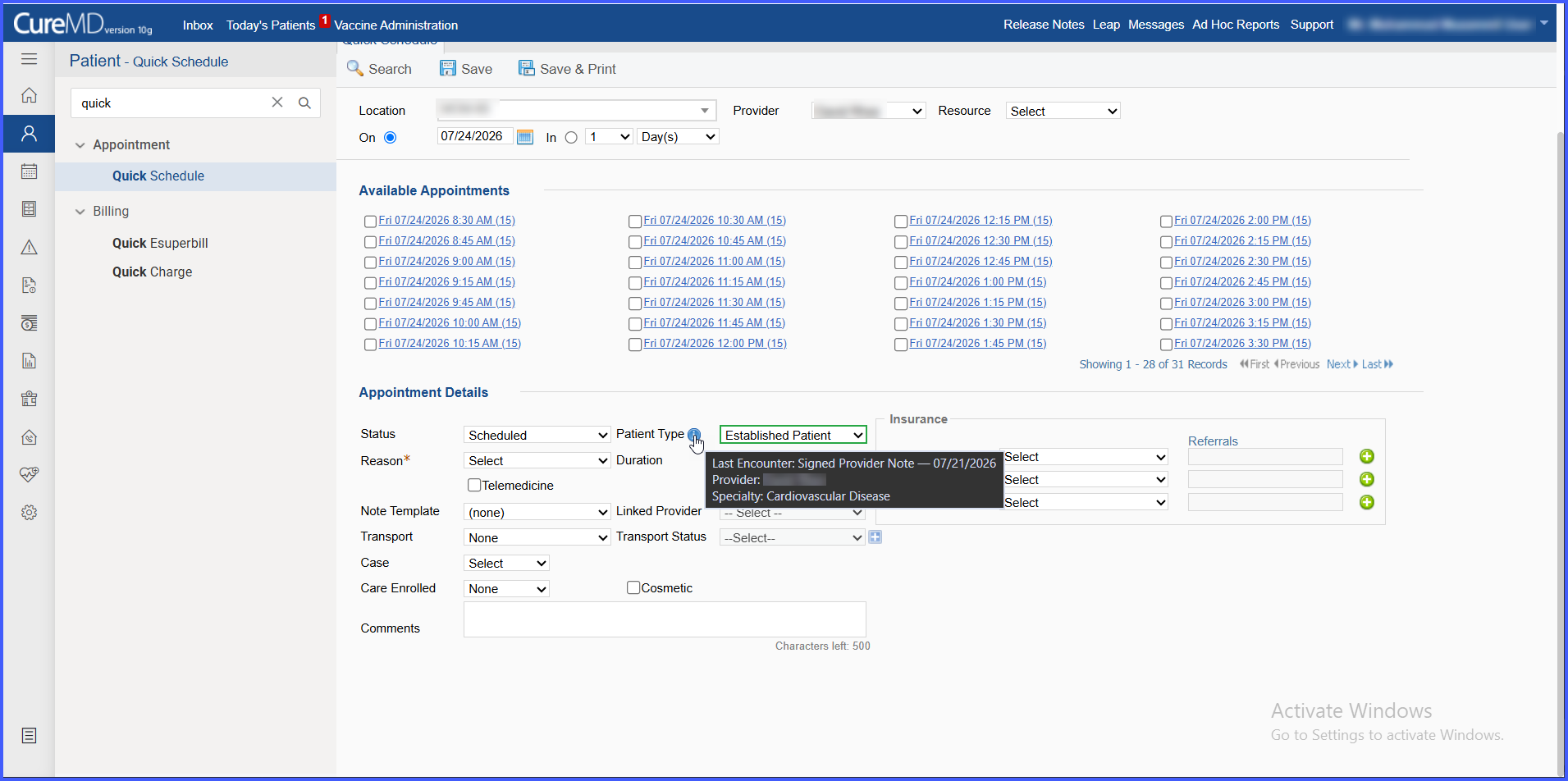
Automated New vs. Established Patient Type Suggestions in Scheduling

This enhancement introduces a Patient Type field across scheduling workflows that automatically suggests whether a patient should be classified as New Patient or Established Patient based on qualifying encounter history and provider specialty. The suggested classification is clearly identified while allowing schedulers to manually override it at any time.

REL-7-Additional-Note-Creation

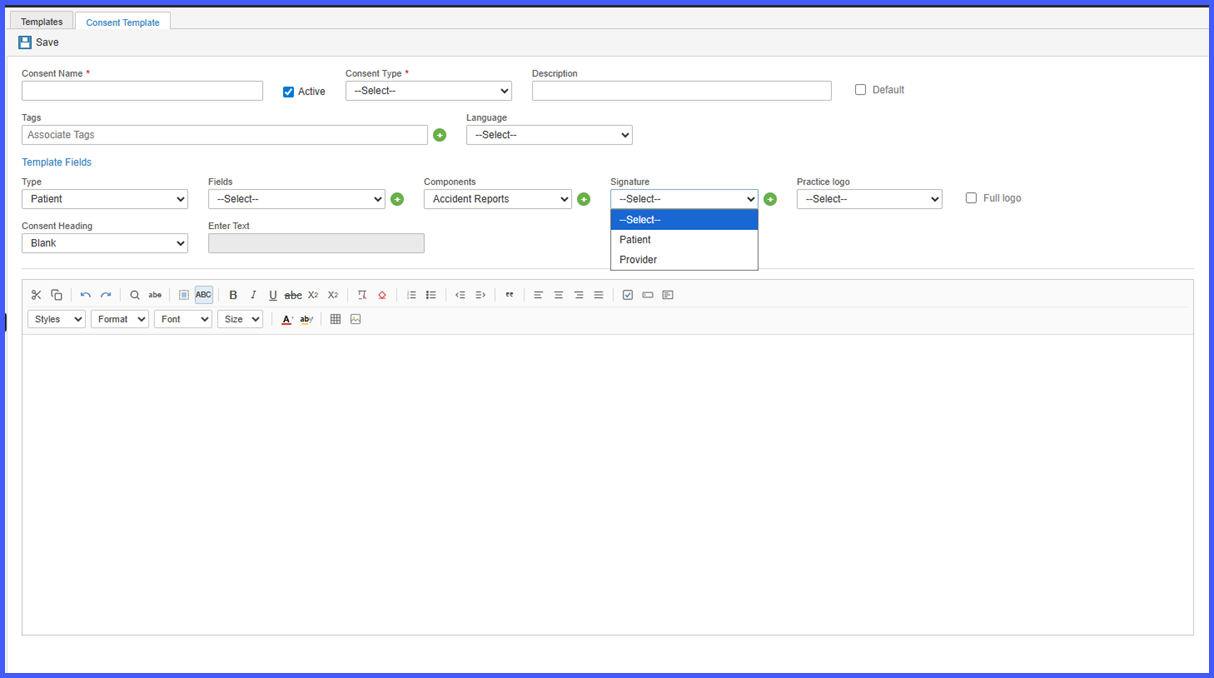
Consent Templates – Separate Patient and Other Signature Fields

This enhancement introduces separate signature field types for Patient and Other within Consent letter templates. Practices can now capture and track patient and non-patient signatures independently throughout the consent workflow, including forms completed through Kiosk, improving documentation accuracy and flexibility.

Weight1

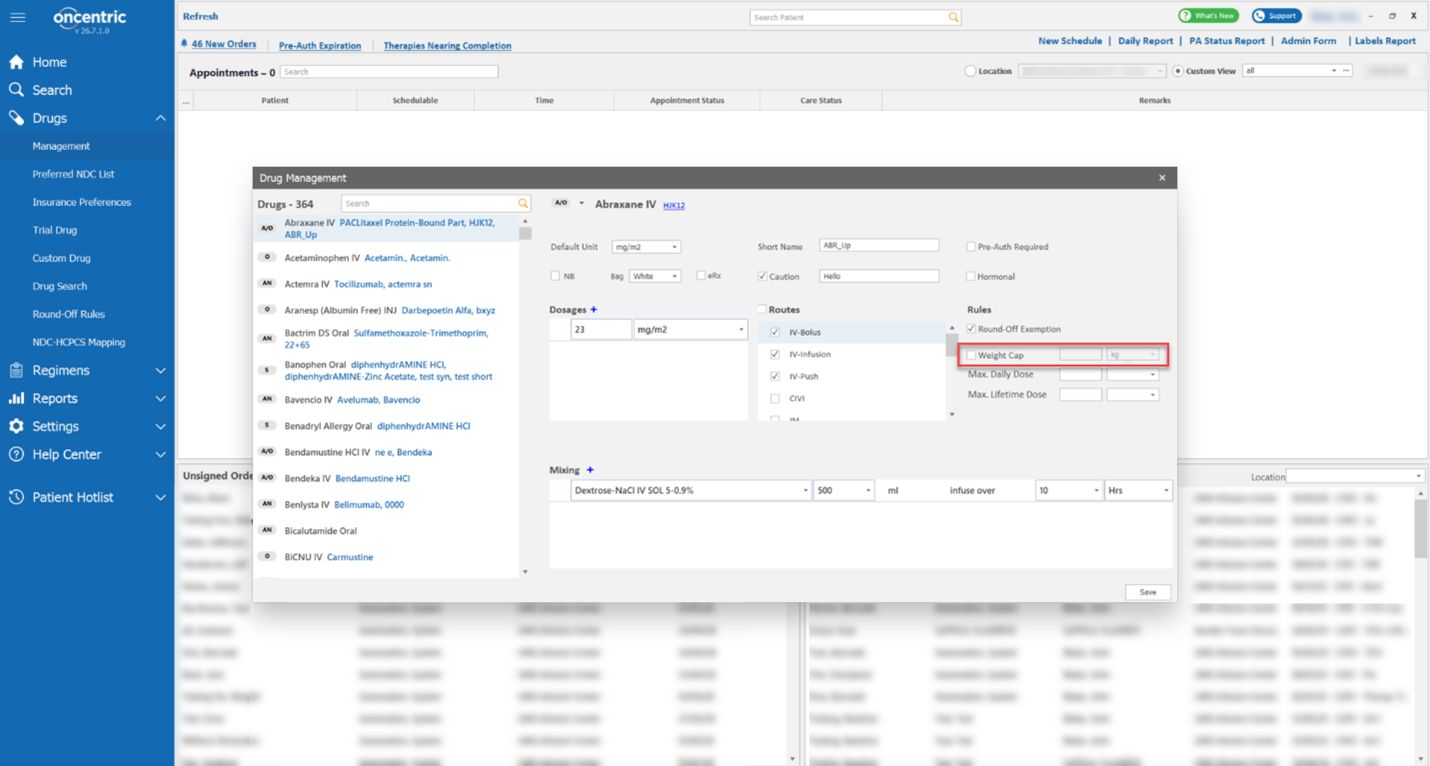
Configurable Weight Cap for Weight-Based Dosage Calculations Across Oncology Workflows

This enhancement introduces a configurable Weight Cap for eligible weight-based drugs, allowing practices to define a maximum weight used for dosage calculations. When a patient's recorded weight exceeds the configured threshold, the system automatically applies the capped weight during dose calculations and displays visual indicators throughout oncology workflows to identify capped dosing.