Sorted:

CustomFormAIScribe2

Custom Forms in AI Scribe

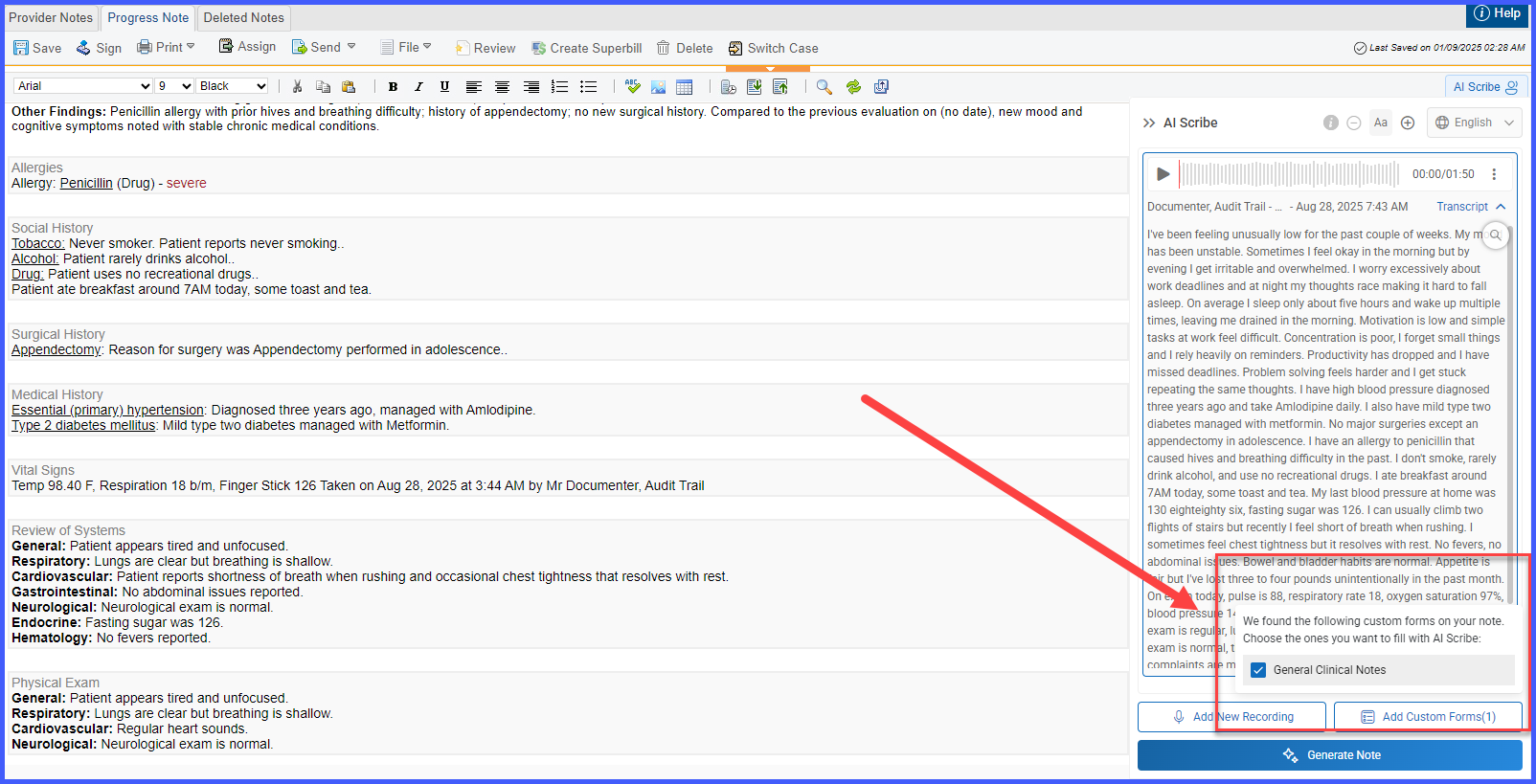
With this enhancement in the CureMD application, AI Scribe now supports Custom Forms within provider notes. Users can add, view, and manage Custom Forms directly in the AI Scribe interface, ensuring structured data capture alongside transcriptions. This allows practices to streamline documentation, maintain consistency, and improve efficiency in filling their personalized custom forms.
Affected Appointments Tracking for Global Blocks

With this enhancement in the CureMD application, users can now view all appointments impacted by global blocks directly from the Global Block Schedule. An Affected Appointments button is displayed on each block, allowing users to quickly identify appointments by provider, location, and patient details for better scheduling management.

ImmReconcile

Reconcile Immunizations within History and Forecast

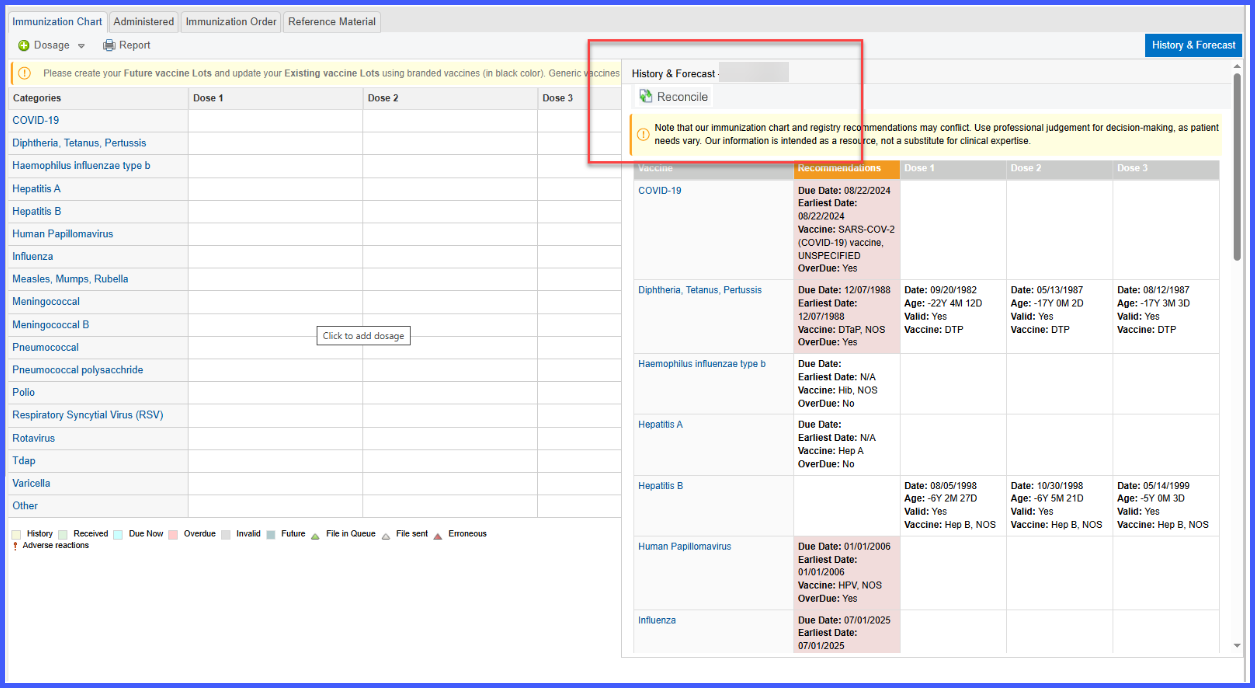
With this enhancement in the CureMD application, users access a reconcile button within the History and Forecast section to review and manage vaccine records from both the chart and the registry. This streamlines the process of comparing, importing, and finalizing immunizations within the patient record.

Patient Portal “Make a Payment” is Now Hidden When No Payment Partner is Set

With this enhancement, If a practice hasn’t set up an online payment partner for a location in CureMD, the “Make a Payment” section in the Patient Portal will no longer appear. This prevents errors and confusion when trying to pay balances online.

DiscontinueRXInactivePharmacies

Discontinuing ePrescribed Medications Linked to Inactive Pharmacies

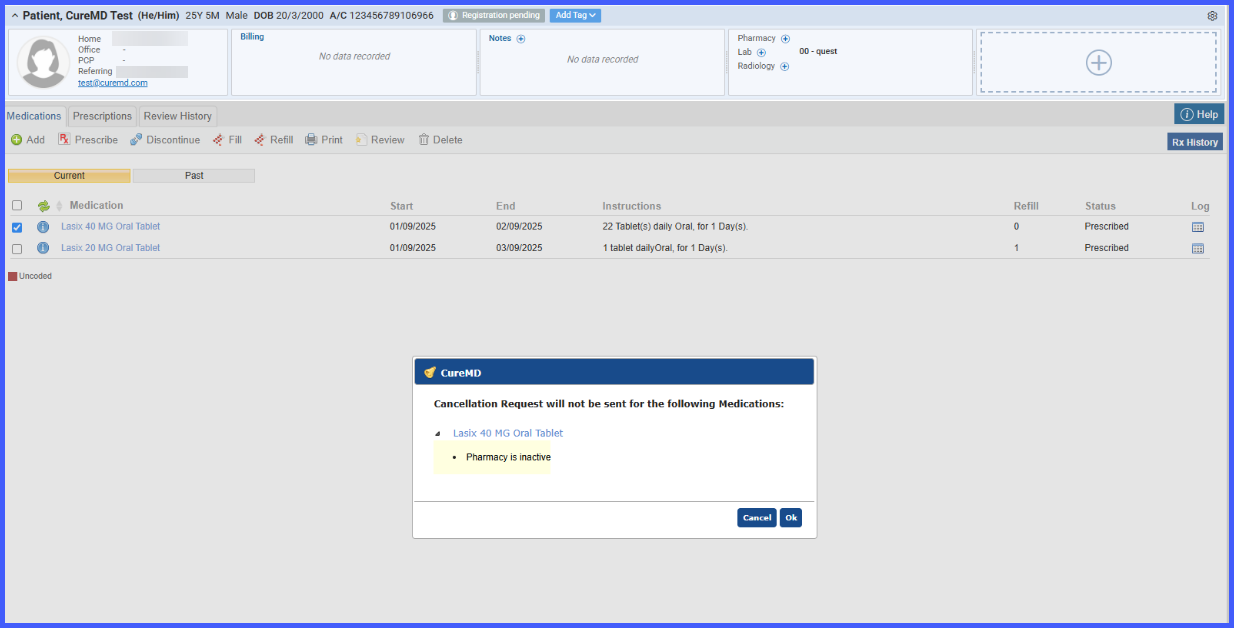
With this enhancement in the CureMD application, users attempting to discontinue a medication ePrescribed to an inactive pharmacy receive a prompt indicating the pharmacy's inactive status. This ensures that cancellation requests are not sent to pharmacies that are no longer active.

Status Dropdown and Rescheduling Enhancements in Appointment Status Views

With this enhancement in the CureMD application, users can now access a dropdown menu directly from appointment status hyperlinks in the Scheduler and Patient modules. This menu provides quick access to Update Status / Transport and Reschedule actions, streamlining appointment management without navigating away from the current view.

OrderTypeSpecificCPT2

Filtered CPT Search in Custom Lists Based on Order Type

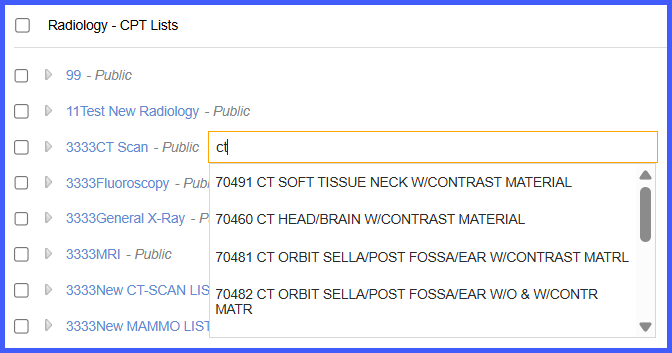
With this enhancement, CPT search results within Custom Lists are now filtered based on the selected order type (Lab-CPT, Radiology-CPT, or procedures) to ensure only relevant entries are shown. This enhancement streamlines the ordering process and eliminates irrelevant CPT codes during search.

Global Block Scheduling Applied Across All Calendars

With this enhancement in the CureMD application, global blocks created in the Practice Settings are automatically applied to all provider and resource calendars, both existing and future. This ensures consistent enforcement of recurring and holiday schedules without requiring manual updates, even when block times overlap with calendar hours.

ReassignUserLoc2

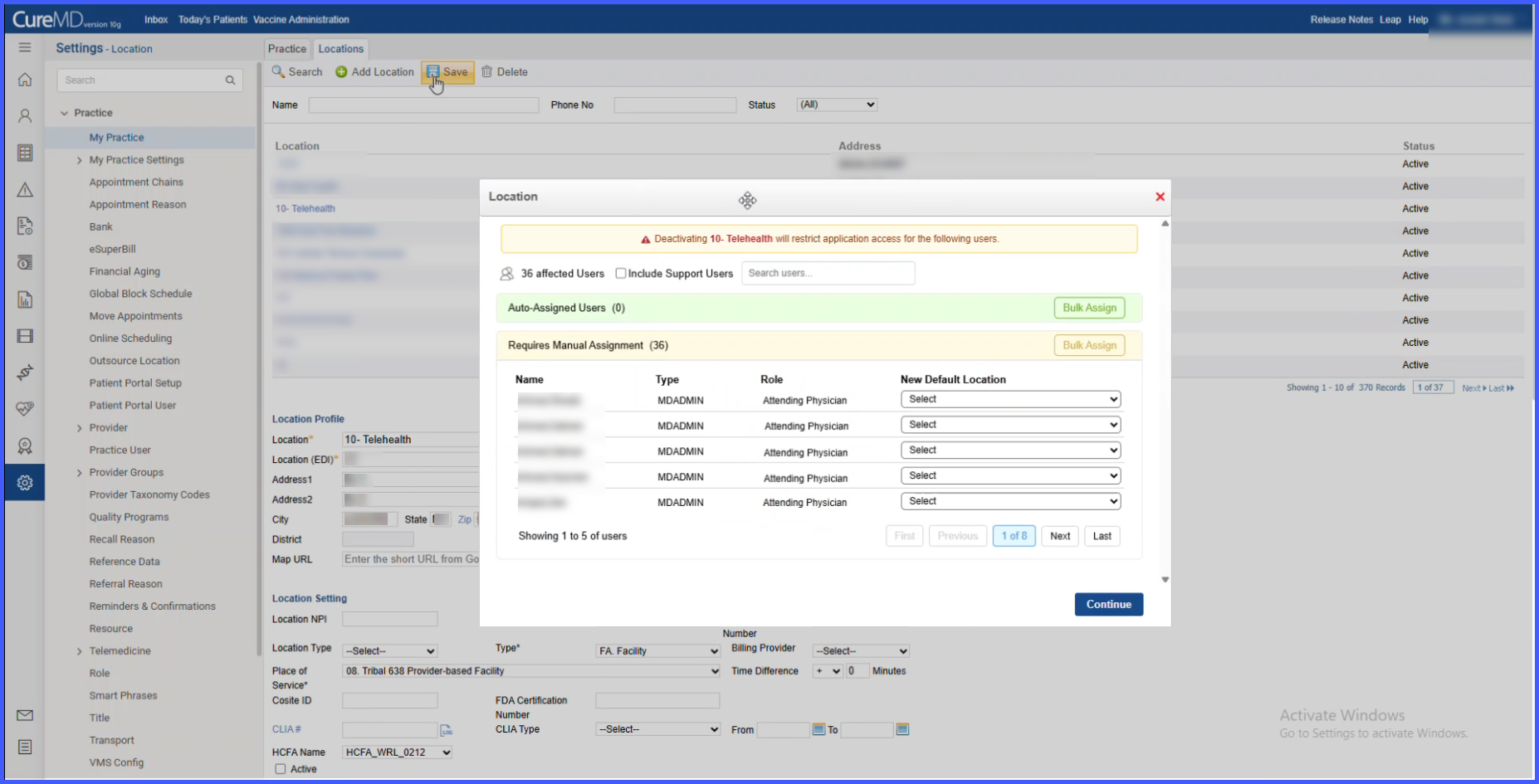
This content is password-protected. To view it, please enter the password below.

AddCaseManager

Add Case Manager and Advocate as Patient Contacts

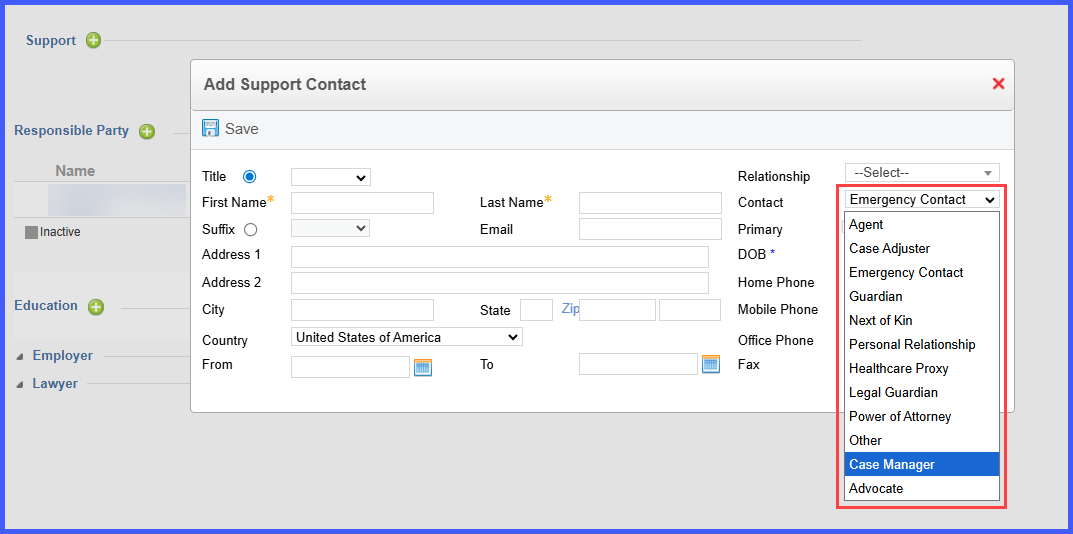
With this enhancement in the CureMD application, users can now add “Case Manager” and “Advocate” as support contact types in Patient Demographics, along with the ability to capture fax numbers.