Sorted:

Picture39

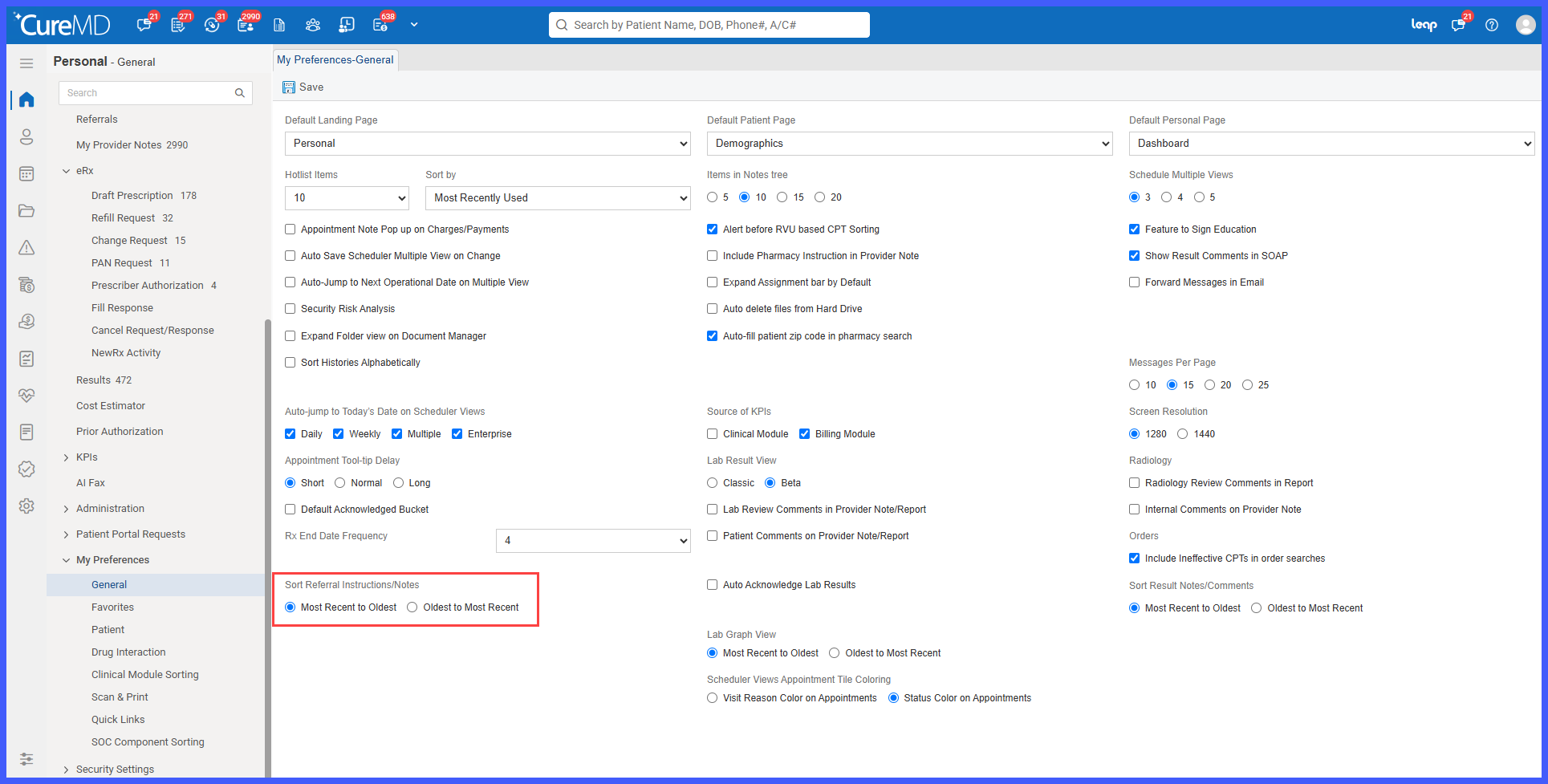
Customizable Sorting for Referral Instructions and Notes

A new Sort Referral Instructions/Notes preference has been introduced, allowing users to customize how Patient Instructions and Internal Notes are displayed within referrals.

Users can choose to display the newest entries first or arrange them chronologically from oldest to newest. The selected preference is saved individually for each user and automatically applied whenever they open a referral, making it easier to review updates and track referral progress.
rel-8-a-2

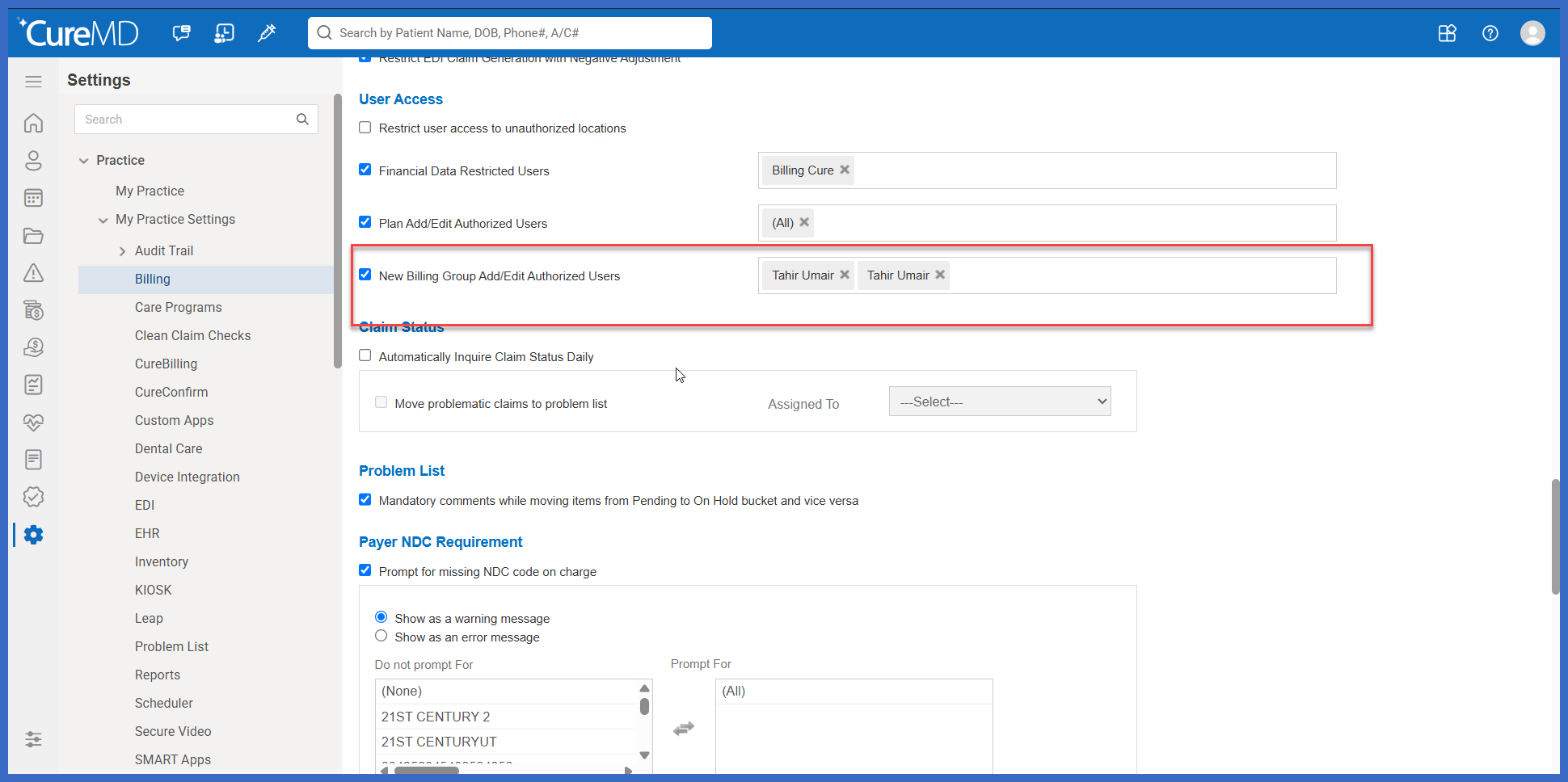
Authorized User Controls for Billing Group Management

Billing Group management has been enhanced with a new practice-level authorization setting that allows administrators to control which users can create, edit, and maintain Billing Groups.

The new Billing Group Add/Edit Authorized Users setting enables practices to grant modification privileges to selected users while preserving read-only access for others. Unauthorized users can continue searching and viewing existing Billing Groups but cannot make changes to their configurations.

rel-9-a

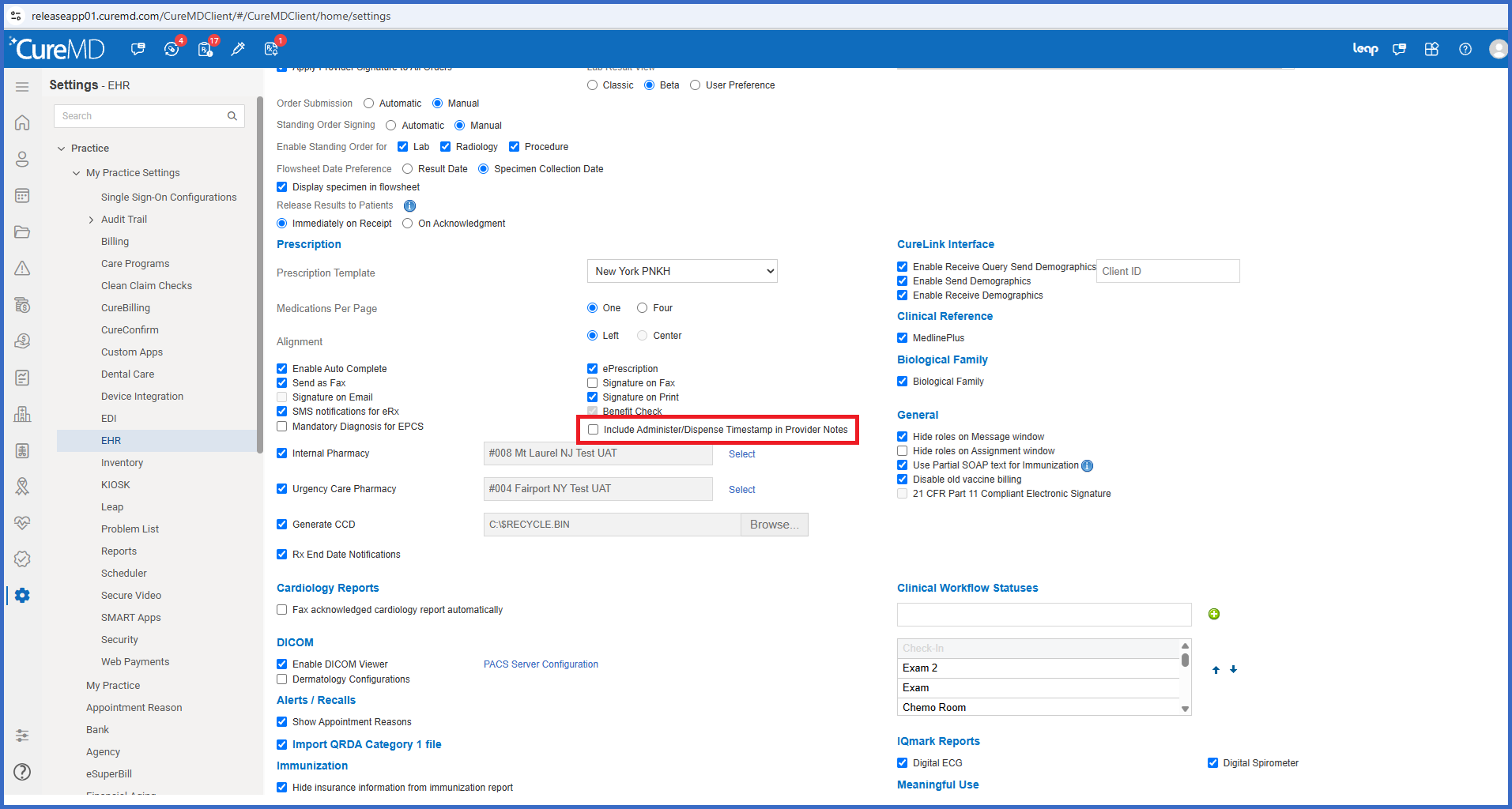
Configurable Administer/Dispense Timestamp Display in Provider Notes

Provider Notes have been enhanced with a new practice-level setting that allows administrators to control whether user and timestamp information is included in the SOAP text for administered or dispensed medications and prescriptions.

Previously, the SOAP text automatically included the name of the user who performed the action and the corresponding timestamp. With this enhancement, practices can choose whether to include this information, providing greater flexibility in how medication administration and dispensing activities are documented within Provider Notes.

rel-10-a

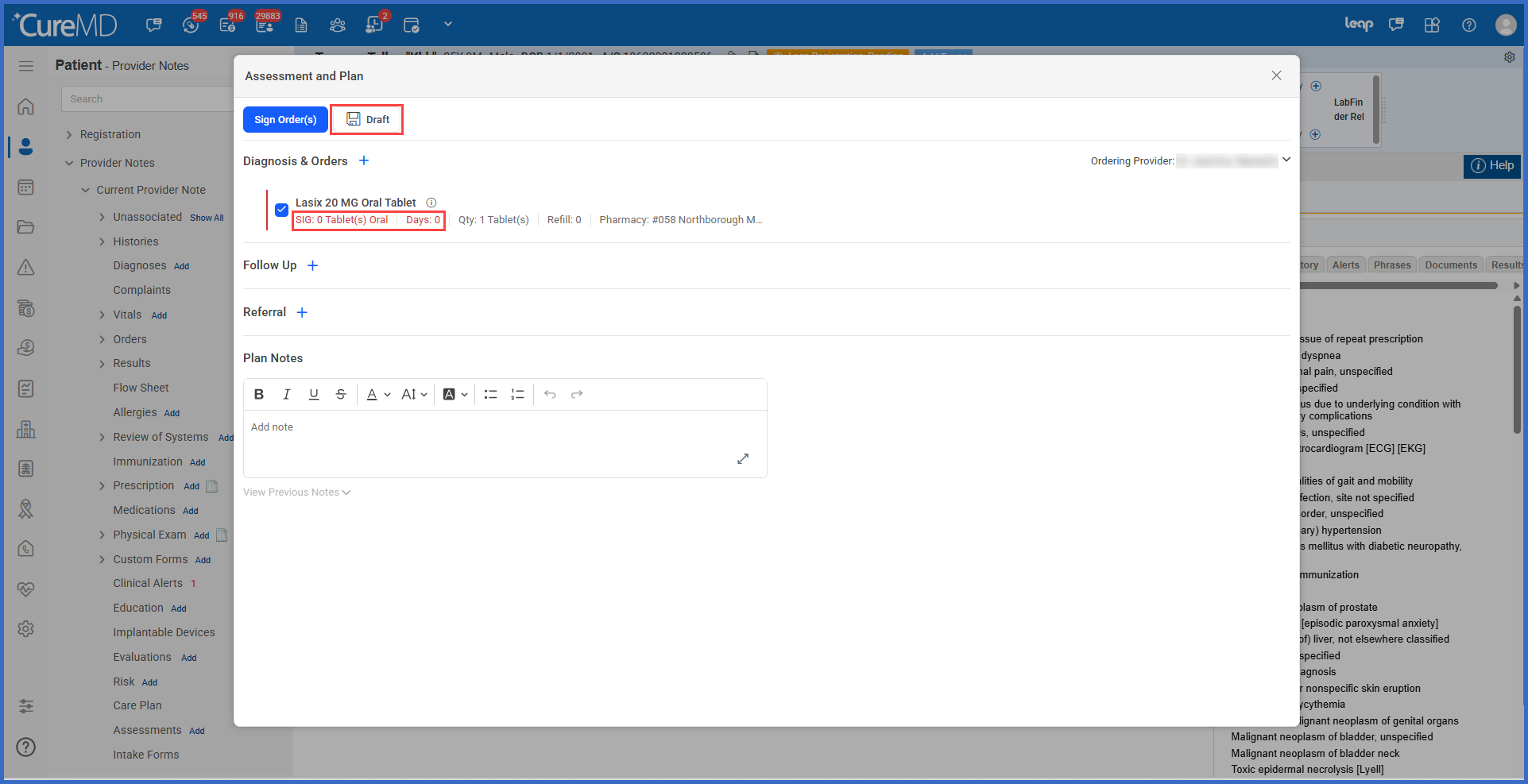
Save Treatment Plan Drafts Without Completing Prescription Sig Details

The Assessment and Plan workflow has been enhanced to allow providers to save Treatment Plan drafts without completing all mandatory prescription Sig details.

Previously, providers were required to complete the Dose, Frequency, and Days fields before saving a Treatment Plan, even when saving it as a draft. With this enhancement, incomplete prescriptions can be retained within a draft, allowing providers to finalize medication instructions later.

Mandatory Sig validation remains enforced when signing prescriptions, ensuring that incomplete orders cannot be signed or transmitted to the pharmacy.

rel-11-a

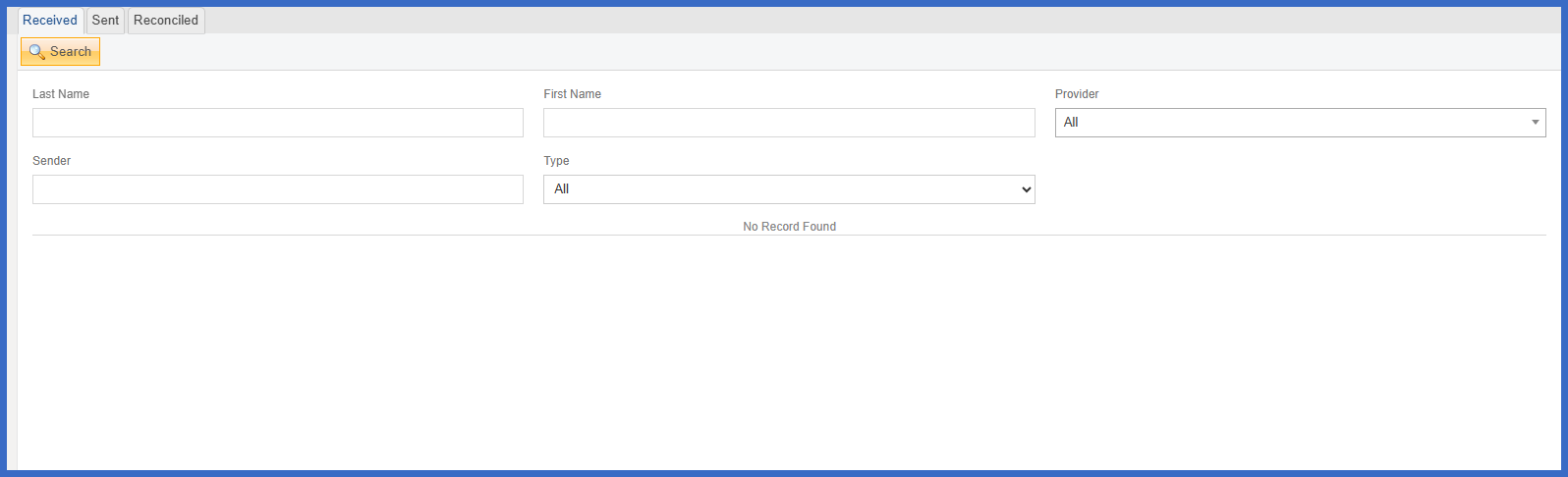
Enhanced CCDA Reconciliation with Supported Section Validation and Component-Level Error Handling

The CCDA reconciliation workflow for documents received through eMessage has been enhanced to improve validation accuracy and allow greater flexibility when reconciling patient clinical information.

Previously, unsupported CCDA sections could cause unnecessary processing or validation failures, while an error in one component could affect reconciliation of the entire document.

With this enhancement, CureMD processes only supported reconciliation sections and handles validation errors individually for Allergies, Medications, and Problems. Users can now reconcile valid components even when other components contain errors, provided the CCDA Header data passes validation.

rel-12-a

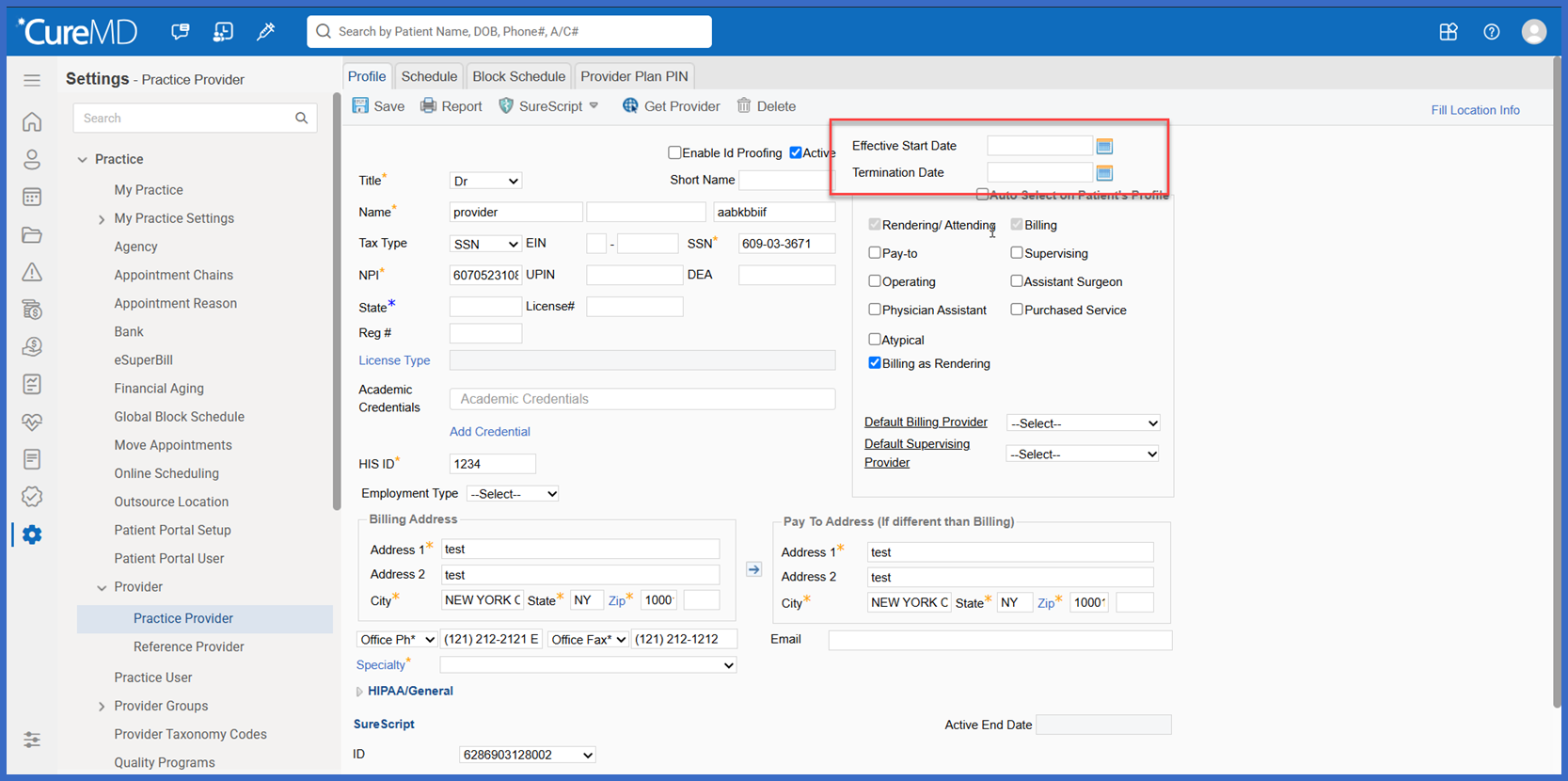
Effective Date Controls for Provider and Location Management

Provider and Location configuration workflows have been enhanced with new effective-date controls, allowing practices to define and maintain the periods during which providers and locations are considered active.

Administrators can now configure Effective From and Effective To dates, while Charge workflows use the appointment's Date of Service (DOS) to determine whether a provider or location is active for the applicable encounter.

The enhancement also introduces automatic end-date assignment when a provider or location is inactivated and audit logging for effective-date changes, helping practices maintain accurate billing configurations.

rel-13-b

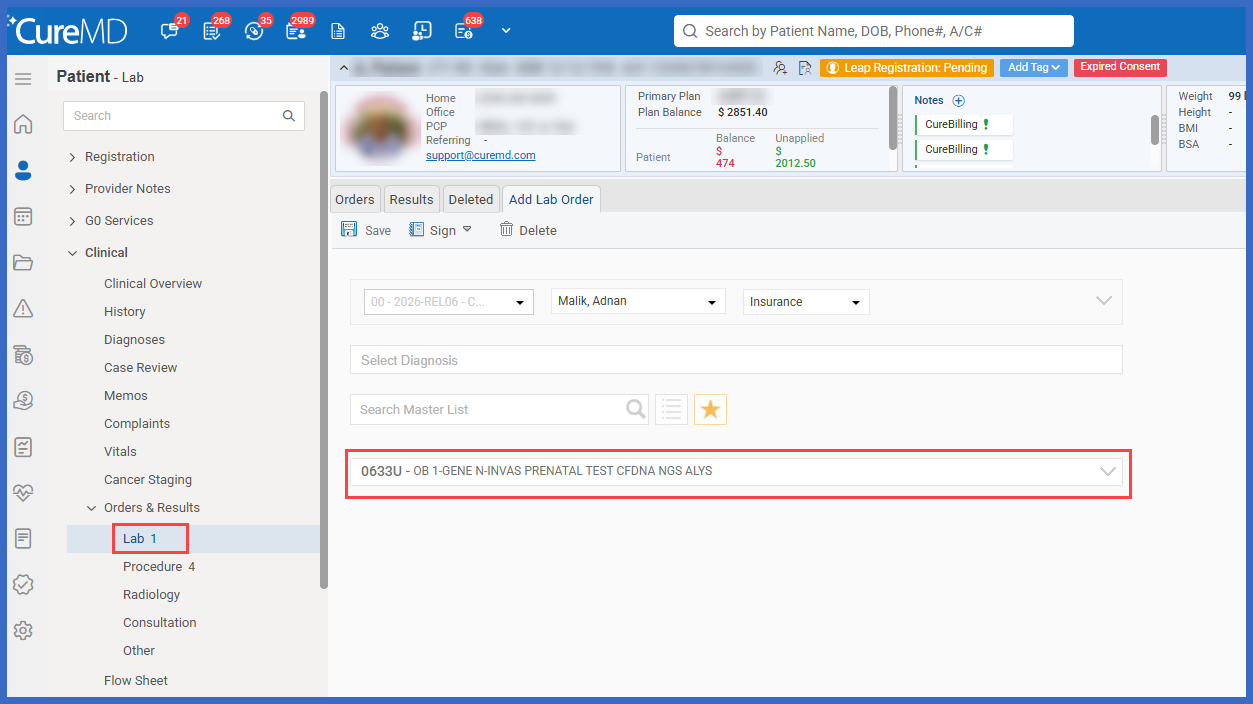
Support for U-Series (PLA) CPT Codes in Lab Orders and Custom Lists

The Labs workflow has been enhanced to recognize U-series CPT codes, also known as Proprietary Laboratory Analyses (PLA) codes, as laboratory tests.

Previously, these codes could exist in CureMD's CPT Master List but were not recognized as laboratory tests, preventing users from adding them to Lab CPT Custom Lists or selecting them when placing laboratory orders.

With this enhancement, practices can now search for, save, and order PLA codes through existing laboratory workflows, improving access to specialized tests such as molecular, genetic, and other proprietary laboratory analyses.

Picture12

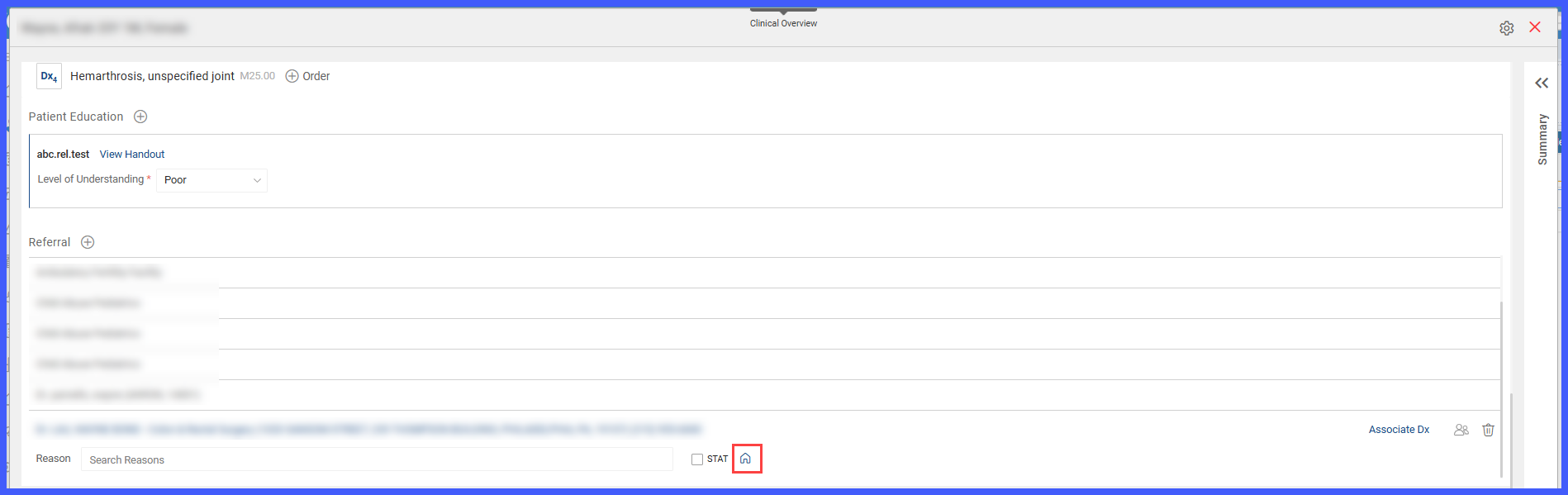
In-House Referral Identification and Internal Routing from Assessment & Plan

The Referral workflow within Provider Note > Assessment and Plan has been enhanced to allow providers to identify and route referrals intended for specialists or services within their own practice.

In-house providers are now clearly identified during referral searches, and a new In-House toggle allows providers to designate specialty referrals for internal routing. The In-House status is carried through to Referral Manager, helping clinical and referral management staff distinguish internal referrals from external referrals.

Picture15-2

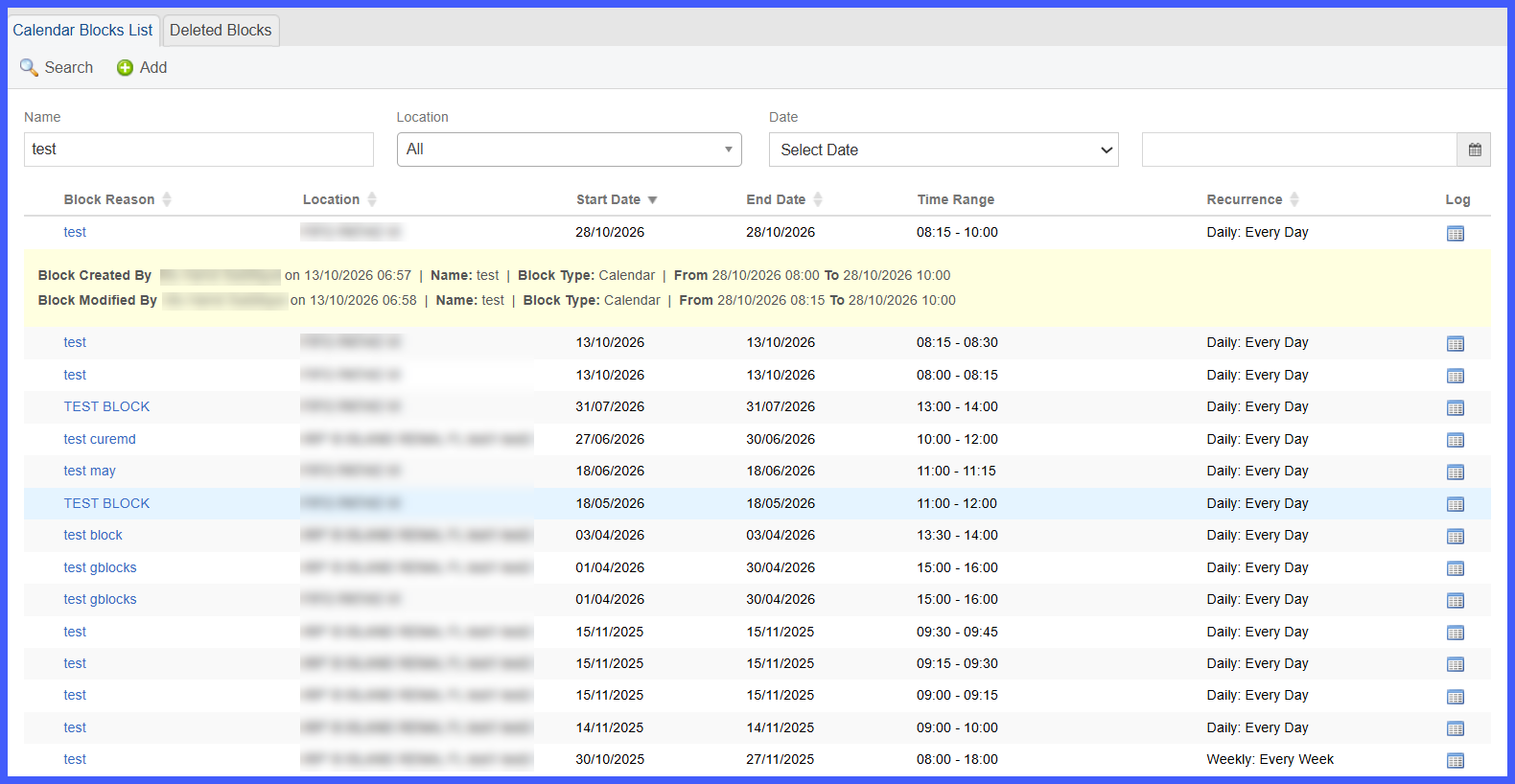
Calendar Block Activity Logs for Improved Scheduling Visibility

The Calendar Blocks List has been enhanced with a new Log feature, allowing scheduling staff and administrators to review the history of changes made to calendar blocks.

Users can now view who created, modified, deleted, or unblocked a calendar block, along with the date, time, and relevant block details. Activity logs are accessible directly from the Calendar Blocks List, providing greater transparency into scheduling changes without requiring users to navigate to a separate report.

Picture-10-1

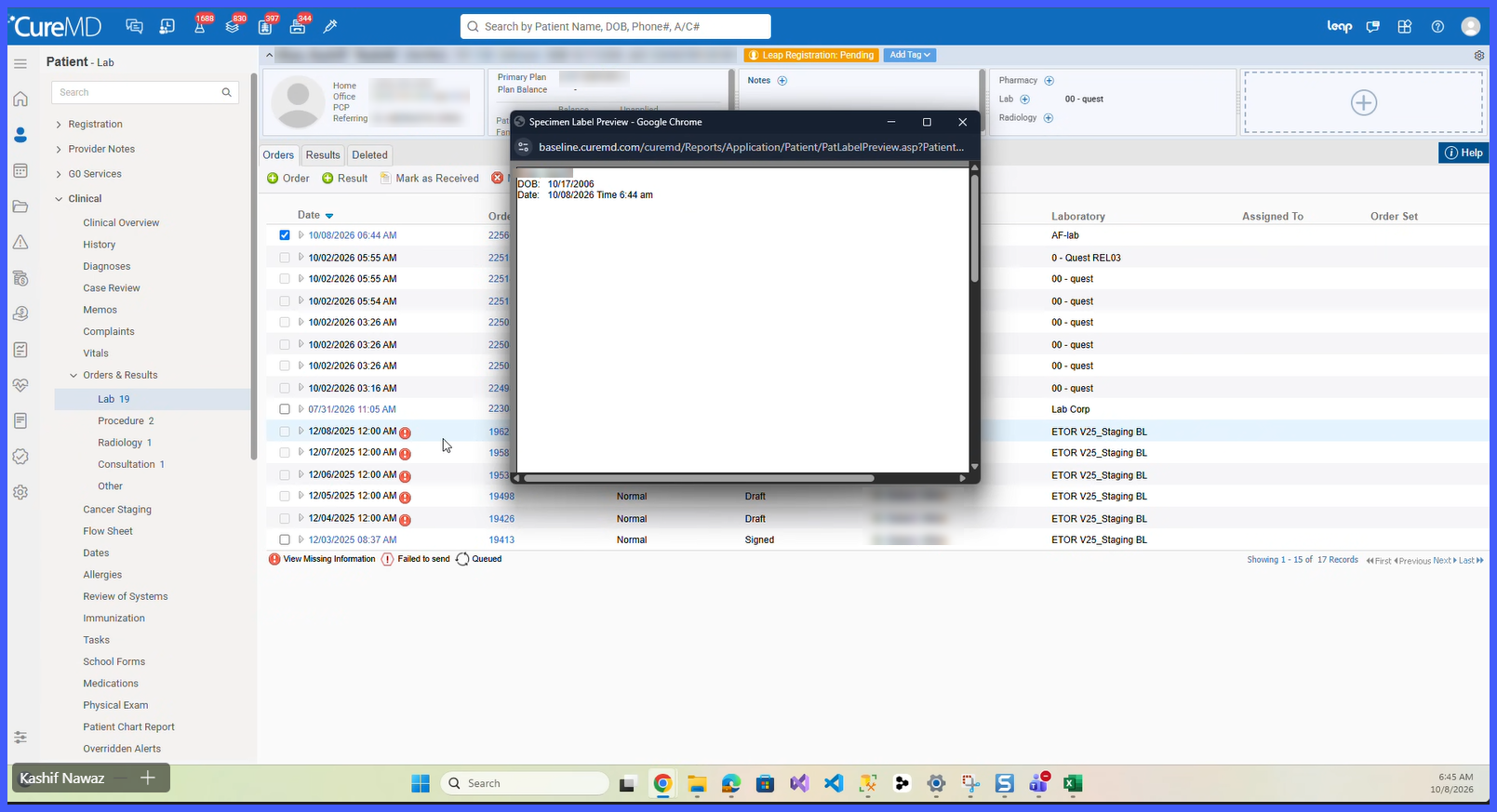
New Bloodwork Specimen Label Template for Laboratory Orders

A new Bloodwork specimen label template has been introduced in CureMD 11g, allowing practices to print laboratory specimen labels in a standardized three-line format.

The template displays the patient's name, date of birth, and specimen collection date and time, helping laboratory staff accurately identify specimens during collection and processing.

Bloodwork is available to all 11g practices and can be selected when printing individual specimen labels or configured as the default template for a laboratory. Existing specimen label templates and default configurations remain unchanged.