In-House Referral Identification and Internal Routing from Assessment & Plan
Create In-House Referral
Manually Mark Specialty Referral as In-House
Review Internal Referral
Review Referral Status Changes
What’s New
- In-house providers are now identified with an “In-House” label in referral search results instead of their city and state.
- The In-House label is supported for providers identified through both the internal provider directory and NPI library.
- When an in-house provider is selected, the added referral tile displays “In-House” and the referral is automatically saved as an internal referral.
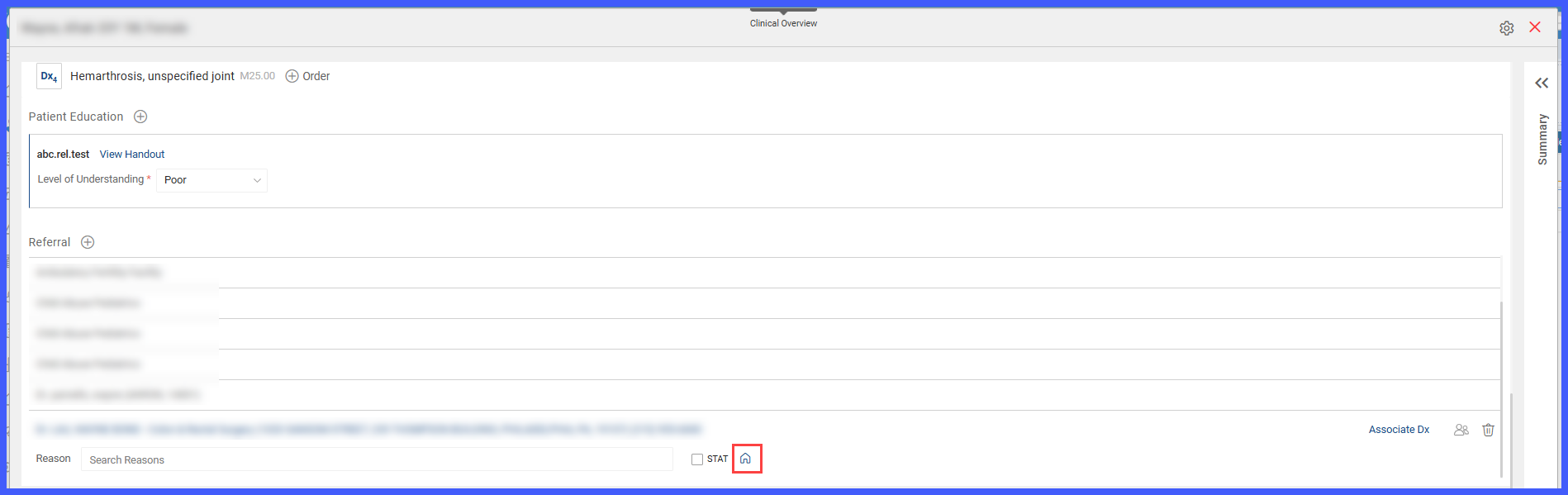
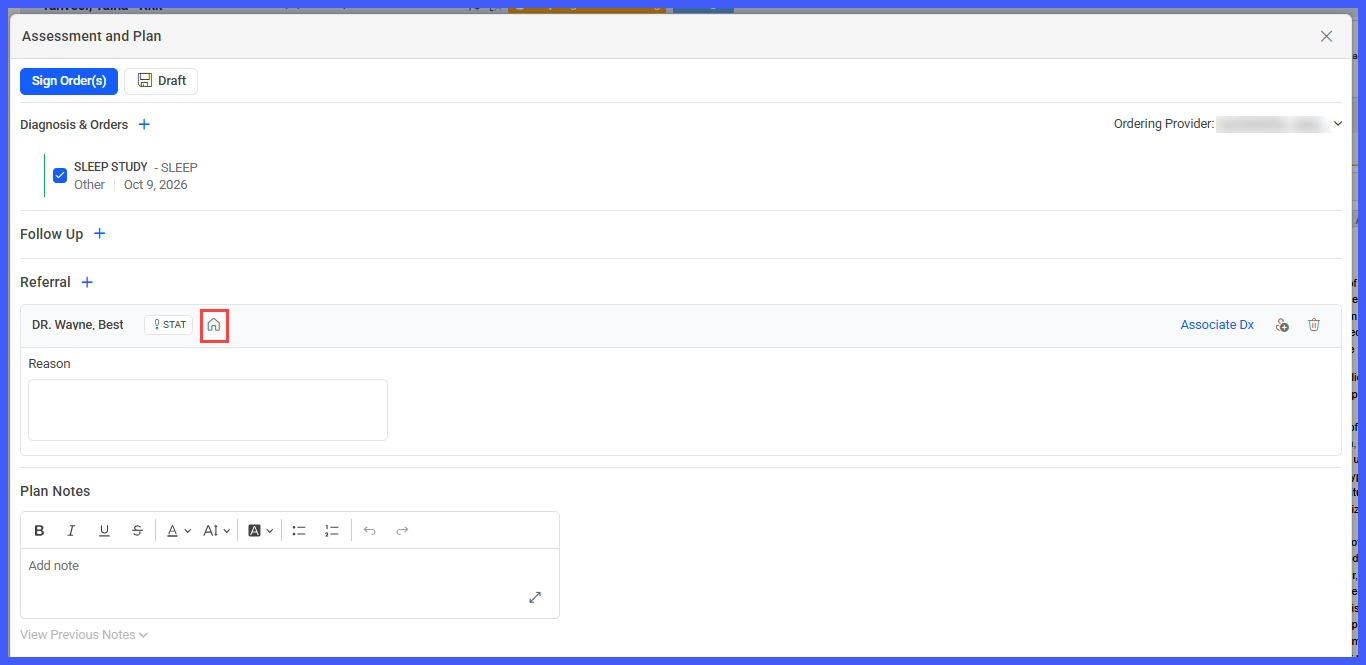
- Added an In-House toggle, represented by a house icon, within the expanded specialty referral tile.
- The house icon appears next to the existing STAT option.
- Providers can use the toggle to mark a specialty referral as In-House.
- The icon changes color to indicate the referral’s status:
-
Blue – Referral is marked as In-House.
-
-
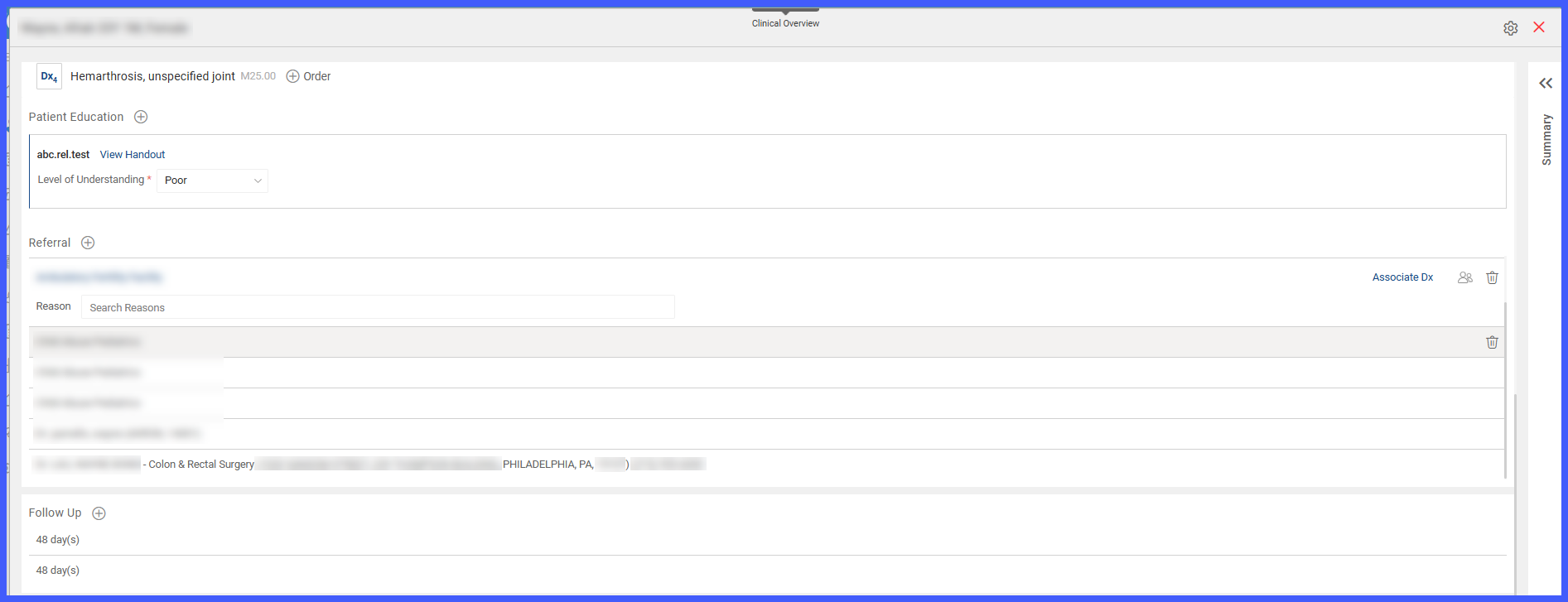
- Grey – Referral is not marked as In-House.
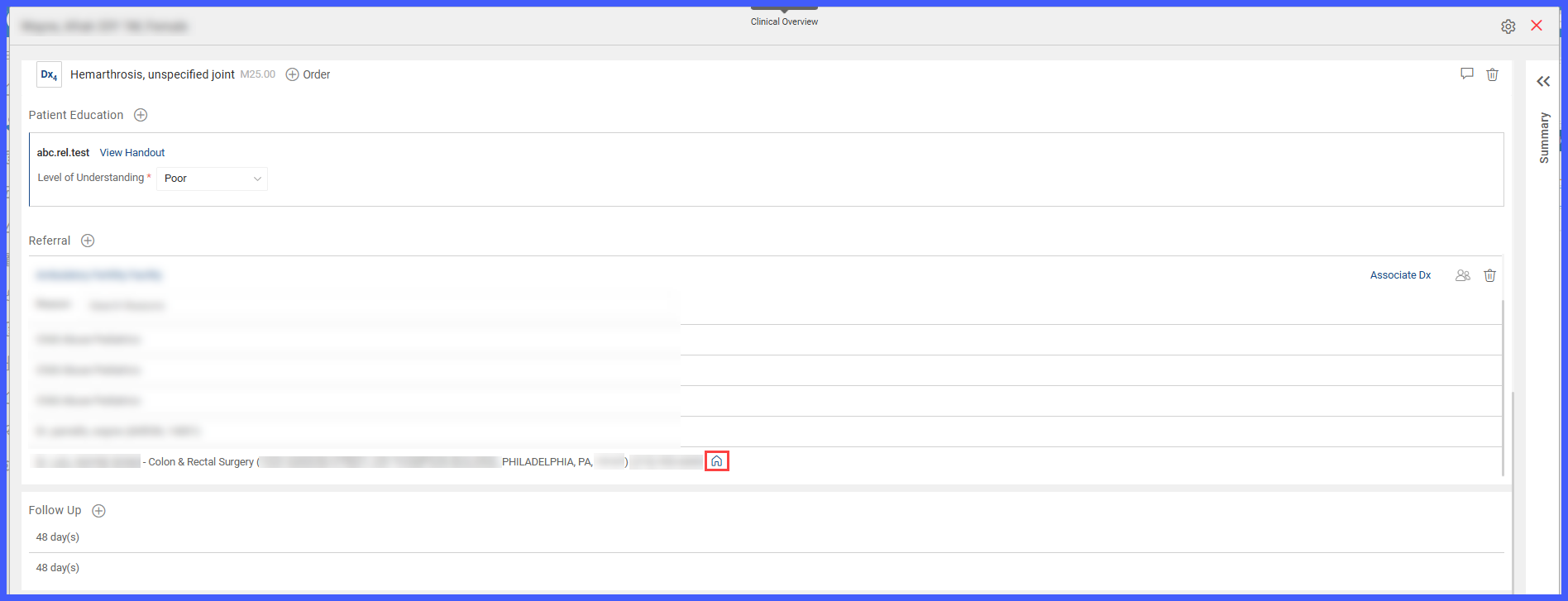
- When a referral is marked as In-House, the blue house icon remains visible on the collapsed referral tile.
- Referrals marked as In-House are saved and routed internally through Referral Manager.
- In-House status is reflected across Referral Manager’s Inbox, Patient, and Provider Note views.
- Removing the In-House marking creates a “Marked as External” entry in the referral log.
- The enhancement is supported in both the current and classic referral designs.
How It Works
- Open the patient’s Provider Note.
- Navigate to Assessment & Plan.
- Under the applicable diagnosis, locate the Referral section.
- Search for and select the appropriate referral provider.
- If the selected provider is recognized as in-house, CureMD displays “In-House” instead of the provider’s city and state, and the referral is saved as in-house automatically.
- For another specialty referral, expand the referral tile to access the In-House toggle.
- Select the house icon to mark the referral as In-House.
- The icon turns blue, indicating that the referral is designated for internal routing.
- Save the Provider Note.
- The referral is saved as In-House within Referral Manager and routed through the internal referral workflow.
 In-House Referral Indicators
| Indicator | Meaning |
|---|---|
| Blue house icon | Referral is marked as In-House |
| Grey house icon | Referral is not marked as In-House |
| Blue icon on collapsed tile | Referral is designated as In-House |
| No icon on collapsed tile | Referral is not designated as In-House |
| “In-House” label | Provider is identified as internal to the practice |
The visual indicators allow providers and referral staff to identify internal referrals without opening each referral’s details.
The visual indicators allow providers and referral staff to identify internal referrals without opening each referral’s details.
Automatic In-House Identification
When providers search for a referral recipient, CureMD identifies providers configured as in-house within the practice.
For these providers:
- “In-House” replaces the city and state in referral search results.
- The designation appears in both internal provider directory and NPI library searches.
- Selecting the provider automatically applies the In-House designation.
- The added referral tile displays “In-House” instead of the provider’s location.
- No additional action is required to designate the referral as internal.
This helps ensure that referrals to providers within the practice are identified correctly at the point of ordering.
Manually Marking Specialty Referrals as In-House
For specialty referrals that are not automatically identified as internal, providers can use the In-House toggle.
- Expand the specialty referral tile within Assessment & Plan.
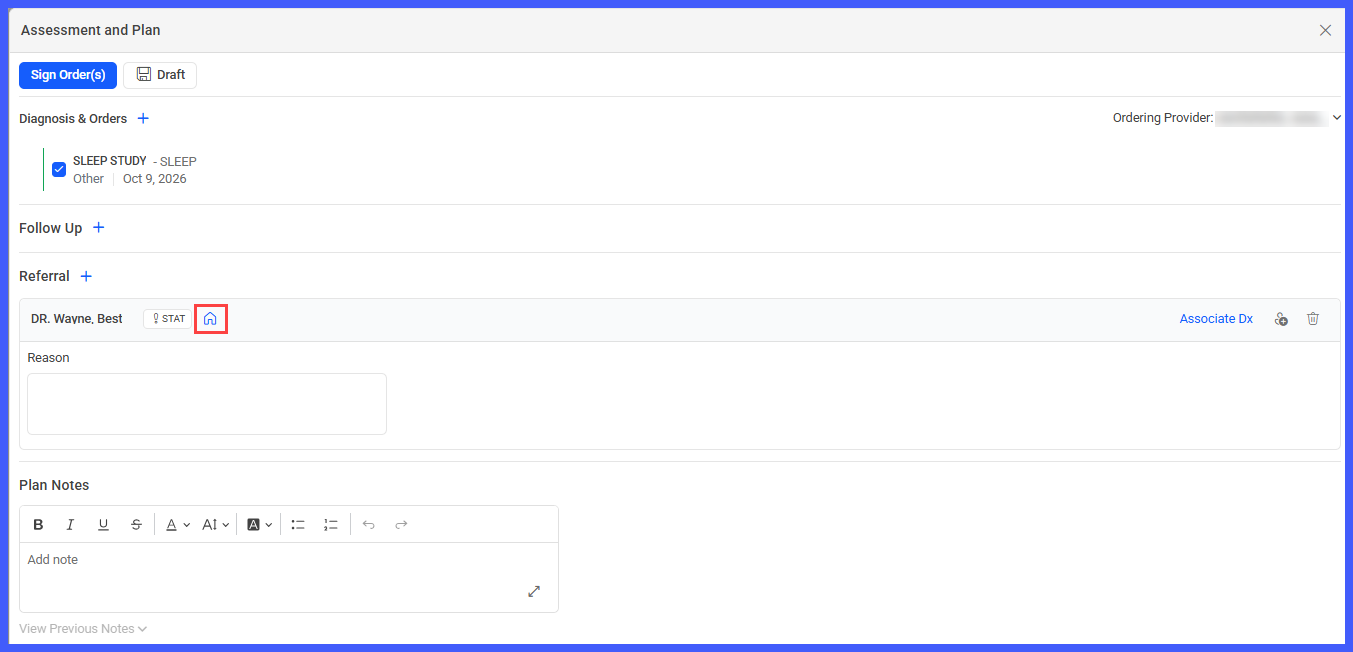
- Locate the house icon beside the STAT option.
- Select the icon to designate the referral as In-House.
- The icon changes from grey to blue.
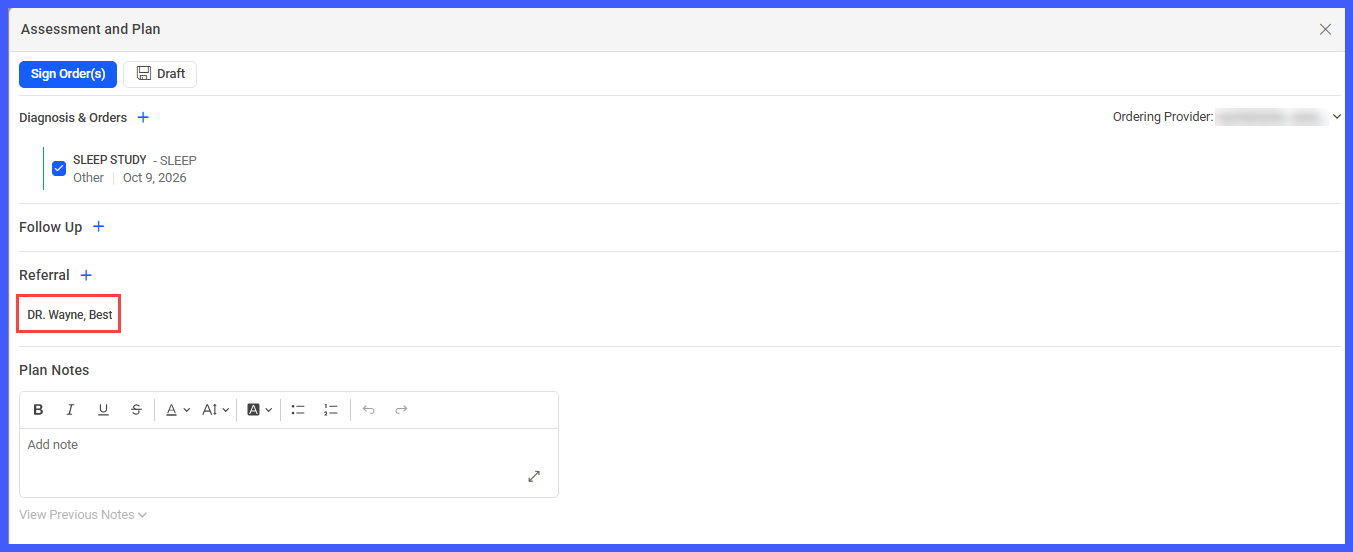
- The blue icon also appears on the collapsed referral tile.
- Save the Provider Note to retain the designation.
This provides an additional way to identify internal referrals without changing the existing referral selection workflow.
Removing the In-House Designation
The documented released functionality allows providers to remove an In-House designation by selecting the active blue house icon.
When the designation is removed:
- The house icon changes from blue to grey.
- The referral is no longer marked as In-House.
- The house icon is removed from the collapsed referral tile.
- A “Marked as External” entry is created in the referral log.
This provides an audit trail of changes to a referral’s internal or external designation.
Note: The original TP requirements indicate that an In-House designation should not be reversible, while the documented released functionality allows it to be removed. This behavior requires confirmation from the Billing Team and Product Lead before publication.
Referral Manager Integration
Referrals marked as In-House retain their designation when saved to Referral Manager.
The status is available across:
- Referral Manager – Inbox
- Referral Manager – Patient
- Referral Manager – Provider Note
This allows referral coordinators and other authorized staff to distinguish internal referrals from external referrals during referral processing and follow-up.
Benefits
-
Helps ensure referrals intended for providers within the practice are routed internally.
-
Clearly distinguishes internal providers from external providers during referral searches.
-
Reduces the risk of internal referrals being handled as external referrals.
-
Allows providers to identify In-House referrals through a visible icon without expanding the referral tile.
-
Improves referral tracking across Provider Notes and Referral Manager.
-
Reduces manual coordination and follow-up associated with incorrectly routed referrals.
-
Provides audit visibility when an In-House referral is changed to External.
-
Maintains existing referral workflows while introducing clearer internal referral identification.
