Sorted:

RNA

Permission-Based Control for Public and Private Custom Views in Billing Charges

The Billing Charges workflow has been enhanced with permission-based controls for creating and editing Public Custom Views.

The Edit Public View permission now determines whether users can modify existing Public Custom Views or create new ones. Users without this permission can continue viewing shared custom views and creating Private Custom Views, while changes to public configurations are restricted to authorized users
rel-1-a

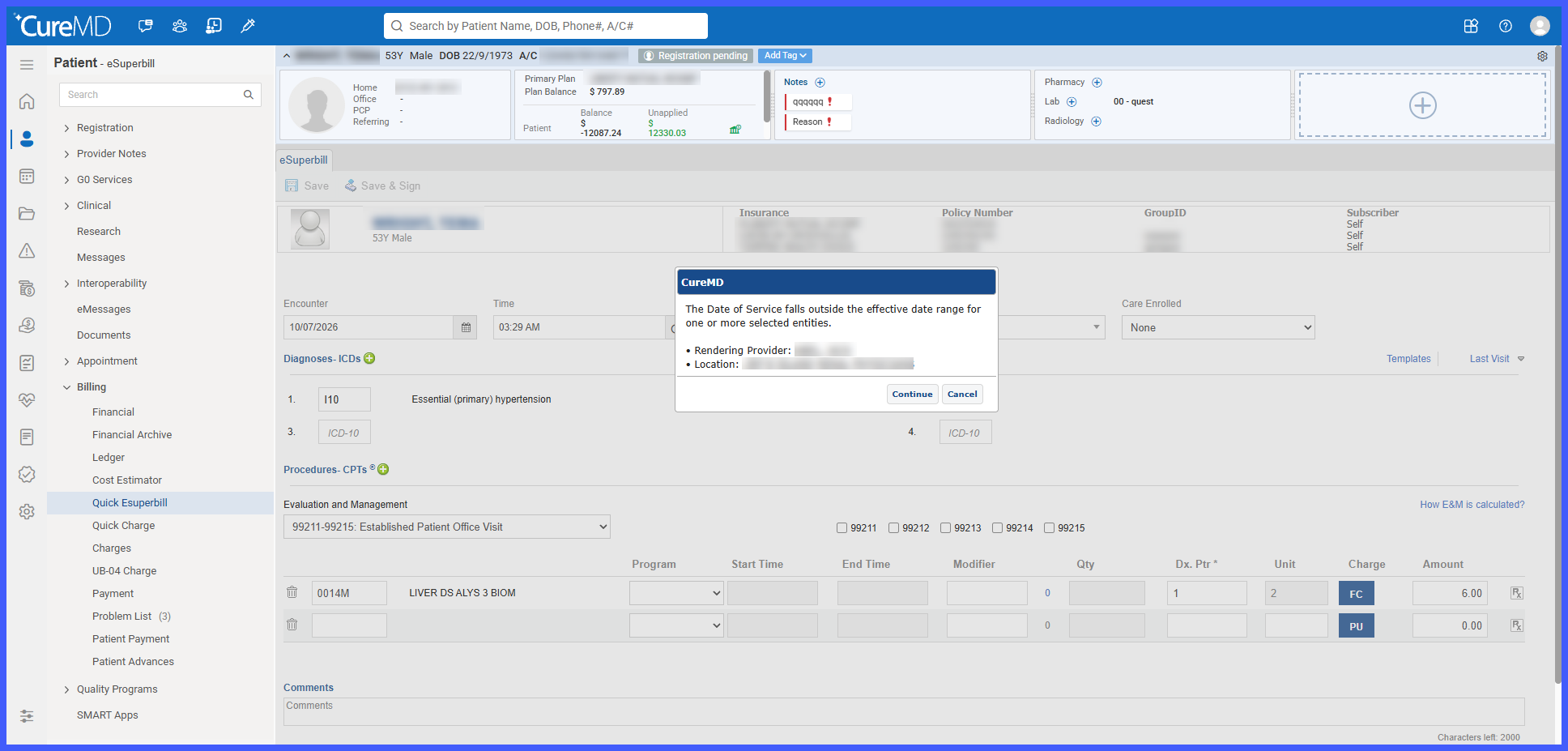
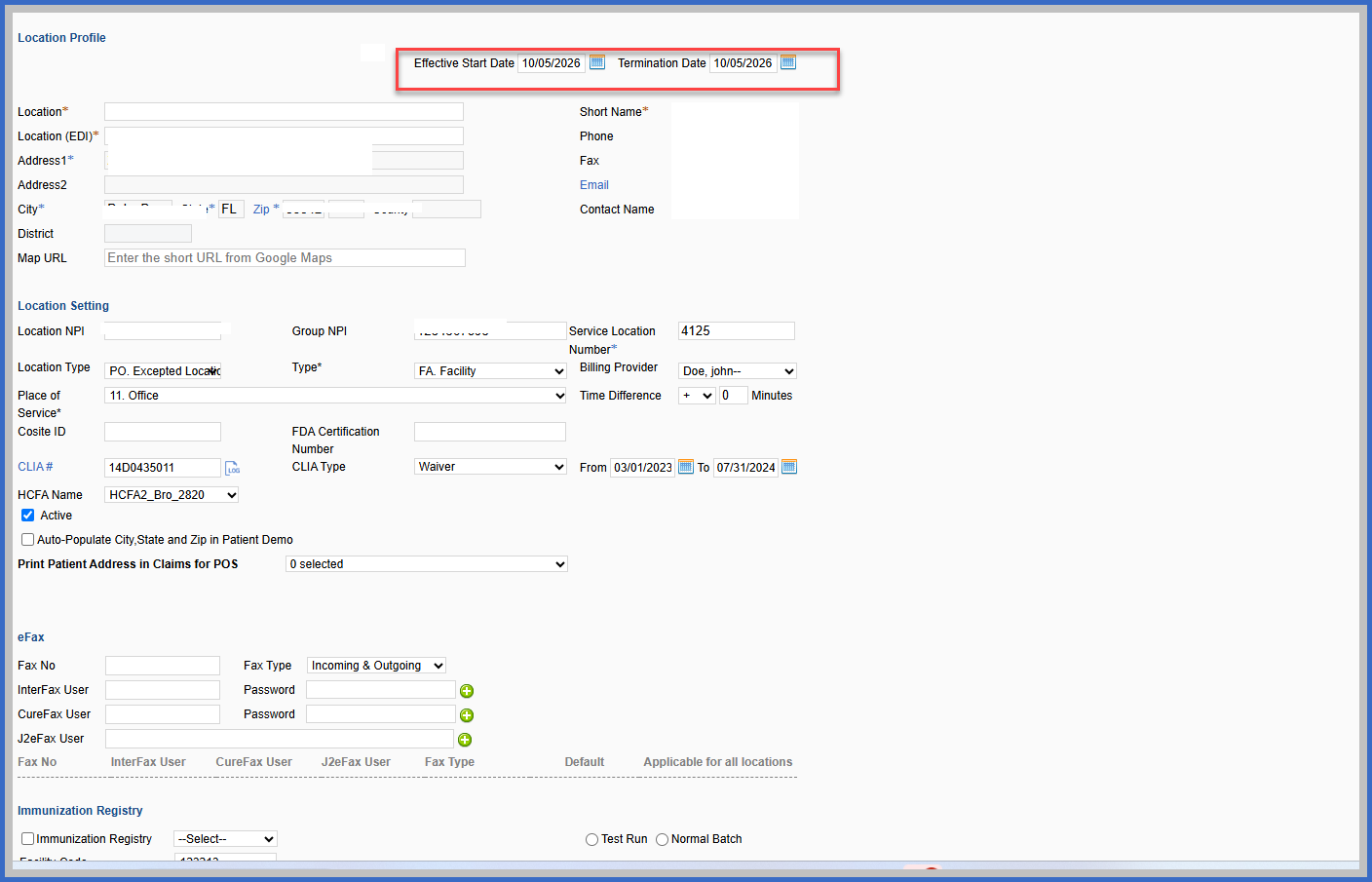
Provider and Location Effective Date Validation for Charges and e-Superbills

The Charge and e-Superbill workflows have been enhanced to validate provider and location effective dates against the Date of Service (DOS).

When a charge or e-Superbill is saved, CureMD checks whether the selected providers and location were active on the applicable Date of Service. If any selection falls outside its configured effective date range, the system displays a warning identifying the affected entities, helping billing staff recognize potential configuration issues and reduce billing inaccuracies.

rel-4-a

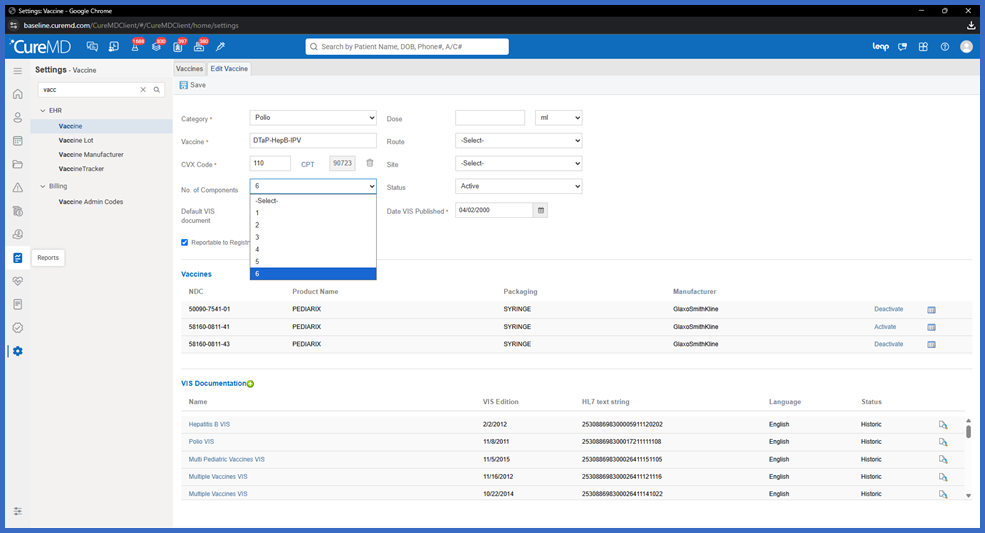
Corrected Vaccine Administration Code Quantities for Multi-Component Vaccines

Vaccine administration billing has been enhanced to ensure accurate calculation of CPT 90460 and 90461 quantities on the Superbill for multi-component vaccines.

Previously, certain vaccines, including VAXELIS, did not generate the appropriate additional-component administration charges. Additionally, when multiple vaccines were documented within the same Provider Note, CPT 90461 quantities were not always combined correctly.

With this correction, CureMD automatically calculates and combines the appropriate administration code quantities based on each vaccine's configured component count, helping improve billing accuracy and reduce manual corrections.

rel-6-a-2

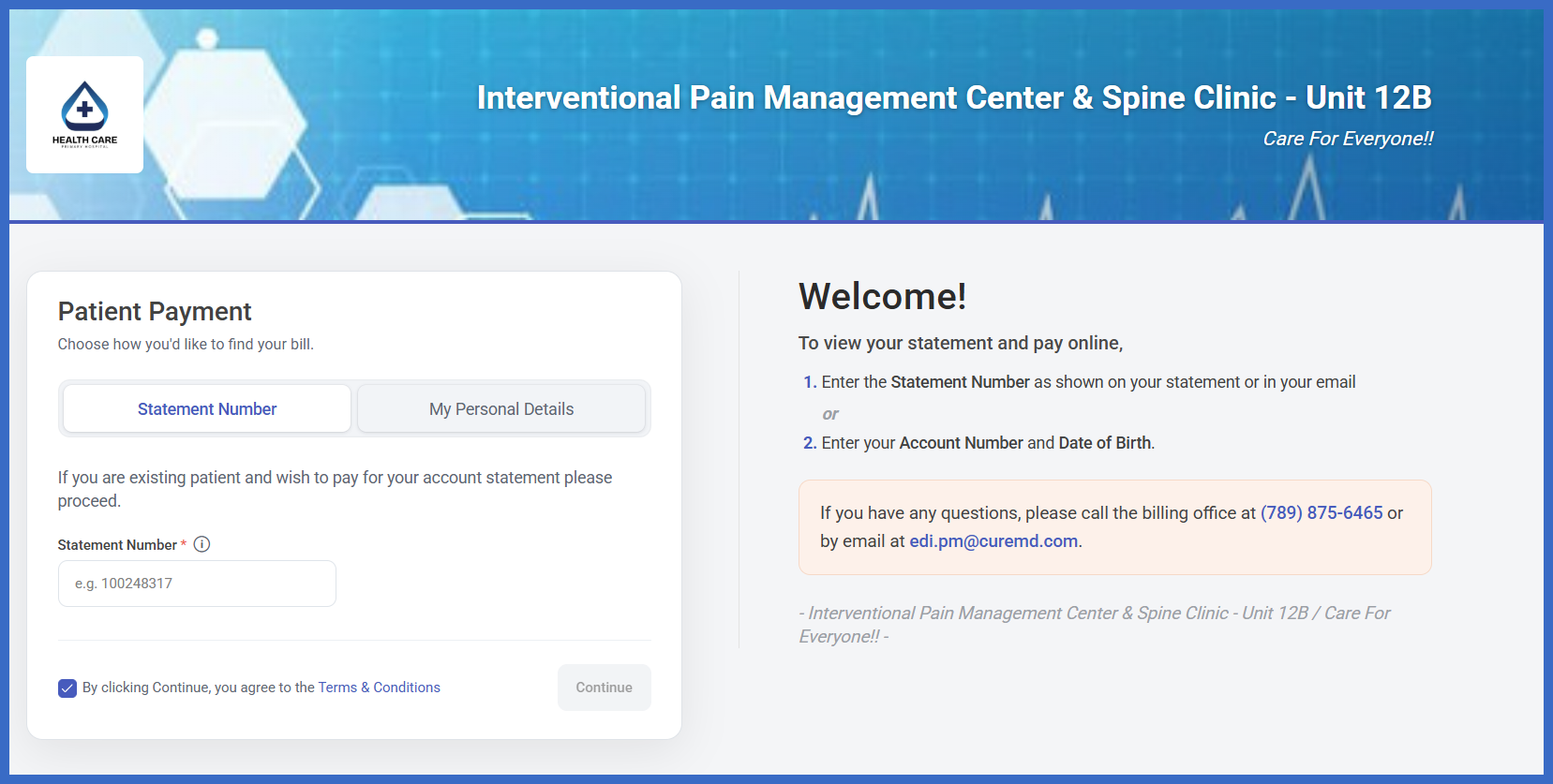
Web Payment Portal Customization and Branding Controls

The Web Payment Portal has been enhanced to give practice administrators greater control over its appearance, branding, and patient-facing functionality.

Practices can now customize their portal with a header image, logo, slogan, theme color, and contact information. Additional settings allow administrators to require both Date of Birth and Account Number for patient searches and configure the portal to open directly on the Statement tab.

These enhancements provide a more personalized payment experience while preserving existing payment options and workflows..

Rel-2-a

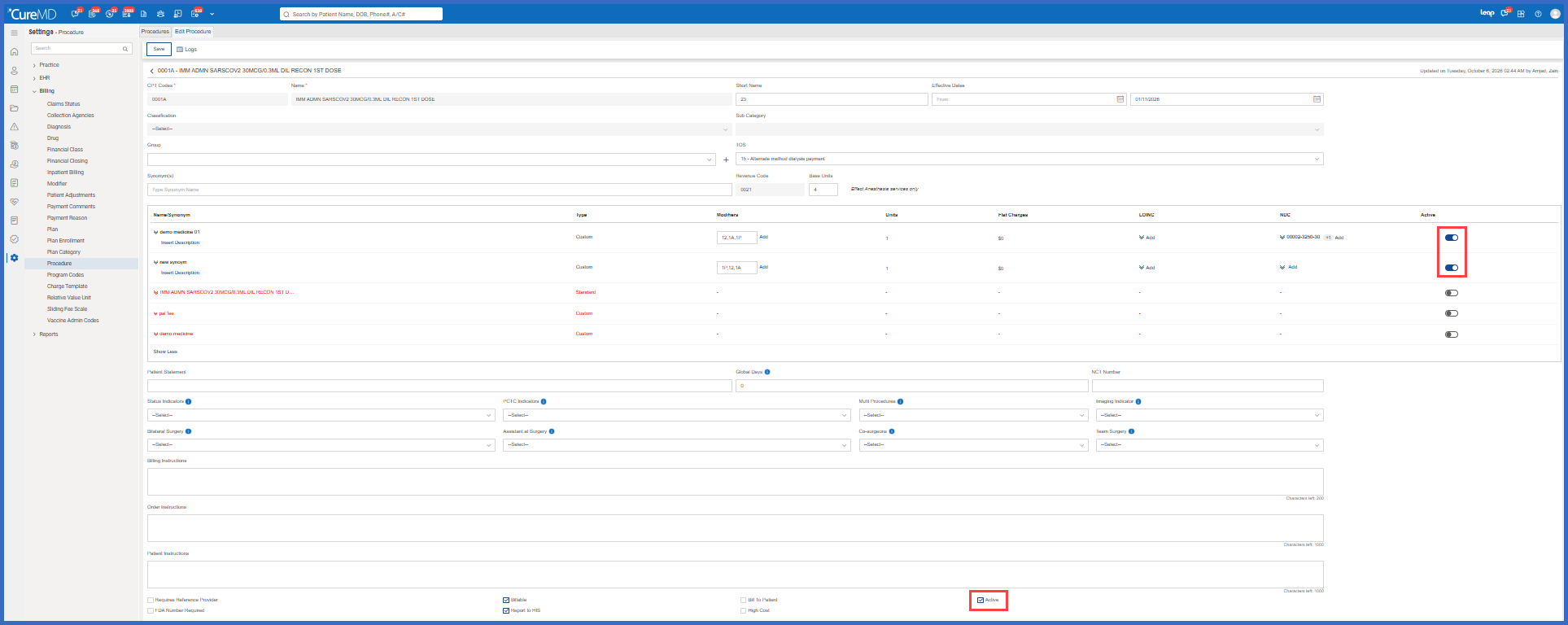
Individual and Master Active Controls for CPT Codes and Synonyms

Procedure configuration has been enhanced to give billing administrators greater control over the active status of CPT codes and their associated synonyms.

A new Active toggle has been introduced for each CPT and synonym within the Edit Procedure screen, allowing administrators to deactivate individual entries without affecting the remaining codes. The existing Active checkbox now serves as a master control for activating or deactivating all entries together.

Additional safeguards protect CPT codes and synonyms referenced in existing documentation, preserving historical records while allowing outdated entries to be excluded from future selection.

rel-7-a-1

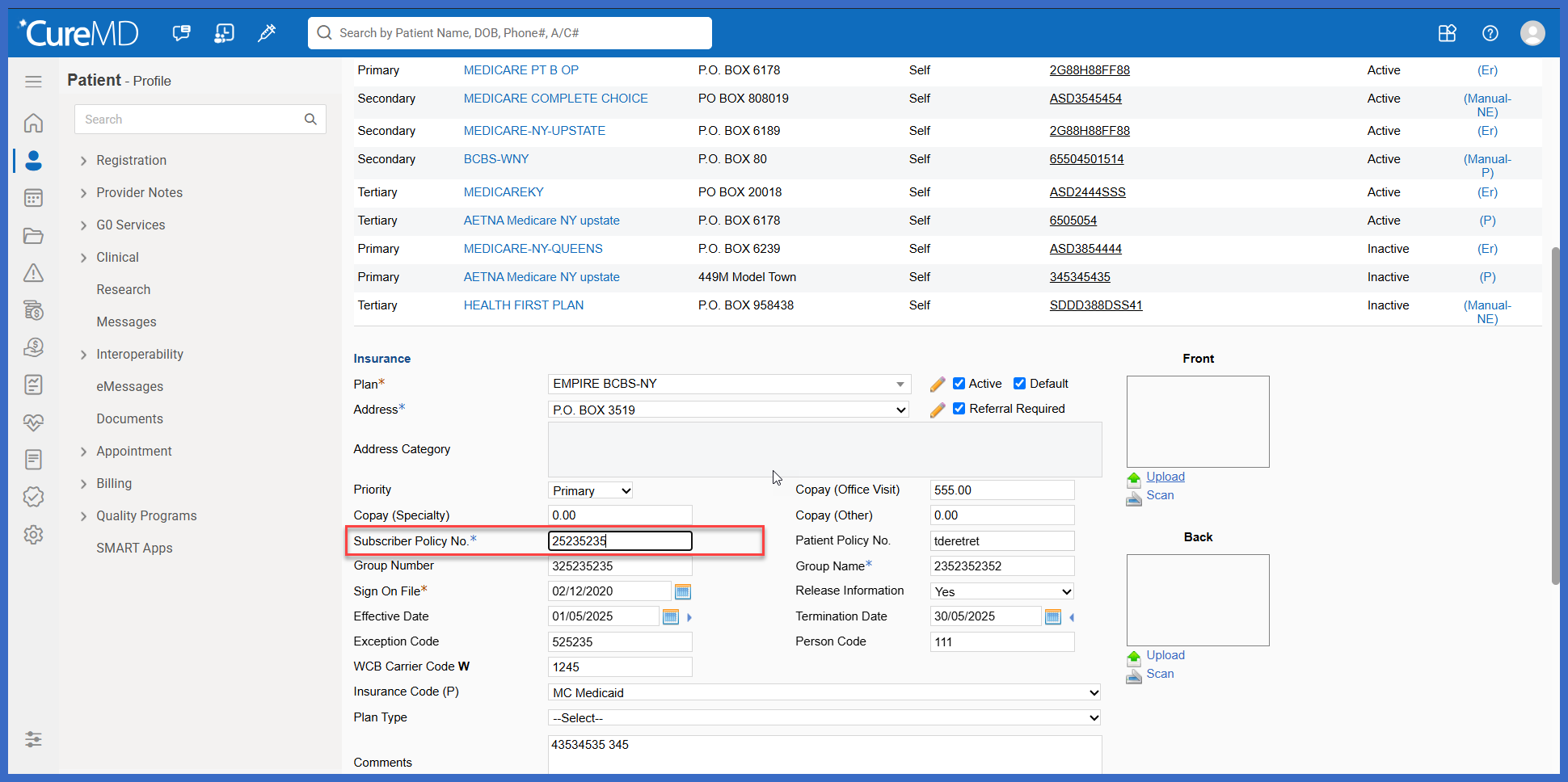
Alphanumeric-Only Validation for Insurance Policy Numbers

Insurance Policy Number fields have been enhanced to accept only letters and numbers, preventing spaces and special characters from being entered.

This enhancement applies to Policy Number fields within Insurance/Insured Party and Patient workflows, including Secondary Policy Number. The validation supports EDI formatting requirements and helps reduce eligibility and claim-processing issues caused by unsupported characters.

rel-3-a-1-1

Rendering Provider and Location Effective Date Validation in e-Superbill

The e-Superbill workflow has been enhanced to validate the selected Rendering Provider and Location against their configured effective dates using the Date of Service (DOS).

When an e-Superbill is saved, CureMD checks whether the Rendering Provider and Location were active on the applicable Date of Service. If either falls outside its configured effective date range, the system displays a warning identifying the affected selection, helping billing staff identify potential configuration issues and reduce billing inaccuracies.

Picture-7

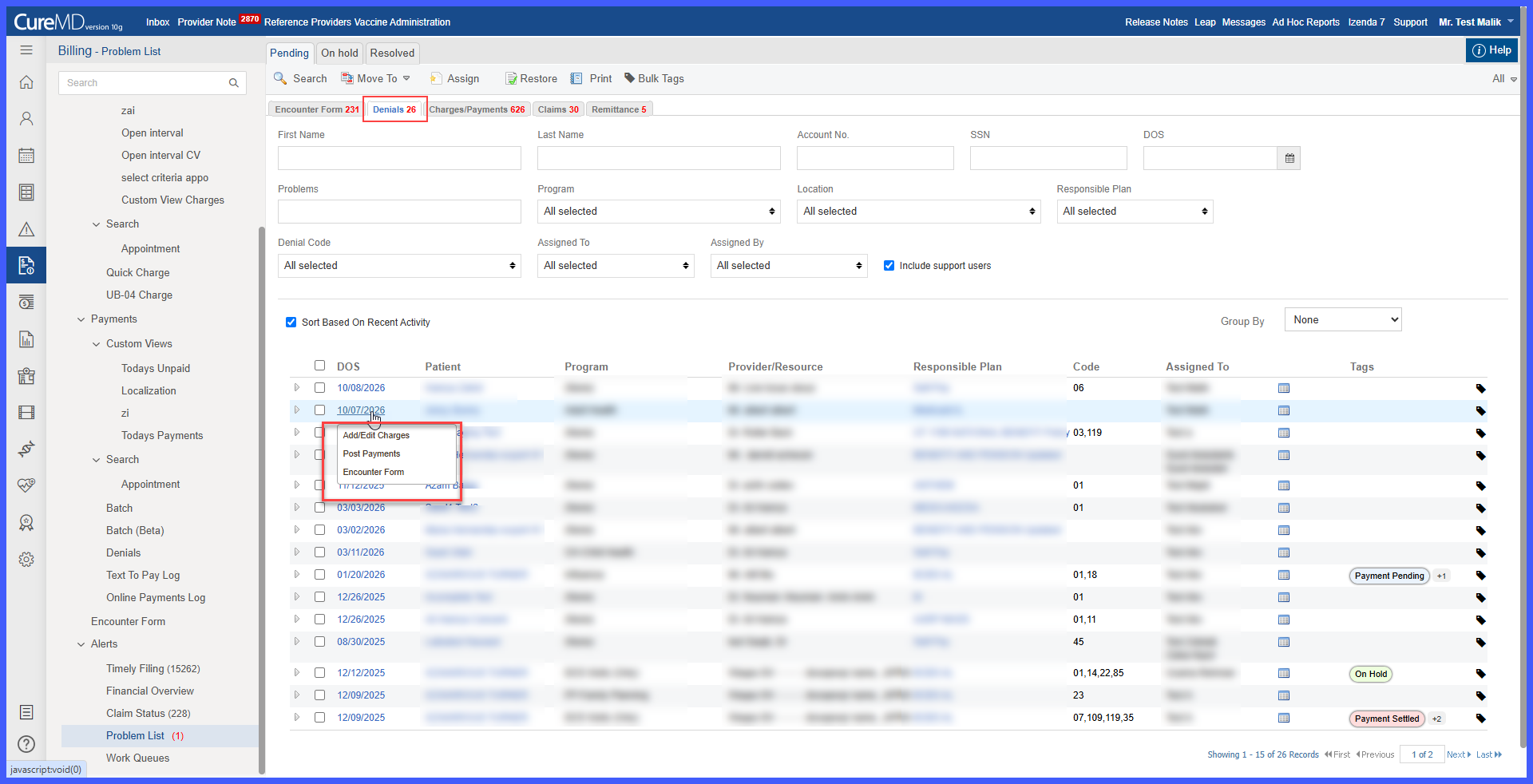
Permission-Based Access to Charges, Payments, and Encounter Forms from Denials

The Denials workflow has been enhanced to provide direct access to Charges, Payments, and Encounter Forms through the Date of Service (DoS) link.

When enabled, users can select the DoS to access the corresponding encounter-related information without navigating manually through other modules. Available navigation options are determined by the user's assigned permissions, ensuring that users can access only the workflows they are authorized to use.

3-1-1

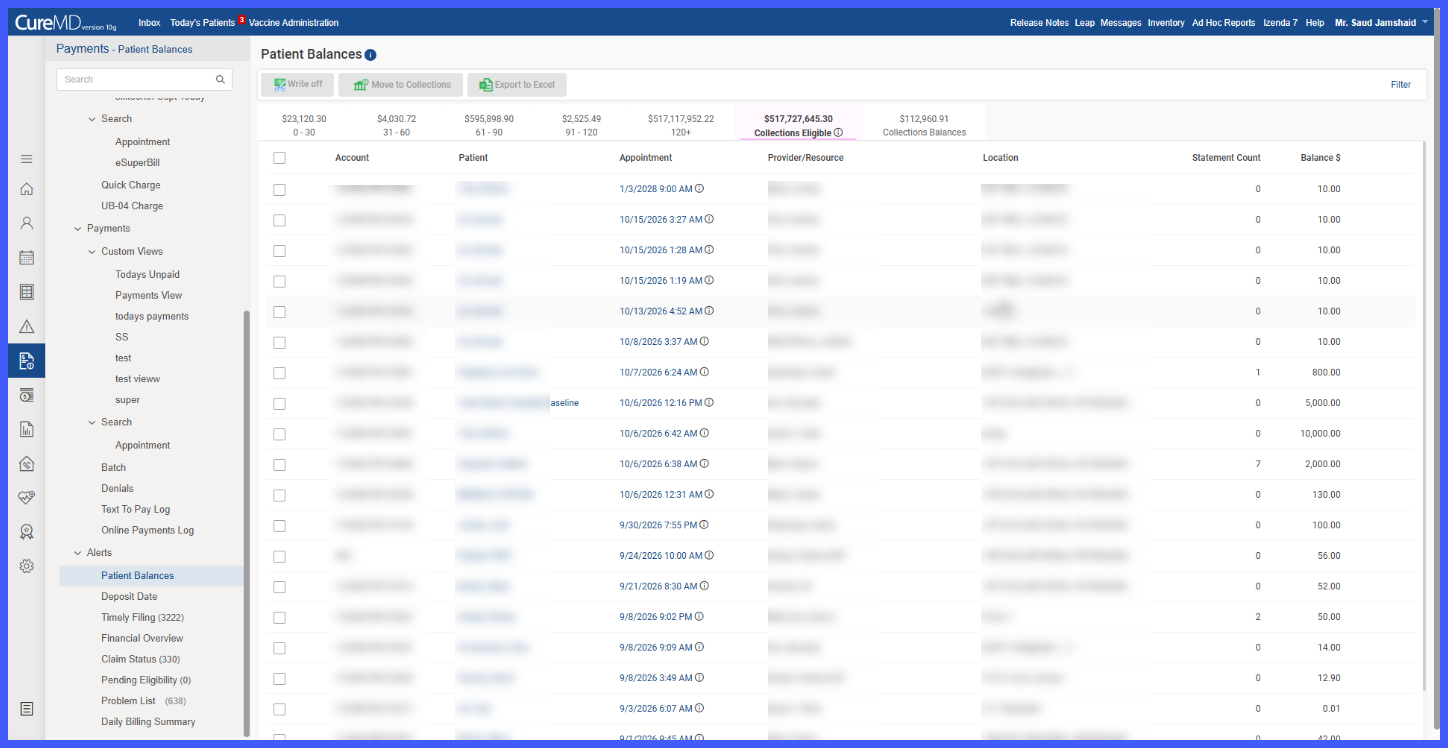
DOS-Based Statement and Text Counts for Patient Balances

The Patient Balances workflow has been enhanced to calculate Statement Count and Text Count based on the patient's currently outstanding Date of Service (DOS) balances rather than their lifetime communication history.

Previously, statements and Text-to-Pay notifications sent for older, fully paid balances continued to contribute to the displayed counts. With this enhancement, billing staff can now see how many statements and payment reminders have been sent for balances that remain unpaid, supporting more accurate follow-up and collections decisions.