Sorted:

Picture11

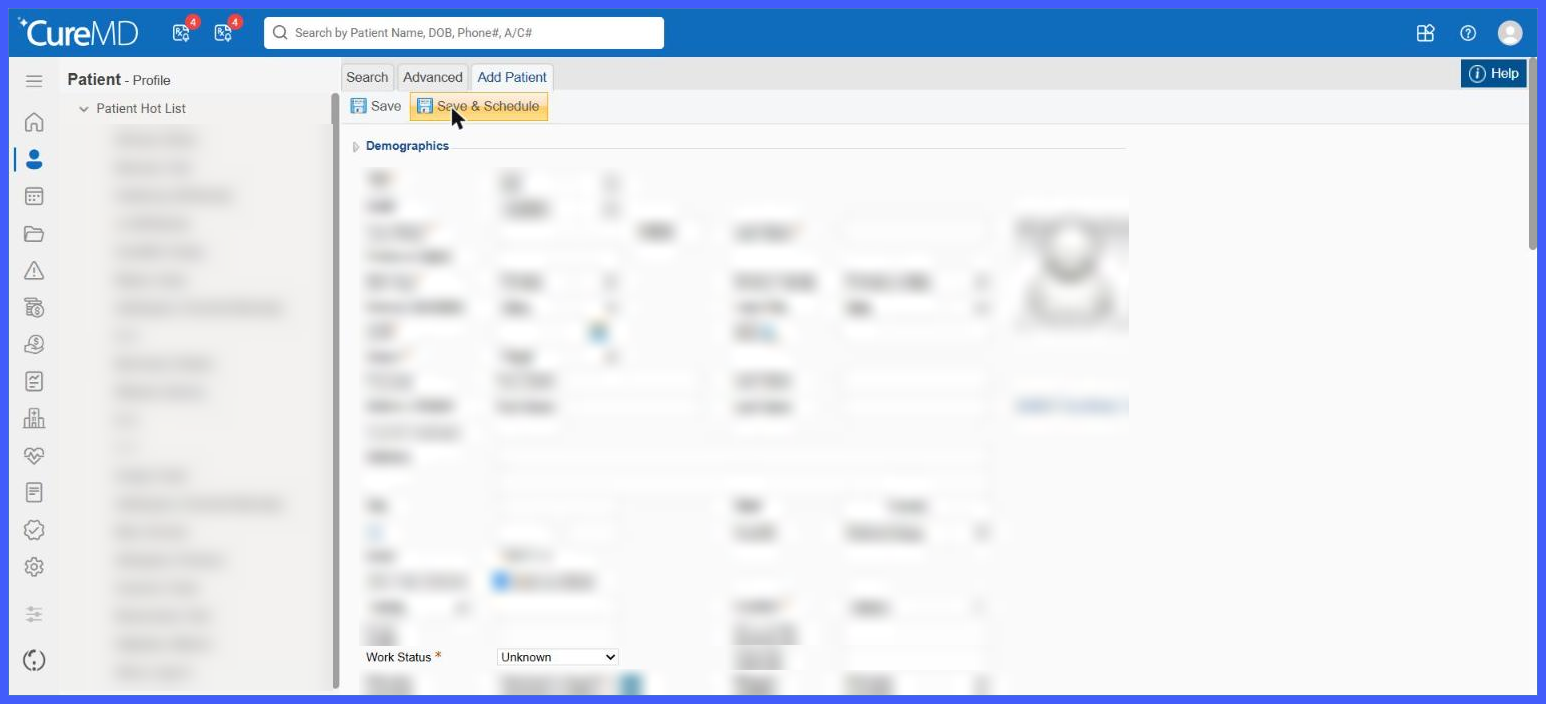
Configure Work Status, Marital Status, and Referral Source as Mandatory Demographic Fields

The EHR Settings functionality has been enhanced to give practice administrators greater control over mandatory fields during patient registration.

With this enhancement, Work Status, Marital Status, and Referral Source have been added to the existing Make Following Fields Mandatory section under My Practice Settings.

Practices can now configure any combination of these fields as mandatory, ensuring that the required demographic information is collected before a patient record is saved.

The system also provides clear visual indicators and validation messages to help users identify and complete missing information during registration
rel-9a

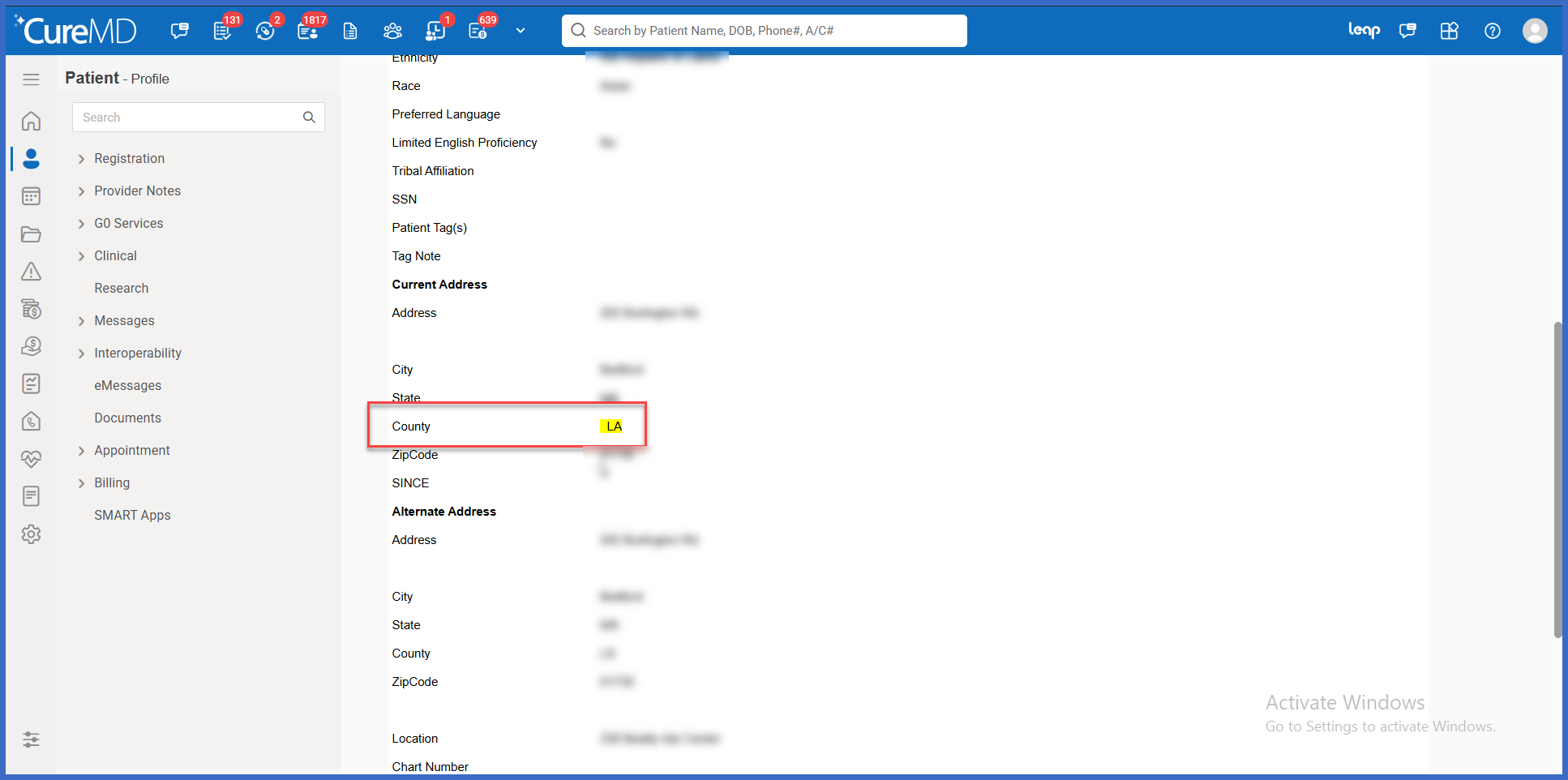
Track County Field Changes in Patient Demographics Event Log

The Patient Demographics Event Log has been enhanced to capture changes made to the County field, providing greater visibility into updates to patient address information.

Previously, the Demographics Event Log tracked changes to address-related fields such as Address, City, State, and ZIP Code, but did not include County changes.

With this enhancement, updates to the County field are now recorded alongside other demographic changes. When a user modifies and saves a patient's County, CureMD automatically records the previous and updated values, identifies the user responsible for the change, and highlights the modified field within the Event Log.

This provides practices with a more complete history of patient demographic updates and supports more efficient review of address-related changes..

Picture6-1

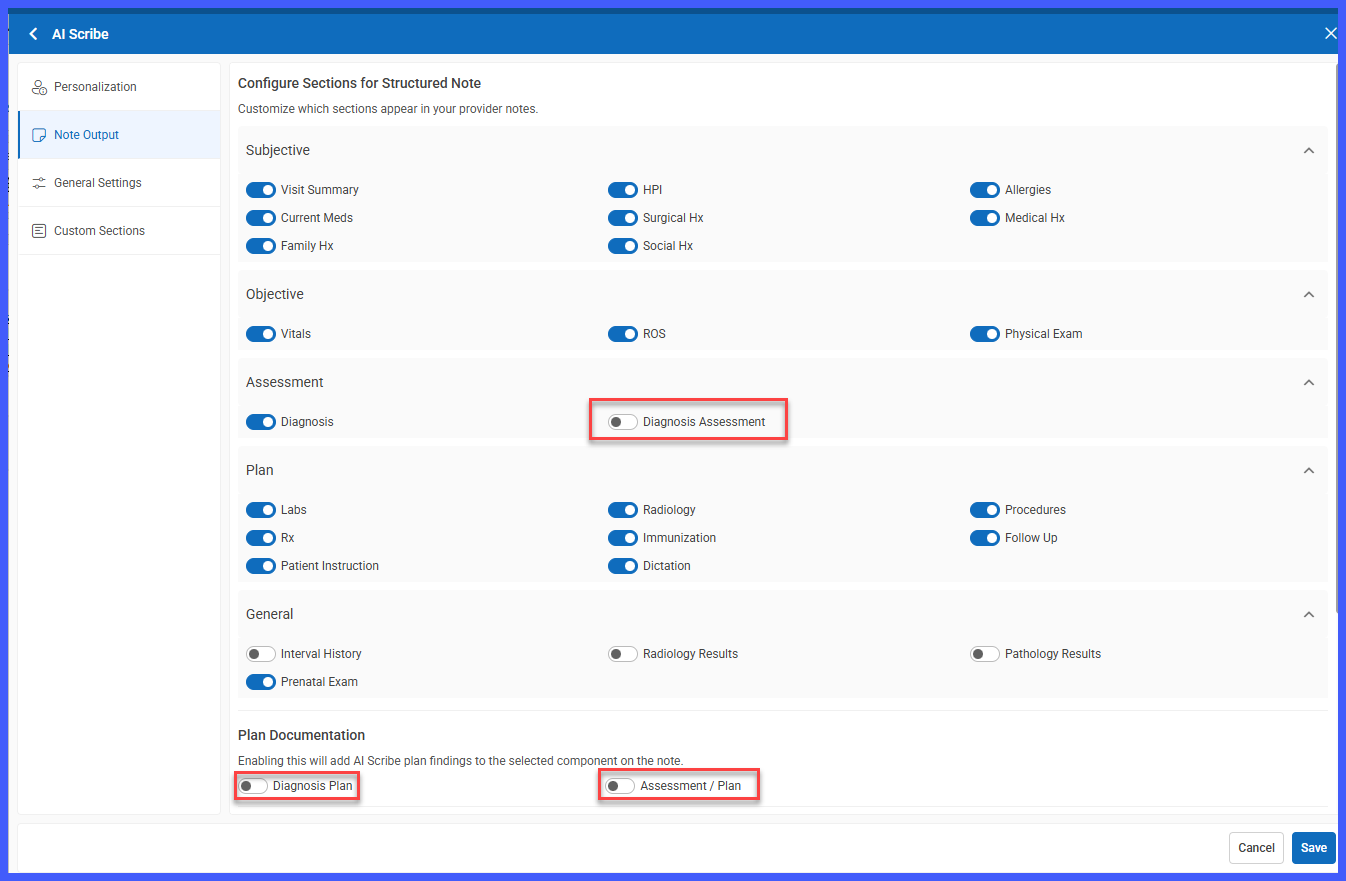
Customize AI Scribe to Document Assessment and Plan Information in Diagnosis Comments

Previously, AI Scribe supported documenting plan information in Diagnosis Comments or using the combined Assessment / Plan component. With this enhancement, practices can now independently configure whether AI Scribe documents the assessment, the plan, or both within the Diagnosis Comments of each linked diagnosis.

A new Diagnosis Assessment option has been introduced in the existing Note Output settings, alongside the current Diagnosis Plan functionality. This allows practices to tailor clinical documentation to their preferred workflow without introducing additional note components or changing existing diagnosis linkage behavior.

rel-8a

Automatic Population of Demographic Custom Fields in Letter Templates

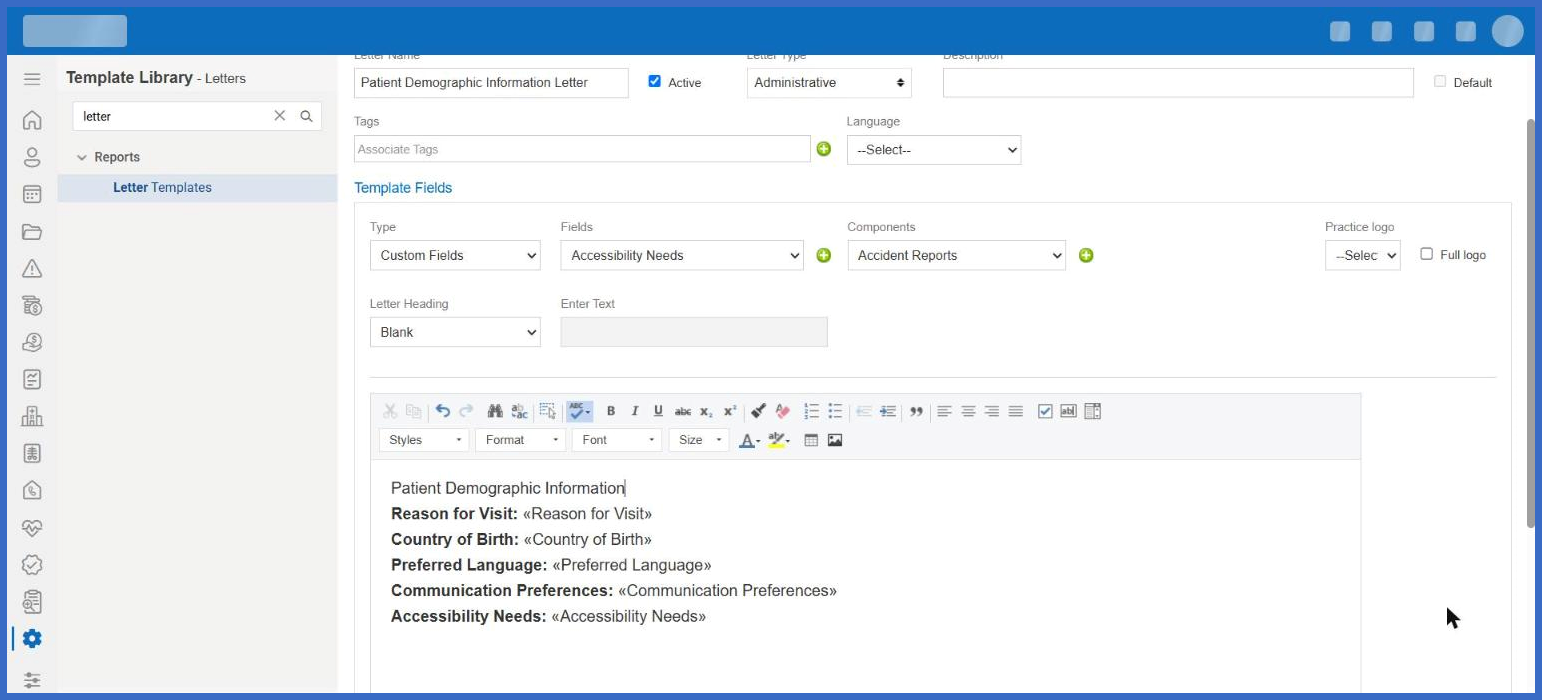
The Letter Templates functionality has been enhanced to support demographic custom fields as merge fields, allowing practices to automatically populate patient-specific information when generating letters.

Previously, custom fields configured within Patient Demographics were not available for selection in Letter Templates, requiring users to manually enter this information into letters.

With this enhancement, users can insert demographic custom fields directly into Letter Templates. When a letter is generated, CureMD automatically retrieves the corresponding values from the patient's Demographics and populates them within the document.

Picture11-1

Filter No-Charge Appointments and Encounters in Provider Notes Listings

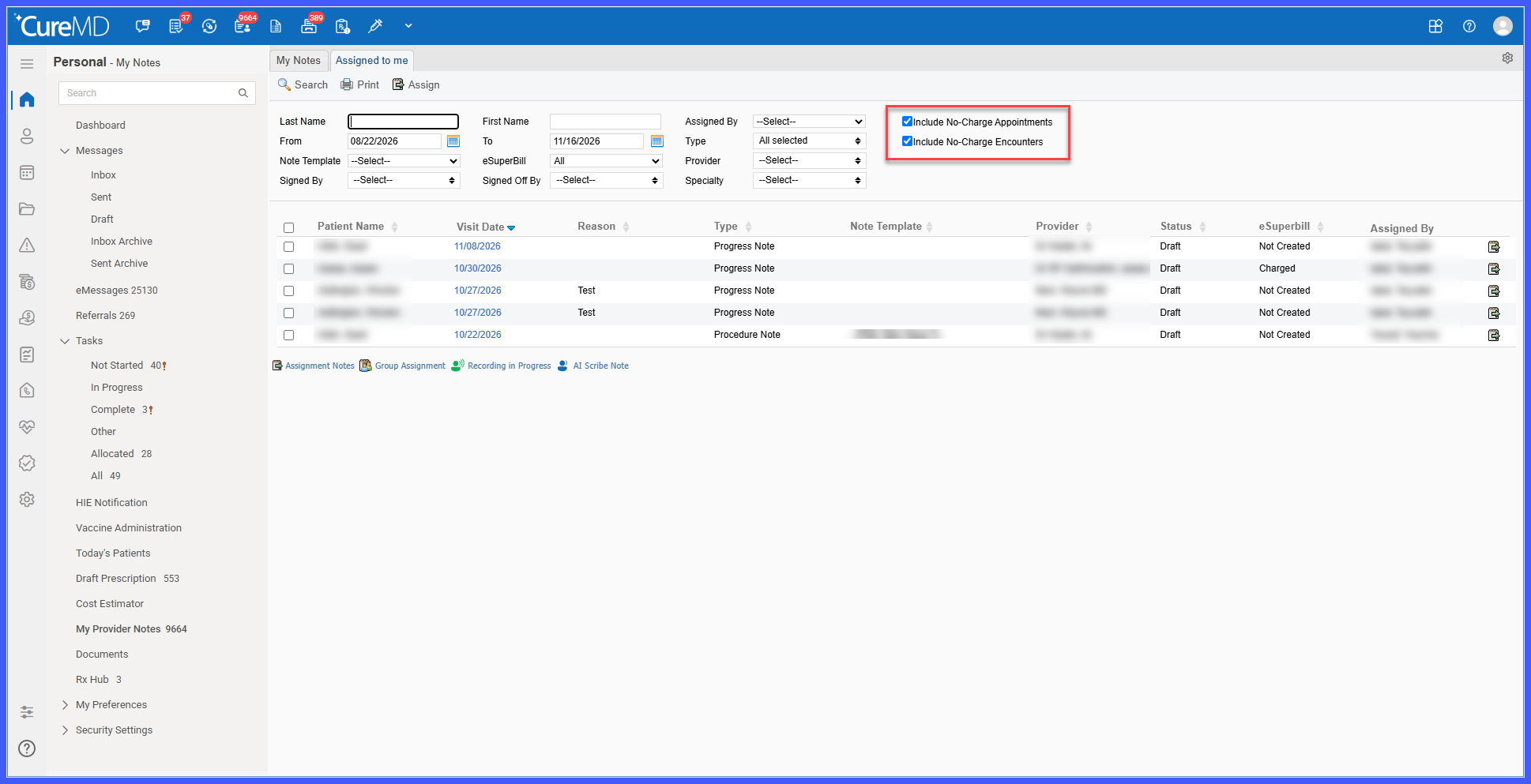
The Provider Notes listings have been enhanced with two new filtering options, allowing providers and staff to control whether notes associated with No-Charge appointments and encounters appear in their search results.

Previously, No-Charge notes were included in Provider Notes listings without dedicated options to exclude them, requiring users to review individual records to distinguish between billable and non-billable encounters.

With this enhancement, users can independently include or exclude No-Charge appointments and No-Charge encounters using two new checkboxes within the existing filter panel.

Both filters are enabled by default, preserving the current listing behavior while providing greater flexibility when reviewing Provider Notes.

rel-7-a

Automatic Address Synchronization Between Patients and Responsible Parties

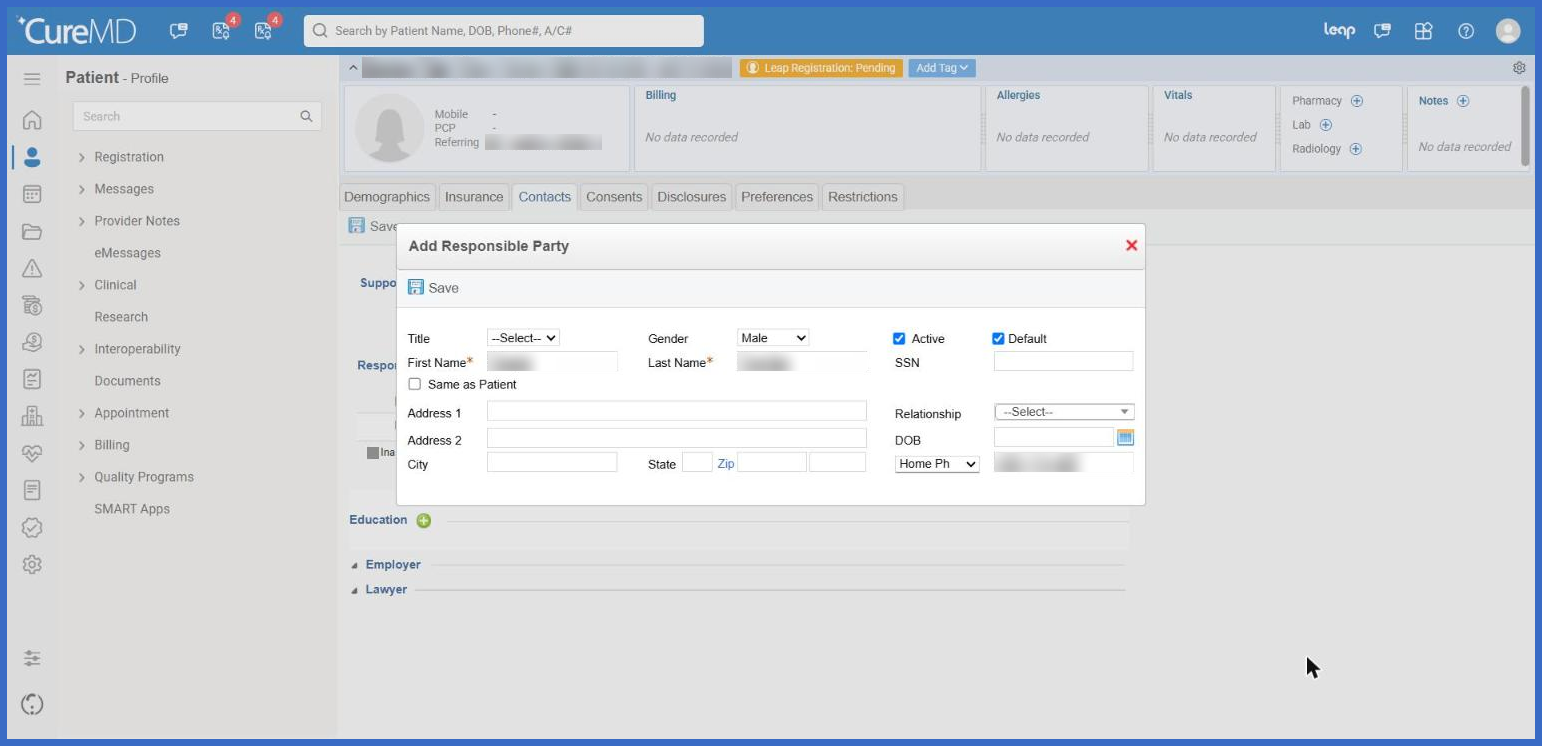
The Responsible Party functionality has been enhanced with a new Same as Patient checkbox, allowing users to automatically populate and synchronize a Responsible Party's address with the patient's address.

Previously, users had to manually enter and maintain Responsible Party addresses, even when they were identical to the patient's address. Any subsequent changes to the patient's address also required separate updates to the Responsible Party's information.

With this enhancement, users can select Same as Patient to automatically copy the patient's address into the Responsible Party record and keep it synchronized whenever the patient's address changes.

The enhancement also introduces activity logging for automatic address updates, providing greater visibility into changes while allowing users to maintain separate addresses when needed.

rel-6a

Automatic Population of Demographic Custom Fields in Provider Note Templates

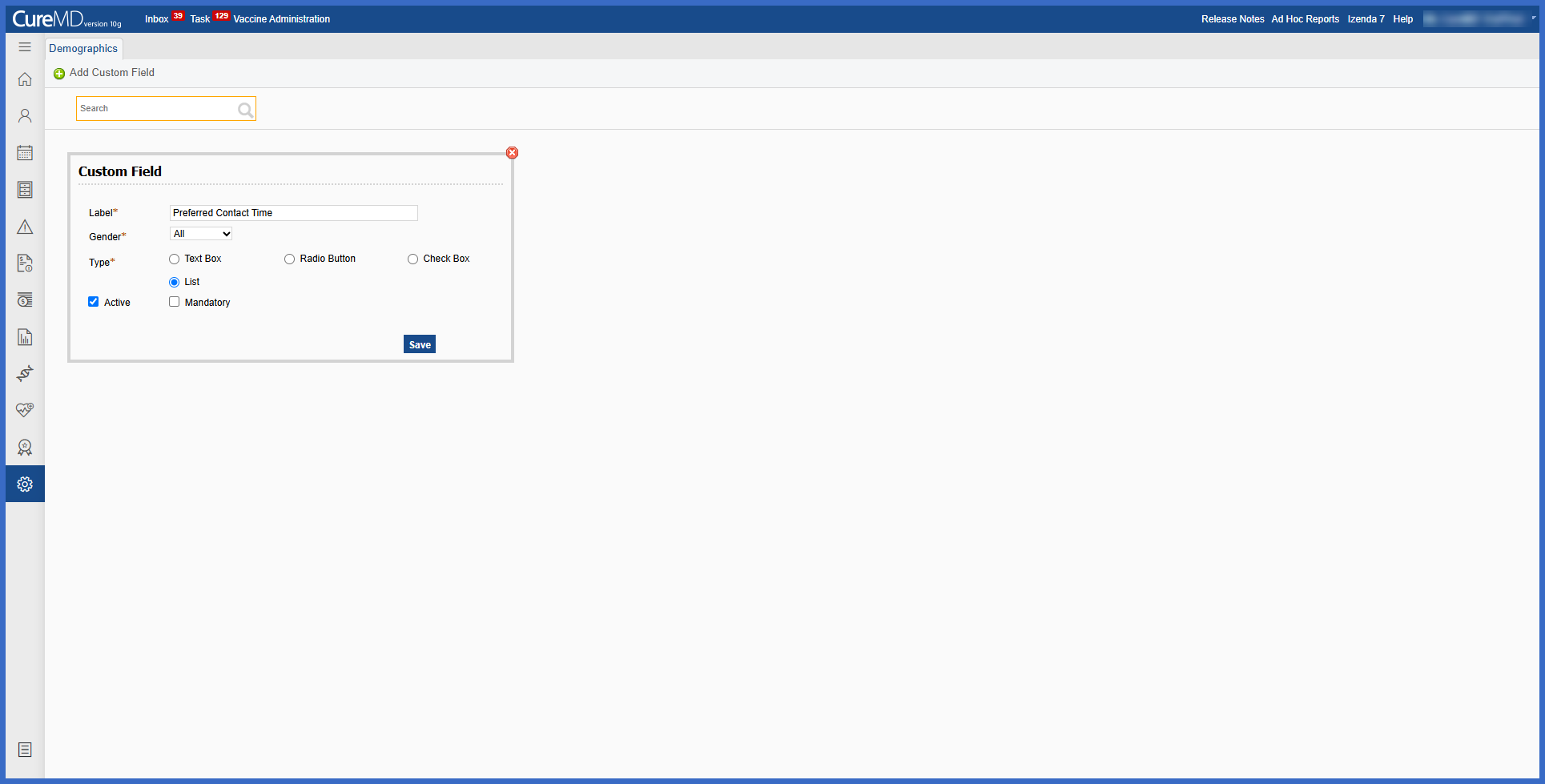
Note Templates have been enhanced to support demographic custom fields, allowing practices to automatically populate patient-specific information within Provider Notes.

Previously, demographic custom fields were not available for insertion into Note Templates, requiring users to manually enter this information when documenting patient encounters.

With this enhancement, users can insert configured demographic custom fields directly into Note Templates. When a template is used to generate a Provider Note, CureMD automatically retrieves the corresponding values from the patient's Demographics and populates them within the note.

The enhancement supports Free Text, Radio Button, Checkbox, and List fields, including notes associated with selected options.