Sorted:

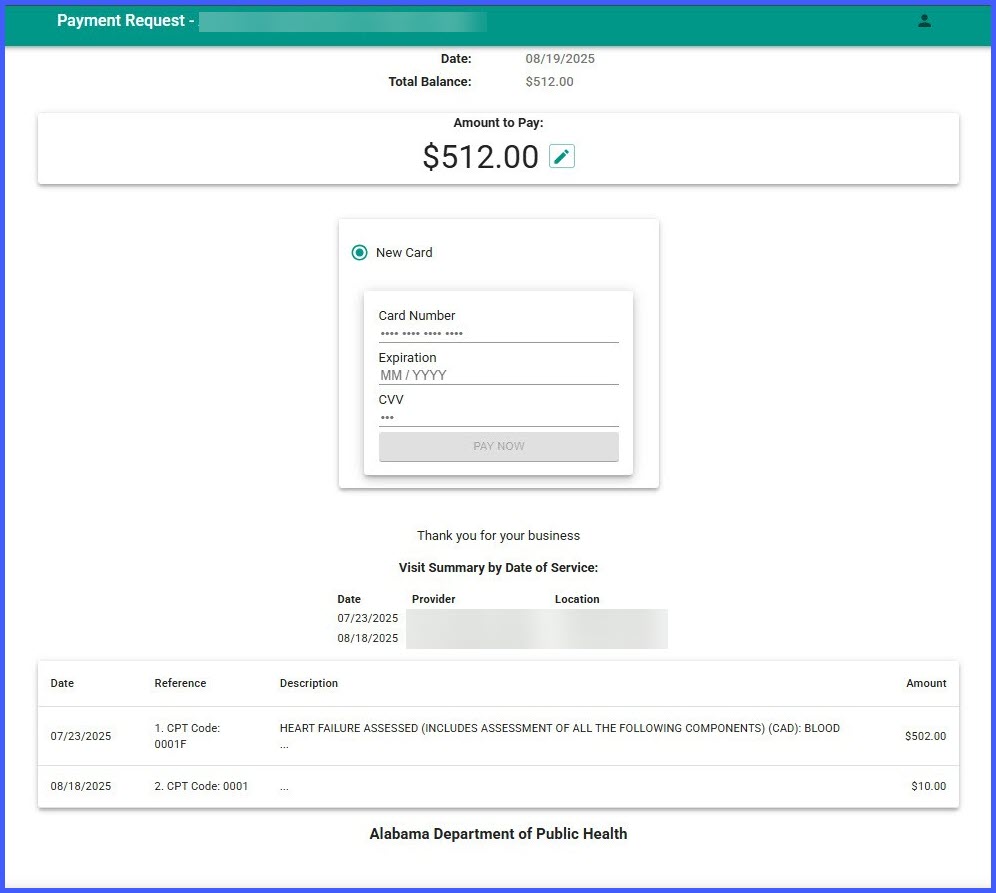
TextToPayeStatements-1

Display Provider & Location in Text-to-Pay e-Statements

With this enhancement, Text-to-Pay e-statements now include a “Visit Summary by Date of Service” section that lists the Provider and Location for each Date of Service (DOS). Because the third-party vendor’s template cannot be changed, this information is rendered inside the vendor’s single open text area placed directly beneath the “Thank you for your business!” message. The enhancement improves clarity and reduces support inquiries without requiring any changes to your existing Text-to-Pay setup.
Patient Portal “Make a Payment” is Now Hidden When No Payment Partner is Set

With this enhancement, If a practice hasn’t set up an online payment partner for a location in CureMD, the “Make a Payment” section in the Patient Portal will no longer appear. This prevents errors and confusion when trying to pay balances online.

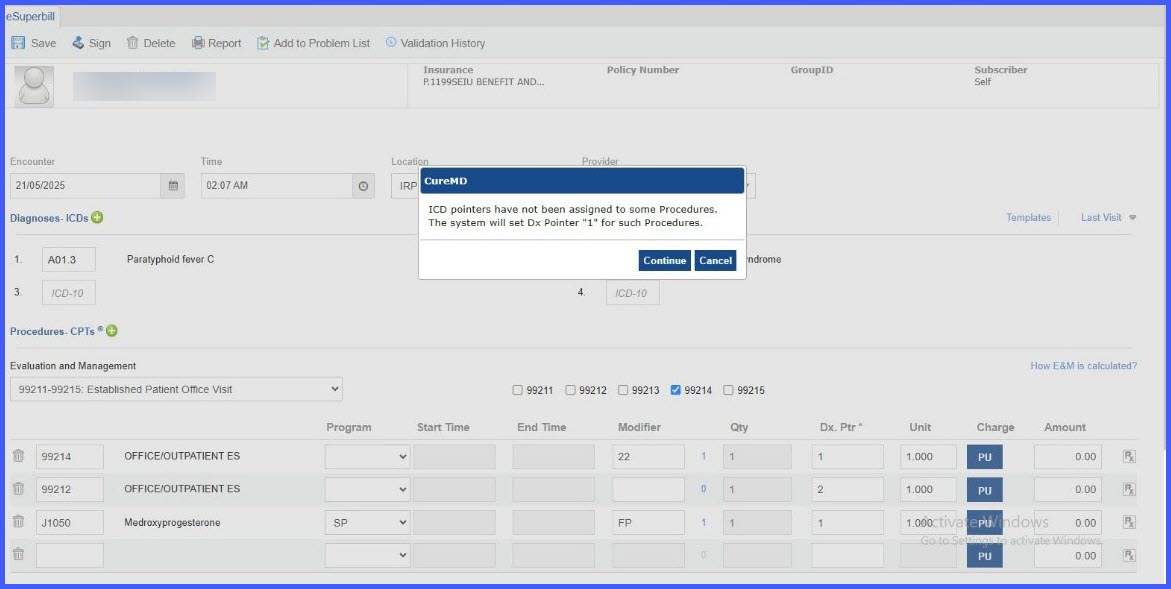
DxPointerESB

eSuperbill: Warning for Missing Dx Pointers

With this enhancement, to help prevent claim denials and reimbursement delays, eSuperbill now warns you when procedures (CPTs) don’t have ICD (Dx) pointers assigned. If you choose to continue, the system will automatically set Dx Pointer “1” for any procedure missing a pointer.

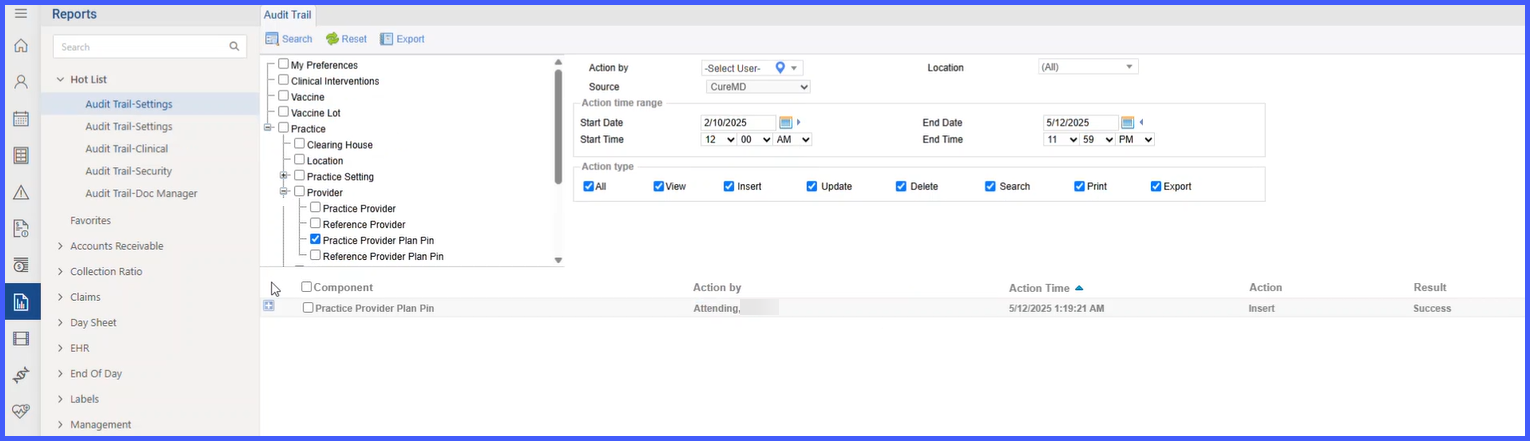
ProviderPinLog

Provider Pin Audit Trail

With this enhancement, you can now see a clear audit trail of changes made to Provider Plan PINs for both Practice Providers and Referring Providers. This helps you track who changed what and when—all in one place.

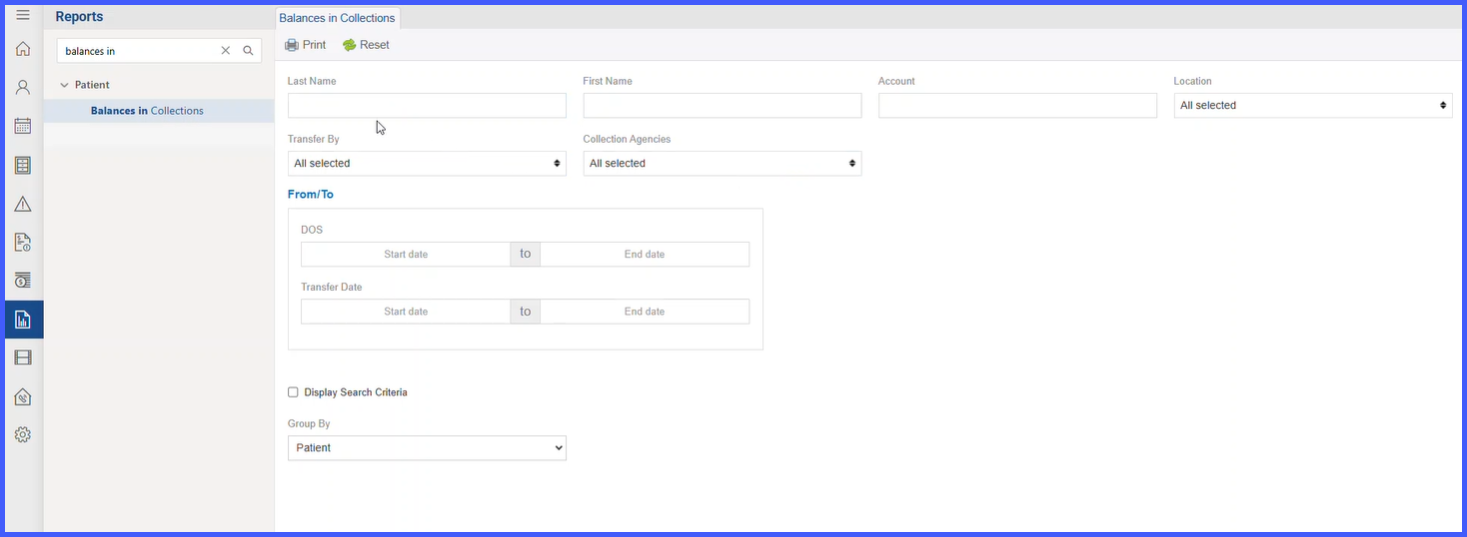
BalanceInCollectionReportNew-2

Balances in Collection Report

A new report—Balances in Collections—is available in the Reports Module > Patient bucket to give practice supervisors a concise, printable list of all appointments/patients whose balances have been transferred to collections. The report includes key operational fields (e.g., Transfer Date, Transfer By, Agency Name, Amount), flexible filters, and optional grouping with per-agency totals and a final summary table for quick financial oversight.