Sorted:

rx3

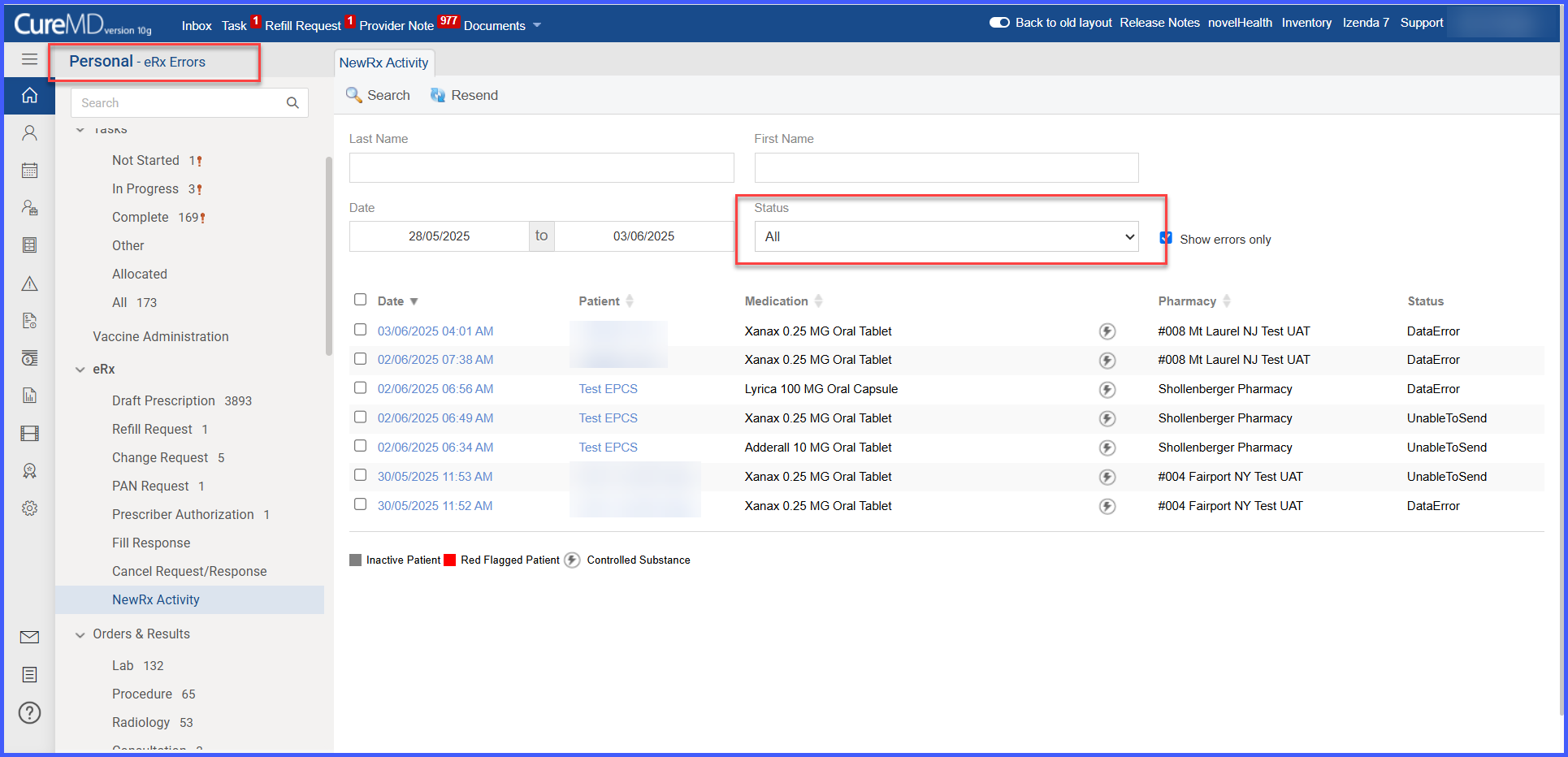
Inclusion of the failed prescriptions of controlled substances in the quick link of "eRx Errors"

With this enhancement in CureMD application, the status of the electronically prescribed Controlled Substance Drugs will be updated in the NewRx Activity and if error is returned against an electronically prescribed EPCS Drug, it will reflect in the eRx Errors quick link as well.
apttile1

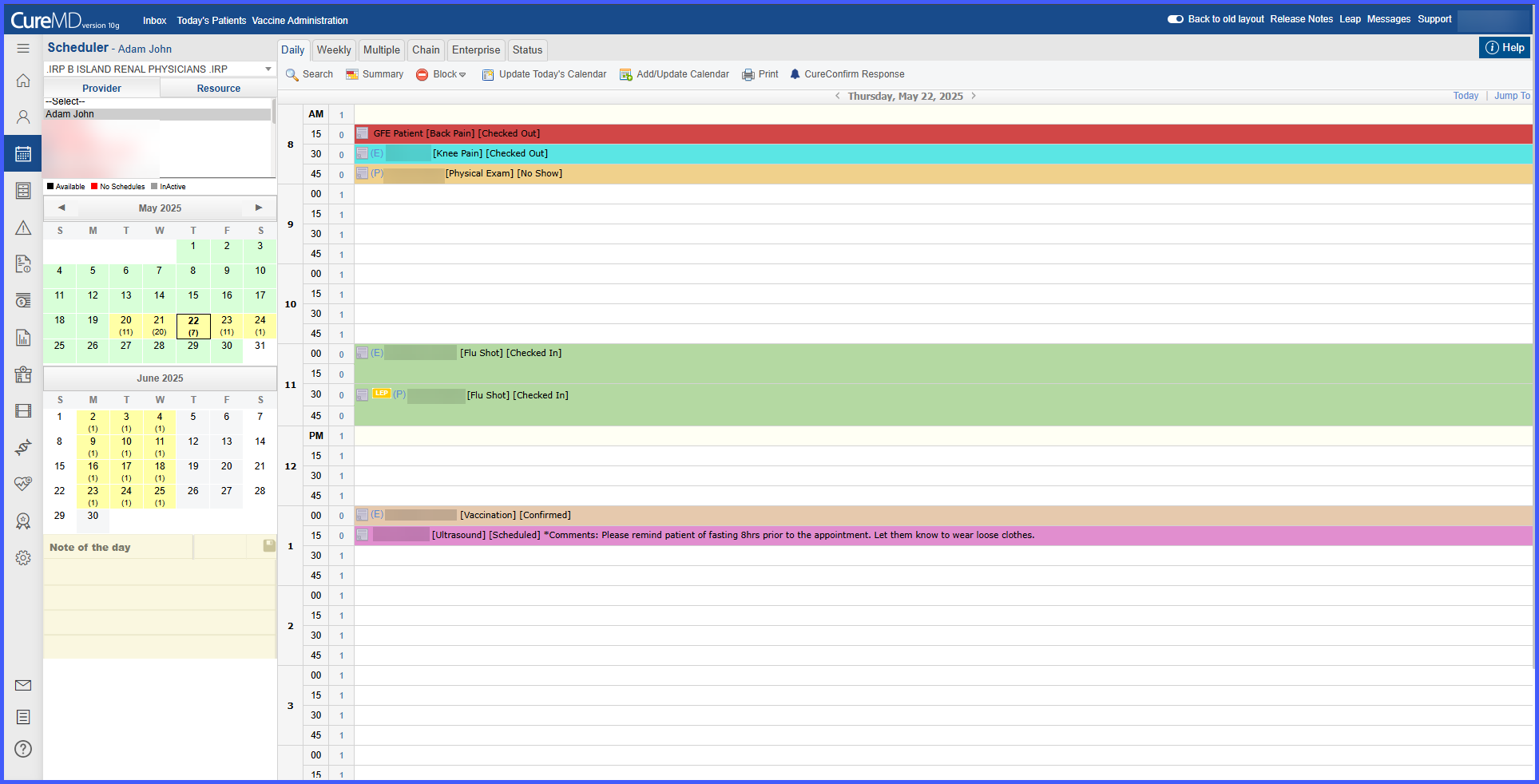
Appointment Tile Coloring Based on Visit Reason in Scheduler Views

With this enhancement in the CureMD application, the scheduler can now display appointment tiles in the color associated with the Visit Reason. The appointment status appears in brackets next to the visit reason (e.g., [Flu Shot] [Scheduled]). In Enterprise View, the status is shown only in the tooltip. Appointment Summary no longer displays status-based colors when this setting is enabled.

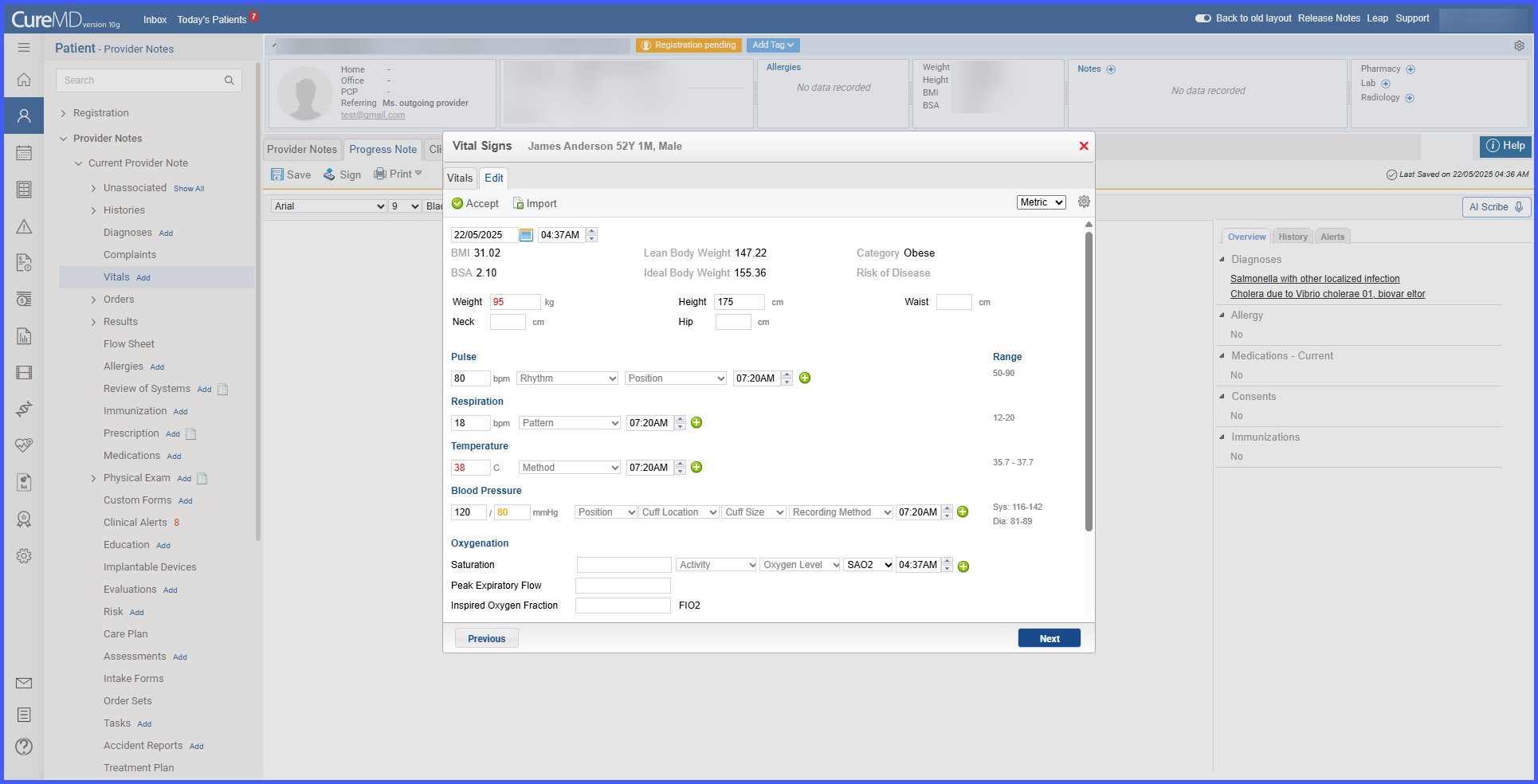
vitaltimestamp

Automatic timestamp update on editing vitals in Provider Note

With this enhancement in the CureMD application, the date and time of a vitals entry will update automatically when the user edits the entry and clicks Accept. This will ensure accurate timestamps of modification to vitals data.

AppointmentReasonSettings-1

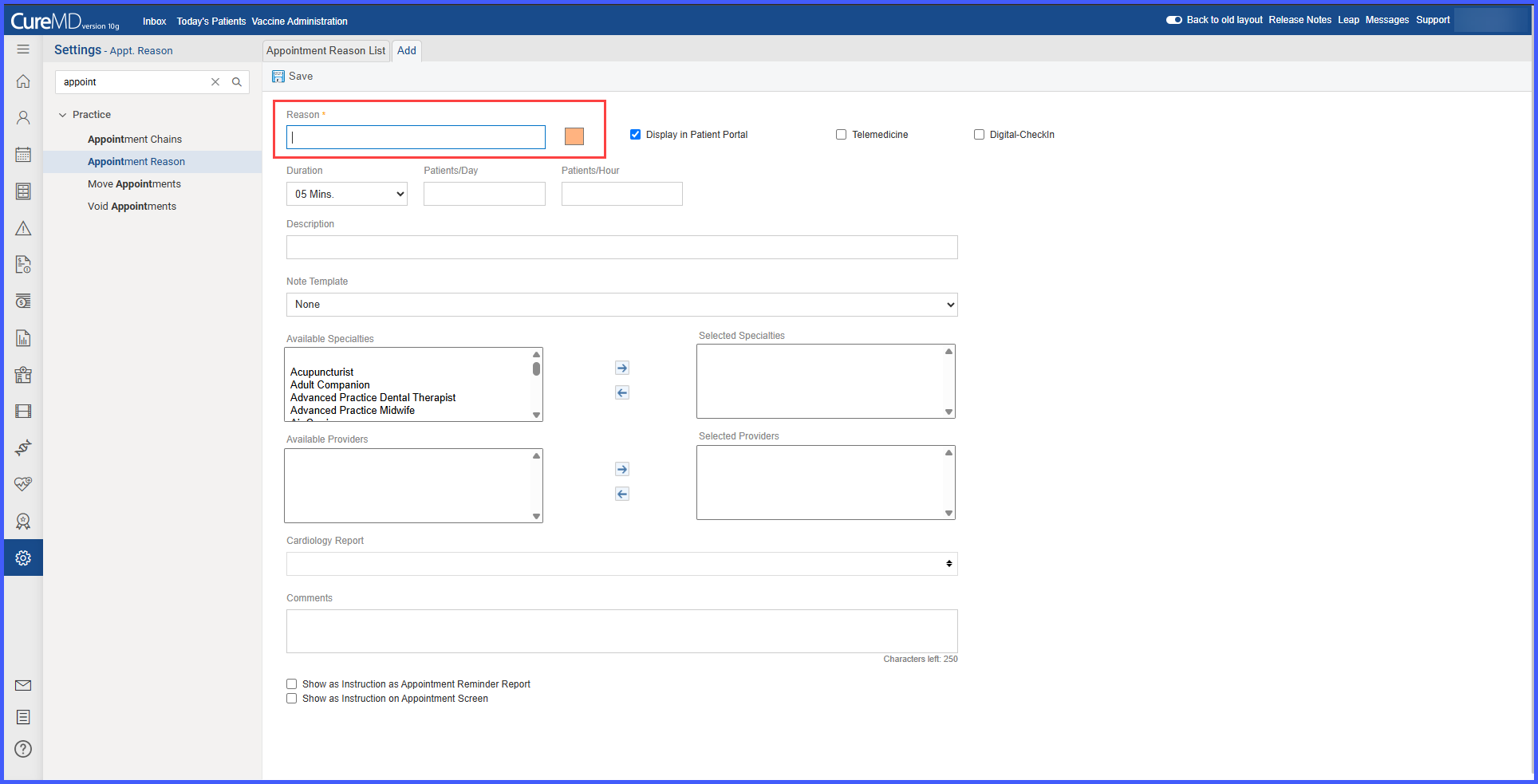
Custom Colors and Preferences for Visit Reason-Based Coloring

With this enhancement in the CureMD application, users can assign specific colors to Visit Reasons and configure how appointment tiles appear in scheduler views. From My Preferences, users can choose between Visit Reason or Appointment Status-based coloring. A default color is auto-assigned if no color is selected.

EligibilityInsurance2-1

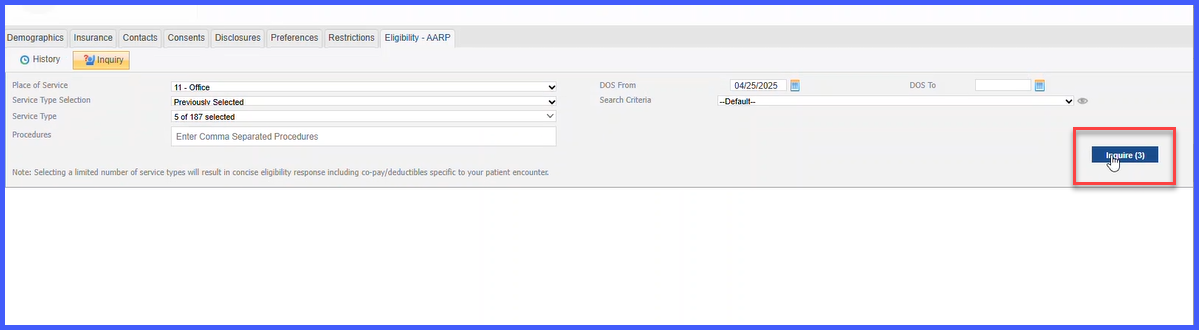
Eligibility Access for Inactive or Out-of-Date Insurance Plans

With this enhancement in the CureMD application, users can perform eligibility inquiries and view eligibility history even when the associated insurance plan is inactive or outside the effective date range. This enables the user to retrieve historical coverage details necessary for audits, claim resolution, and appeals.