Custom Colors and Preferences for Visit Reason-Based Coloring
What’s New?
With this enhancement in the CureMD application, users now have more control over the appearance of appointment tiles through color customization for Visit Reasons and configurable display preferences.
-
Assign Colors to Visit Reasons:
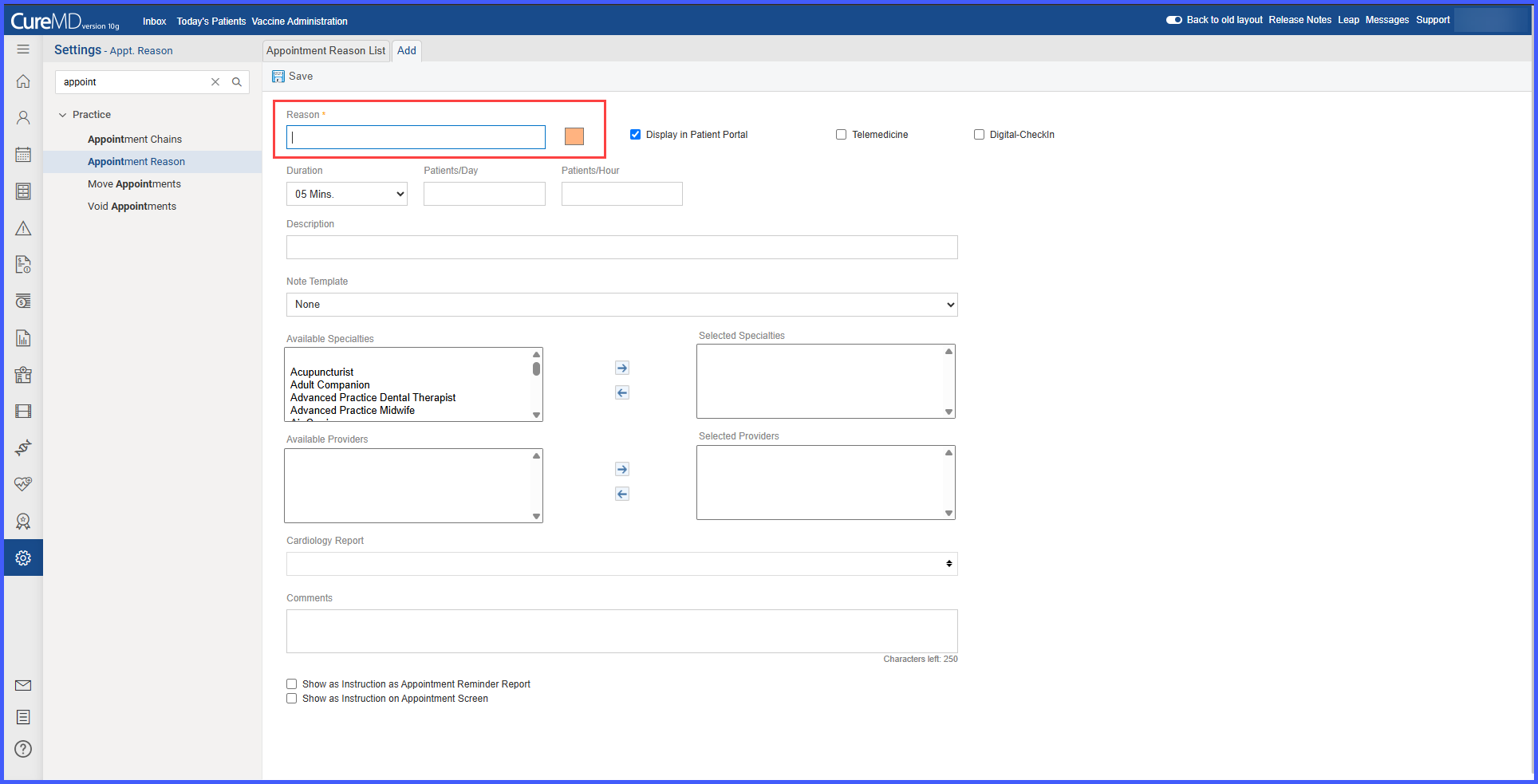
Users can assign a specific color to each Visit Reason when adding or editing it via Settings > Appointment Reason. A clickable color palette appears next to the Visit Reason field, allowing users to select from a predefined set of visually distinct options. -
Automatic Default Colors:
If a user does not choose a color, the system will assign a randomized default color from the palette. This ensures that all Visit Reasons maintain a visually differentiated appearance, including those previously created in the system. -
Control Appointment Tile Coloring from My Preferences:
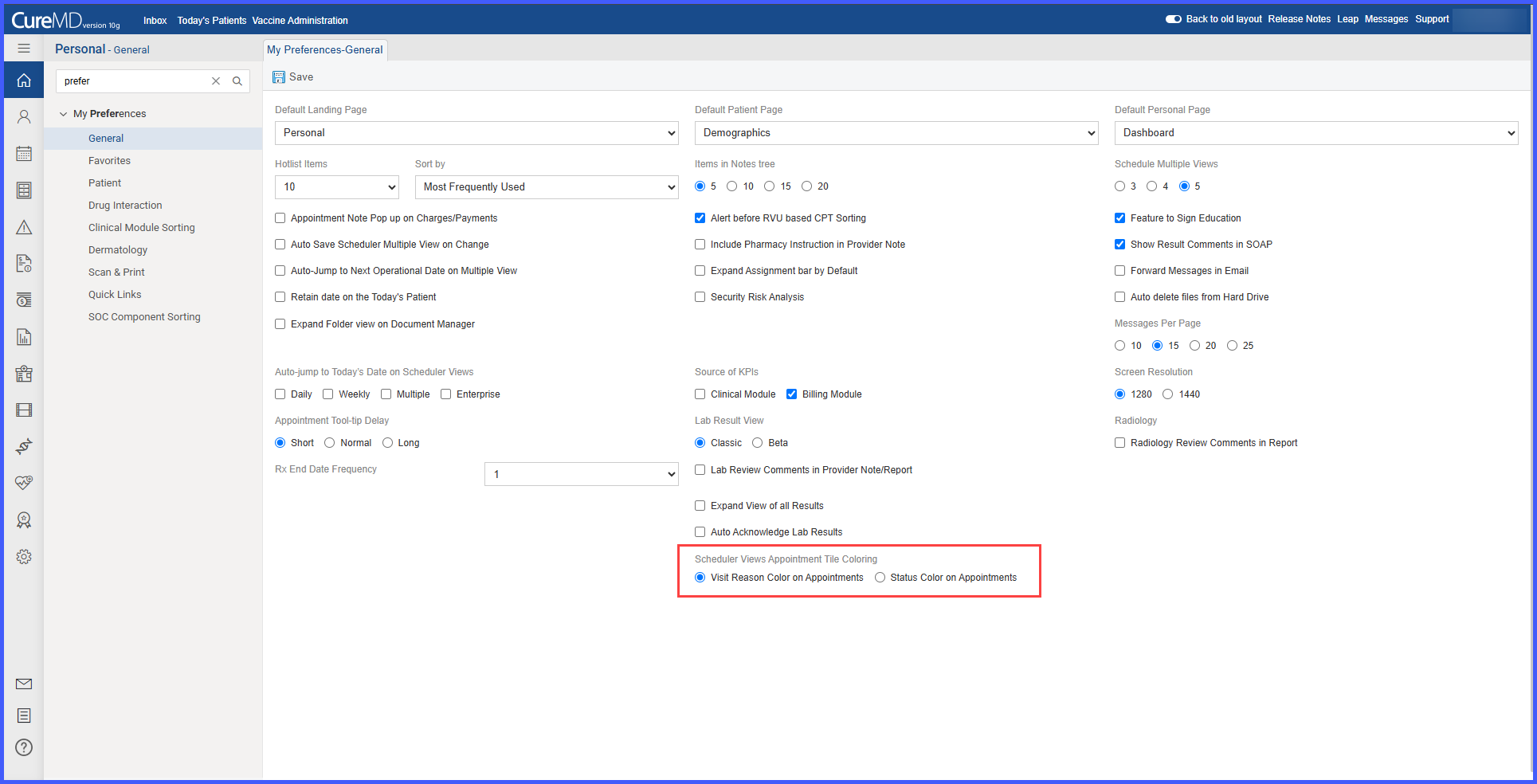
Users can personalize how appointments appear on the scheduler by navigating to Personal > My Preferences > General tab. Under Scheduler Views Appointment Tile Coloring, two radio buttons are available:-
Visit Reason Color on Appointments
-
Status Color on Appointments
These options are mutually exclusive—selecting one deselects the other. By default, the system uses appointment status for coloring.
-
How This Benefits You
Personalized Views – Users can tailor scheduler visuals to their preference, improving clarity and usability.
Improved Visual Organization – Assigning colors to Visit Reasons helps quickly distinguish appointment types at a glance.
Consistent Scheduler Behavior – Centralized control ensures appointment tile coloring behaves predictably across all views.
Workflows Affected
-
Settings > Practice > Appointment Reason
-
Personal > My Preferences > General tab
-
Scheduler > All Views (Daily, Weekly, Multi-View, Chain, Enterprise)