Sorted:

Patient-Profile

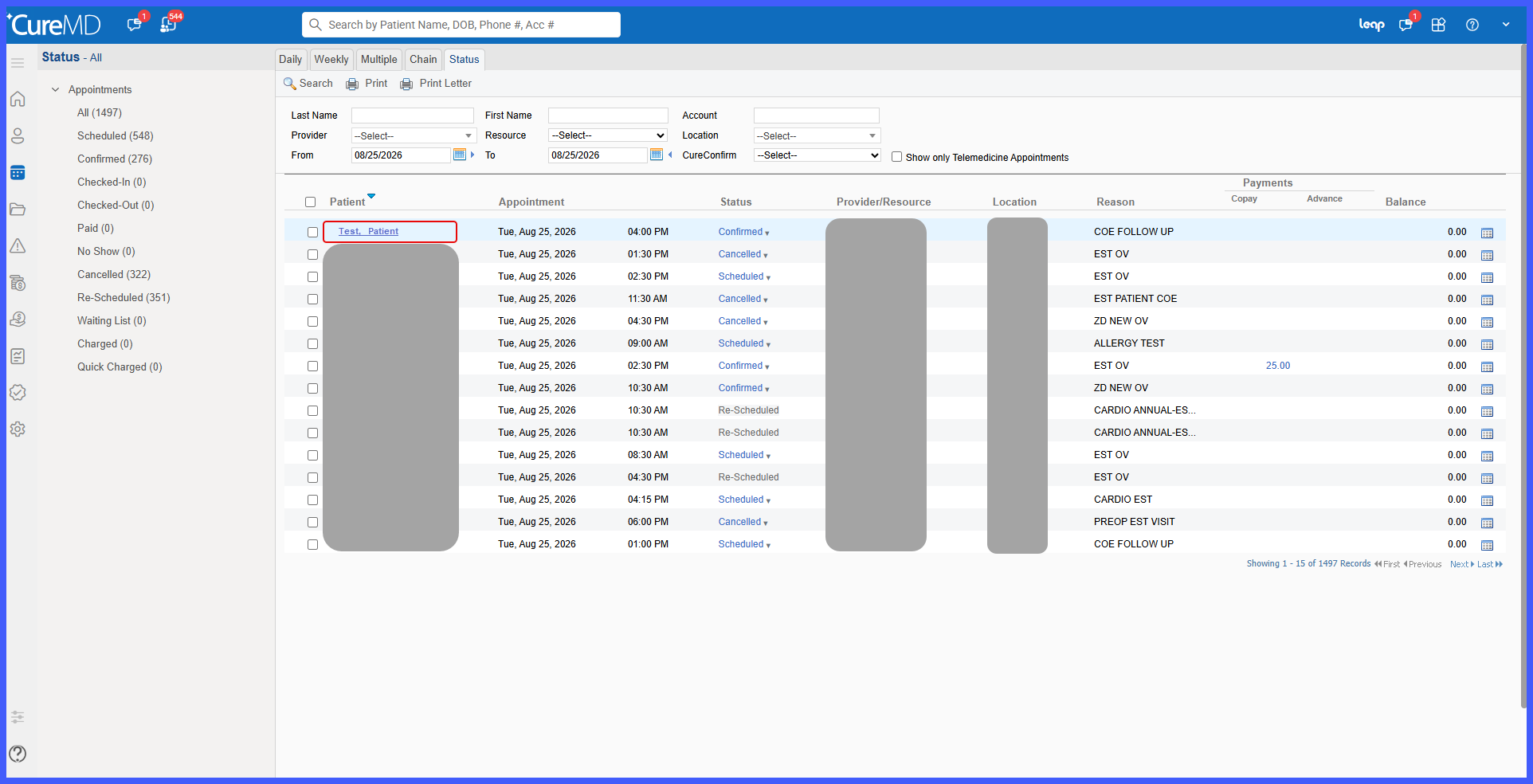
Access Patient Profile from Scheduler > Status

This enhancement provides direct access to Patient Demographics from the Scheduler Status appointment list. Users can now select a patient's name from the Patient column to open the corresponding Patient Profile, reducing the need to manually search for the patient elsewhere in CureMD.
Scheduler-1

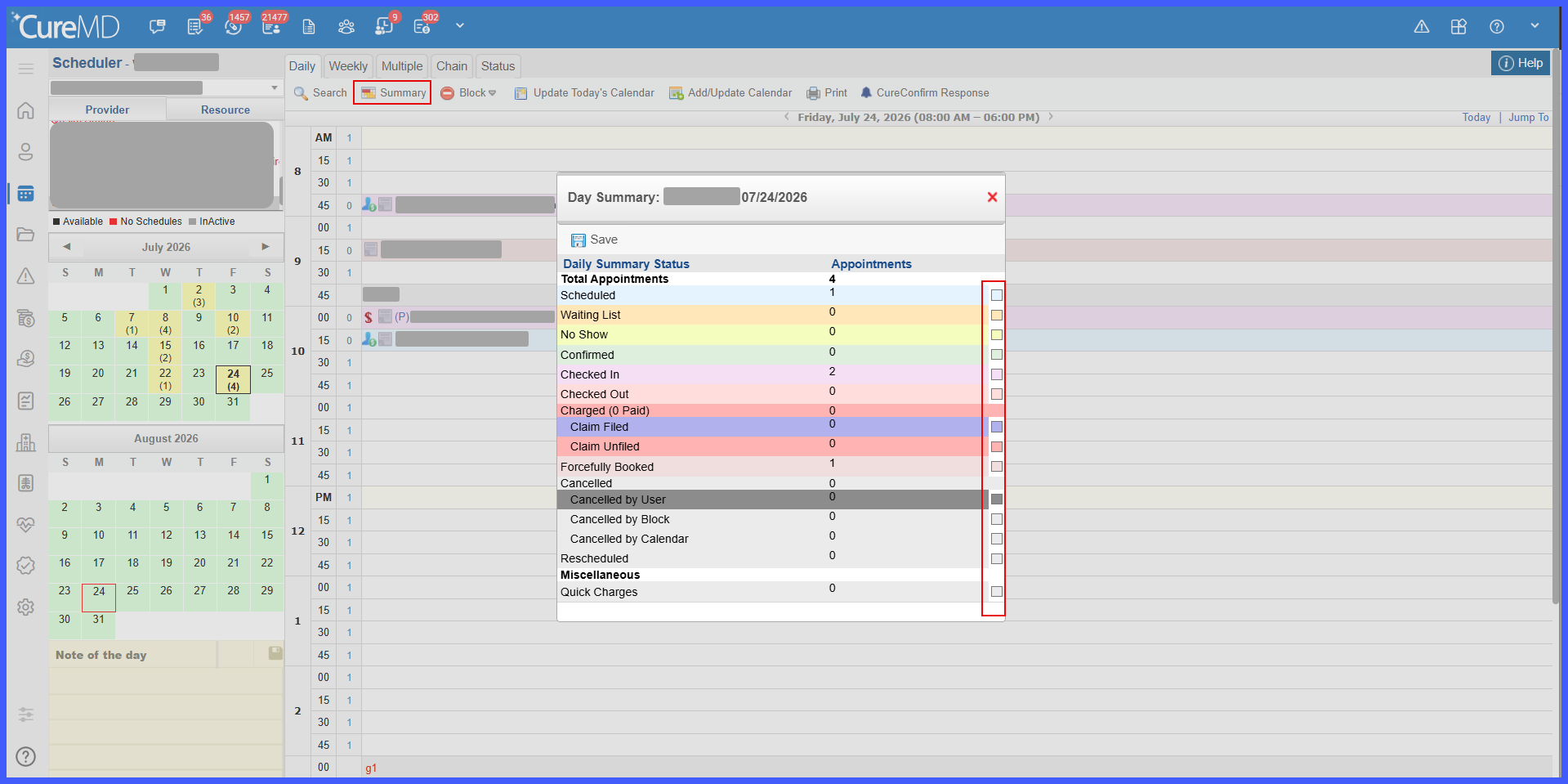
Configurable Appointment Status Colors on the Scheduler Day Summary

This enhancement introduces customizable appointment status colors within the Scheduler Day Summary. When the Status Color on Appointments preference is enabled, users can select and save individual colors for appointment statuses, which are then reflected on corresponding appointment tiles across supported Scheduler views.

image1

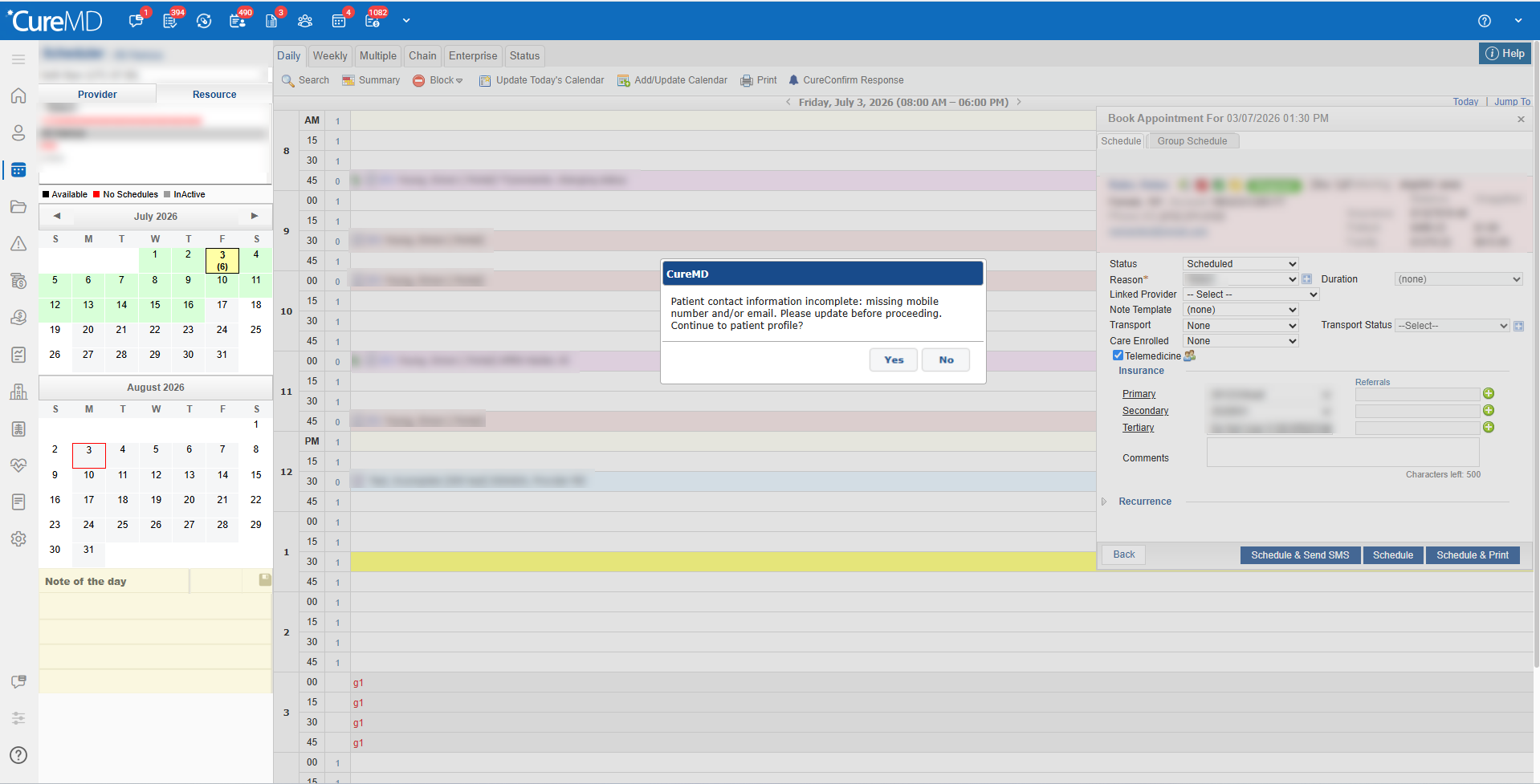
Real-Time Alert for Missing Patient Contact Information During Appointment Scheduling

This enhancement introduces a real-time, non-blocking alert during appointment scheduling when a patient is missing a mobile phone number, email address, or both. The alert helps staff identify incomplete contact information and, where supported, provides a direct option to open the patient's profile and update the missing details before completing the appointment.

A-BB

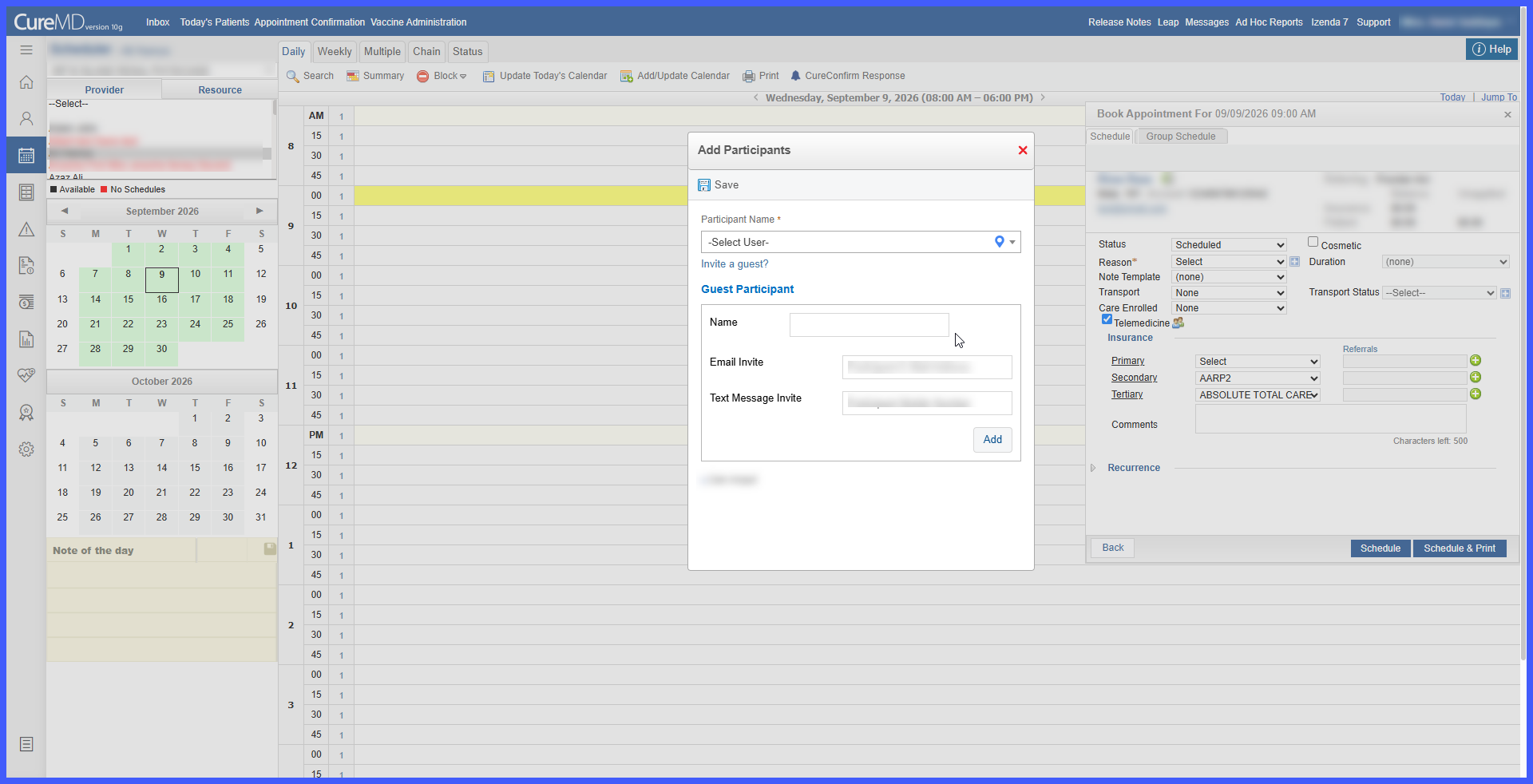
Enhanced Guest Participant Invitations for Telemedicine Appointments

This enhancement simplifies the Guest Participant invitation workflow for Telemedicine Appointments by allowing users to invite external participants using an email address, mobile number, or both. The workflow no longer requires users to select a preferred invitation method, while ensuring that at least one valid contact method is provided before the guest can be added.

Diagnoses-Review-2-1

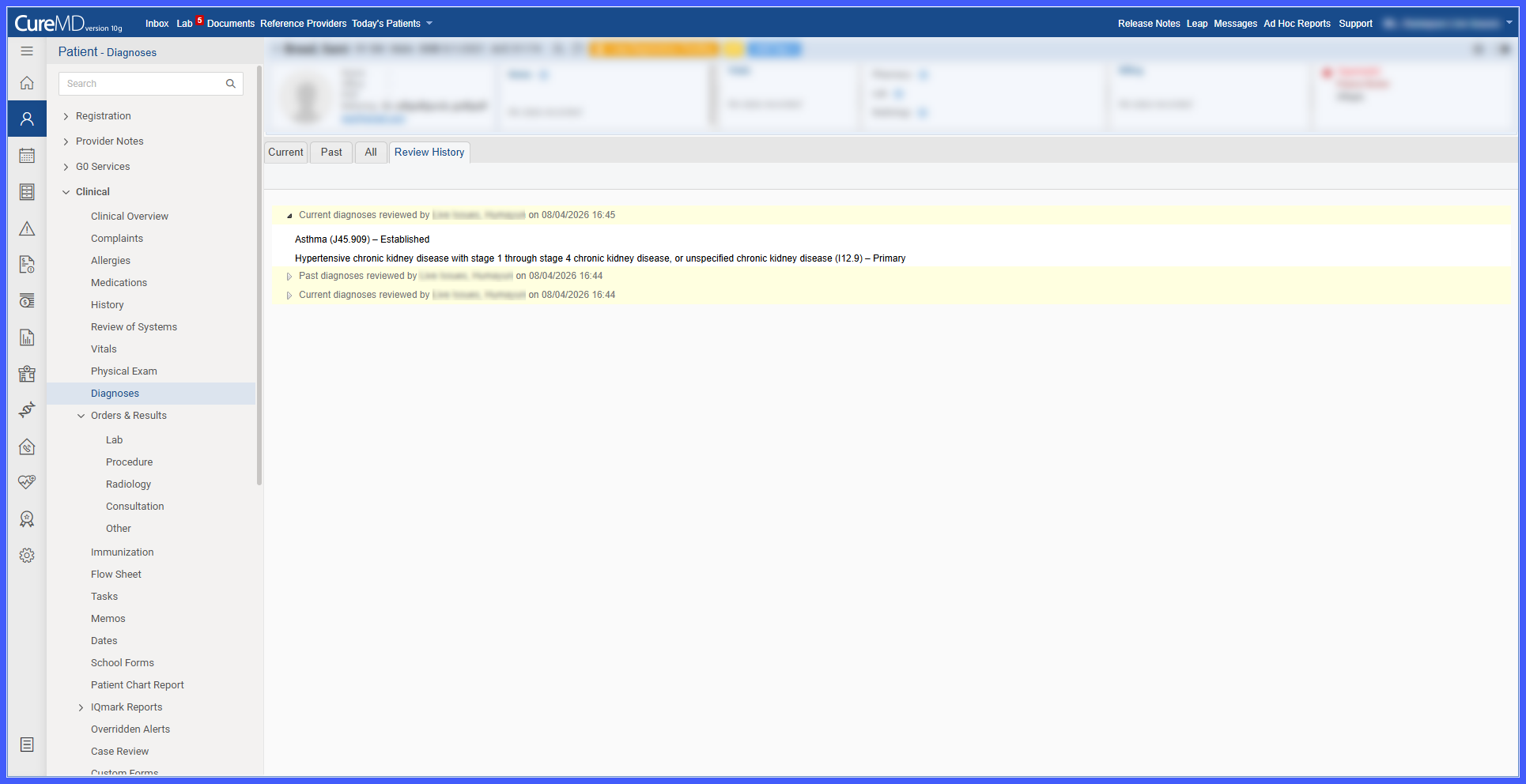
Diagnoses Review and Attestation

This enhancement introduces a structured review and attestation workflow for patient diagnoses. Providers can now review diagnoses from the Current, Past, or All tabs, access a detailed history of completed reviews, and view the latest review information directly within the Diagnoses section of the SOAP Provider Note.

schd1

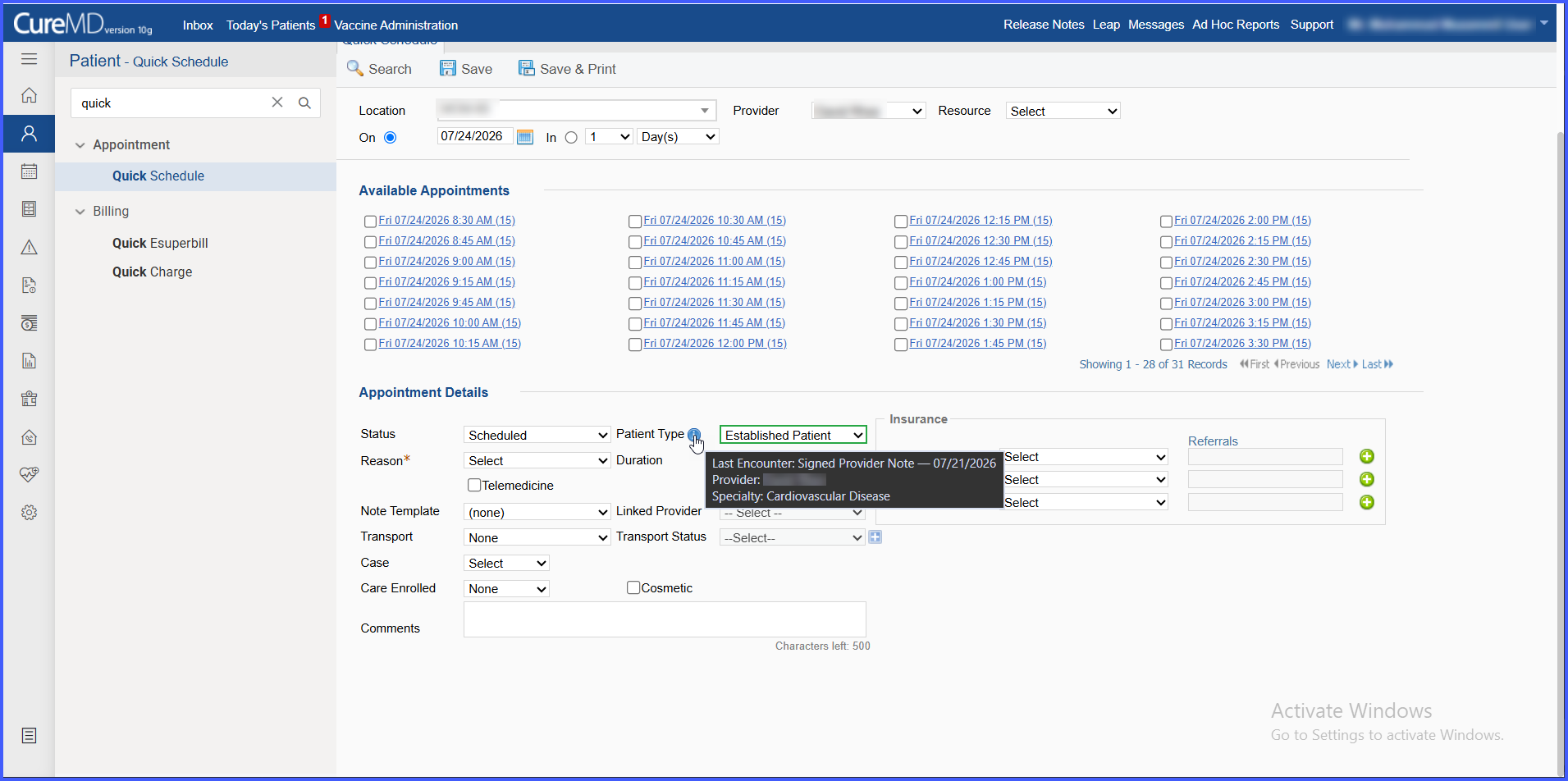
Automated New vs. Established Patient Type Suggestions in Scheduling

This enhancement introduces a Patient Type field across scheduling workflows that automatically suggests whether a patient should be classified as New Patient or Established Patient based on qualifying encounter history and provider specialty. The suggested classification is clearly identified while allowing schedulers to manually override it at any time.

E4-BB

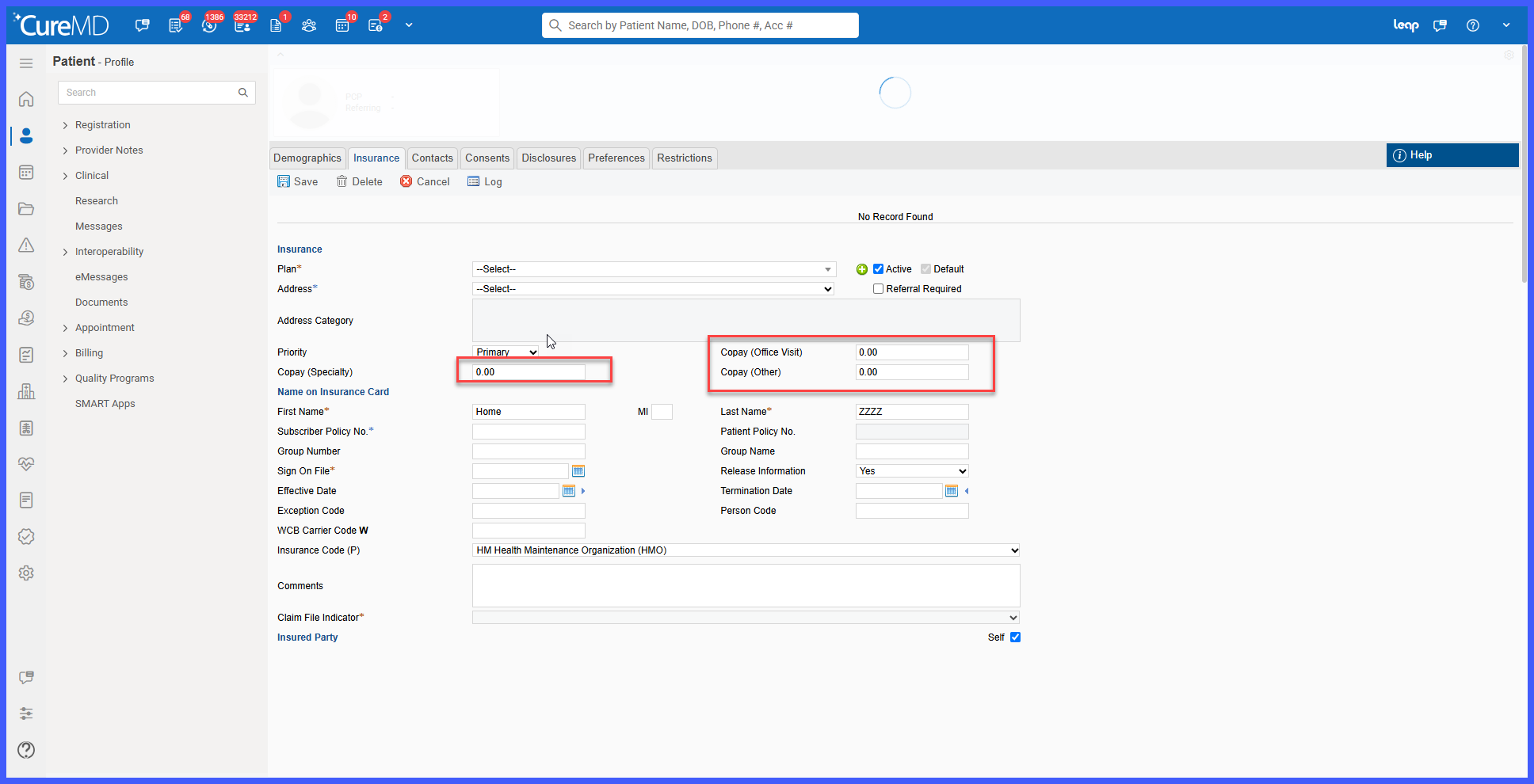
Enhanced Copay Validation for Specialty and Other Copay Fields

This enhancement improves validation for the Copay (Speciality) and Copay (Other) fields within the Insurance module. The system now validates copay entries to ensure that only valid numeric amounts are saved, while preventing unsupported characters and excessively large values.