
Ability to Distinguish Portal Status by Color
When the user navigates to patient's profile, the system will display the Inactive portal status with a red tag. If the portal account is active, the Portal status tag will be green.
When the user navigates to patient's profile, the system will display the Inactive portal status with a red tag. If the portal account is active, the Portal status tag will be green.
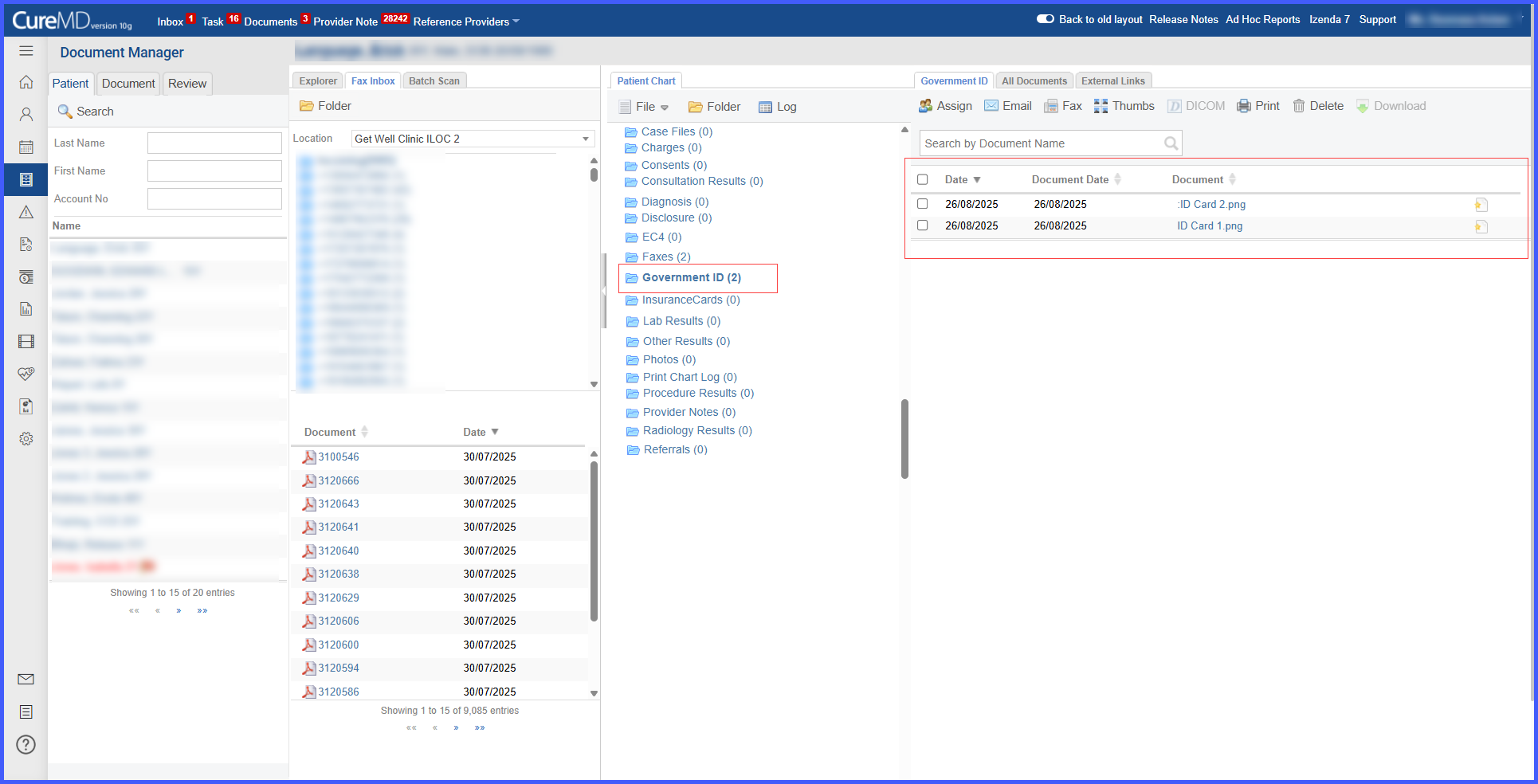
With this enhancement in the CureMD application, the Driver’s License folder has been renamed to Government ID, allowing users to upload or scan multiple ID documents with both front and back sides. This will make it easier to manage different types of government-issued IDs in one place.
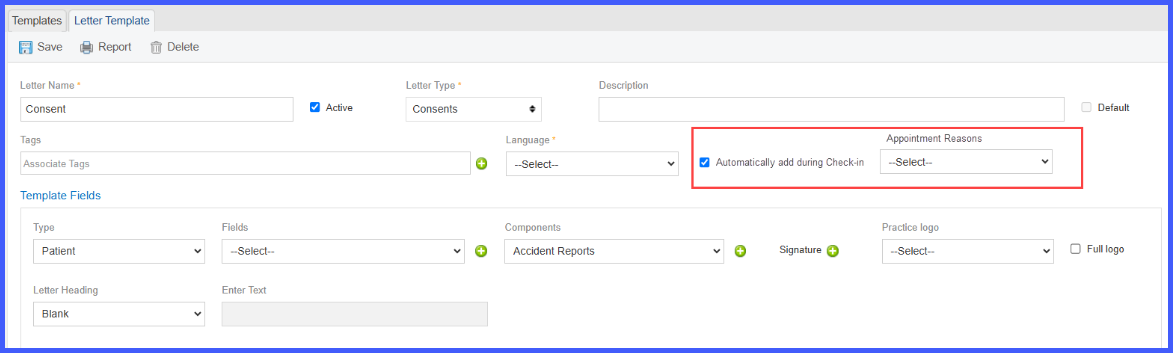
With this enhancement in the CureMD application, the practice users can now configure Consent letter templates to automatically add during Check-In for specific Appointment Reasons. This will ensure that all required consents are signed without having to navigate to patient profile.
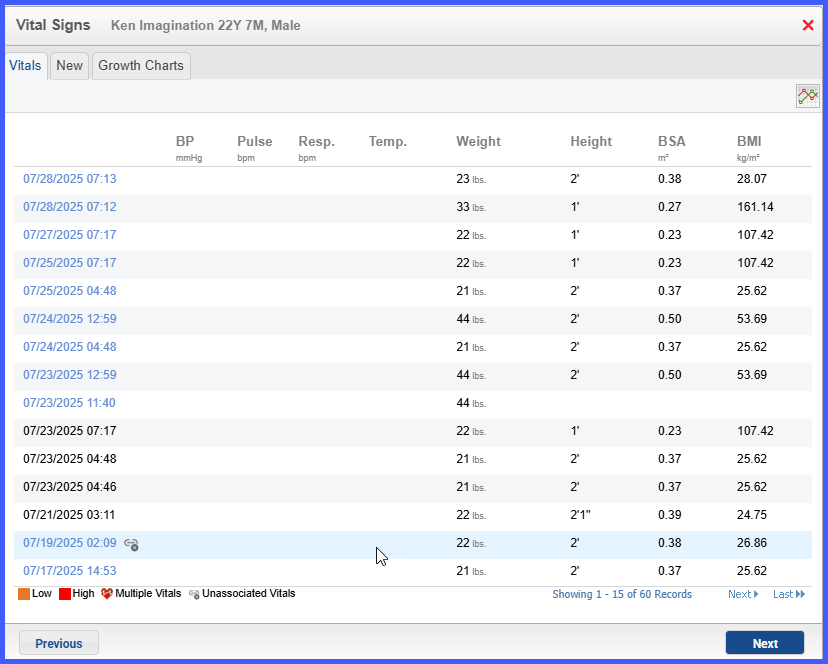
The Vitals component now lets the user identify and reuse prior vital sign entries when composing a provider note. This capability streamlines documentation by preventing duplicate records and ensuring each note references the correct clinical data.
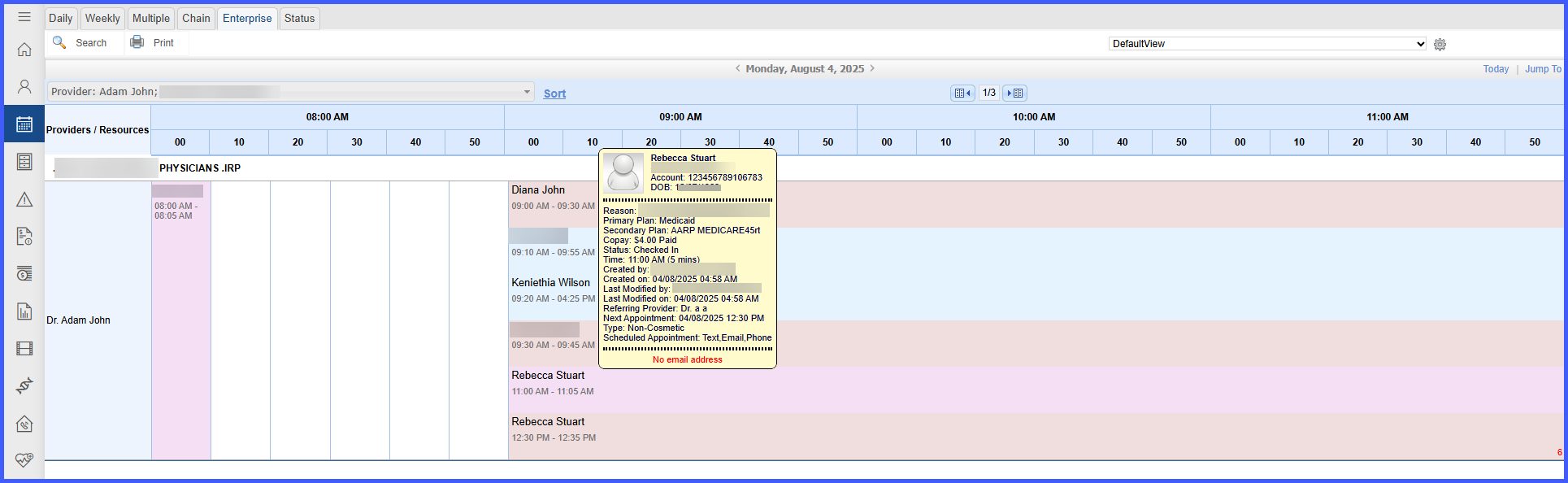
With this enhancement in the CureMD application, the system displays precise appointment details on hover and accurate patient-specific menus upon clicking appointments within the Enterprise Calendar View. This enables users to reliably interact with multiple appointments and maintain correct patient context during calendar actions.

With this enhancement in the CureMD application, the system displays each current diagnosis’s progress status inside brackets at the end of the diagnosis text in the printed Clinical Overview and Patient Chart reports. This provides clinicians with immediate insight into treatment progress, supporting quicker review and informed decision‑making.
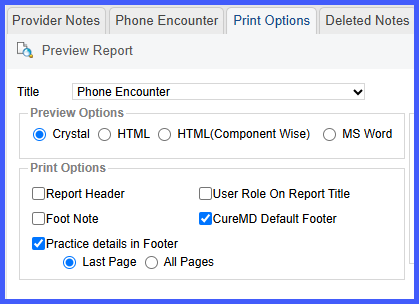
The Print Options page displays radio buttons enabling the user to print practice details in the footer on either the last page or every page. This feature gives the user flexibility to display complete practice information on all pages for clearer record identification.
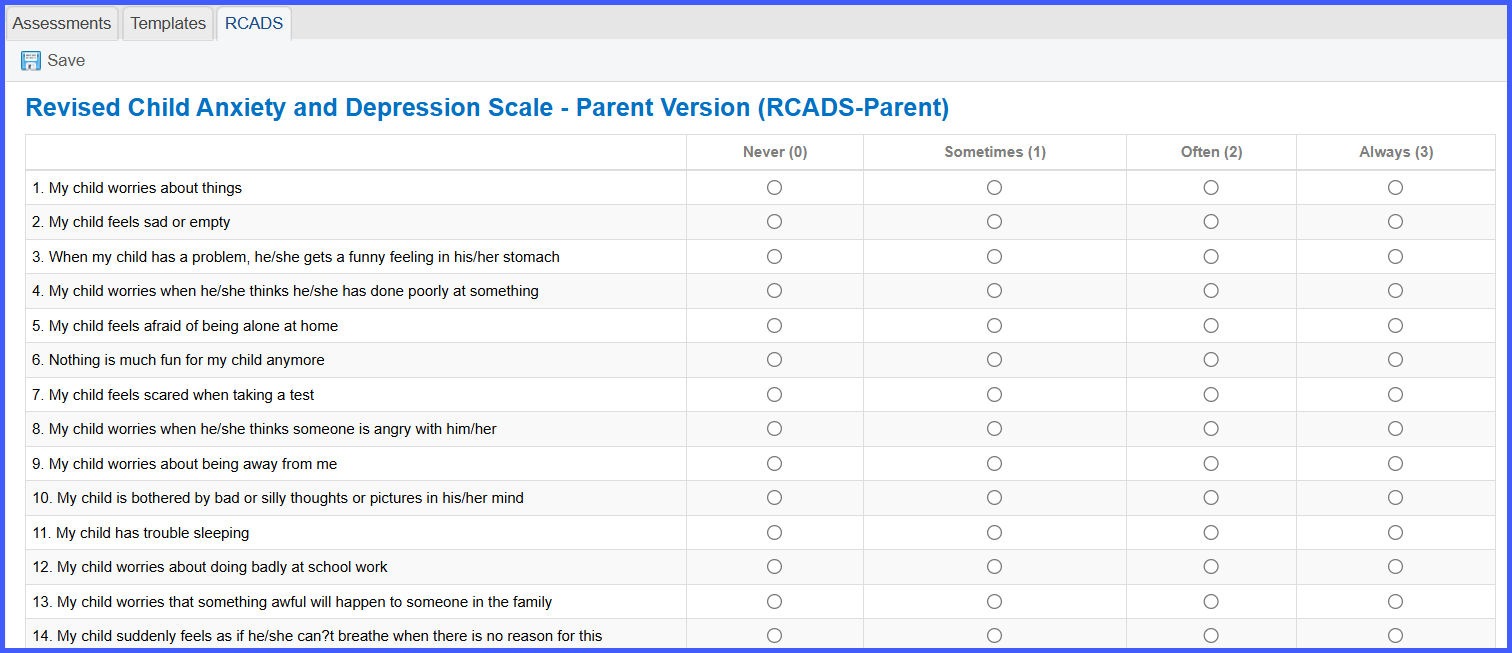
CureMD has introduced the Revised Children’s Anxiety and Depression Scale (RCADS) – Parent Version in its assessment templates. This version allows providers to gather critical mental health insights from a parent or guardian, offering a broader understanding of the patient’s behavioral health status.
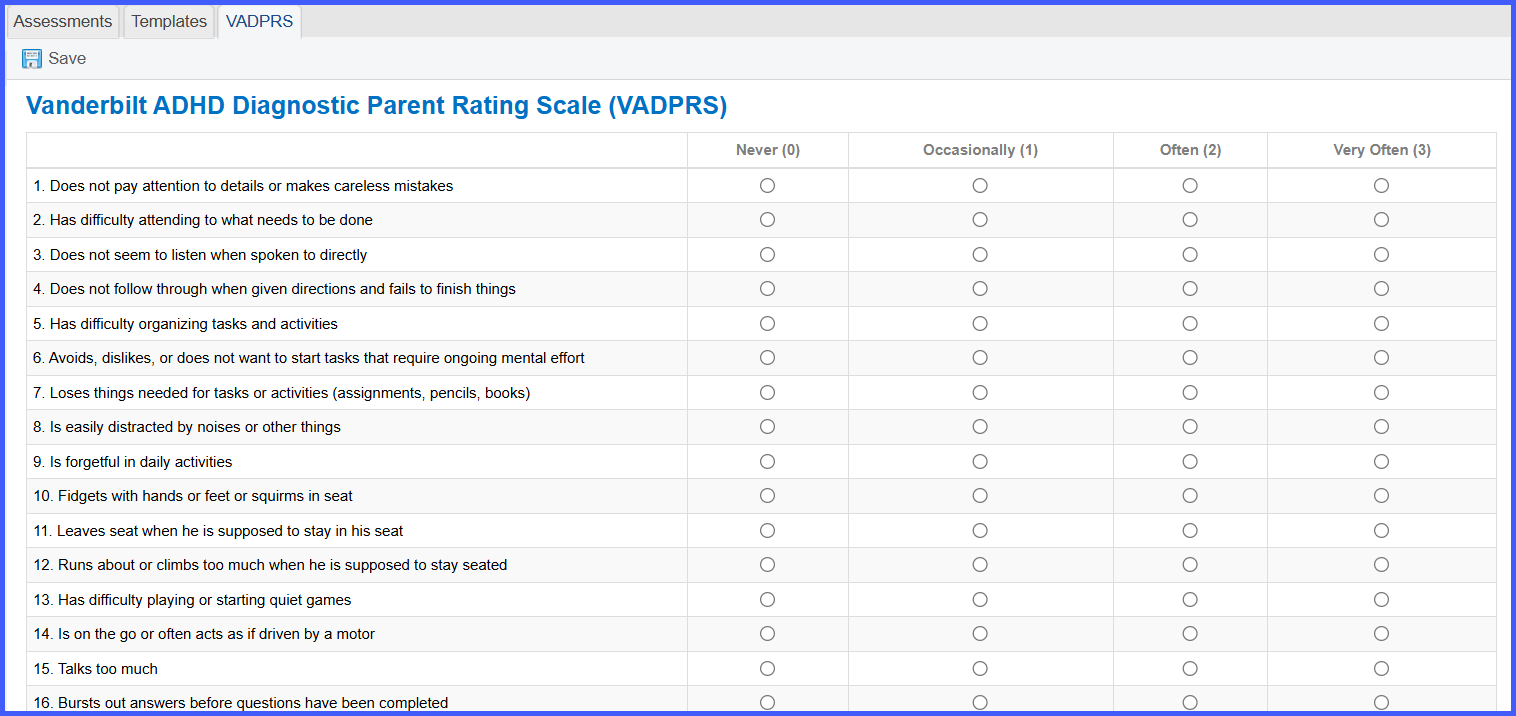
CureMD now includes the Vanderbilt ADHD Diagnostic Parent Rating Scale (VADPRS) in its assessment offerings. This tool assists providers in identifying signs of ADHD through structured input from parents.
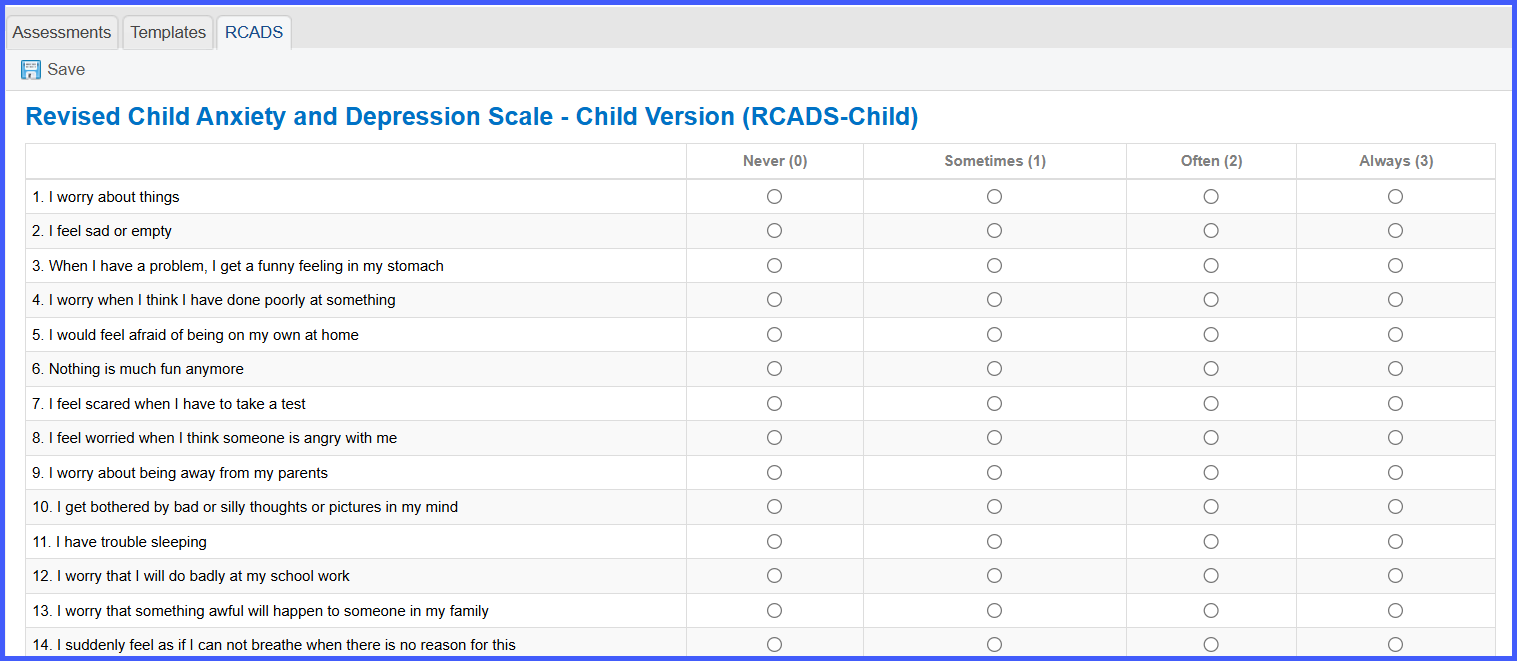
CureMD now supports the Revised Children’s Anxiety and Depression Scale (RCADS) – Child Version within its assessment templates. This form enables providers to directly assess anxiety and depression symptoms from the child's perspective, aiding in early detection and comprehensive care planning.

Posted On: Aug 26, 2026
Posted On: Aug 26, 2026
Posted On: Aug 26, 2026
Posted On: Aug 26, 2026
Posted On: Aug 26, 2026
Posted On: Aug 26, 2026