Upload Multiple Government ID Cards with Front and Back
What’s New
When the user navigates to Document Manager and opens a patient’s chart, the Government ID system folder is displayed. Clicking this folder shows all ID cards already added for the patient.
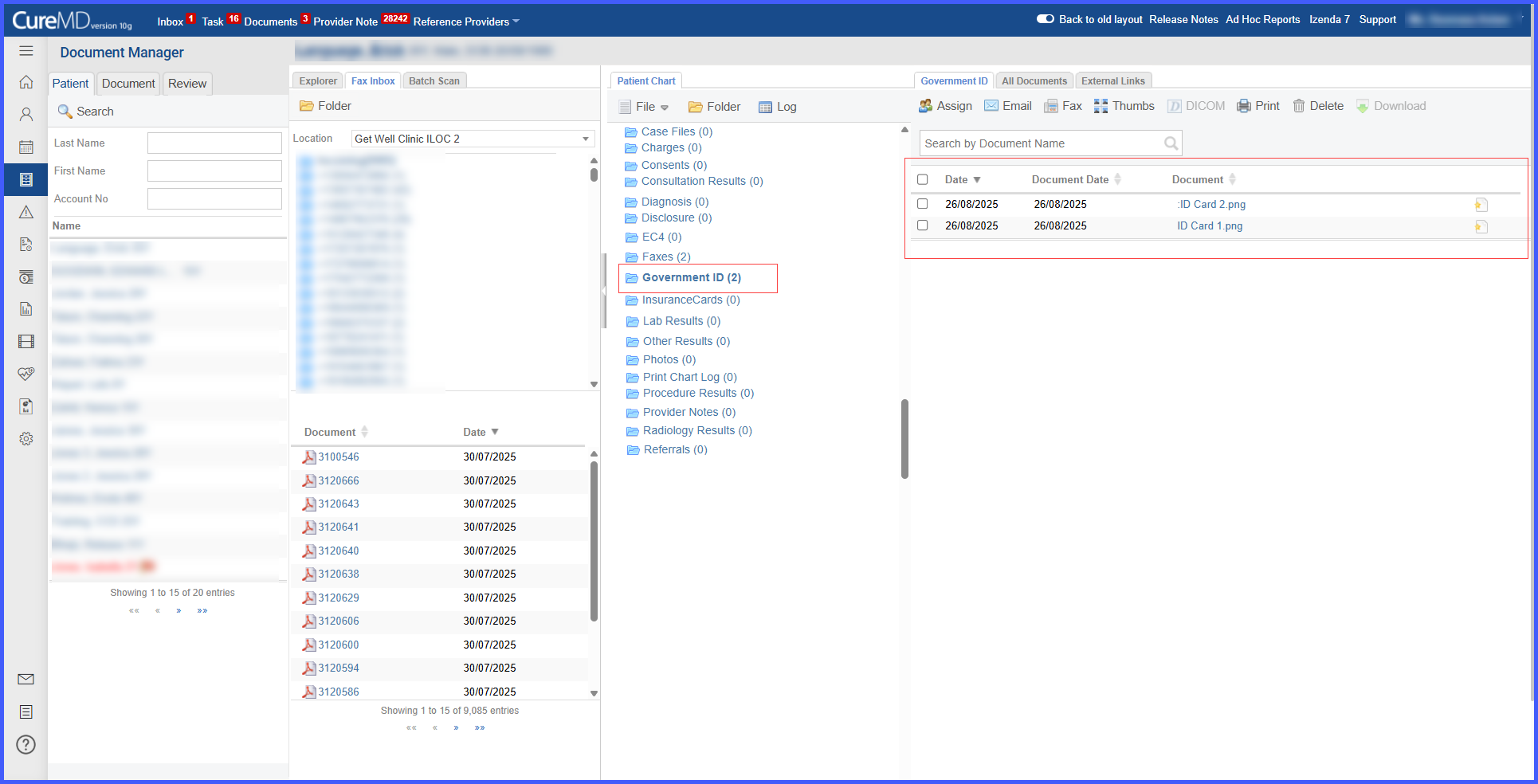 To add a new ID, the user clicks the File button and selects Upload or Scan to begin the capture process, or simply drag and drop the file directly into the Government ID folder. The system allows the user to choose whether the file represents the Front or Back of the card.
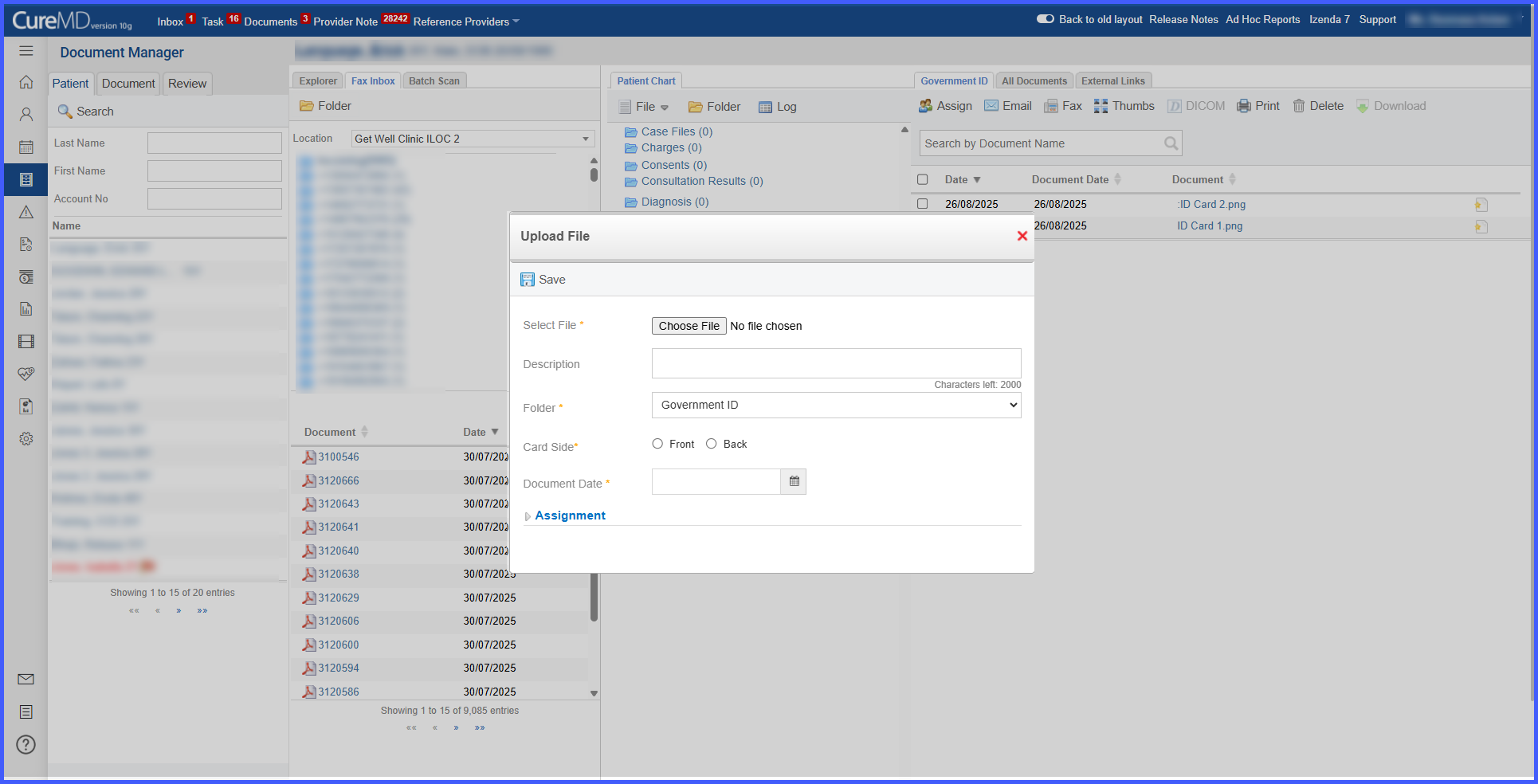 This process can be repeated to upload as many ID cards as needed.
