Practice Details Footer Selection in Print Options
What’s New
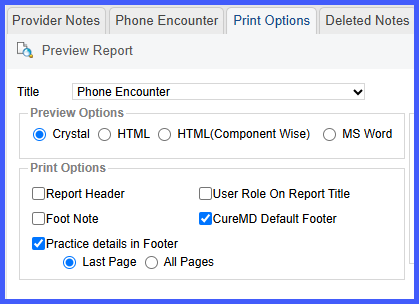
When the user opens the Print Options page and selects the checkbox labeled Practice Details in Footer, two radio buttons appear beneath it: Last Page and All Pages, with Last Page pre-selected by default. The user keeps the default to add the practice details only to the final page or chooses All Pages to place the same footer on every page of the report. This change only applies to the Crystal Report.