Associate Consent Templates with Appointment Reasons & Auto-attach at Check-In
What’s New
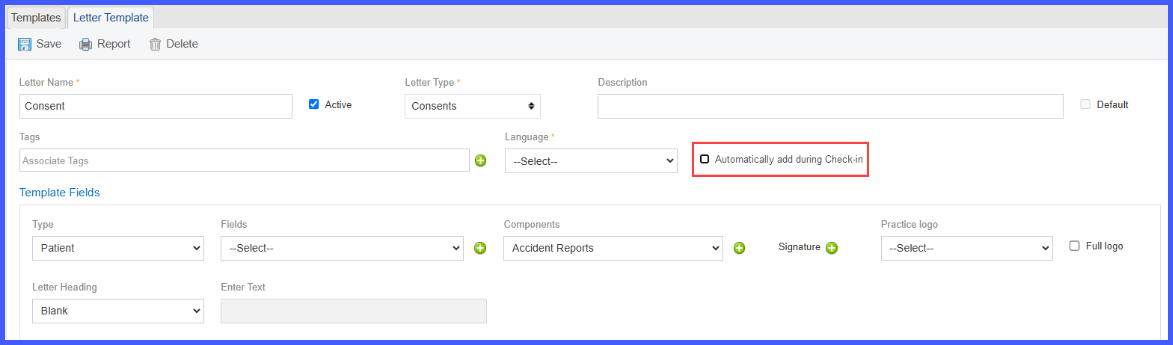
When the user navigates to ‘Letter Templates’ under ‘Reports’ in the ‘Settings’ module, and clicks the ‘Add Template’ button to add a new template. Selecting the type as ‘Consent’ will display an additional setting, ‘Automatically add during Check-in’.
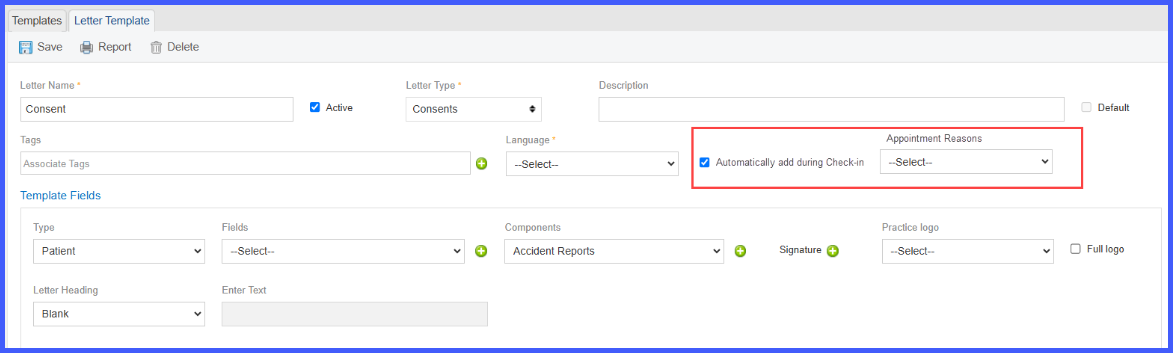
 Selecting this checkbox will display an additional dropdown to select appointment reasons. One or more appointment reasons can be selected for the consent forms.
The user can select all reasons if the consent needs to be signed by all patients regardless of appointment reason.
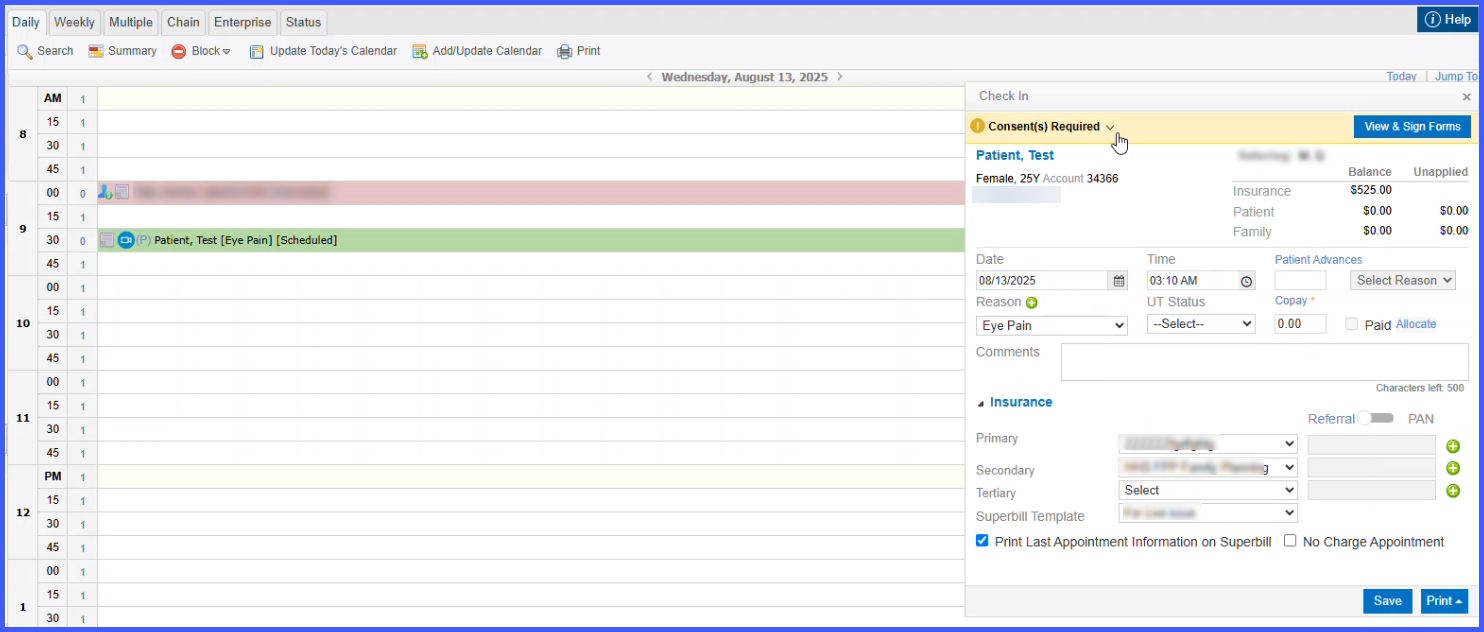
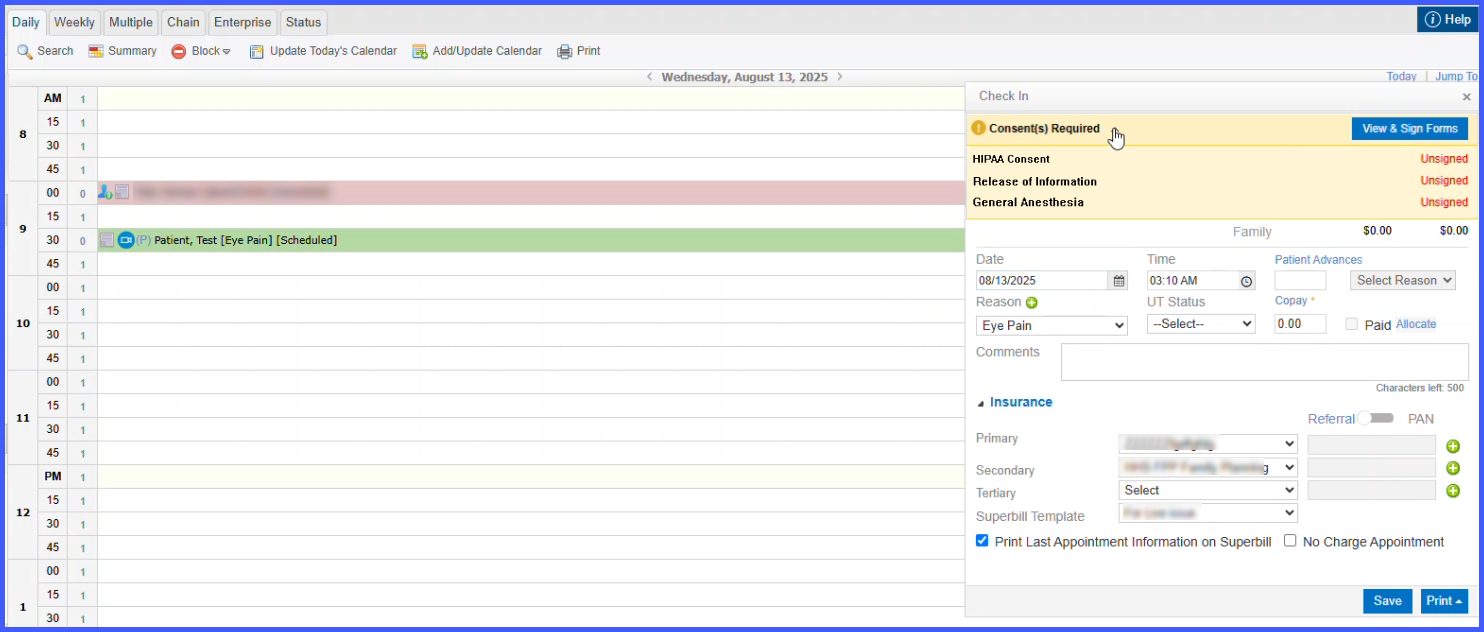
When the user navigates to Scheduler module, and books an appointment for the patient for an appointment reason linked to any consent form. Upon checking in the patient, a banner is shown on top of the check-in pop up to indicate the status of all required consents.
 The consent forms are automatically added for the patient if linked with the appointment reason. If the consents were already added and effective in the patient’s profile, new consents are not added.
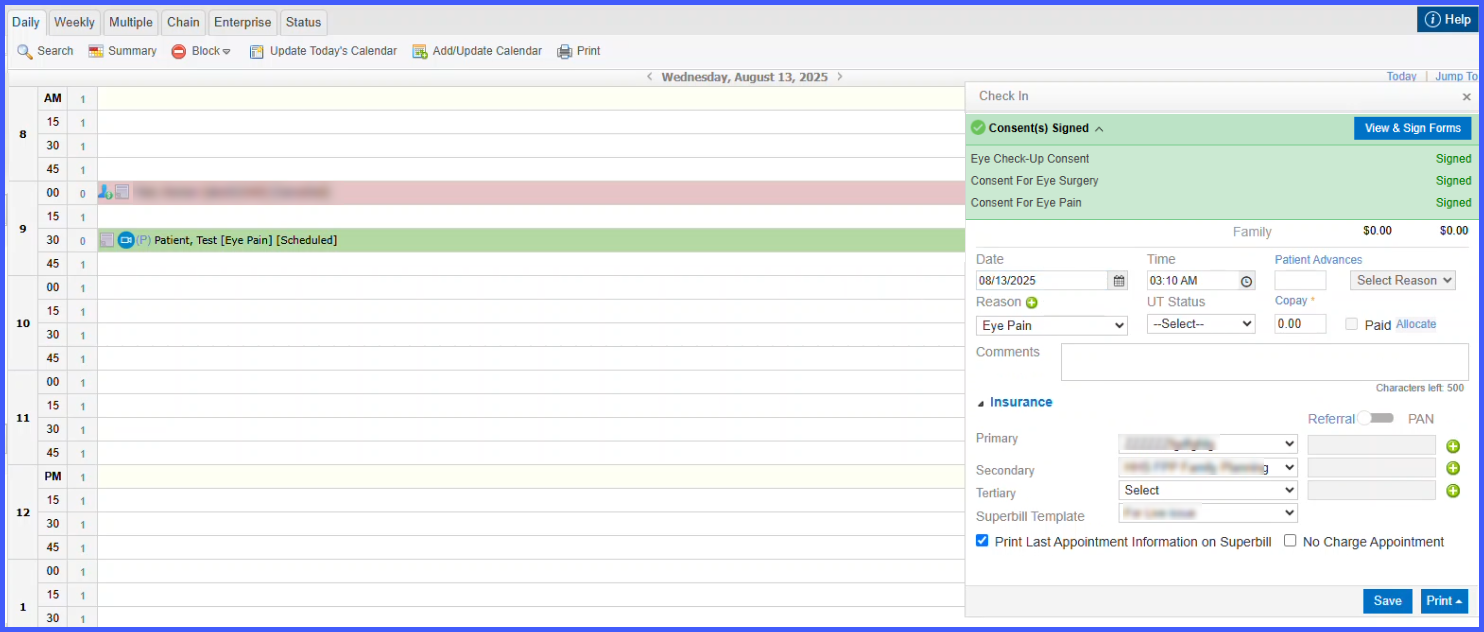
The banner can be expanded to view the status of each individual consent. It displays status of these consents as either unsigned or signed.
 A green banner is shown if all required consents are already signed by the patient.
 Clicking on the ‘View and Sign’ forms navigates the user to ‘Consents’ tab in the patient’s profile, where all added consents can be previewed and signed.
Note: If the appointment reason is updated, upon saving. The displayed consents will update according to the new appointment reason. The previous forms that were automatically added will remain the patient’s Consents and have to deleted manually if required.
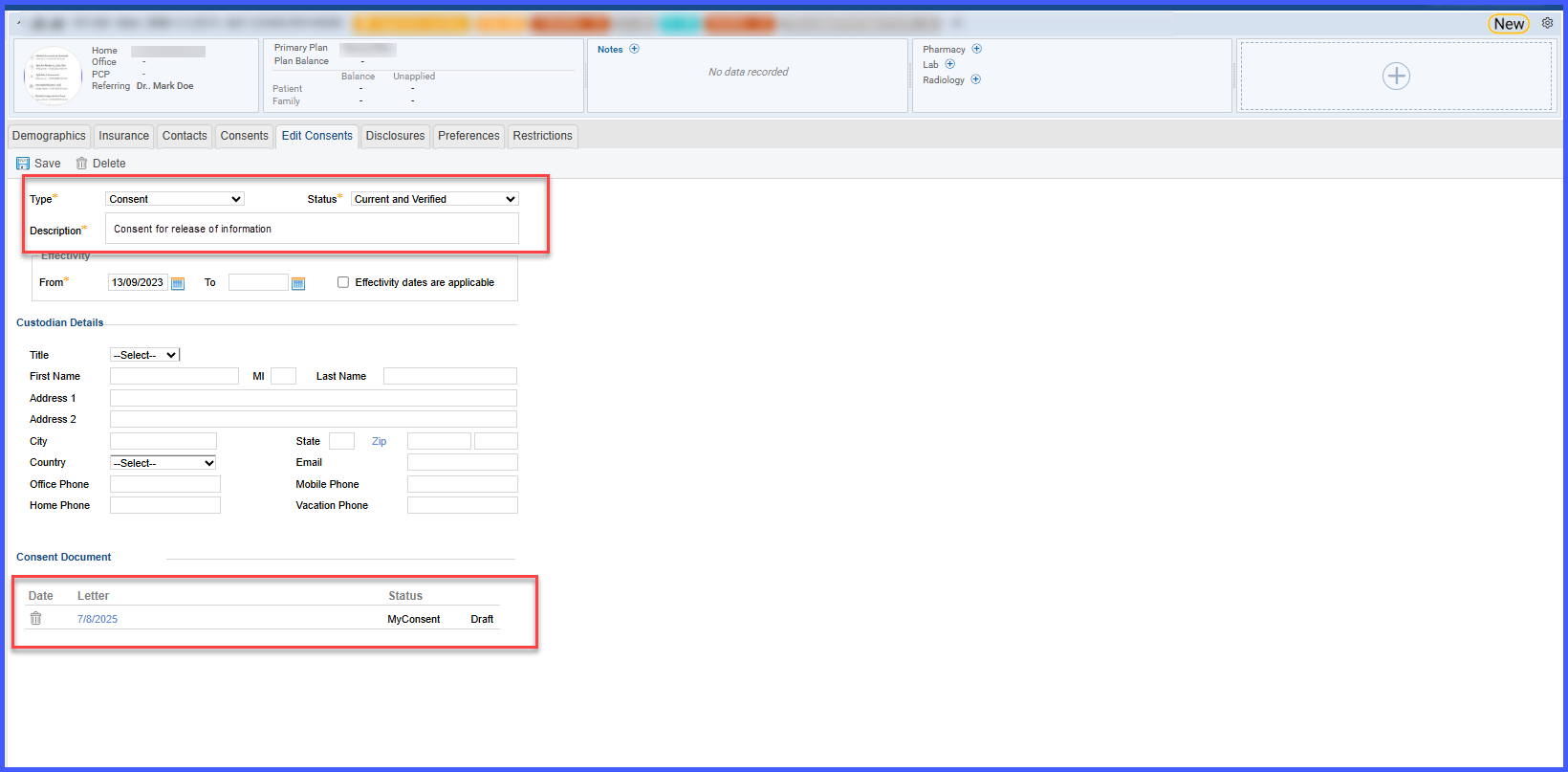
The user navigates to ‘Consents’ tab under ‘Profile’ in the ‘Patient’ module. The automatically added consents are shown here.
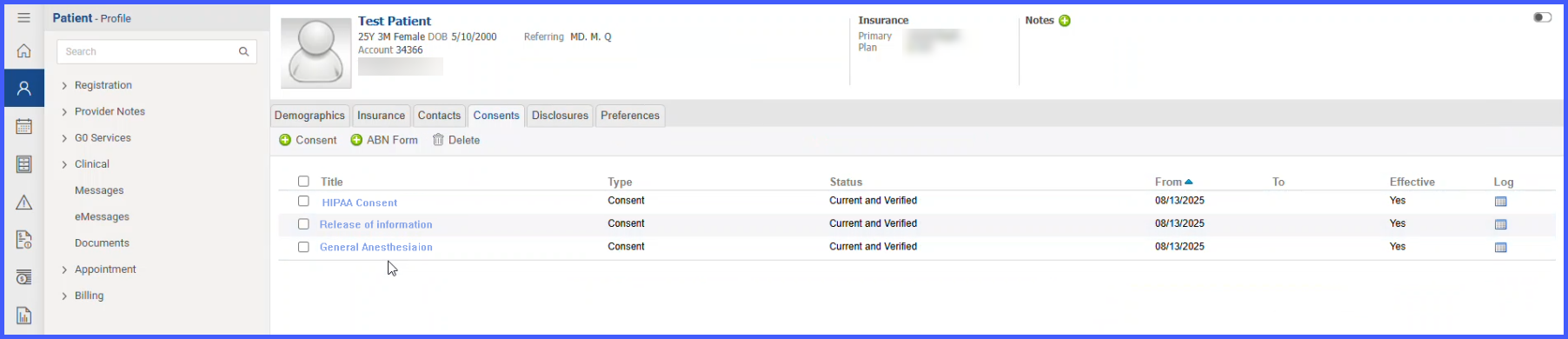 The consent description is automatically copied from the letter template and it is added as a consent document.