Sorted:

Rel3-13

Personal dictionary support in Chemotherapy Manager spell checker

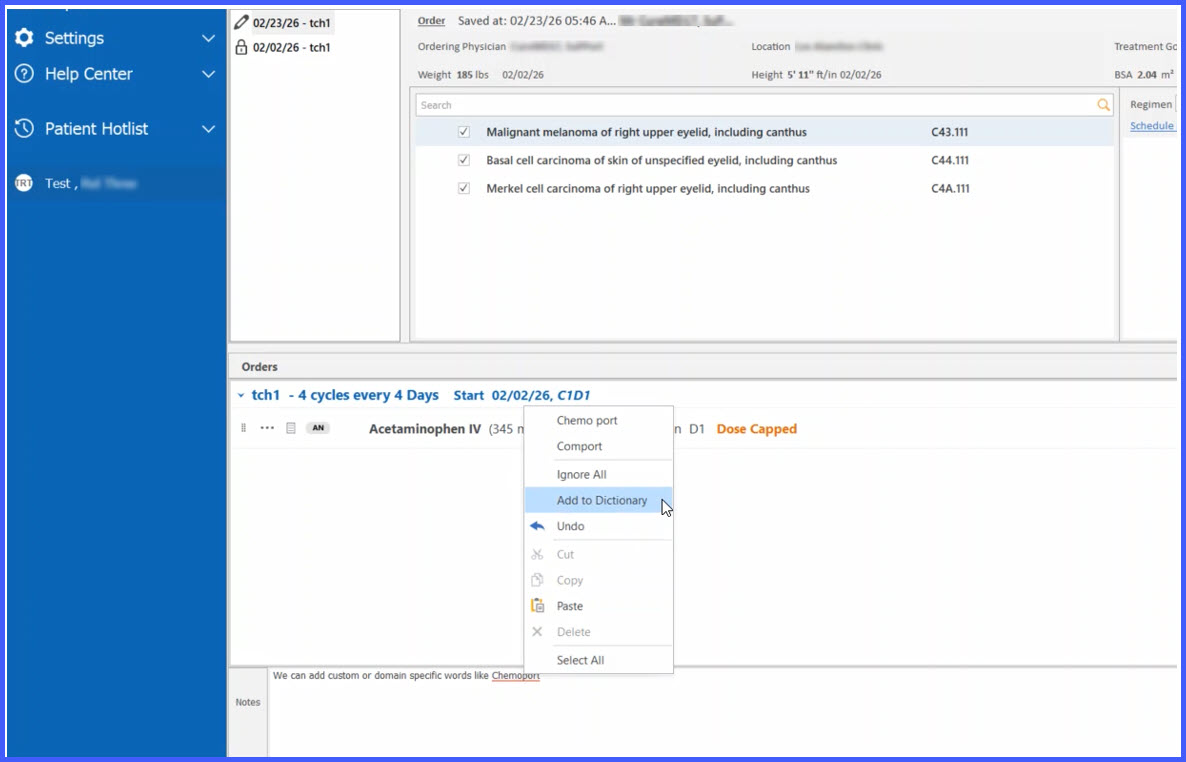
This enhancement introduces personal dictionary support within the Chemotherapy Manager spell checker. Users can now add domain-specific or frequently used terms to a personal dictionary, preventing them from being flagged as spelling errors while maintaining user-specific preferences.
Updated-pic-for-rel

Enhanced Handling of Ineffective CPTs in Order Searches

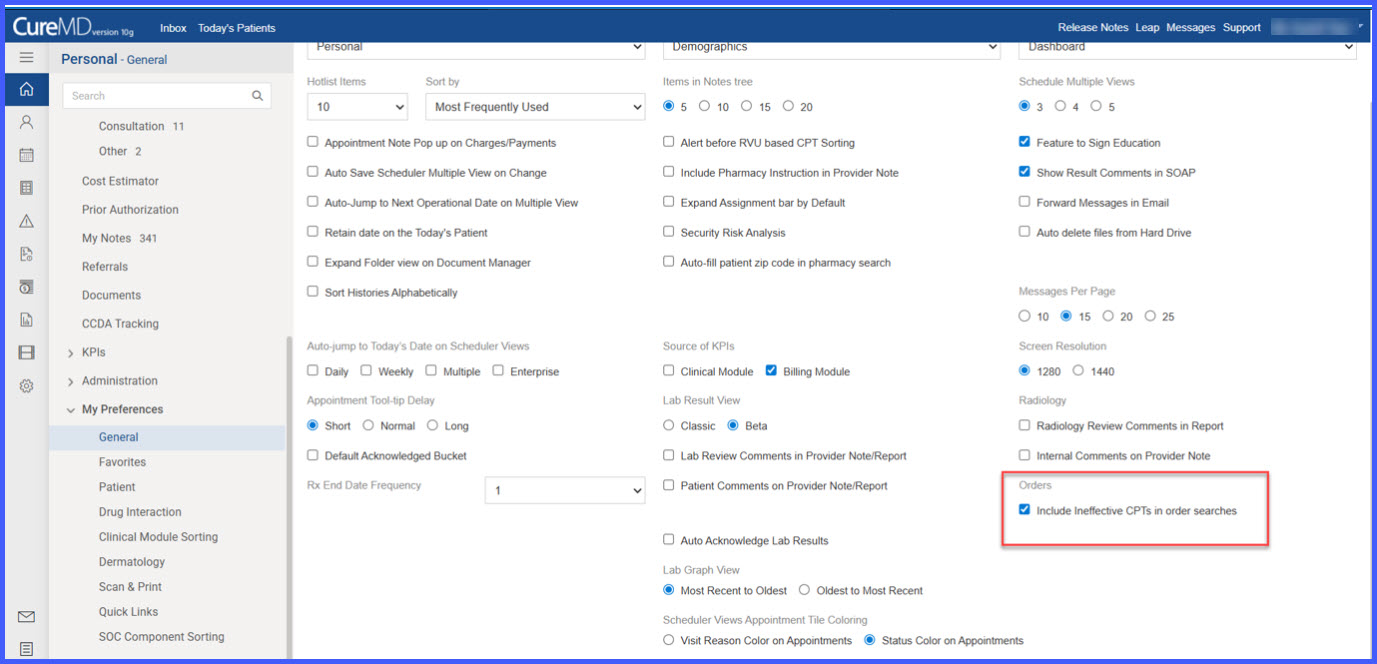
This enhancement introduces a user-level preference that controls whether ineffective CPT codes appear in order search results. It allows users to optionally include CPTs that are not effective on the selected Order Date, while clearly distinguishing their status in search results and enforcing appropriate validation rules.

Rel03-3

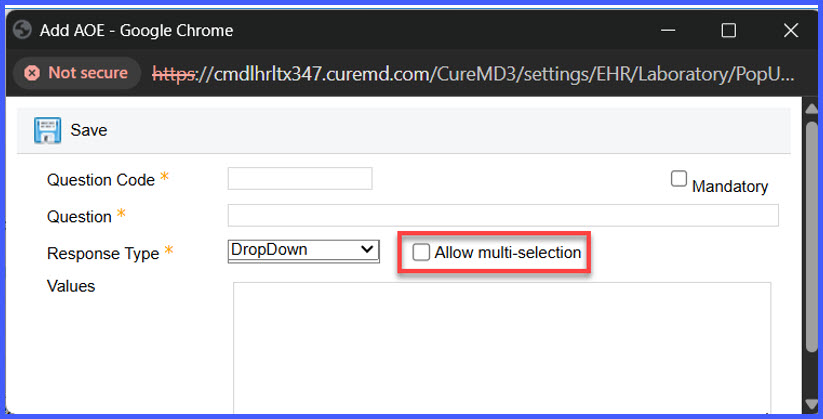
Multi-Selection Option Added for AOE Dropdown Reason Type

This enhancement introduces a multi-selection capability for AOE (Ask at Order Entry) fields configured with a Dropdown reason type. It provides greater flexibility during order entry by allowing multiple applicable responses to be selected when needed.

Rel3-05

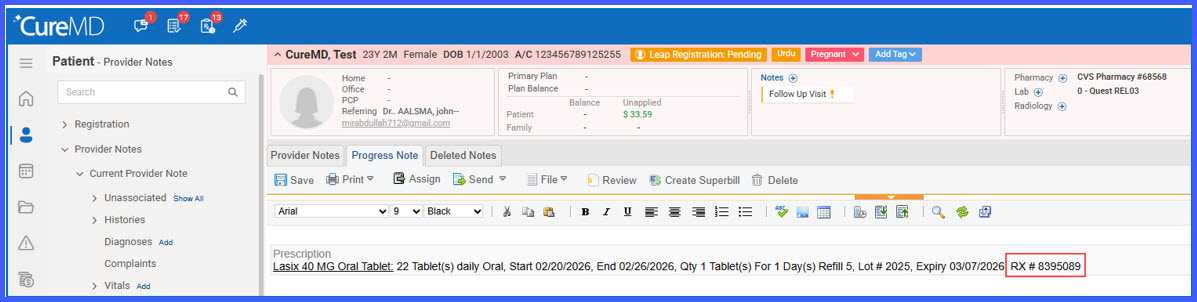
Automatic Capture of Rx Number from Barcode in Prescription Pad

This enhancement enables automatic capture and display of the Rx Number when scanning a supported barcode in the Prescription pad. When available within the barcode data, the Rx Number is populated alongside medication details, eliminating the need for manual entry during prescription documentation.

Rel3-08

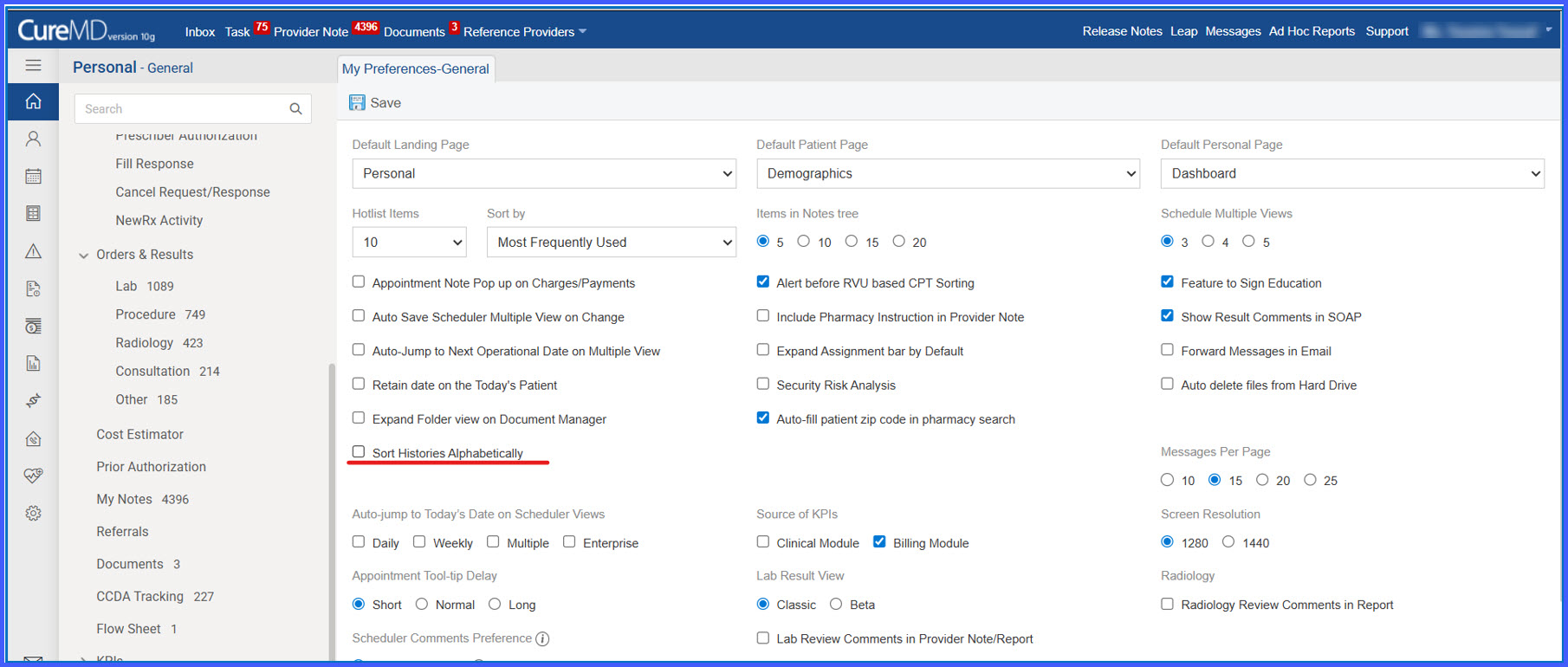
Sort Histories Alphabetically Preference in General Settings

This enhancement introduces a user-level preference that allows histories to be displayed in alphabetical order across the application. By enabling the “Sort Histories Alphabetically” setting, users can control how history records are listed, improving consistency and ease of navigation.

Rel3-09

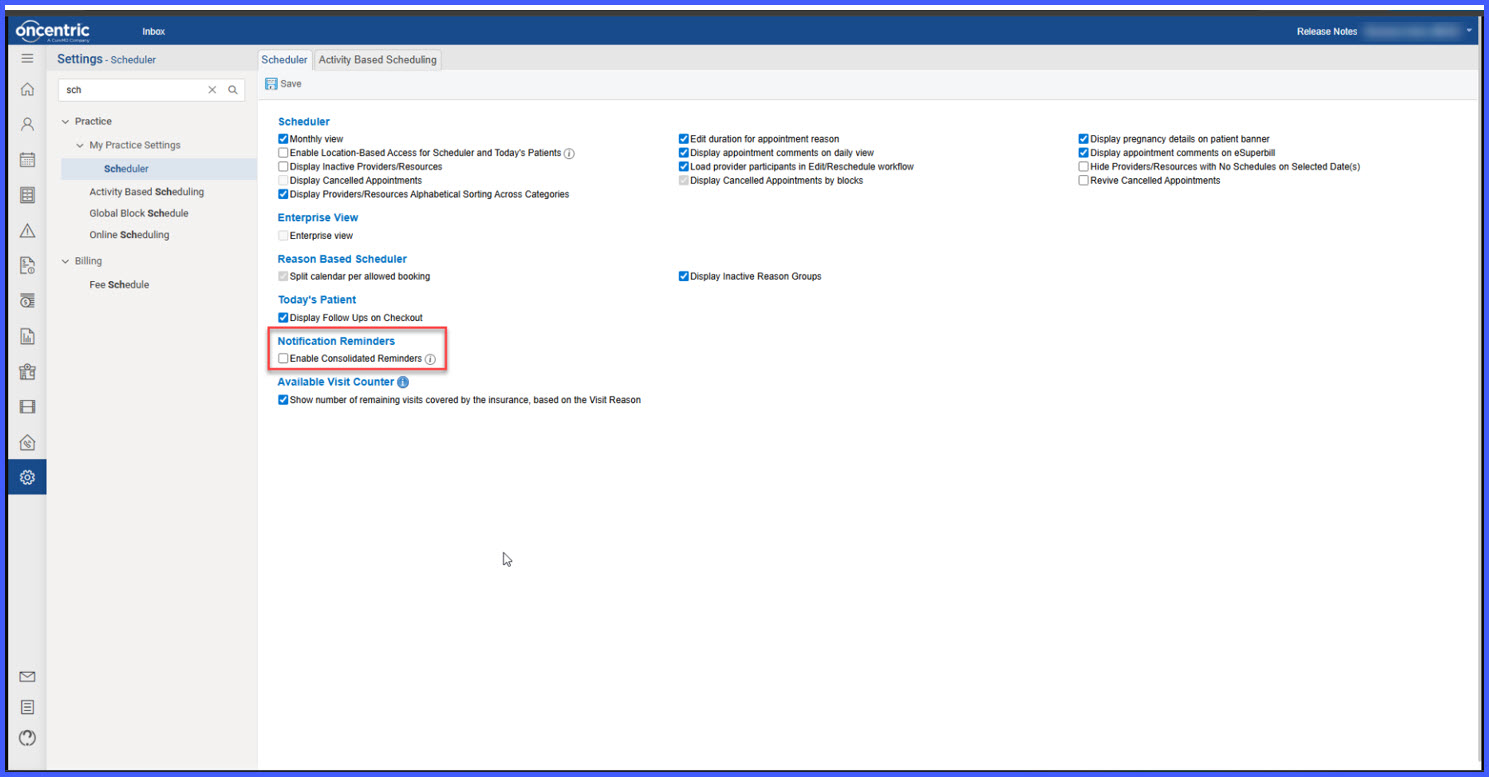
Consolidated Appointment Reminder Setting with Audit Logging

This enhancement introduces a scheduler-level setting that allows practices to send a single consolidated reminder for all same-day appointments instead of multiple individual reminders. Reminders can be sent via configured channels (email, SMS, or both). Additionally, audit logging has been implemented to track all changes made to this setting, ensuring visibility, accountability, and compliance.

addlegal1-1

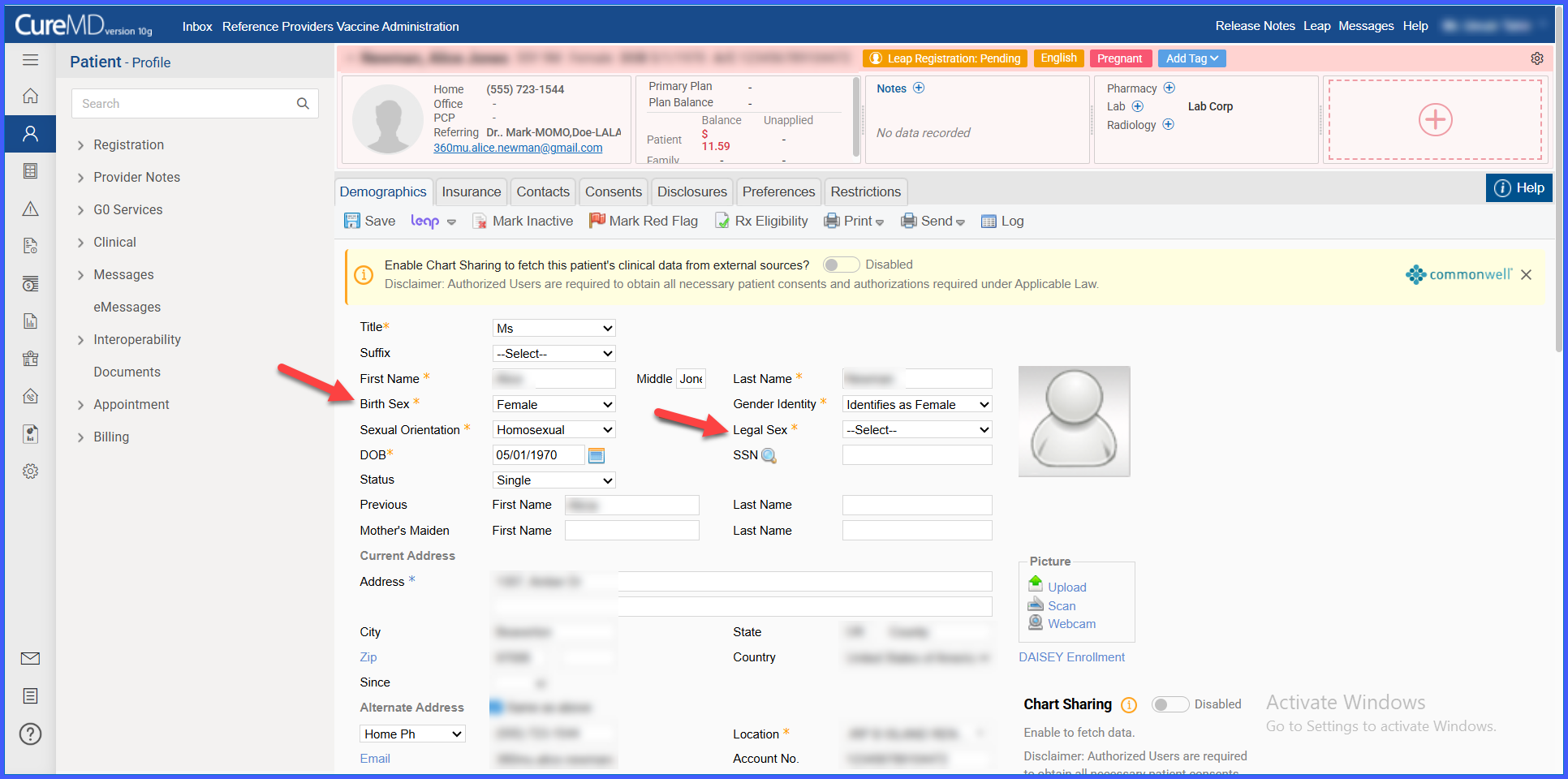
‘Legal Sex’ Field Added and ‘Gender’ Renamed to ‘Birth Sex’ in Demographics

This enhancement introduces a Legal Sex section in the Demographics tab and renames the existing Gender field to Birth Sex. The update supports standardized demographic data capture, improves clarity between legal and birth sex values, and ensures alignment with documentation and compliance requirements.

phonenumber1

Office Phone Label Displayed on Procedure Requisitions

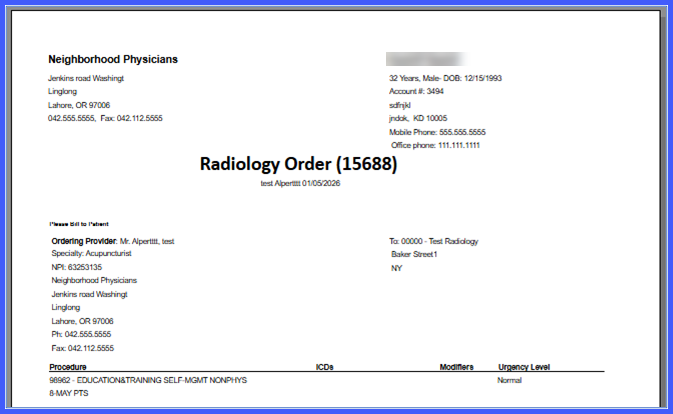
This enhancement updates procedure requisitions to display the full Office phone label alongside the office phone number. It ensures consistent and clear identification of the phone number type across all procedure requisition workflows.

Practice-Level Control to Display Specimen Type in Lab Flowsheet

This enhancement introduces a practice-level setting that controls whether specimen type is displayed in the lab result flowsheet. It allows practices to configure flowsheet visibility based on their preferences while maintaining consistent behavior across lab result views.

autoaccept1

Auto-Accept Appointment Requests Based on Visit Reason

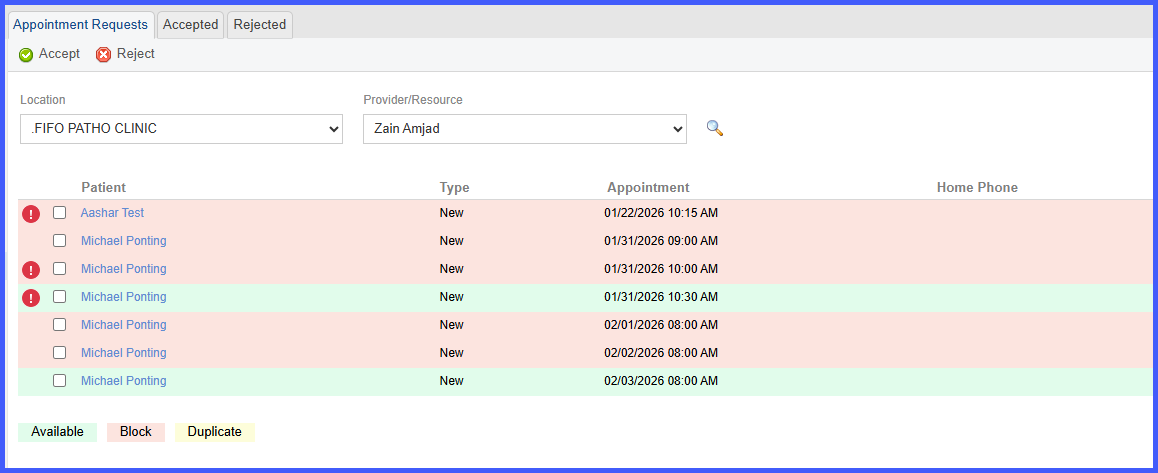
This enhancement updates Patient Portal scheduling to automatically accept and book appointment requests when the selected Visit Reason matches configured availability. It reduces manual review for valid requests while ensuring scheduling rules, availability, and provider constraints are enforced.