Automatic Capture of Rx Number from Barcode in Prescription Pad
What’s New
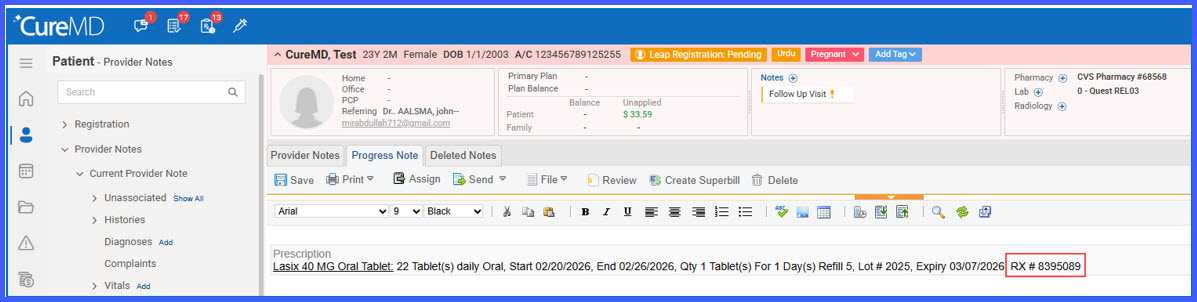
- Rx Number is automatically captured when scanning supported barcodes in the Prescription pad.
- The Rx Number is displayed within the Prescription component of the Provider Note.
- No manual input is required when the barcode includes the Rx Number.
- If the barcode does not contain an Rx Number, no value is displayed and no prompt appears.
How It Works
-
Open the Prescription pad from either:
-
Patient > Clinical > Provider Note
-
Patient > Medications (medication listing)
-
-
Scan a barcode from a FlexScan-generated MedKit or pharmacy label.
-
If the barcode contains embedded Rx Number data:
-
Medication details are automatically populated.
-
The Rx Number is displayed within the Prescription component.
-
-
If the barcode does not contain an Rx Number:
-
Medication details are populated as available.
-
No Rx Number is displayed.
-
The system does not prompt for manual entry.
-
Benefits