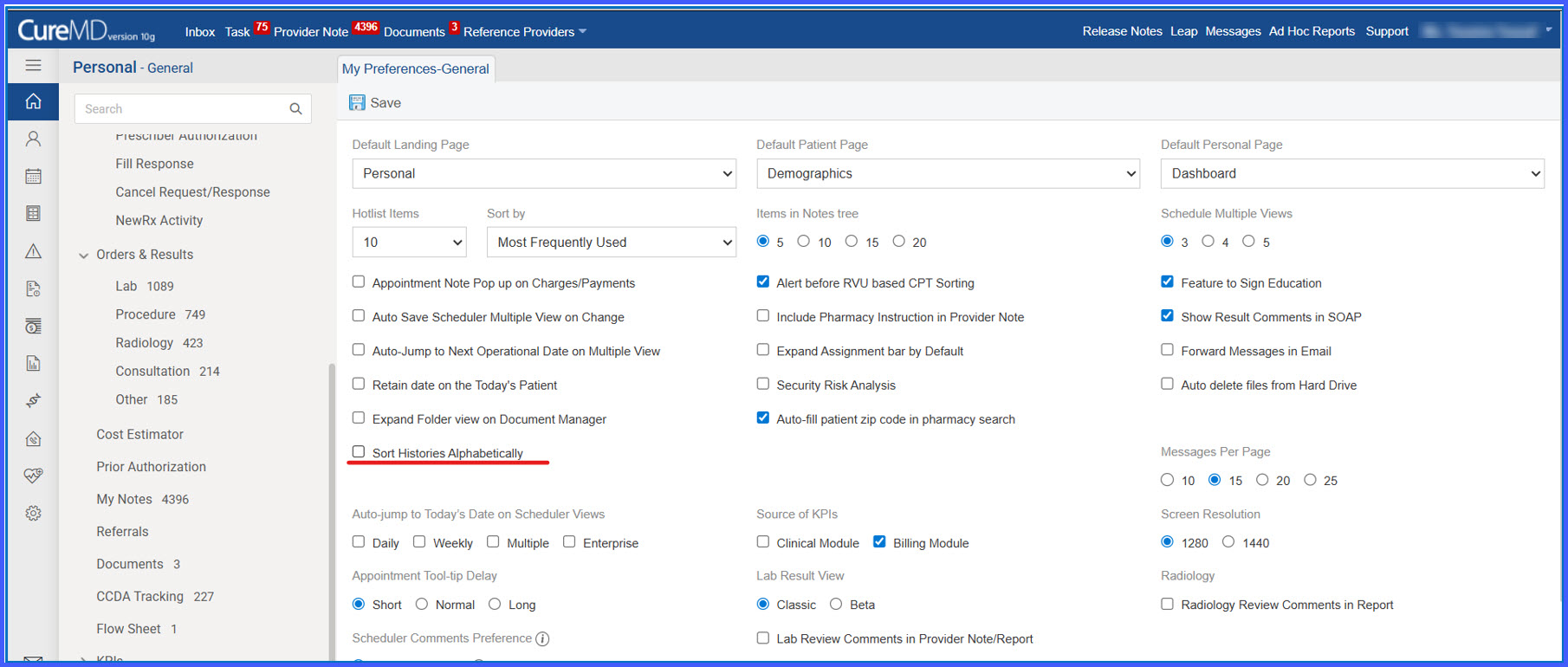
Sort Histories Alphabetically Preference in General Settings
What’s New
- A new checkbox labeled “Sort Histories Alphabetically” is available under My Preferences > General.
- The checkbox is unchecked by default.
- The preference is saved at the individual user level.
- When enabled, histories are displayed in alphabetical order (A–Z) by display name.
- When disabled, histories follow the default sequence in which they were added.
How It Works
- Navigate to My Preferences.
- Open the General section.
- Locate the checkbox labeled “Sort Histories Alphabetically.”
- Select the checkbox to enable alphabetical sorting or leave it unchecked to retain the default order.
- Click Save to apply the setting.
- The selected preference is stored for that user account and applied consistently across all history listings.
Benefits
- Improves usability by allowing users to control display order.
- Ensures consistent alphabetical organization across listings.
- Supports quicker identification of history entries.
- Maintains flexibility with a user-level configurable option.