Consolidated Appointment Reminder Setting with Audit Logging
What’s New
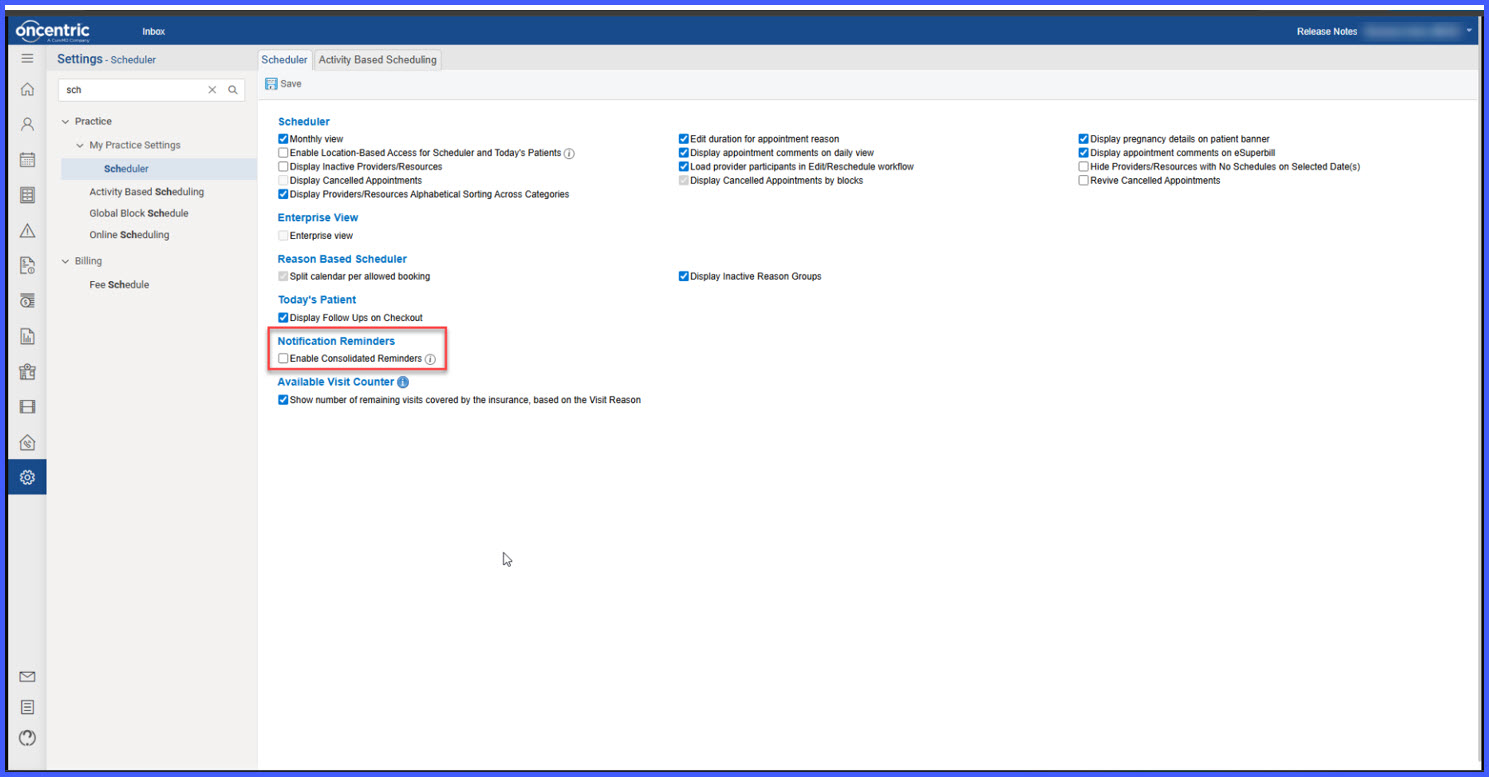
- New setting: Enable Consolidated Reminders under Scheduler configuration
- Patients with multiple same-day appointments receive a single combined reminder
- Supports delivery via email, SMS, or both, based on configured notification settings
- Consolidated reminders apply across providers and locations
- When disabled, standard individual reminders are sent per appointment
- Information icon with tooltip added for user guidance
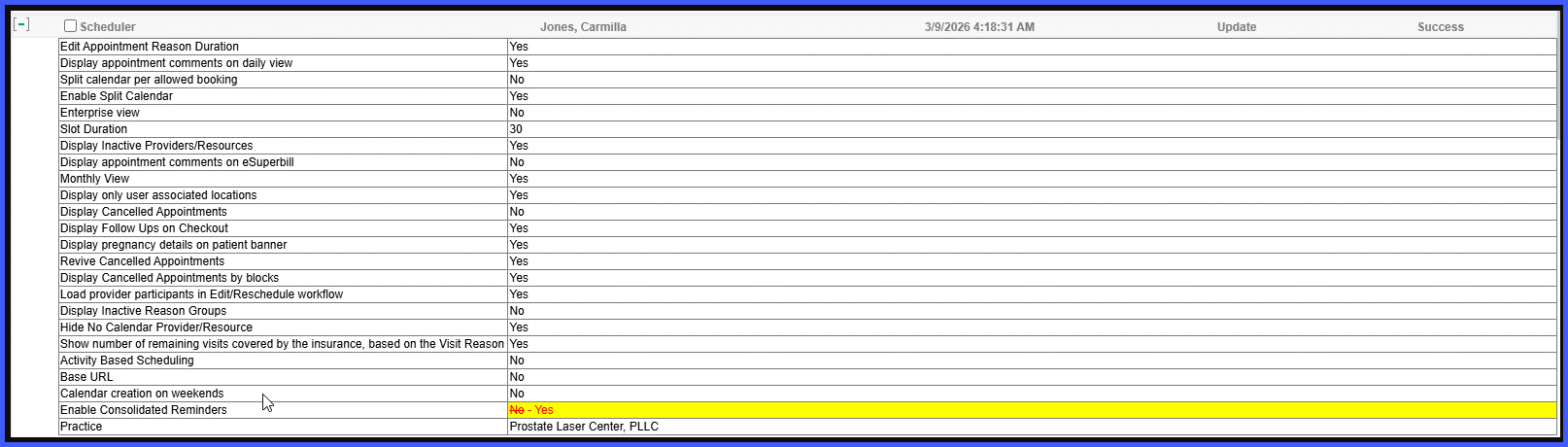
- Audit logging introduced for all changes to this setting
- Audit logs capture:
- Setting name
- Previous value
- Updated value
- Modified by user
- Date and timestamp
- Action status
- Each update creates a new audit record for tracking
How It Works
- Navigate to Settings > Scheduler > Notification Reminders.
- Locate the Enable Consolidated Reminders checkbox.
- Enable the setting to send a single consolidated reminder for same-day appointments.
- Disable the setting to continue sending individual reminders.
- Save the changes.
System behavior:
- When enabled:
- Patients receive one consolidated reminder via configured channels (email/SMS)
- When disabled:
- Patients receive separate reminders for each appointment
Audit behavior:
- Every enable/disable action is logged automatically
- Each change generates a new audit record
- Logs are stored for visibility and tracking of configuration changes
Benefits