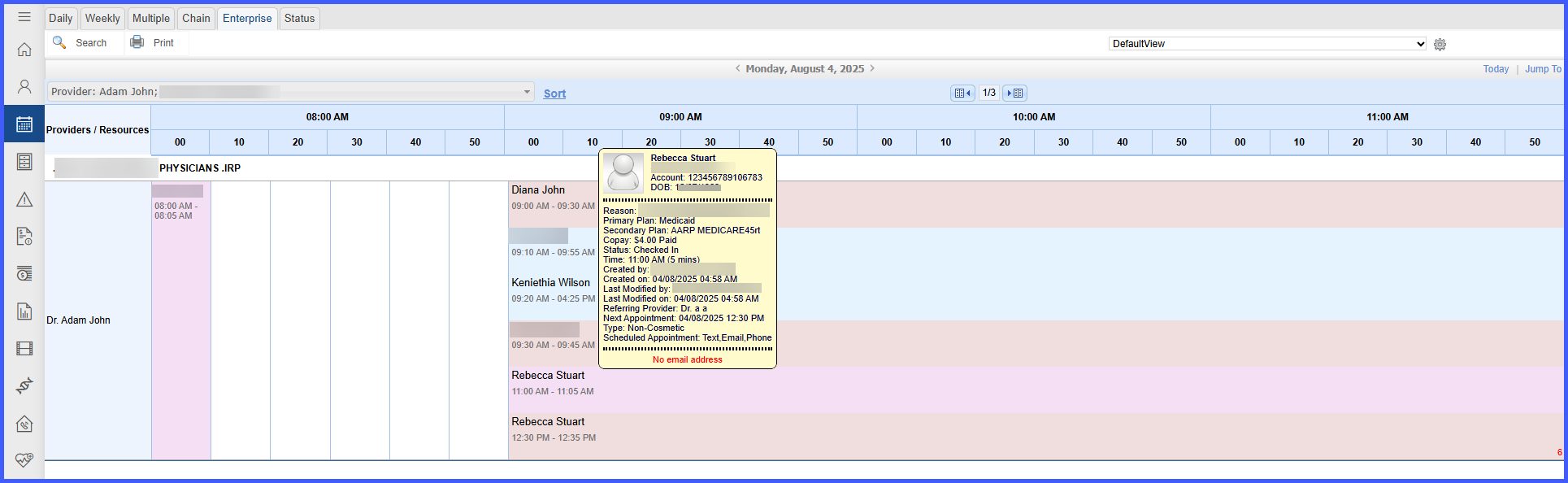
Accurate Appointment Tooltips and Actions in Enterprise Calendar View
What’s New
When accessing the Enterprise Calendar View containing multiple appointments within the same time slot, the system precisely reflects individual appointment details through hover tooltips. Clicking an appointment within these grouped slots opens the action menu corresponding exactly to the selected patient, without defaulting to the first appointment in the slot. Additionally, if the system settings for appointment colors are enabled, each appointment within the slot accurately reflects the designated color code corresponding to the assigned appointment reason.