Sorted:

r1

Enhanced Billing Custom Views with Resource Filtering, Sorting, and Audit Logging

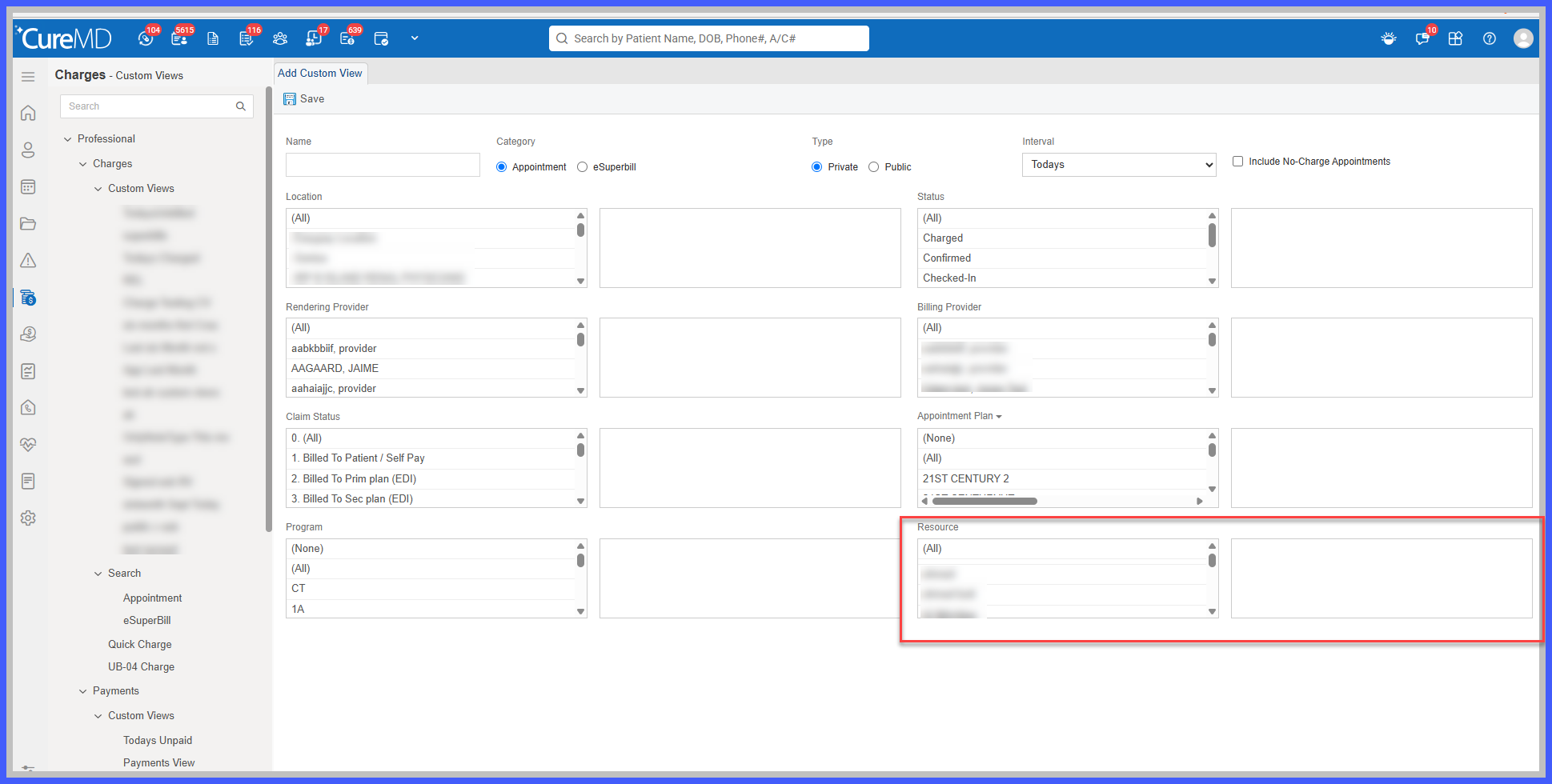
The Billing Custom Views functionality has been enhanced to provide greater flexibility in configuring and organizing billing worklists while improving visibility into changes made to Custom View configurations.

With this release, users can filter Custom Views by Resource alongside existing Location and Provider criteria, sort worklist records in ascending or descending order, and review configuration changes through a dedicated audit log.

Additionally, Custom Views now support soft deletion, allowing deleted views to be removed from the application while preserving their underlying records for traceability.

These enhancements help billing teams create more focused worklists, prioritize records, and maintain greater accountability over Custom View management.
r1

Resource-Based Filtering for Billing Custom Views

The Custom Views functionality has been enhanced to allow users to sort worklist records in ascending or descending order based on selected columns, providing greater flexibility when reviewing and managing billing information.

Previously, records within Custom Views were displayed in a system-defined order, limiting users' ability to organize their worklists according to specific priorities.

With this enhancement, users can sort Custom View results by patient name, appointment date, status, provider/resource, plan, plan balance, or patient balance. This allows billing staff to quickly identify relevant records while maintaining the existing Custom View filters and configurations.

Existing Custom Views remain unchanged unless Resource criteria are explicitly configured.

r4

Prevent Deletion or Replacement of Filed CPT Codes to Improve ERA Reconciliation

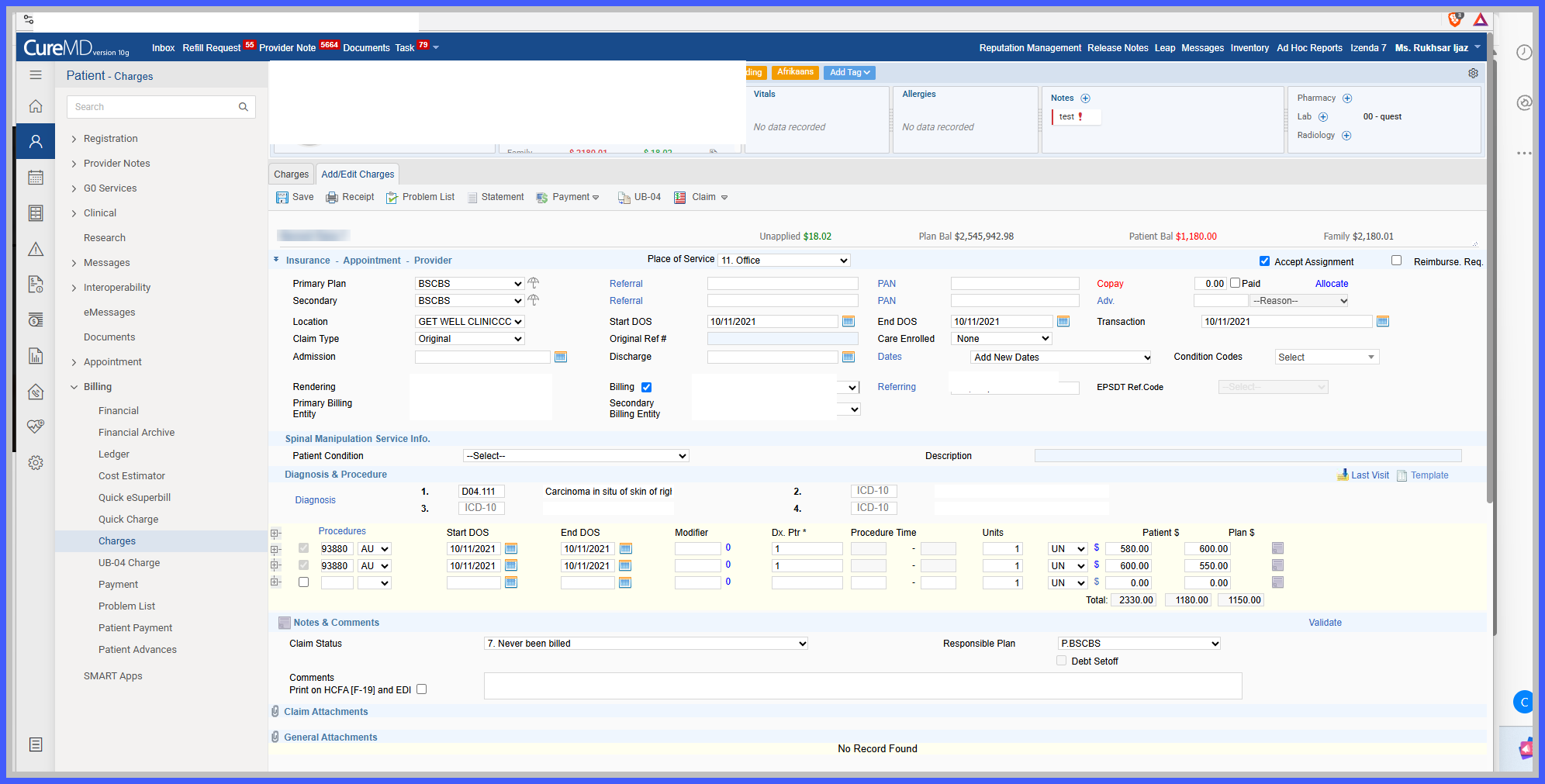
The Billing Charges functionality has been enhanced to prevent users from deleting or replacing procedure (CPT) codes that have already been filed with insurance.

Previously, users could modify a submitted CPT code on the Charge page after the corresponding claim had been filed. This could create discrepancies between the procedure originally submitted to the payer and the procedure recorded in CureMD, potentially causing issues when processing Electronic Remittance Advice (ERA) payments.

With this enhancement, CureMD restricts the deletion or replacement of filed CPT codes, ensuring that the original submitted procedure remains available for accurate ERA matching, payment reconciliation, and historical reference.

Users can continue to mark a procedure as Inactive through the existing workflow when applicable, without removing the original filed CPT record.

r5

Improved Past Pregnancy Documentation with Mandatory Sex Selection

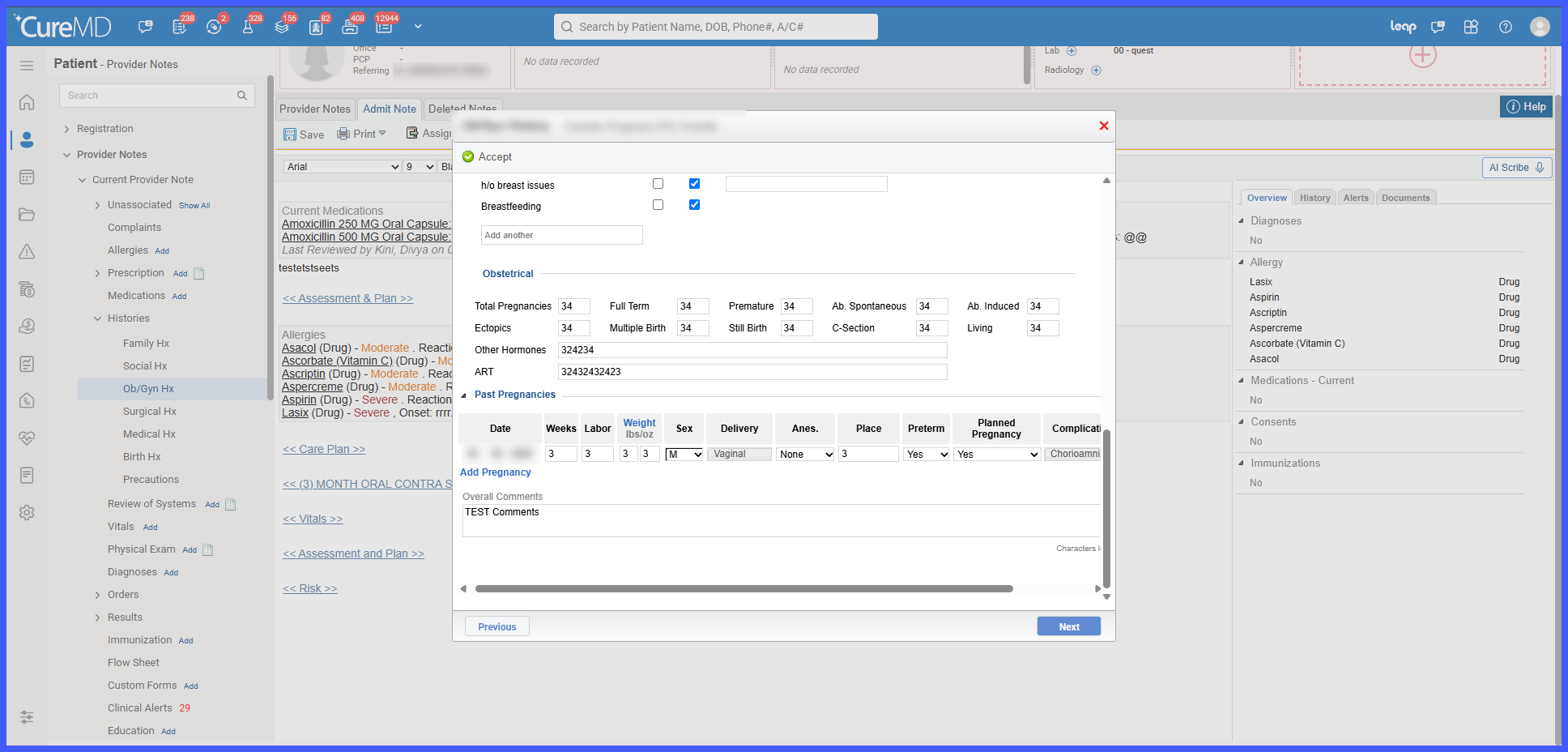
The Past Pregnancies section within OB/GYN History has been enhanced to require users to explicitly select the Sex field when adding a new pregnancy record.

Previously, the Sex dropdown automatically defaulted to "M" (Male), which could result in unintended values being saved without the user's confirmation.

With this enhancement, new Past Pregnancy entries now display "--Select--" as the default option, prompting users to manually select the appropriate value before saving.

The system also validates all Past Pregnancy entries during Save, ensuring that incomplete selections are identified and corrected before the information is recorded.