Resource-Based Filtering for Billing Custom Views
Access Custom Views
Create Resource-Based Custom View
Modify Resource Selections
Apply Resource-Based Filtering
What’s New
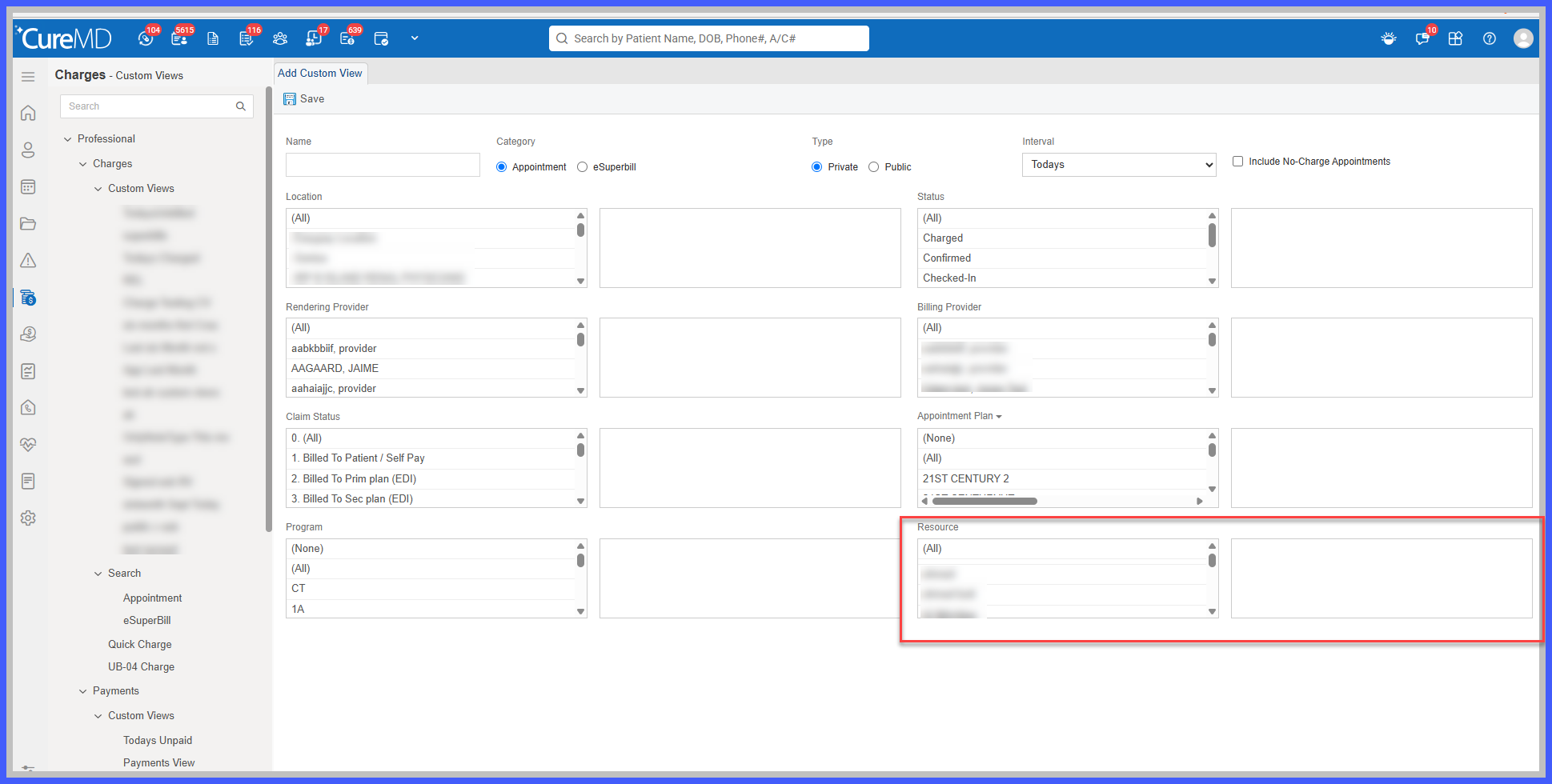
- Added a new Resource selection option to the Custom View configuration.
- Users can select one or multiple Resources when creating or editing a Custom View.
- Resource selection follows the existing interaction used for Location and Provider filtering.
- Selected Resources are saved with the Custom View and automatically restored when the view is reopened for editing.
- Users can modify previously selected Resources within an existing Custom View.
- Resource criteria work alongside other configured filters, including Location and Provider.
- When a Custom View is applied, only records matching the saved Resource and other filtering criteria are displayed.
- Existing Custom Views without Resource selections continue to display their current results without additional restrictions.
- Only Resources available to the applicable practice and workflow are available for selection.
- Existing Resource, Provider, Location, appointment, and charge records remain unchanged.
How It Works
- Navigate to Billing > Professional > Charges > Custom Views.
- Create a new Custom View or open an existing one for editing.
- Locate the new Resource selection control within the Custom View configuration.
- Select one or more Resources from the available options.
- Configure additional filtering criteria, such as Location and Provider, as needed.
- Save the Custom View using the existing workflow.
- When the Custom View is applied, CureMD displays records that satisfy the saved Resource selections and other configured filters.
- Users can reopen the Custom View to review or modify the selected Resources at any time.
 Benefits
- Allows billing teams to create focused worklists for specific Resources.
- Reduces manual review of broader appointment and charge listings.
- Provides greater flexibility when organizing billing records by Resource, Location, and Provider.
- Supports more efficient follow-up on records associated with selected Resources.
- Allows users to save and reuse Resource-based filtering configurations.
- Maintains consistency with existing Custom View selection controls.
- Preserves existing Custom Views without introducing additional filtering restrictions.
- Improves billing worklist organization without changing underlying records or established workflows.
