Effective Date Controls for Provider and Location Management
Configure Provider Effective Dates
Configure Location Effective Dates
Inactivate Provider or Location
Validate During Charge Entry
Review Effective-Date Changes
What’s New
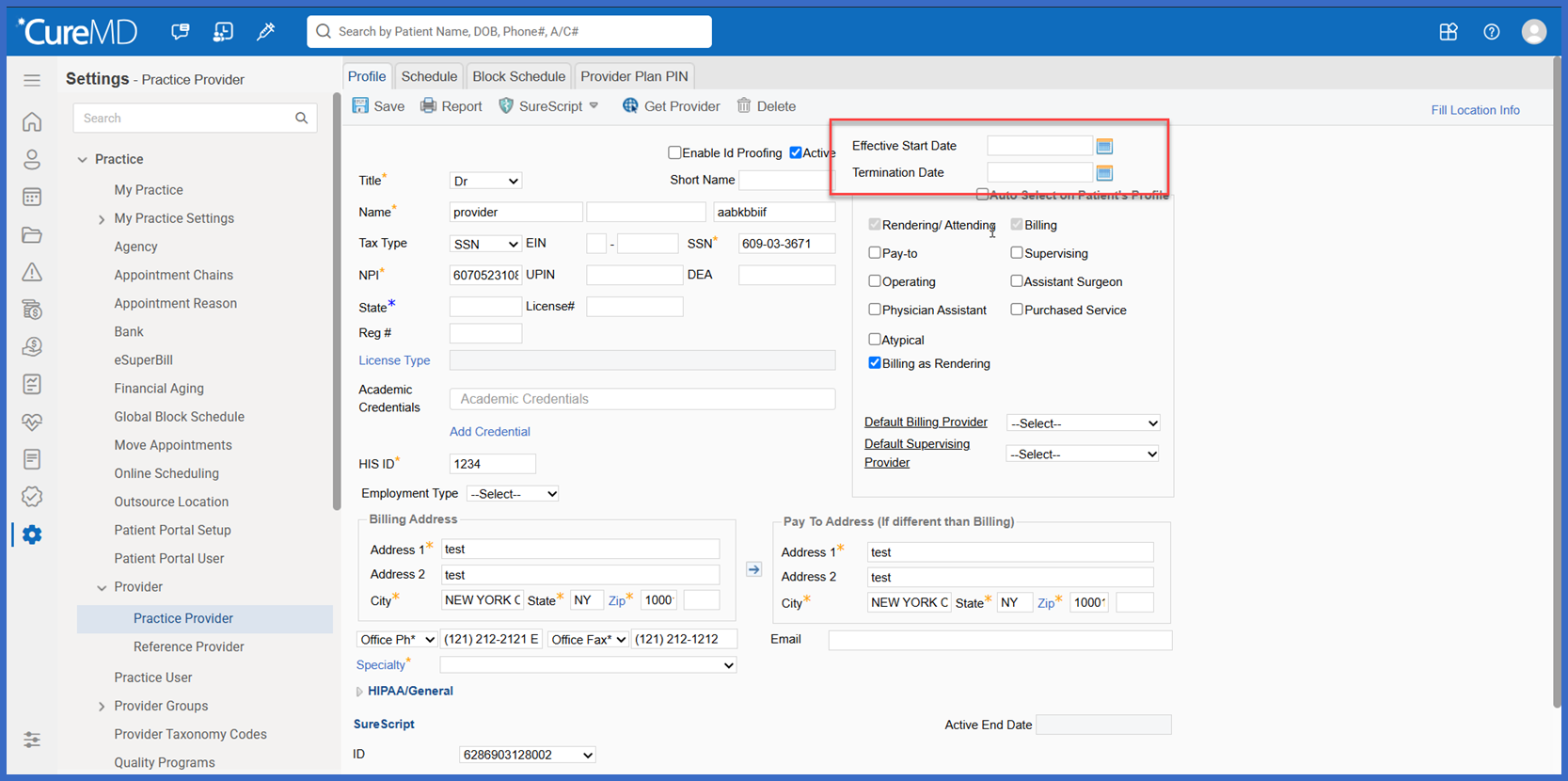
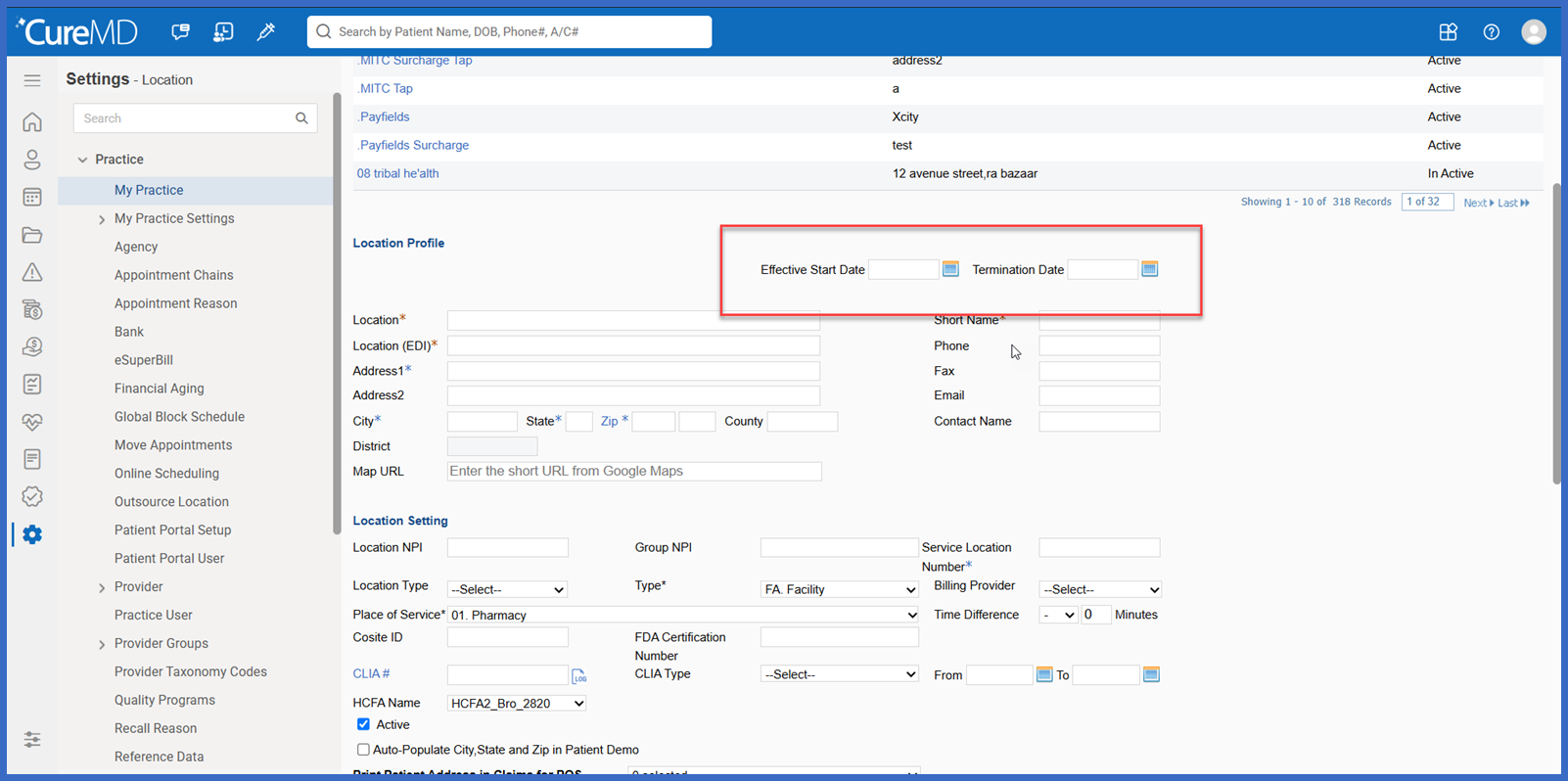
- Added Effective From and Effective To fields to Provider and Location Add/Edit screens.
- Practice administrators can define the active period for individual providers and locations.
- Providers and locations marked Active without configured effective dates continue to be considered active by default.
- When the Active checkbox is unchecked without an Effective To date, CureMD automatically populates the current date as the end date.
- Effective From and Effective To dates can be modified as needed.
- Changes to effective dates are recorded in the Audit Trail.
- Charge selection evaluates provider and location availability against the appointment’s Date of Service.
- Providers and locations are evaluated based on whether the DOS falls within their configured active periods.
- Existing Billing Group association restrictions based on active status are subject to further review.
How It Works
- Navigate to the applicable Provider or Location configuration screen.
- Open an existing record or create a new Provider or Location.
- Locate the Effective From and Effective To date fields.
- Enter the applicable dates to define the provider’s or location’s active period.
- Review the Active checkbox:
- When Active is checked and no effective dates are configured, the record is considered active by default.
- When Active is unchecked and no Effective To date is entered, the system automatically assigns the current date.
- Save the Provider or Location configuration.
- CureMD records effective-date modifications in the Audit Trail.
- When a user selects a Provider or Location during Charge Entry, the system evaluates the configured effective dates against the appointment’s Date of Service.
Benefits:
- Allows practices to define and maintain provider and location active periods more accurately.
- Helps reduce billing errors caused by selecting providers or locations outside their effective dates.
- Aligns provider and location selection with the appointment’s Date of Service.
- Supports historical billing scenarios by maintaining effective-date information.
- Automatically assigns an end date when a provider or location is inactivated without one.
- Improves traceability through audit logging of effective-date modifications.
- Provides greater administrative control over provider and location availability.
- Improves consistency between provider/location configurations and billing workflows.
