Sorted:

gg-rrel

Enhanced Consent Identification in the Patient Overview Panel

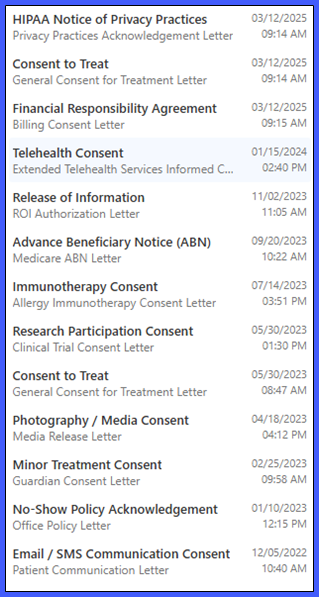
The Consents section of the Patient Overview panel has been enhanced to display descriptive information for each recorded patient consent.

Previously, consent records appeared under the generic label "Consent," making it difficult to distinguish between multiple entries without opening them individually.

With this enhancement, each consent now displays its title, associated letter name, and recorded date and time, allowing providers and clinical staff to quickly identify and access the appropriate consent directly from the patient's Overview panel.
rel-1a

Show All Order Sets in Global Search with ICD-10 and CPT Codes in Favourites

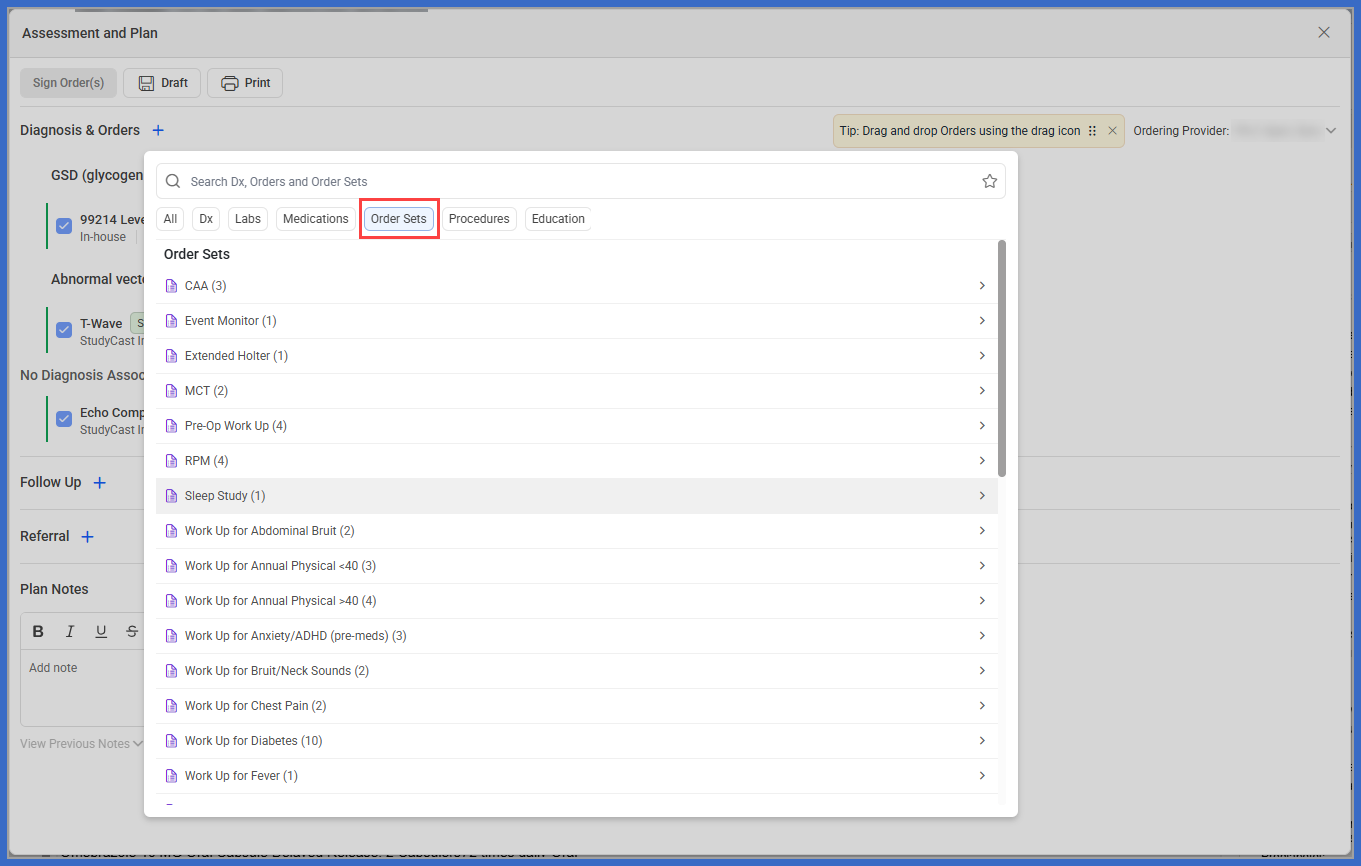
The Assessment and Plan (A&P) workflow has been enhanced to provide easier access to Order Sets and improve the visibility of diagnosis and procedure codes within Favourites.

Previously, the A&P Global Search displayed only recommended Order Sets, limiting providers' ability to locate and select other available Order Sets directly from the search.

With this enhancement, providers can now access all available Order Sets through Global Search, while diagnosis-specific recommendations remain accessible when selecting a diagnosis. Additionally, ICD-10 and CPT codes are now displayed alongside applicable Favourites, helping providers identify the correct diagnoses and procedures more efficiently.

rel-3-a-3

AI Scribe Integration with Prenatal Exam for Structured Obstetric Documentation

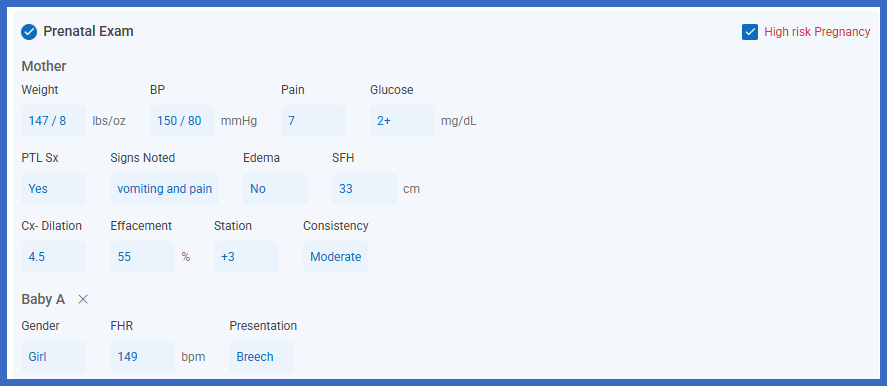
AI Scribe has been enhanced to support structured Prenatal Exam documentation, allowing providers to capture maternal and fetal findings discussed during patient encounters and transfer them directly into the Prenatal Exam flow sheet.

Previously, providers needed to manually enter prenatal findings into the corresponding flow sheet. With this enhancement, AI Scribe identifies relevant prenatal information from the encounter and presents it within the Structured tab for provider review.

The new functionality supports maternal and fetal documentation, multiple gestations, synchronized vital signs, and existing Prenatal Exam calculations, helping providers streamline obstetric documentation while maintaining control over the information added to the patient record.

rel-4-a-2

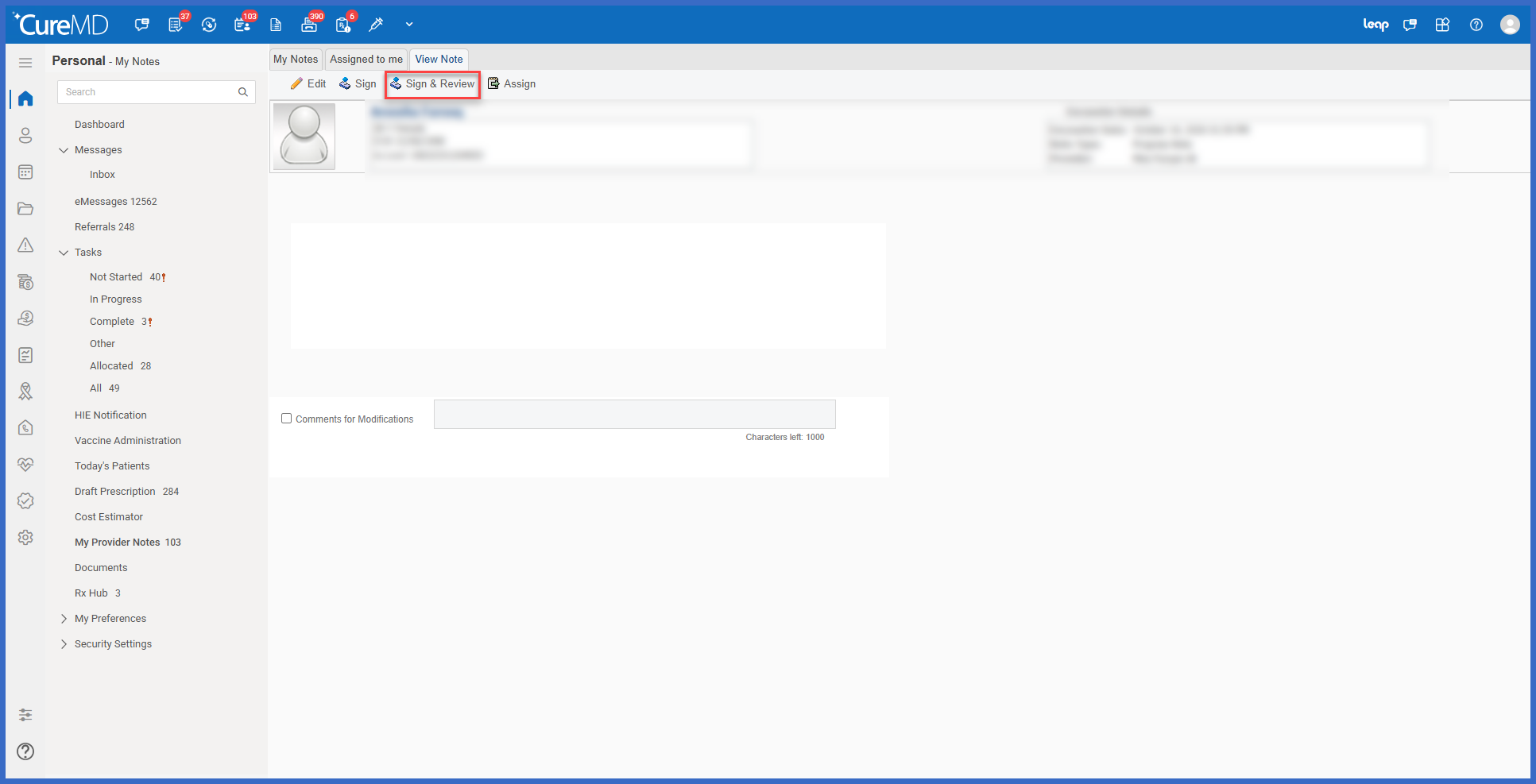
Simplified Provider Note Signing and Review with Fewer Clicks

The Provider Notes workflow has been enhanced to allow providers to sign and review their notes in a single streamlined process.

Previously, selecting Sign & Review required providers to acknowledge a separate signing confirmation before proceeding to the Review Note window. With this enhancement, selecting Sign & Review opens the Review Note pop-up directly, with the Reviewed checkbox already selected.

Providers can now complete both actions together while retaining the flexibility to sign a note without marking it as reviewed.

rel-1-a-1

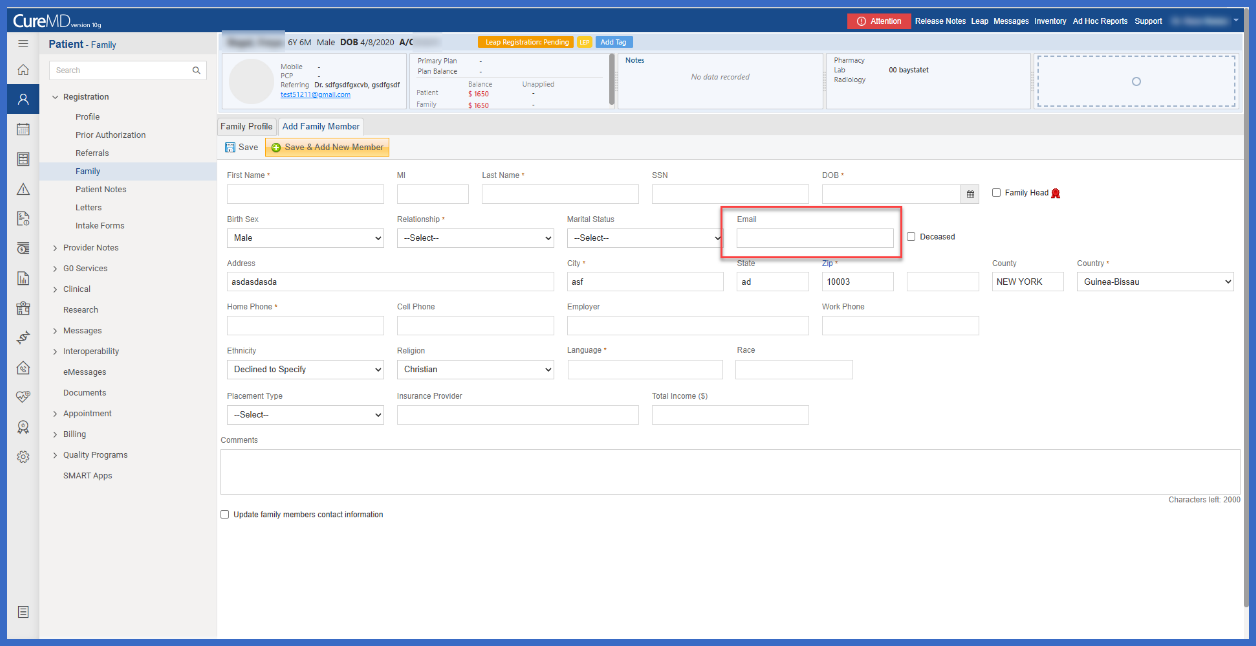
Email Address Support for Unregistered Family Members

The Family section within Patient Registration has been enhanced with a new Email field, allowing users to record an email address when adding an unregistered family member to a patient's profile.

Previously, the Add Unregistered Family Member workflow did not include a dedicated field for capturing email information. With this enhancement, users can enter an email address alongside the existing family member details, providing a more complete record of family member contact information.

rel-2-a-2

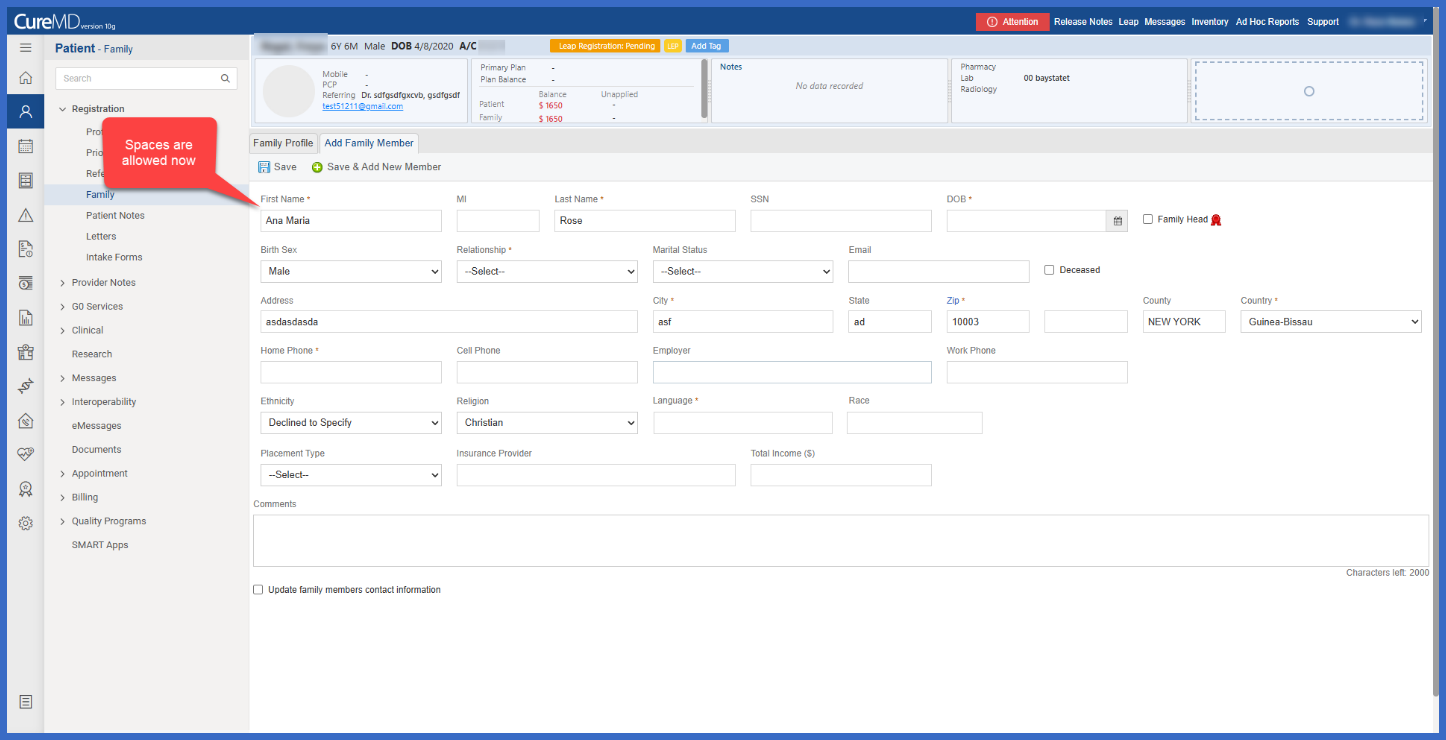
Enhanced Name Entry for Unregistered Family Members

The Add Unregistered Family Member workflow has been enhanced to support spaces within the First Name and Last Name fields, allowing users to enter names containing multiple words during the initial registration process.

Previously, users could not enter spaces between multiple first or last names when adding an unregistered family member. This required users to complete the registration and subsequently edit the family member's information to correct the name.

With this enhancement, users can enter complete first and last names directly during registration, improving data accuracy and eliminating unnecessary follow-up edits.

rel-3-a-4

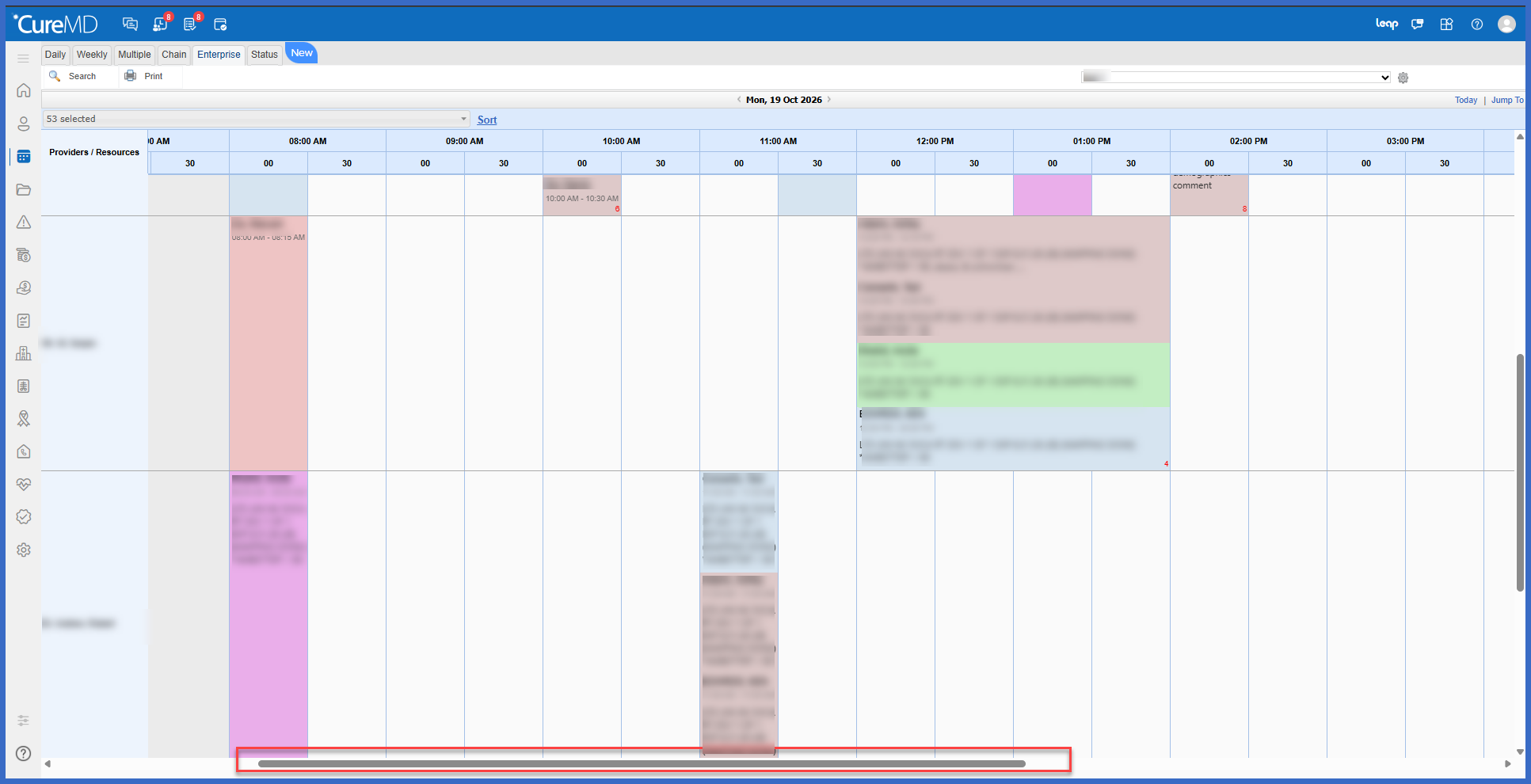
Enhanced Scheduler Enterprise View with Improved Calendar Alignment, Scrolling, and Appointment Visibility

The Scheduler Enterprise View has been enhanced to improve calendar alignment, appointment visibility, navigation, and overall performance for practices managing multiple providers and resources.

Previously, differences in provider calendar hours could result in misaligned time slots and appointments appearing at incorrect positions within the scheduling grid. Navigating large calendars also required additional paging, making it more difficult to review appointment availability across multiple providers.

With this enhancement, Enterprise View now provides consistent time alignment, accurate appointment placement, continuous scrolling, improved appointment and calendar block visibility, and a more responsive scheduling experience.

1-1-1

Multi-Select Provider Filter for Draft Prescriptions

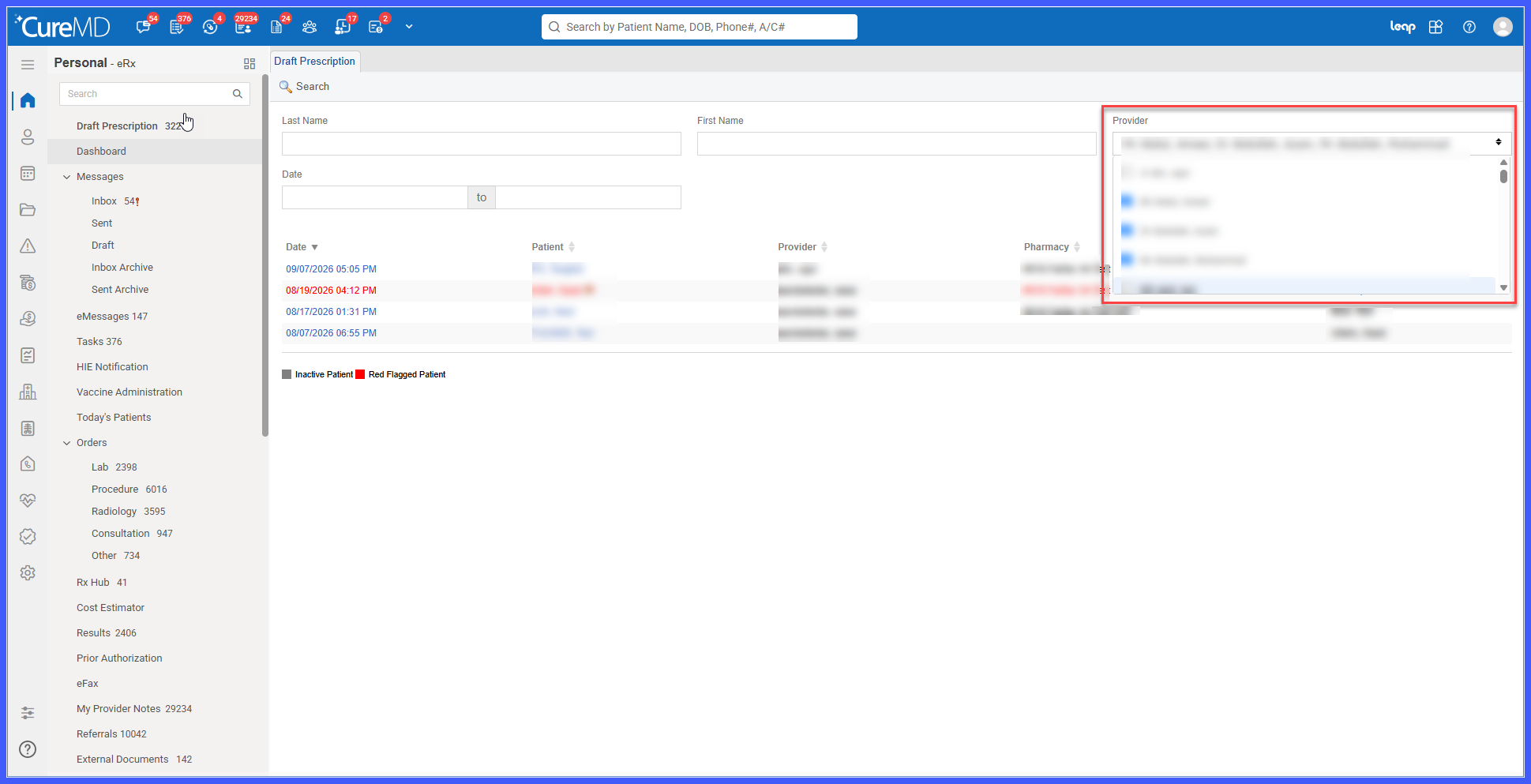
The Draft Prescription workflow has been enhanced with a new Provider filter under the Personal module and multi-select functionality across both Personal and Administration.

Users can now select multiple providers and review their draft prescriptions in a single search, eliminating the need to search for each provider individually. This enhancement provides a consistent filtering experience across both modules and makes it easier to locate draft prescriptions.