Enhanced Scheduler Enterprise View with Improved Calendar Alignment, Scrolling, and Appointment Visibility
Access Enterprise View
Review Provider and Resource Calendars
Review Appointment Details
Review Calendar Blocks
Book or Update Appointment
What’s New
- Improved calendar alignment so all provider and resource rows correspond accurately with the shared time header.
- Calendar hours that fall outside a provider’s or resource’s configured availability are displayed in grey.
- Appointments are positioned according to their actual start times and durations, consistent with Daily View.
- Appointments scheduled before a calendar’s opening time are displayed at the calendar start rather than being hidden.
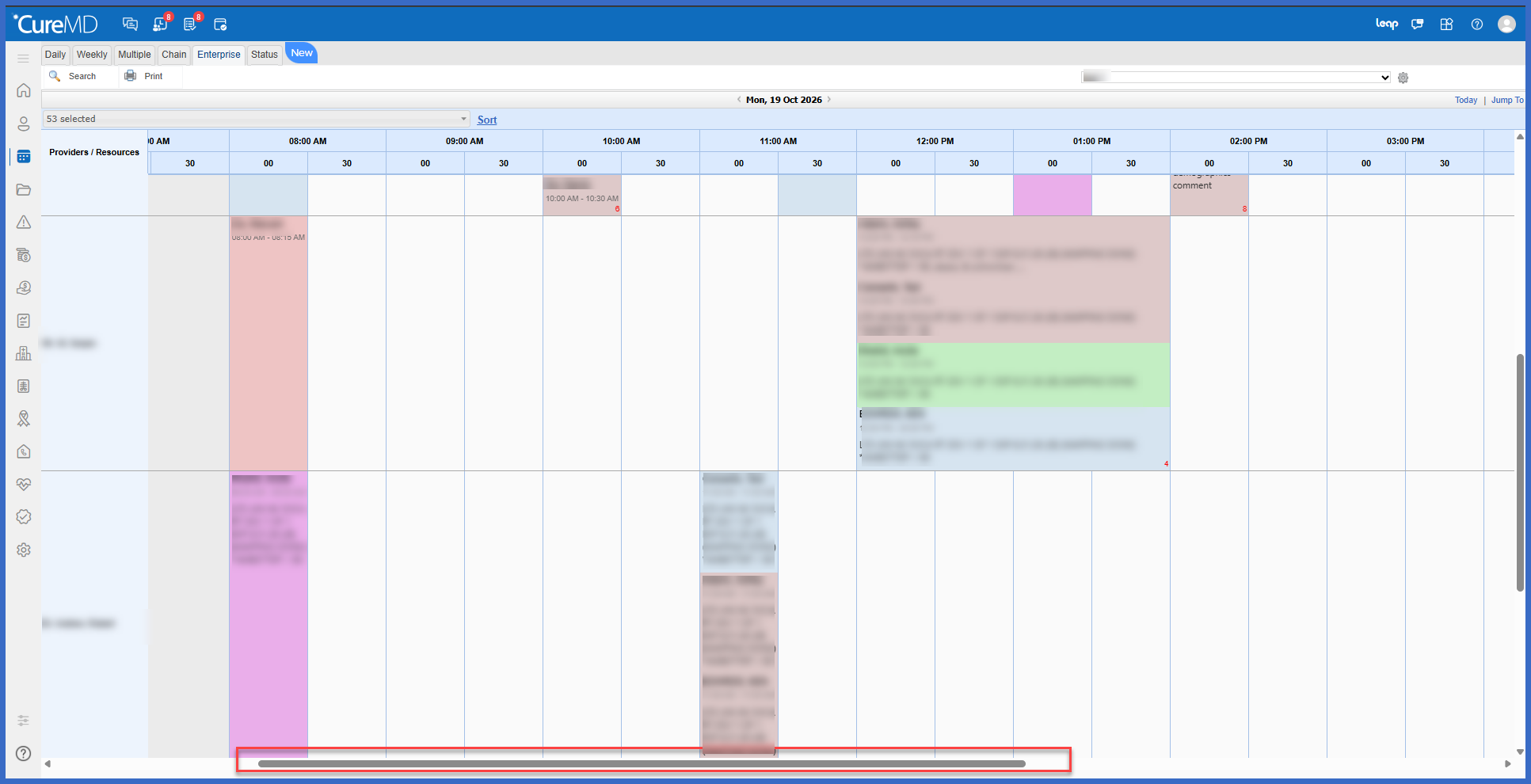
- Replaced page-based navigation with continuous horizontal scrolling across the full scheduling day.
- Removed the previous page arrows and page numbers.
- Maintained consistent slot widths for 10-, 15-, and 30-minute scheduling configurations.
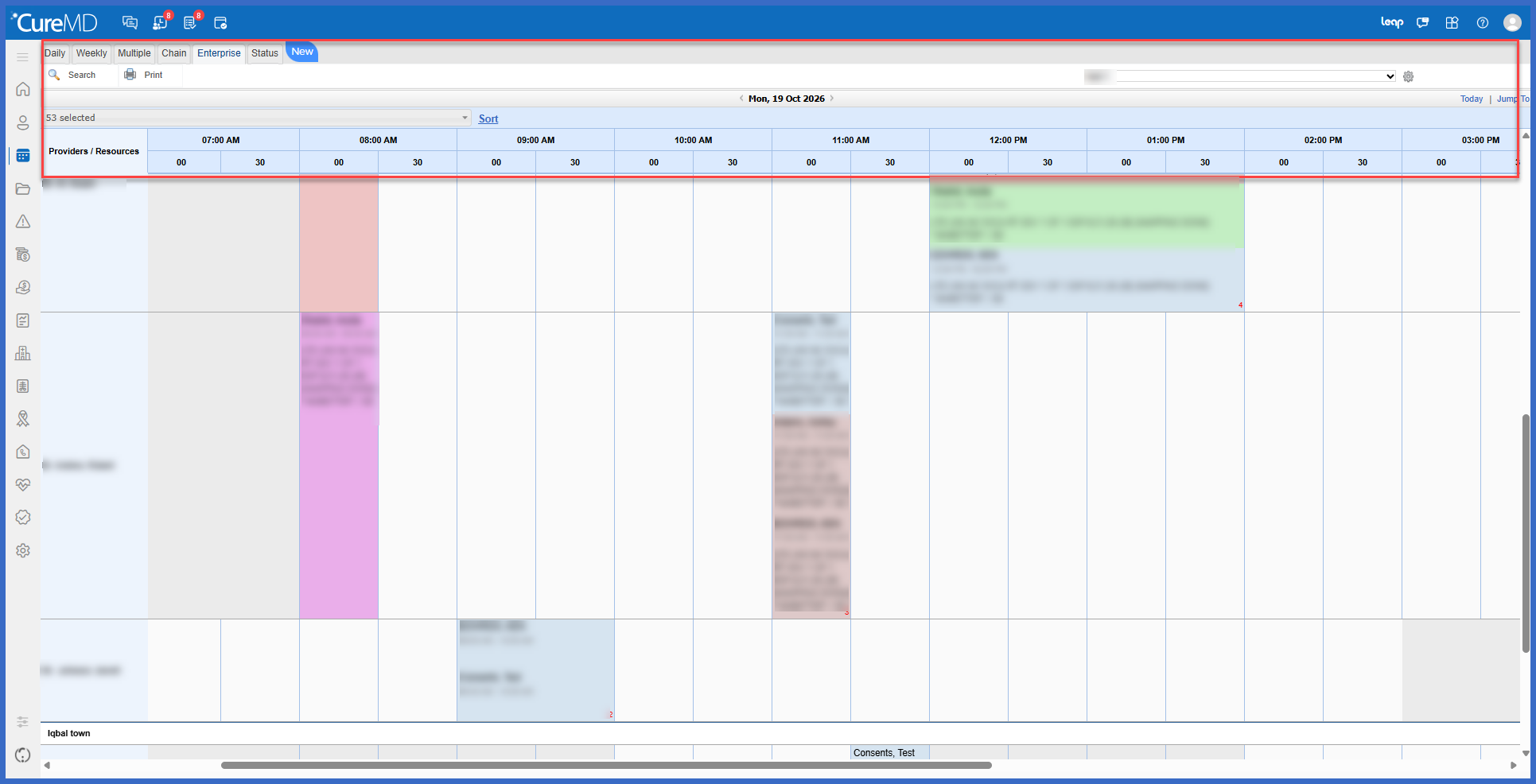
- The toolbar, date controls, and time header remain visible during vertical scrolling.
- Provider/resource names and locations remain visible during horizontal scrolling.
- The current scroll position is preserved during booking, check-in, status changes, and searches.
- Patient names can now span two lines for improved readability.
- Appointment comments display up to 100 characters, with additional text available through a hover tooltip.
- Calendar block names are displayed directly within blocked time slots.
- Long calendar block names are shortened, with the full name available on hover.
- Overlapping block names are displayed on separate lines.
- Long provider and resource names wrap without disrupting the calendar layout.
- Improved booking, status-change, and check-in popup behavior.
- Optimized Enterprise View loading performance for practices managing large numbers of calendars.
How it works:
- Open the Scheduler.
- Navigate to Enterprise View.
- Select the applicable date to review provider and resource calendars.
- The scheduling grid displays all applicable calendars aligned with the shared time header.
- Review appointments at their corresponding start times and durations.
- Scroll horizontally to review additional time slots throughout the day without using page navigation.
- Scroll vertically to review additional providers and resources while keeping the time header and scheduling controls visible.
- Hover over shortened appointment comments or calendar block names to view their complete information.
- Continue booking, checking in, or updating appointment statuses through the existing scheduling workflow.
 Benefit:
- Improves the accuracy of appointment placement and duration within Enterprise View.
- Reduces scheduling errors caused by misaligned provider and resource calendars.
- Provides clearer visibility into available and unavailable appointment slots.
- Makes it easier to navigate scheduling calendars containing numerous providers and resources.
- Eliminates repetitive page navigation through continuous horizontal scrolling.
- Reduces unnecessary scrolling by preserving the user’s position during common scheduling tasks.
- Improves readability of patient names, appointment comments, and calendar block information.
- Provides a more consistent experience when booking, checking in, or updating appointments.
- Improves Enterprise View loading performance for larger practices.
- Preserves existing appointment scheduling workflows while improving usability.
