AI Scribe Integration with Prenatal Exam for Structured Obstetric Documentation
Enable Prenatal Exam Extraction
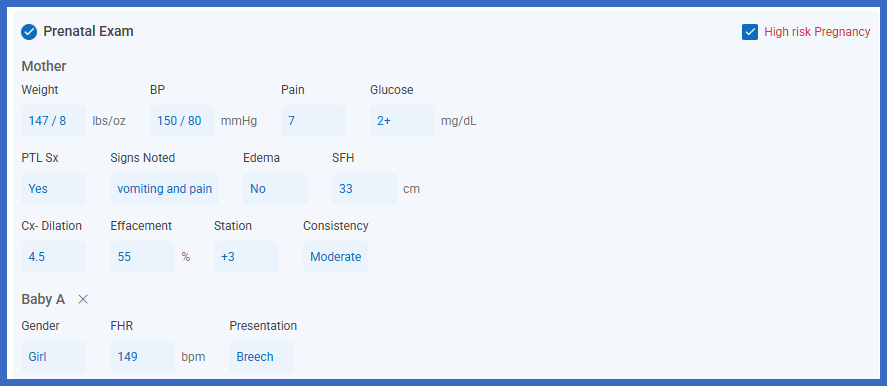
Review Extracted Prenatal Findings
Review Maternal Findings
Review Fetal Findings
Update Shared Vital Signs
Commit Prenatal Findings
Review Committed Prenatal Documentation
What’s New
- Added a Prenatal Exam section to the AI Scribe Structured tab.
- Introduced a Prenatal Exam toggle under AI Scribe > AI Scribe Settings > General.
- When enabled, AI Scribe extracts prenatal findings discussed during the encounter and presents them as structured fields.
- Only fields discussed during the encounter are displayed, reducing unnecessary documentation.
- The Prenatal Exam section is automatically selected when applicable prenatal information is identified.
- Added separate Mother and Baby subsections for organizing maternal and fetal findings.
- Supports multiple gestations, with a separate Baby subsection for each gestation discussed.
- Blood Pressure, Weight, and Pain are shared between the Vitals and Prenatal Exam sections.
- When the Vitals section is enabled, changes to these shared fields are reflected automatically in Prenatal Exam.
- Added conditional display behavior for Preterm Labor Signs and the associated Signs Noted field.
- Supports the High risk Pregnancy checkbox based on encounter documentation.
- Bishop Score is calculated within the Prenatal Exam flow sheet after the applicable findings are committed.
- Providers can review, edit, accept, or discard extracted information before adding it to the note.
- Existing AI Scribe validation, correction, and commit workflows remain unchanged.
How it works:
- Navigate to AI Scribe > AI Scribe Settings > General.
- Enable the Prenatal Exam toggle.
- Open the applicable patient’s encounter with an active pregnancy.
- Use AI Scribe to capture the clinical discussion during the visit.
- Open the Structured tab within the AI Scribe overlay.
- If prenatal findings were discussed, the Prenatal Exam section appears automatically.
- Review the extracted information within the Mother and applicable Baby subsections.
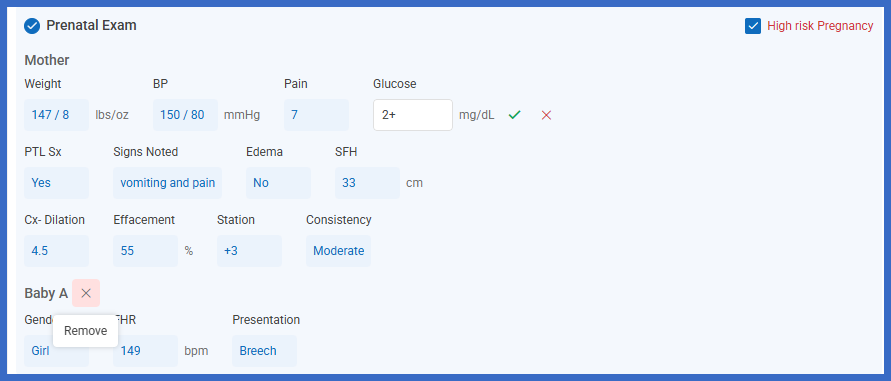
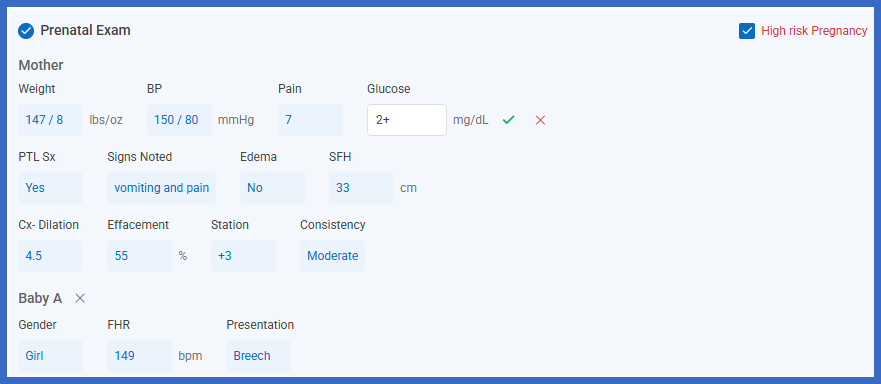
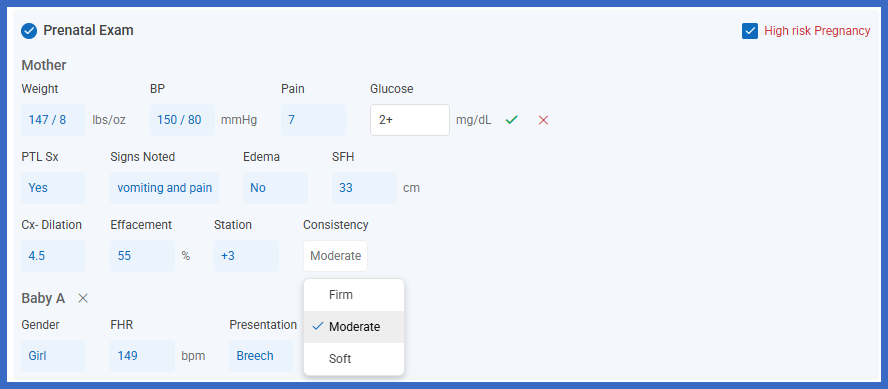
- Verify the populated values and correct any fields requiring attention.
- Review shared Vitals information, including Blood Pressure, Weight, and Pain.
- Accept the applicable information and select Add to Note.
- CureMD transfers the accepted prenatal findings into the Prenatal Exam component, where applicable calculations, including Bishop Score, are performed.
Benefit:
- Reduces manual entry of prenatal findings into the Prenatal Exam flow sheet.
- Allows providers to capture maternal and fetal information directly from encounter discussions.
- Presents only the fields relevant to the visit, reducing unnecessary review.
- Supports separate documentation for multiple gestations.
- Improves consistency between Vitals and Prenatal Exam through shared field synchronization.
- Reduces duplicate entry of Blood Pressure, Weight, and Pain.
- Preserves existing Bishop Score calculations within the Prenatal Exam component.
- Provides clear visibility into extracted values requiring correction.
- Allows providers to verify and modify information before adding it to the patient record.
- Streamlines obstetric documentation without requiring providers to leave the current note.
