Sorted:

PatientBannerLanguage

Preferred Language in Patient Banner & Banner Tooltip

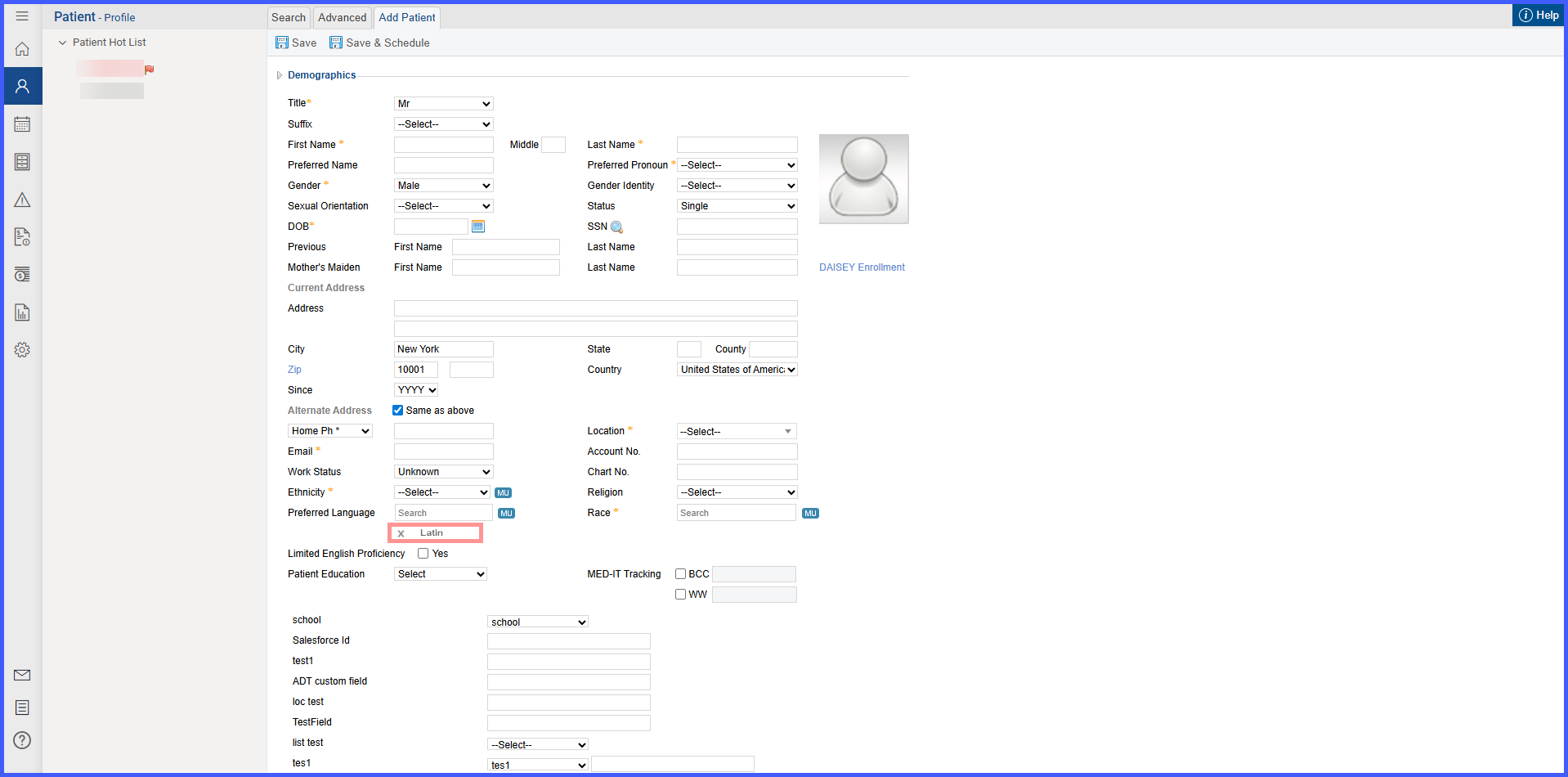
This enhancement improves visibility into patients’ communication preferences within the CureMD application. When enabled in EHR settings and preferred languages are recorded in the patient profile, the patient banner now displays a Preferred Languages chip and a tooltip line under the patient's name. These updates help support accurate, patient-centered care by making language preferences more immediately accessible.
PreferredLanguage4

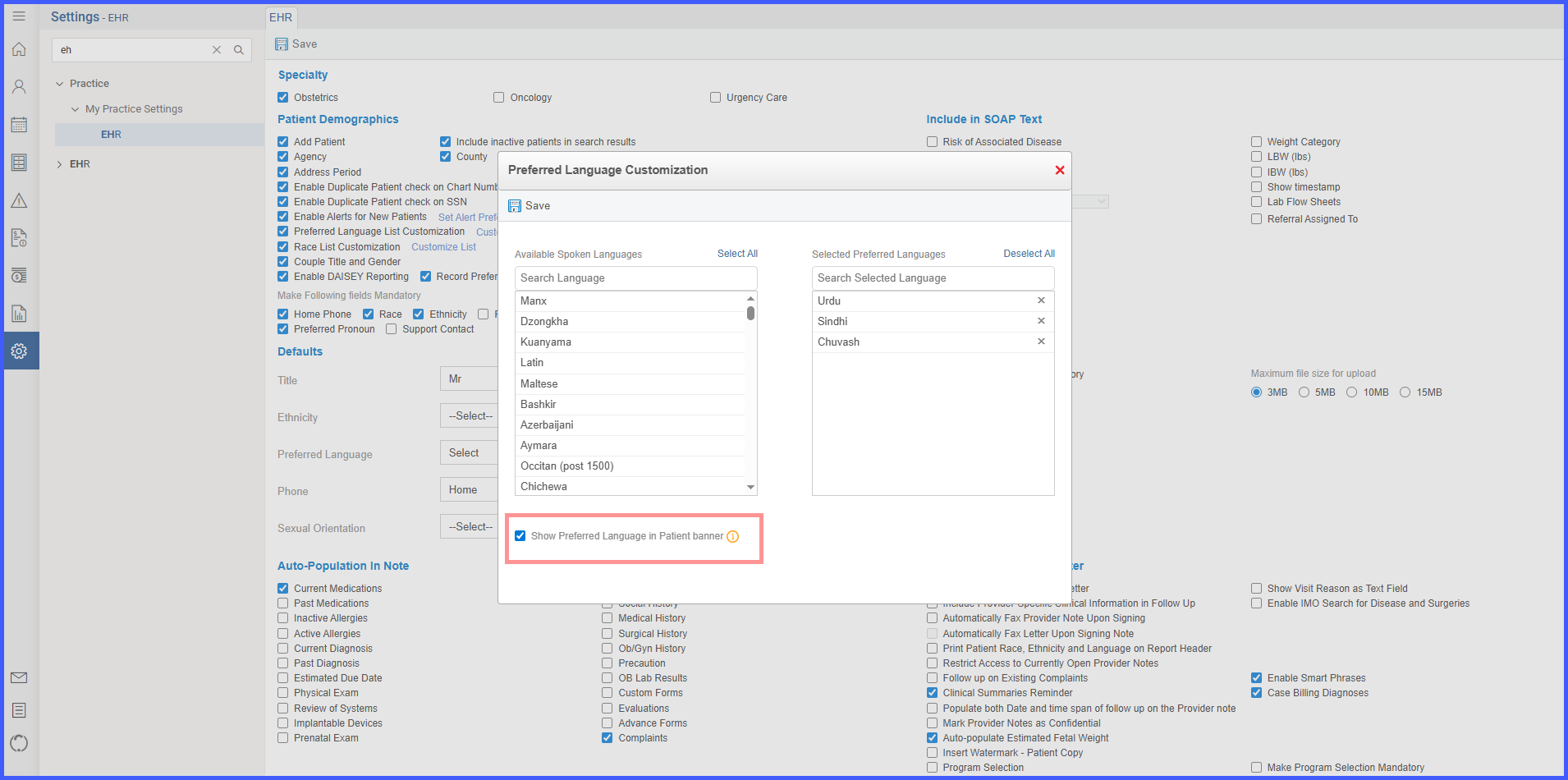
Preferred Language List Customization in EHR

With this enhancement in the CureMD application, EHR settings include a Preferred Language list customization option that controls the languages presented in Defaults and the patient profile, along with a setting to display a Preferred Language indicator in the banner. This streamlines configuration, ensures consistent language options, and supports clear communication at the point of care.