Sorted:

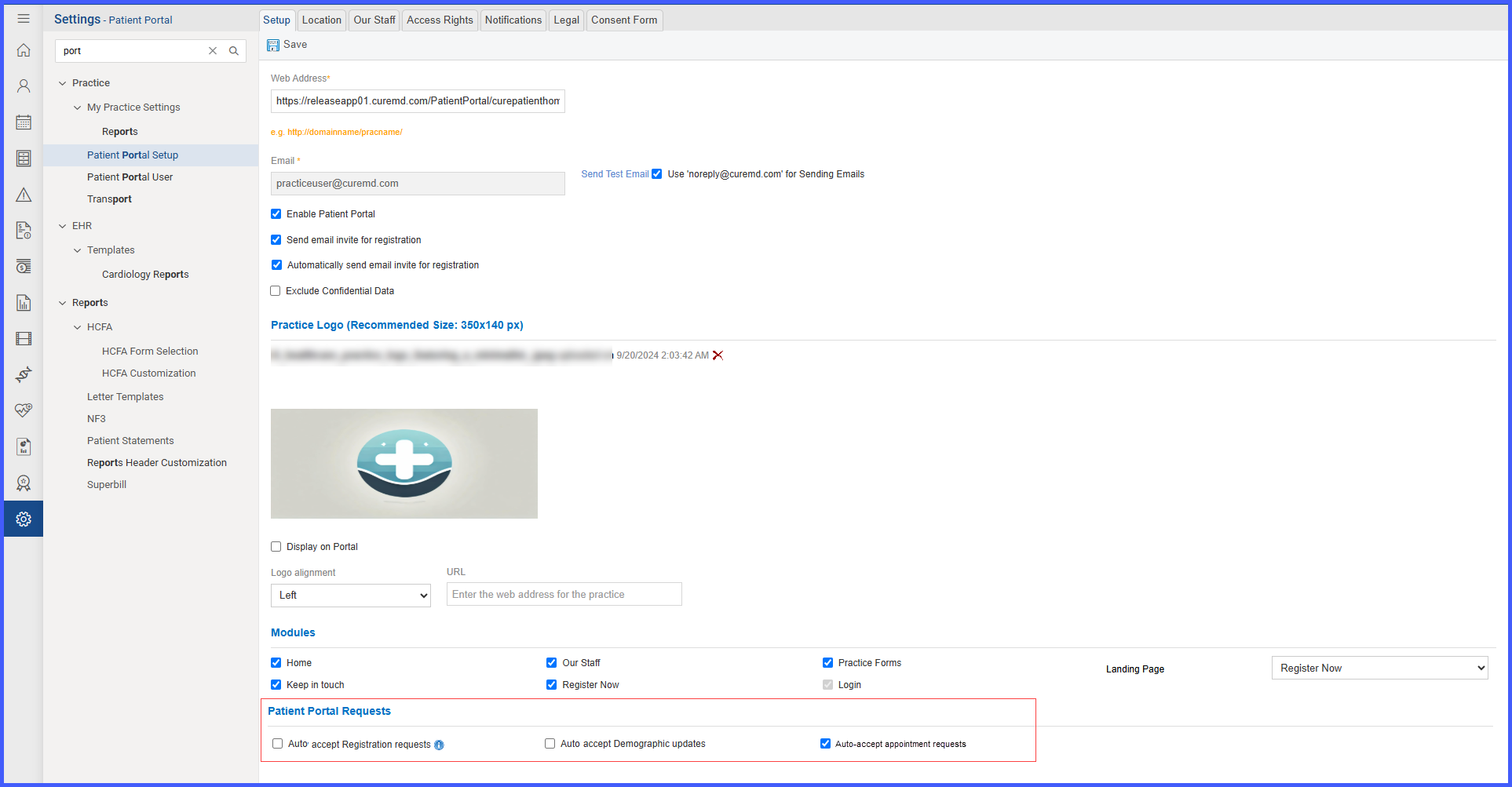
AAPatientPortal

Auto-Accept Patient Portal Requests for Registration, Appointments, and Demographic Updates

With this enhancement in the CureMD application, practices can now automatically accept patient portal requests for registration, demographic updates, and appointment scheduling. This will save staff time by reducing manual review with safeguards in place to prevent scheduling conflicts or duplicate chart creation.
Retrieve Sexual Orientation from Social History during HIS Batch Generation

With this enhancement in the CureMD application, the HIS Batch process now retrieves Sexual Orientation details directly from the Social History module under the “Sexual” tab. This ensures that accurate patient information is captured while ignoring any Sexual Orientation values entered on the Demographics page.

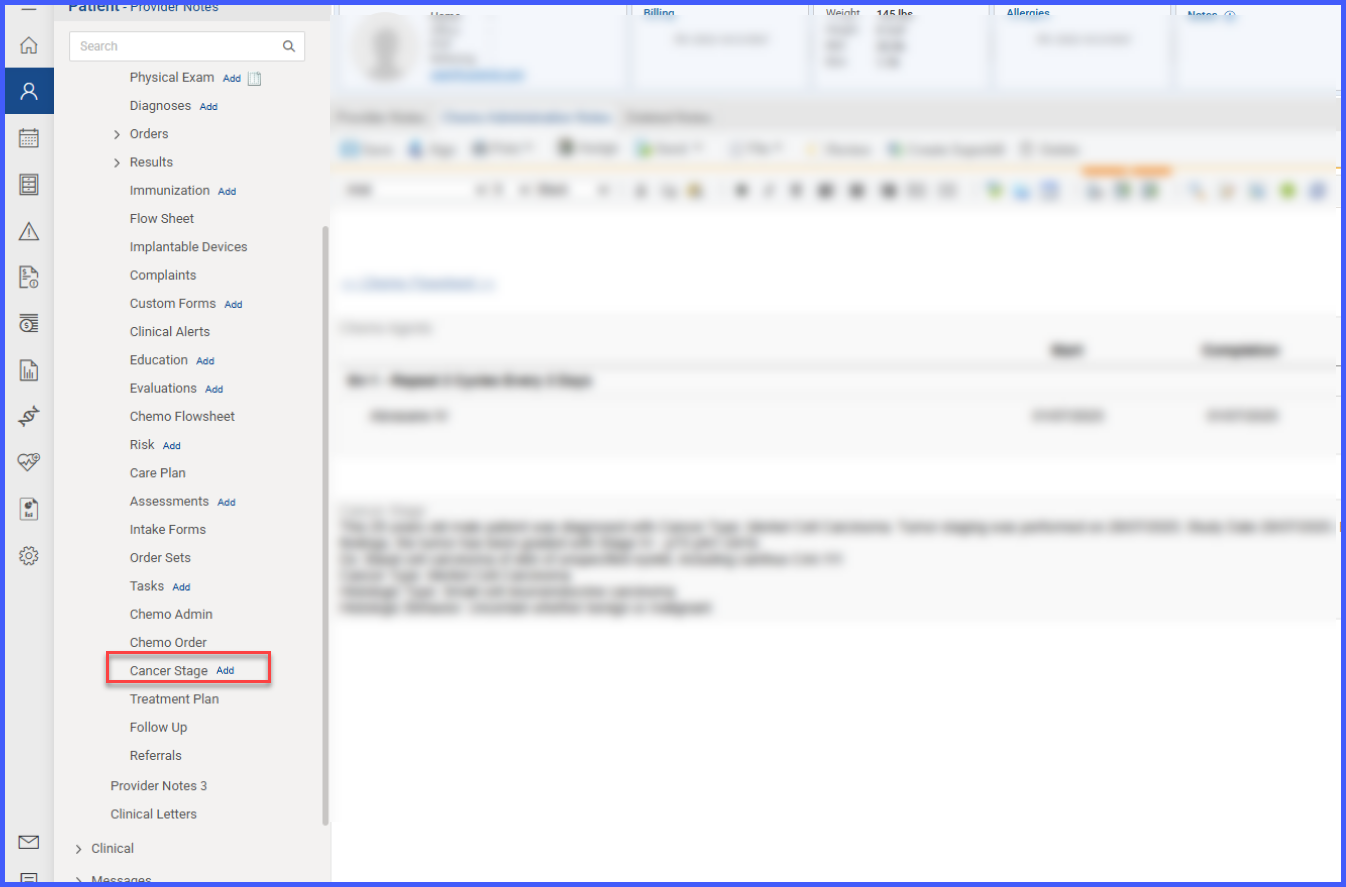
FlagCancerStage

Ability to Add Cancer Staging from Provider Note

With this enhancement in the CureMD application, providers can now add Cancer Staging screen directly from a draft provider note, with patient diagnoses automatically displayed. This will allow providers to stage or restage conditions seamlessly without navigating away from their clinical workflow.

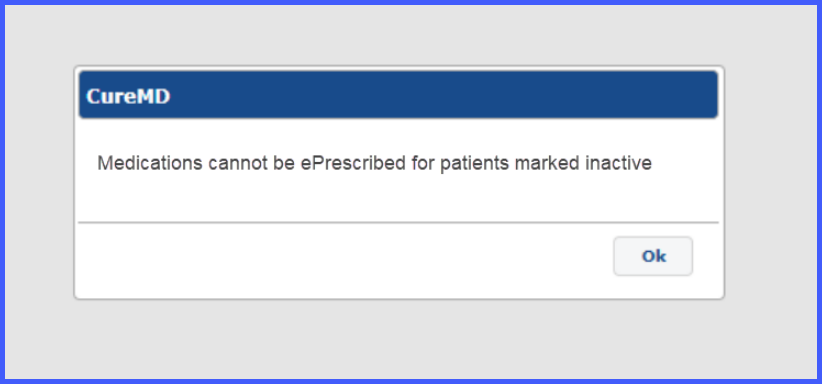
InactivePatienteRx

Prescription and Refill Restrictions for Inactive Patients Across All Workflows

With this enhancement in the CureMD application, prescribing and refill functionalities are disabled for patients whose status is marked as Inactive, and users are notified accordingly through popups or tooltips across relevant workflows. This ensures users are informed of patient eligibility before proceeding with ePrescriptions.

DiscardeRxErrors

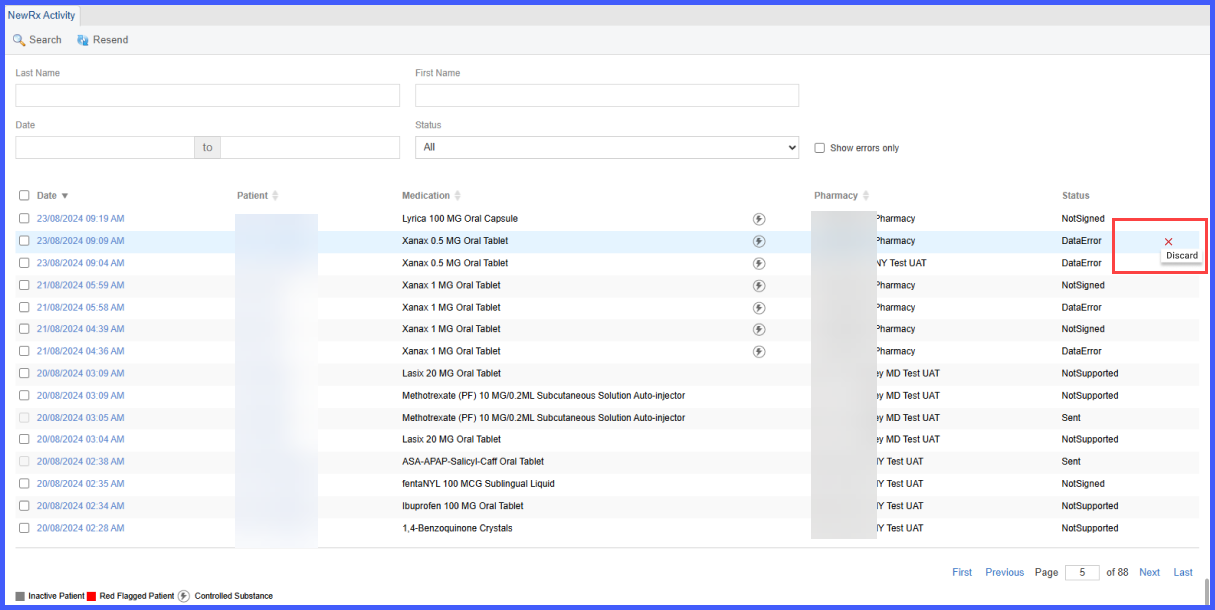
Ability to Discard Errors from the eRx Errors Tab

With this enhancement in the CureMD application, the user discards individual prescription errors from the eRx Errors tab after a successful replacement has been sent. This ensures that the Quick Links counter and error list reflect only the remaining actionable items.

LabDefaultPracticeLevel

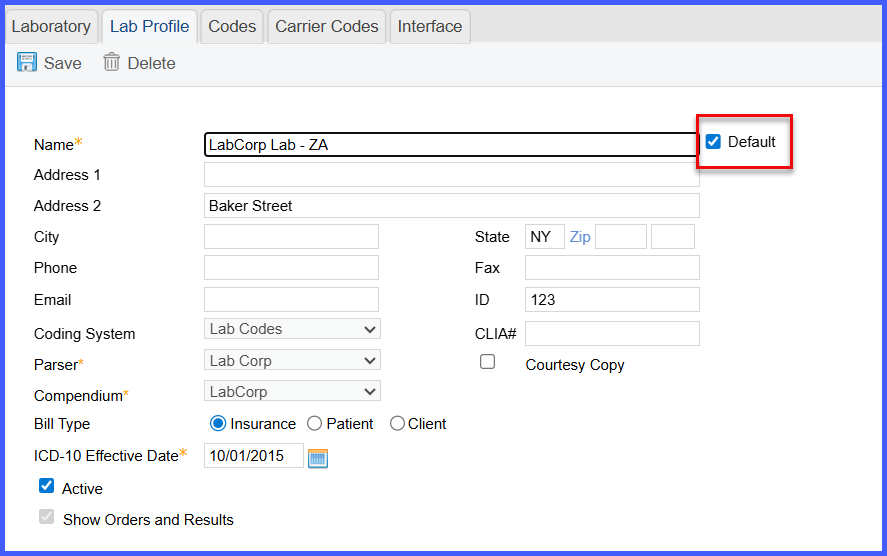
Ability to Mark a Laboratory as Default at Practice Level

With this enhancement in the CureMD application, practice users can now set a laboratory as the default for the entire practice. This ensures consistency and efficiency when placing lab orders, as the selected default lab will automatically populate for all current and new patients, unless manually overridden at the patient level.

OrderSpecimenResult4

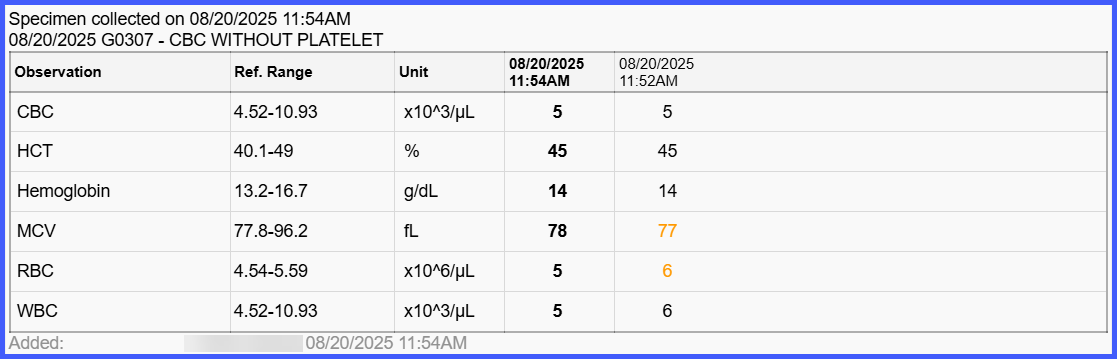
Display Specimen Collection Information in Lab Results Listing

With this enhancement in the CureMD application, practice users can now view detailed specimen collection information in the Lab Result section. This ensures providers have clear visibility into collection details, supporting better accuracy, documentation, and clinical decision-making.

Auto‑Sort Medical, Surgical, and Family Histories on Save

With this enhancement in the CureMD application, medical, surgical, and family histories are automatically sorted in A–Z order whenever users save changes in Clinical or the Provider Note. This will keep histories easy to scan and ensures the on‑screen display and SOAP output match the same alphabetical order.

PreferredPharmarcieSelection-2

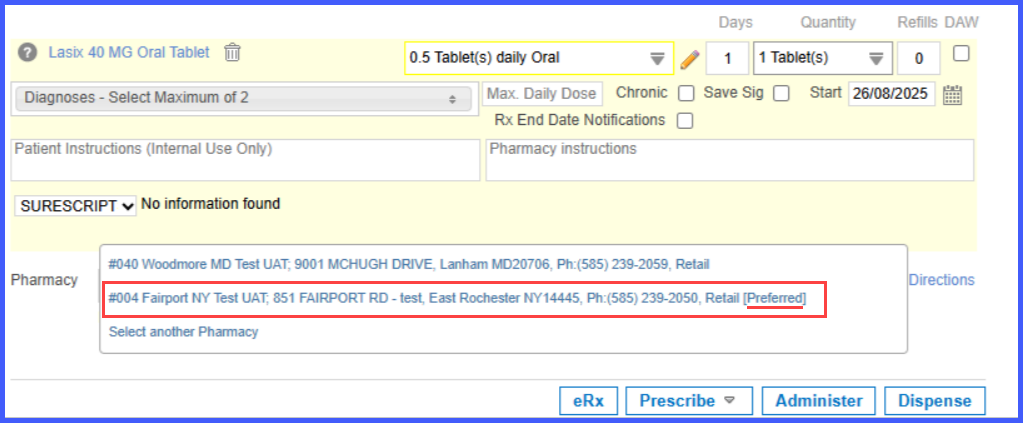
Display of Preferred Pharmacies in Pharmacy Selection Dropdown on Prescription Pad

With this enhancement in the CureMD application, the pharmacy selection dropdown on the Prescription Pad displays patient preferred pharmacies at the top of the list with a ‘Preferred’ label. This helps the provider easily identify and select from the patient’s preferred options before searching for other pharmacies.

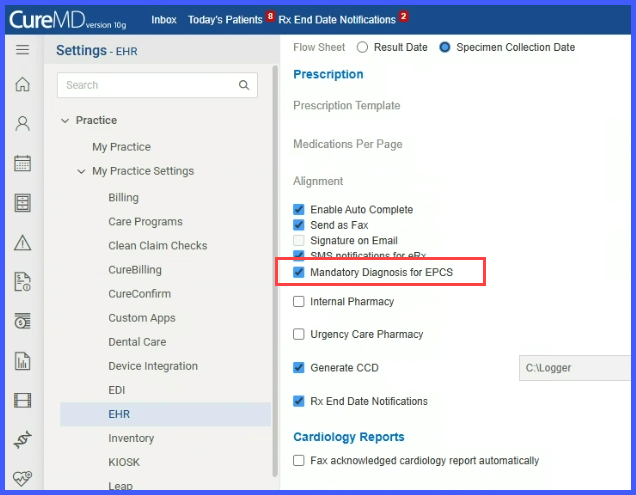
MandatoryEPCS

Mandatory Diagnosis Enforcement for Controlled Substance ePrescriptions

With this enhancement in the CureMD application, administrators have a checkbox within My Practice Settings › EHR › Prescription Section to enforce diagnosis selection when electronically prescribing Schedule I–V medications. This ensures users submit prescriptions for controlled substances with proper clinical context.