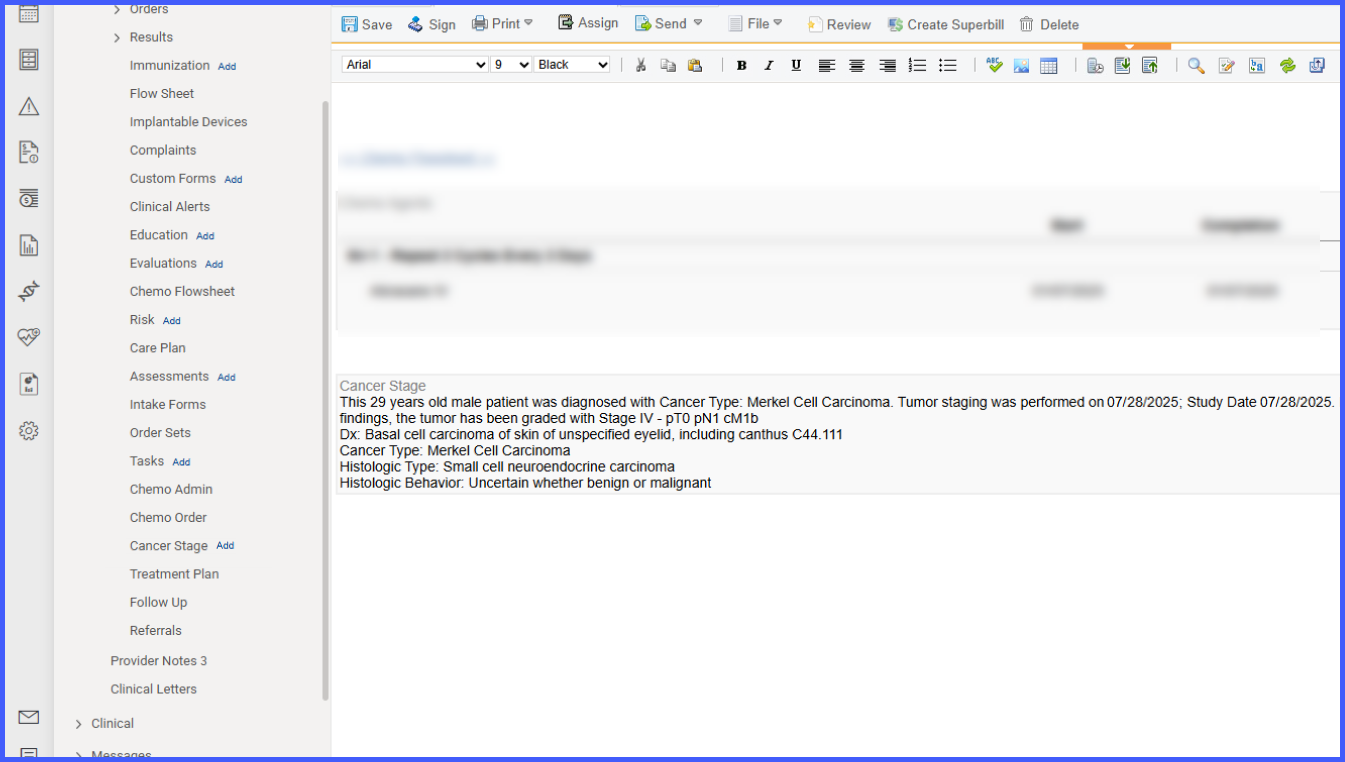
Ability to Add Cancer Staging from Provider Note
What’s New
When the user is working on a provider note in Draft status, an Add link now appears beside Cancer Stage in the left-hand navigation panel.
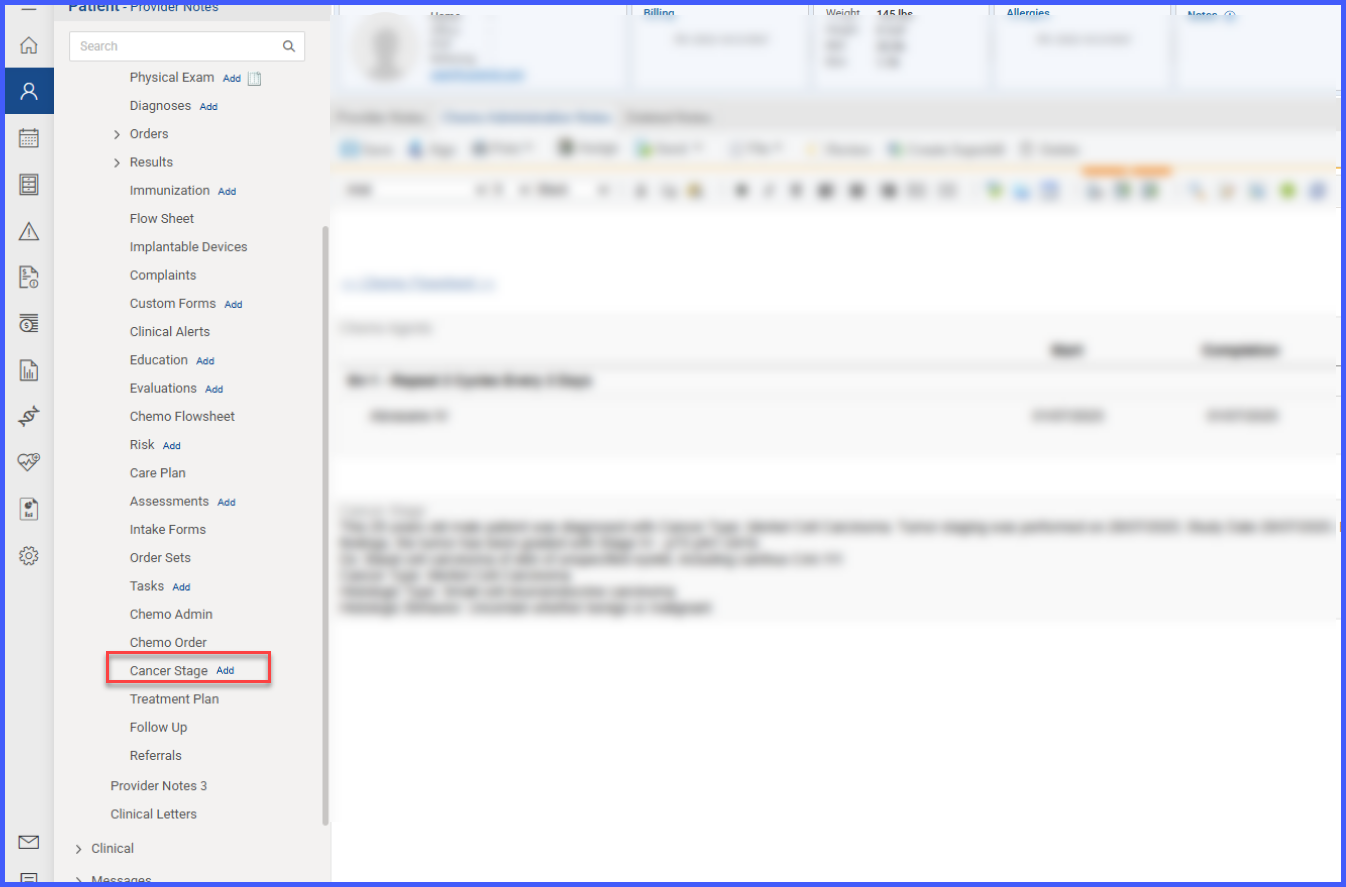
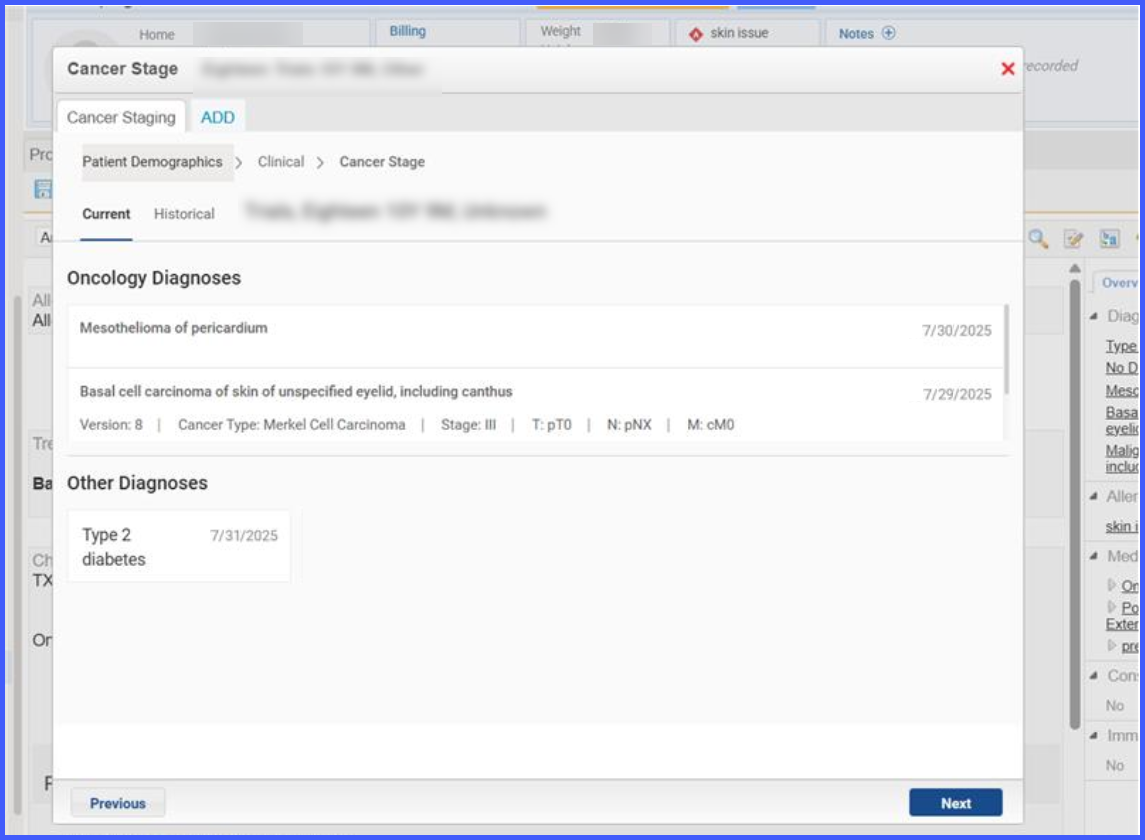
Clicking this link opens the Cancer Staging screen. Upon launch, the staging screen displays a list of all active diagnoses for the patient, clearly showing which have already been staged. Providers can select a diagnosis to initiate staging or choose to restage an existing entry. When a diagnosis is selected, the Cancer Type field auto-populates with the relevant AJCC Edition.
The staging form supports both Clinical and Pathological staging with all existing features such as auto-validation, conditional fields, and date tracking. If restaging, a new form opens while preserving prior records.
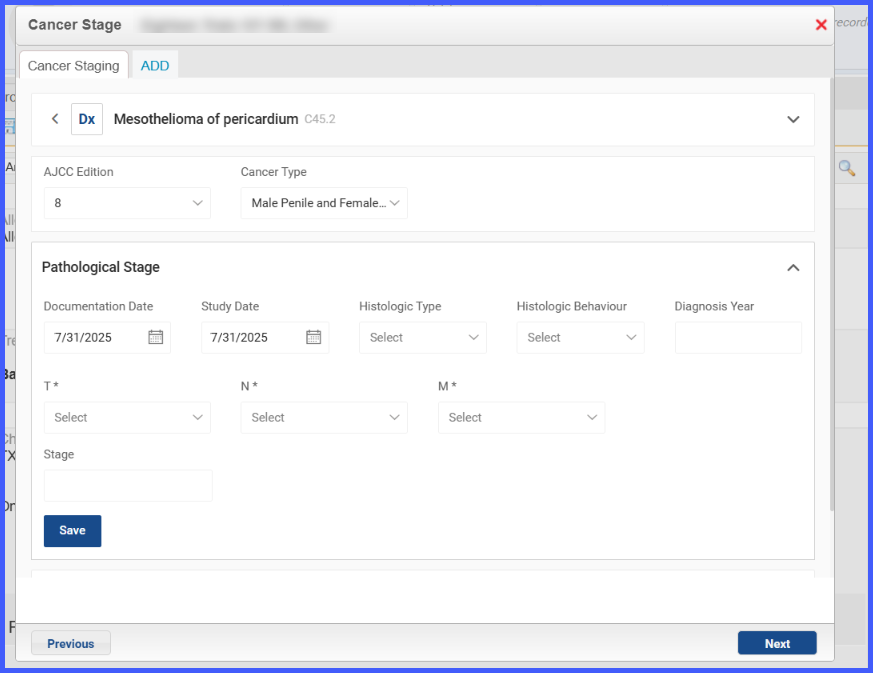
After completing staging details, clicking Save directs the user to the Summary View, where all previous and newly created staging entries are available in a dropdown with the latest one selected by default.
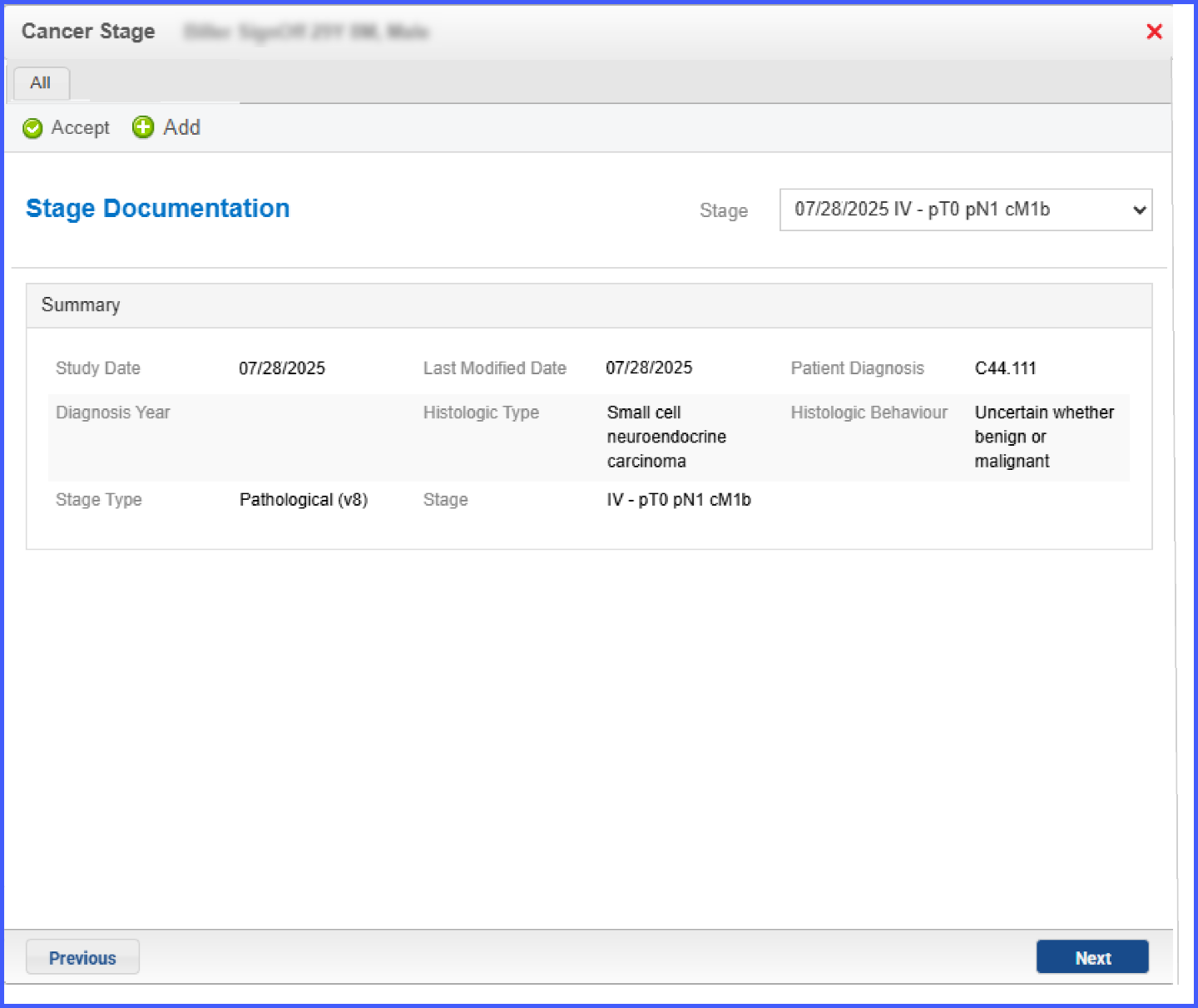
Clicking Accept attaches the selected staging record into the provider note as formatted SOAP text.