Ability to Mark a Laboratory as Default at Practice Level
What’s New
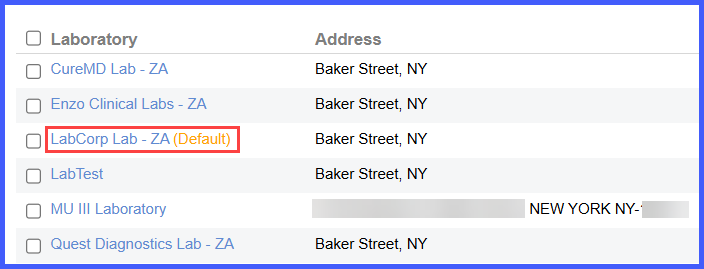
When the user selects a laboratory and checks the Default checkbox, then clicks Save, the selected laboratory is saved as the practice-wide default and the lab name in the listing displays (default) next to it. The default lab overrides the individual laboratory preferences of all current and new patients across practice. If another laboratory is already set as default, the system prompts the user with a confirmation message before replacing it.
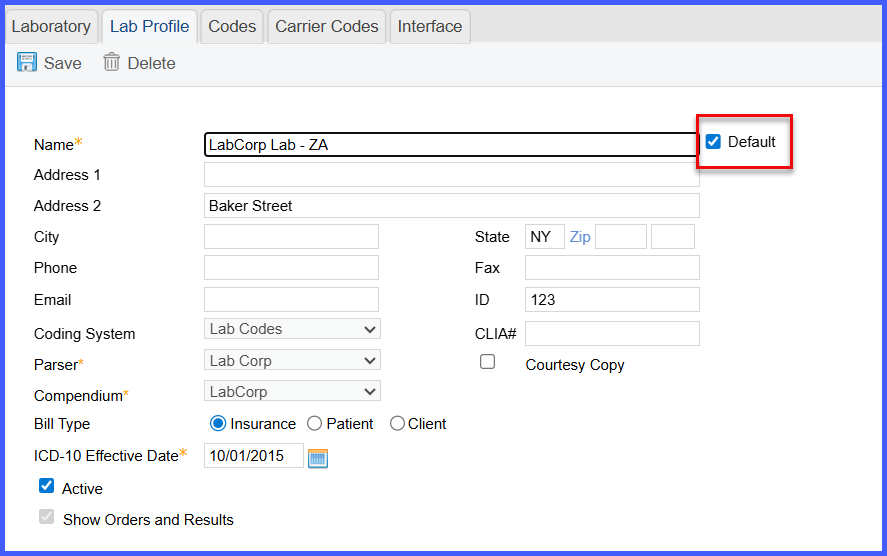
The default lab can be removed by unchecking the Default checkbox and saving, in which case it is unset for the practice, but patient-specific preferences remain unaffected. Once a default is set, it is automatically populated when placing new lab orders for any patient.
