Reconcile Immunizations within History and Forecast
What’s New
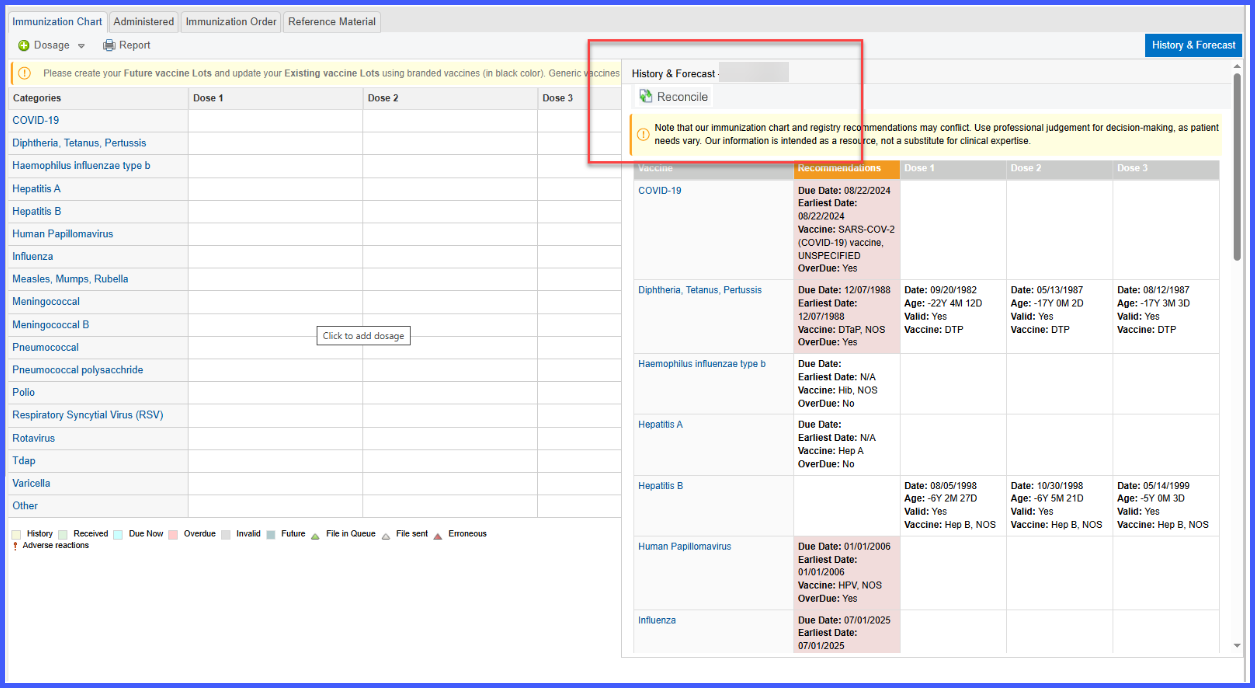
When the user opens the History and Forecast section from the immunization chart, a reconcile button is visible if registry data is available. Clicking this button opens the Immunization Reconciliation screen, which displays two columns side by side labeled Current and Registry.
The Current column shows immunizations recorded in the patient chart, while the Registry column shows immunizations retrieved from the registry. Only vaccine categories that contain data are displayed in either column, and each immunization record shows the vaccine name and administered date. Records are sorted by date, with the most recent immunizations appearing at the top.
If the same immunization exists in both columns with the same CVX code and administration date, it is displayed in brown with an “On Chart” tag, and its checkbox in the Registry column is disabled. When the user selects a vaccine from the Registry column and clicks Accept, the vaccine moves to the Current column, highlighted in green. The placement depends on the administered date: if more recent, it appears at the top of its category; if older, it appears at the bottom. If the corresponding category does not exist in the Current column, the category is created upon acceptance.
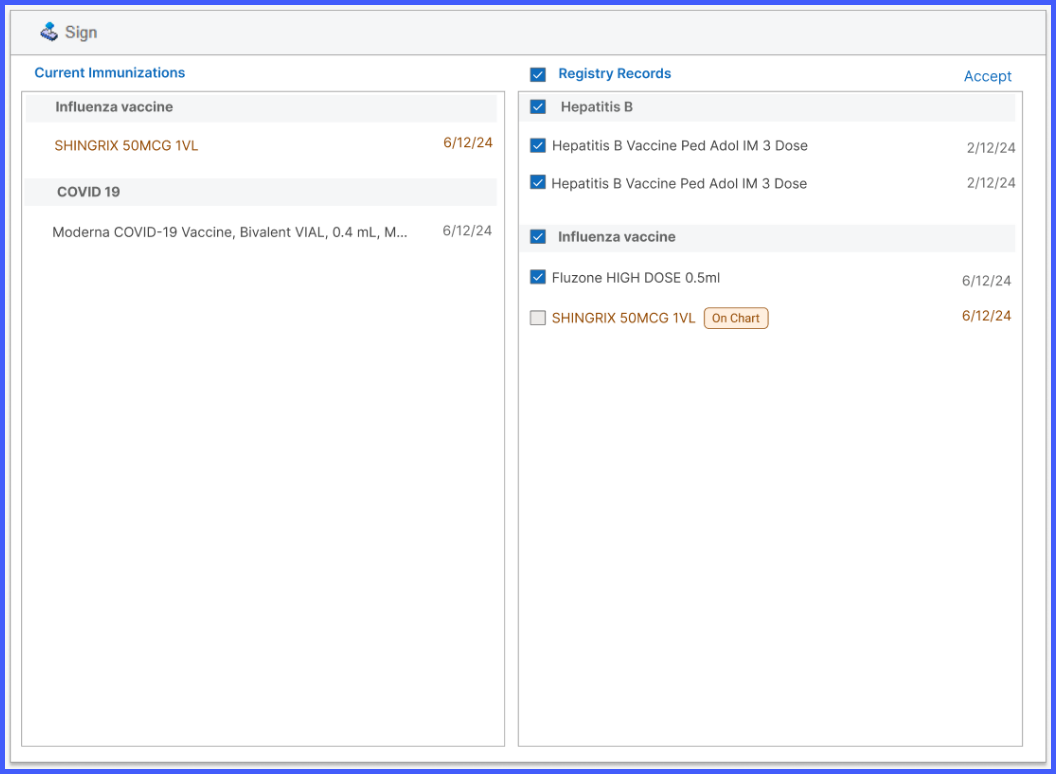
Users can select immunizations at three levels: all registry records, an entire category, or individual doses. The Accept button remains disabled until at least one record is selected. Once accepted, vaccines are removed from the Registry column and displayed in the Current column. If the user clicks the back arrow icon beside an imported vaccine, the entry is removed from the Current column and restored to the Registry column.
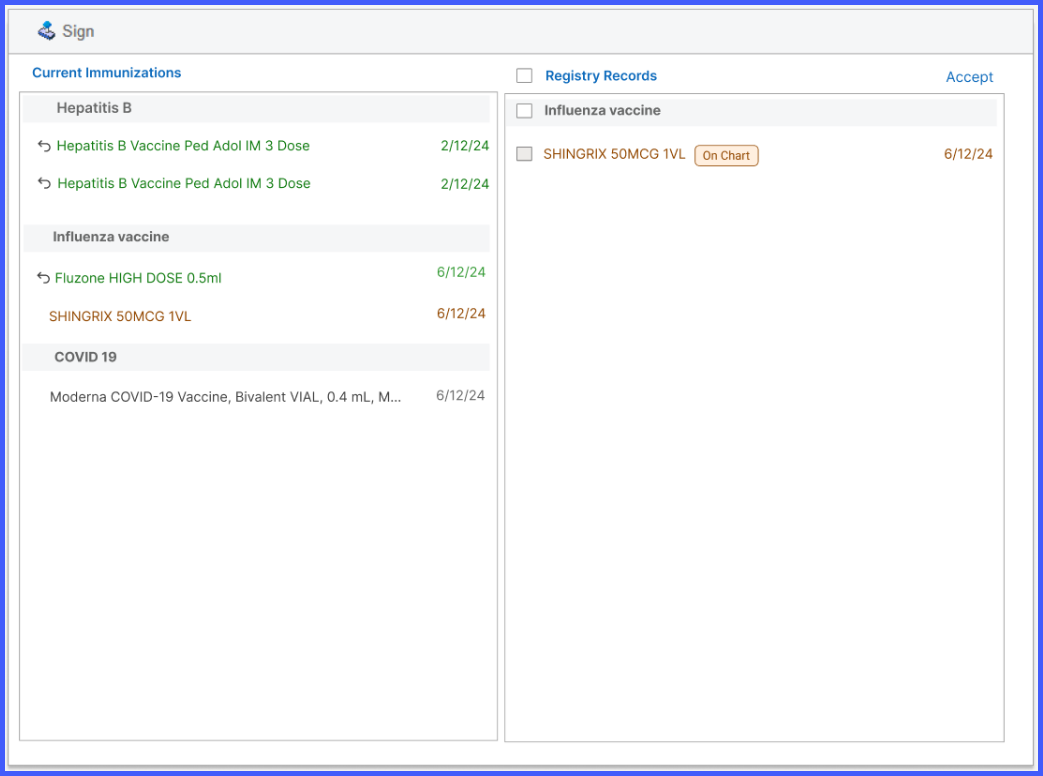
After reviewing and accepting the necessary immunizations, the user clicks Sign to finalize the reconciliation. This action saves the imported vaccines to the patient’s chart as historical doses and logs them within the immunization record. Forecast and refused doses are not displayed in the reconciliation view. If no data is found from the registry, the reconcile button is not displayed. If no immunizations exist in the patient’s chart, the Current column appears empty.
