Discontinuing ePrescribed Medications Linked to Inactive Pharmacies
What’s New
When a user discontinues a medication from the Patient Chart that was previously ePrescribed to a pharmacy marked as inactive in the system, a pop-up appears titled “Cancellation Request will not be sent for the following Medications.” Each affected medication is listed in this pop-up with an expand icon displayed to the left of the medication name. Upon clicking the expand icon, the reason “Pharmacy is inactive” is shown below the medication entry.
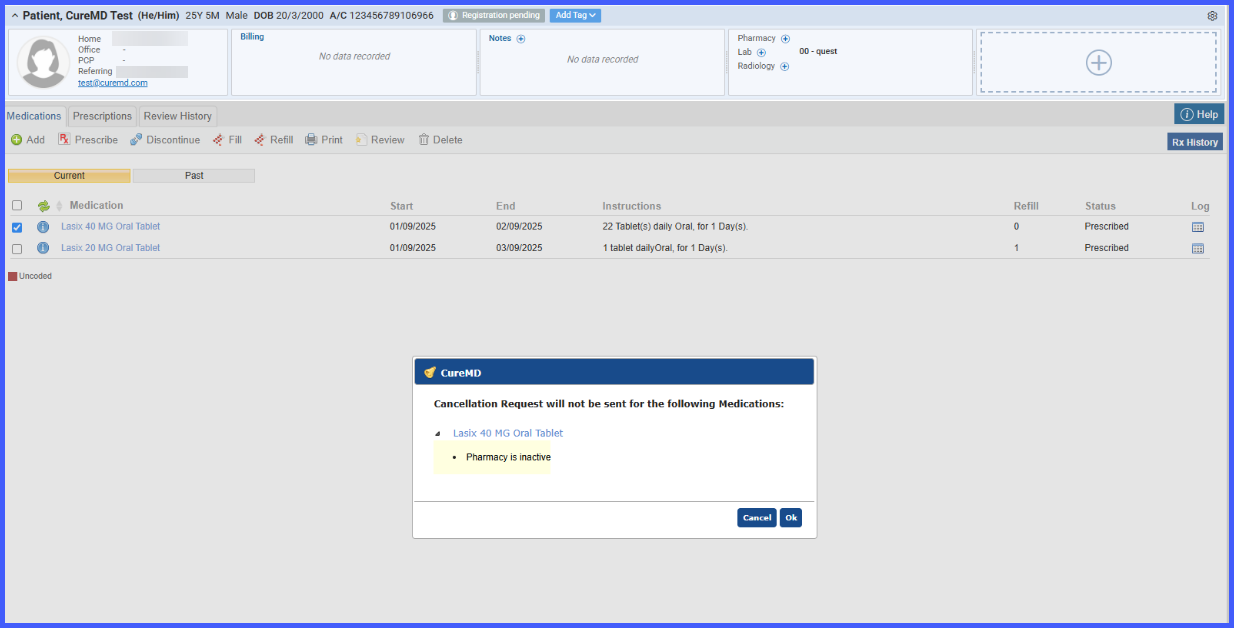 The user then proceeds by clicking ‘Ok’ to access the discontinue medication pop-up, which appears without the ‘Send Cancel Request’ checkbox.
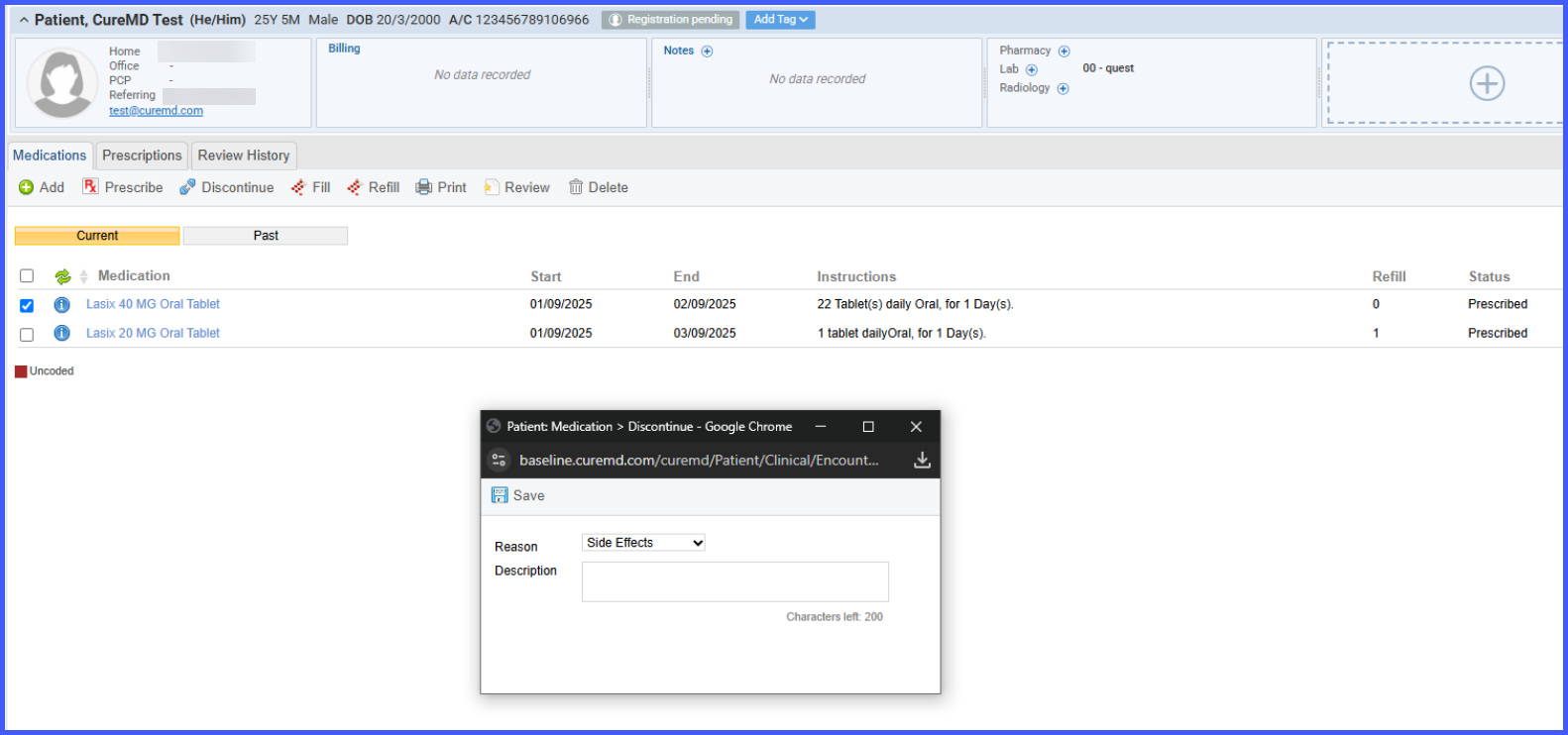
When the user confirms the action, the medication status updates to discontinued without sending a cancellation message to the pharmacy.
