Save Treatment Plan Drafts Without Completing Prescription Sig Details
Create Treatment Plan Draft
Review Saved Draft
Complete Prescription Sig
Sign Prescription
What’s New
- Removed mandatory Sig validation when saving an Assessment and Plan as a Draft.
- Providers can now save Treatment Plan drafts containing prescriptions with incomplete Dose, Frequency, or Days information.
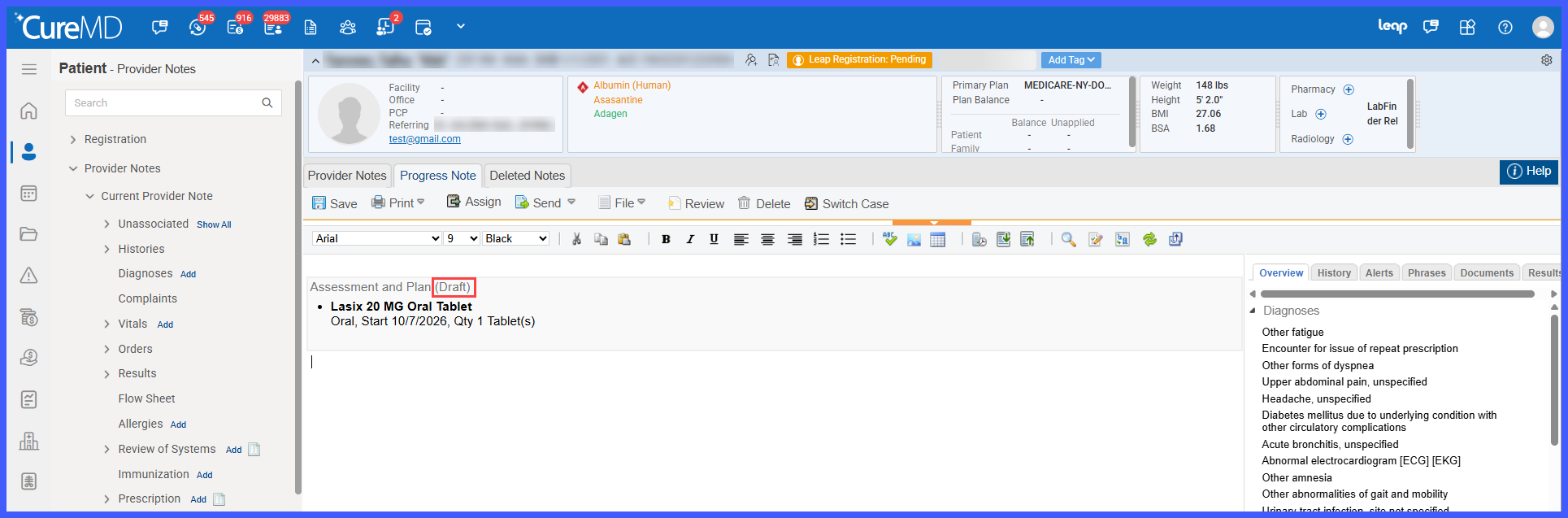
- Saved drafts appear within the Progress Note under the heading “Assessment and Plan (Draft)”.
- Prescriptions with incomplete Sig details are visually identified through red highlighting of the Sig and Days values on the order line.
- The Sign Order(s) action continues to enforce mandatory Sig validation.
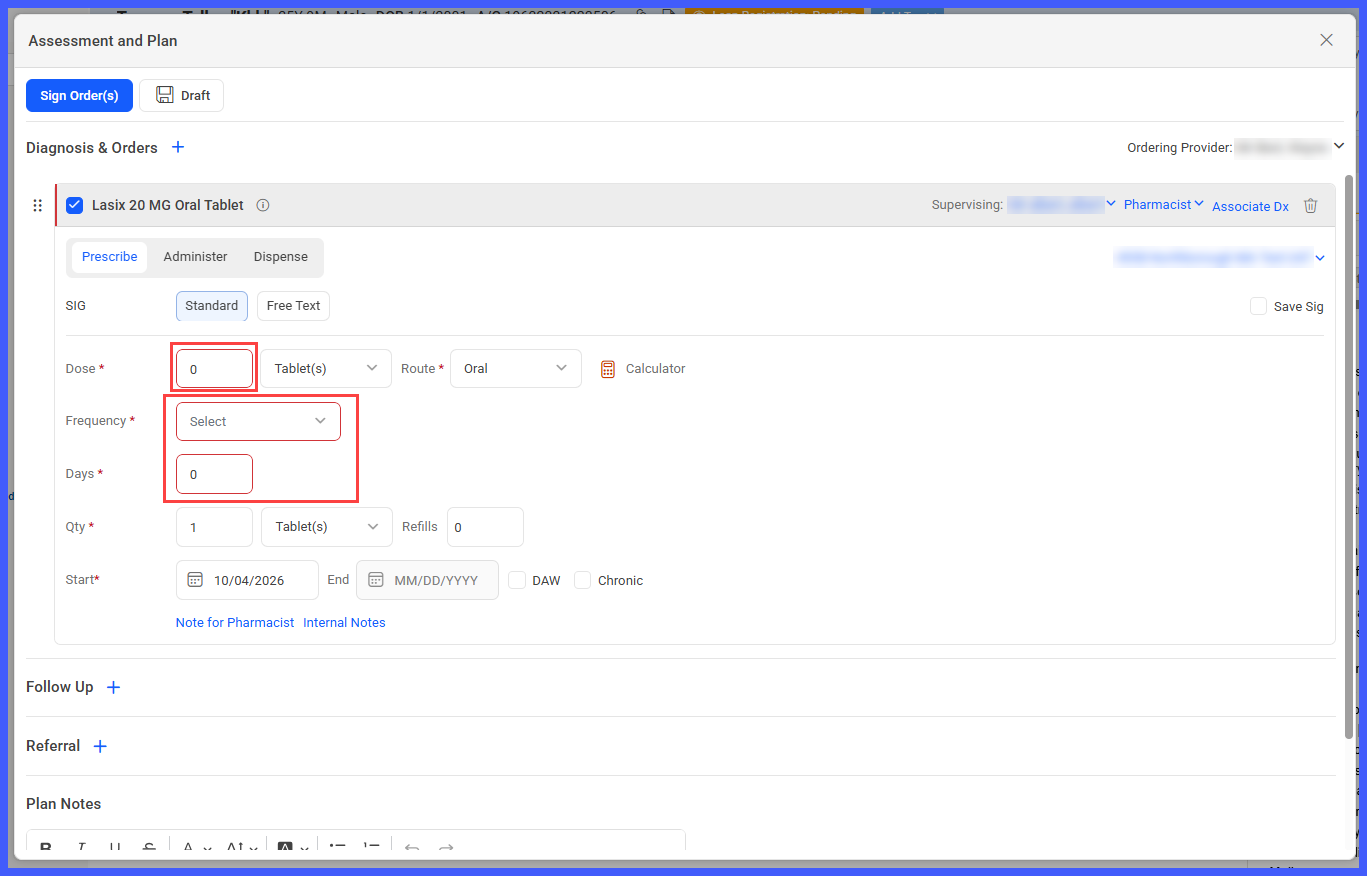
- When signing is attempted with incomplete prescription details, the system automatically expands the prescription card.
- Missing or invalid mandatory fields are outlined in red, allowing providers to identify and correct them.
- Once the required fields are completed, prescriptions can be signed using the existing workflow.
- No additional practice-level configuration is required.
How It Works
- Open the patient’s Provider Note.
- Navigate to Assessment and Plan.
- Under Diagnosis & Orders, add the applicable prescription.
- Enter the available prescription information, even if the Sig details are incomplete.
- If mandatory Sig information is missing, the Sig and Days values are highlighted in red on the order line.
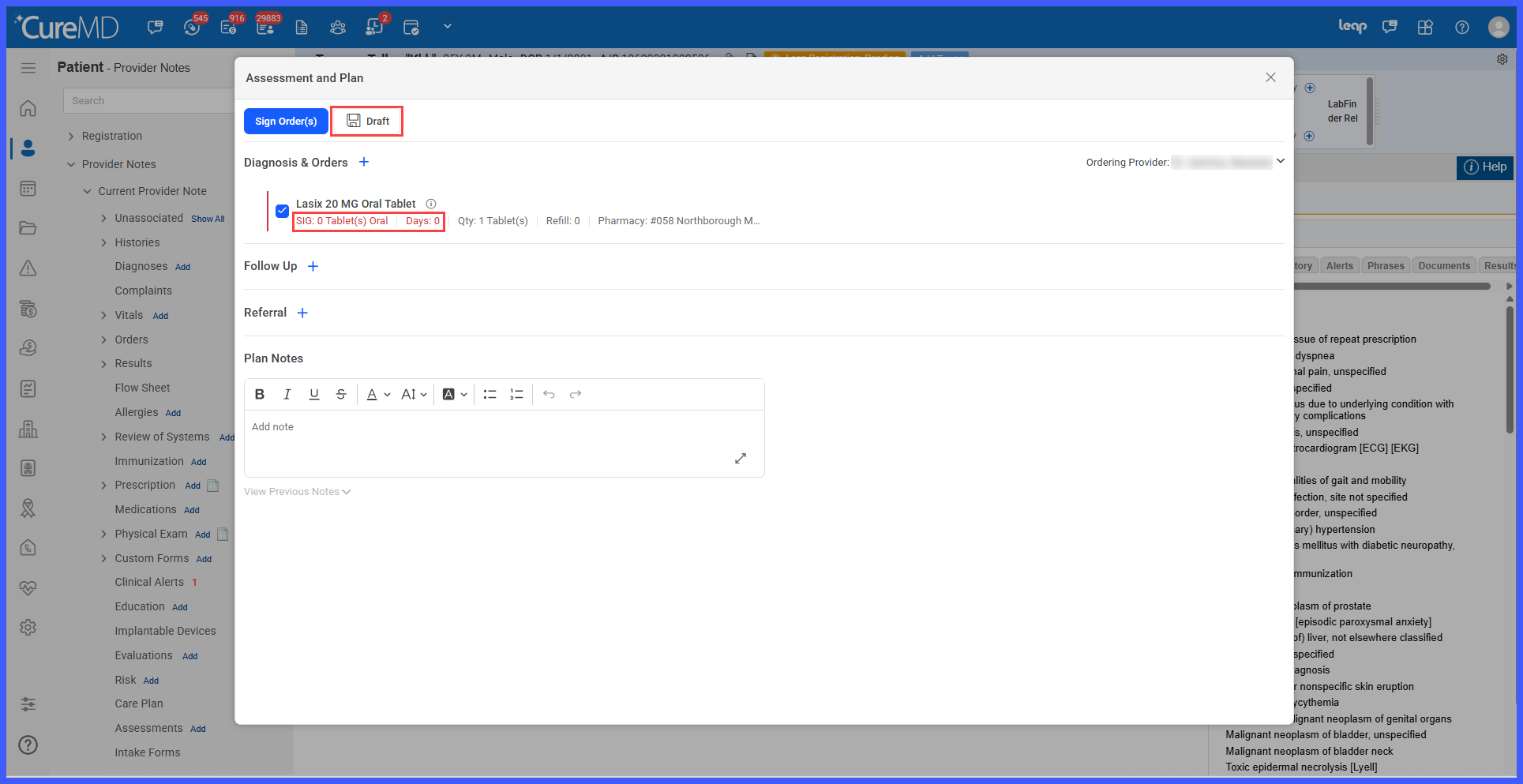
- Select Draft to save the Treatment Plan without completing the missing Sig fields.
- The saved content appears in the Progress Note under “Assessment and Plan (Draft)”.
- When ready to finalize the prescription, reopen the Treatment Plan and complete the missing Sig details.
 Select Sign
- Click Sign Order(s) to sign the prescription.
Benefits
- Allows providers to save Treatment Plans without interrupting documentation to complete every prescription detail.
- Reduces the risk of losing incomplete treatment documentation during patient encounters.
- Supports a more flexible draft-to-final workflow.
- Clearly identifies incomplete prescriptions through red highlighting.
- Helps providers locate missing prescription information quickly when attempting to sign.
- Preserves mandatory prescription validation before orders are signed or transmitted.
- Reduces repetitive documentation and unnecessary workflow interruptions.
