Sorted:

abcd-3

Default Country for Unregistered Family Members

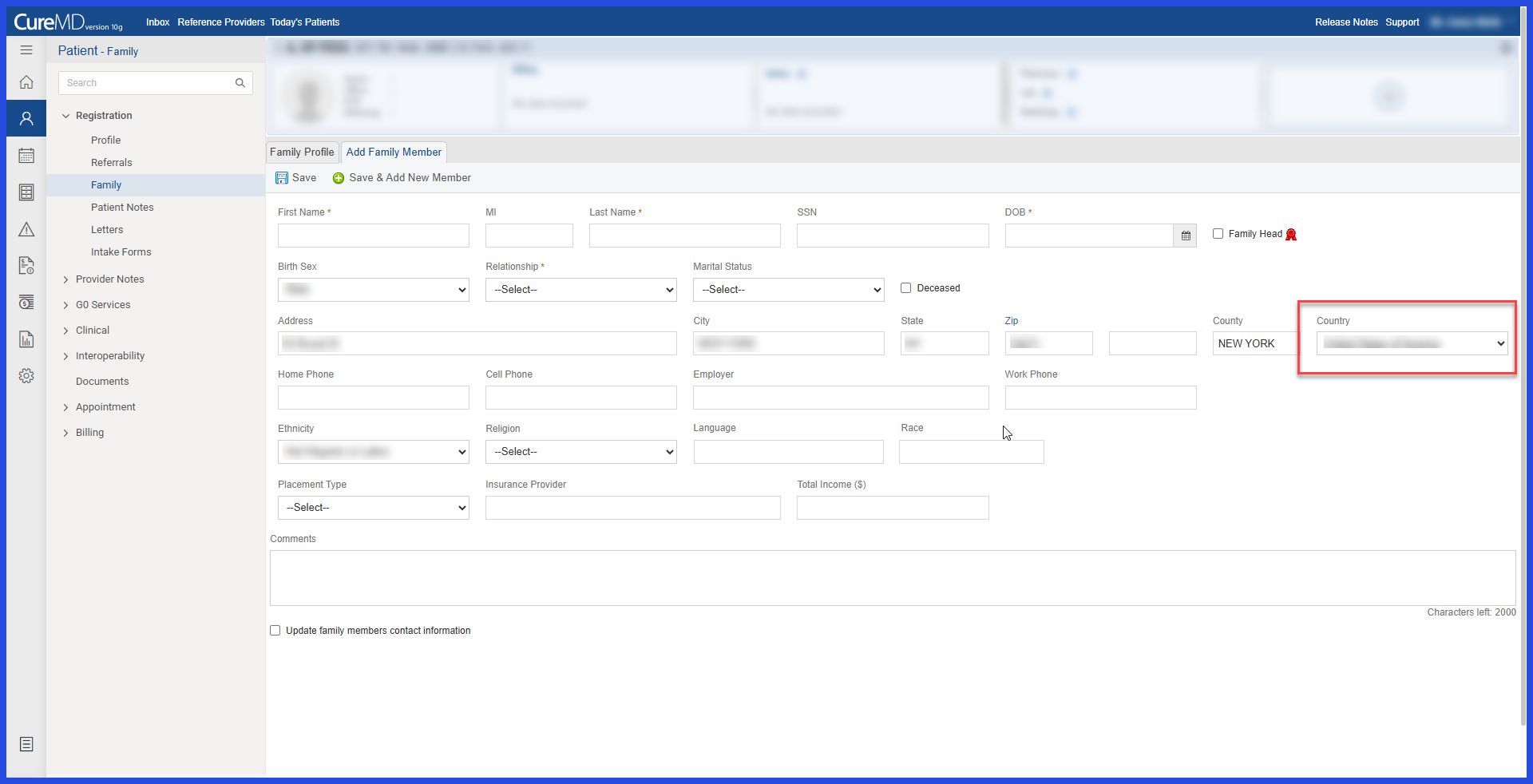
This enhancement improves the Family workflow by automatically populating the Country field when adding an unregistered family member. The country is populated based on the Default Country configured for the practice in EHR Settings, reducing repetitive demographic data entry while still allowing users to select a different country when needed.
5a

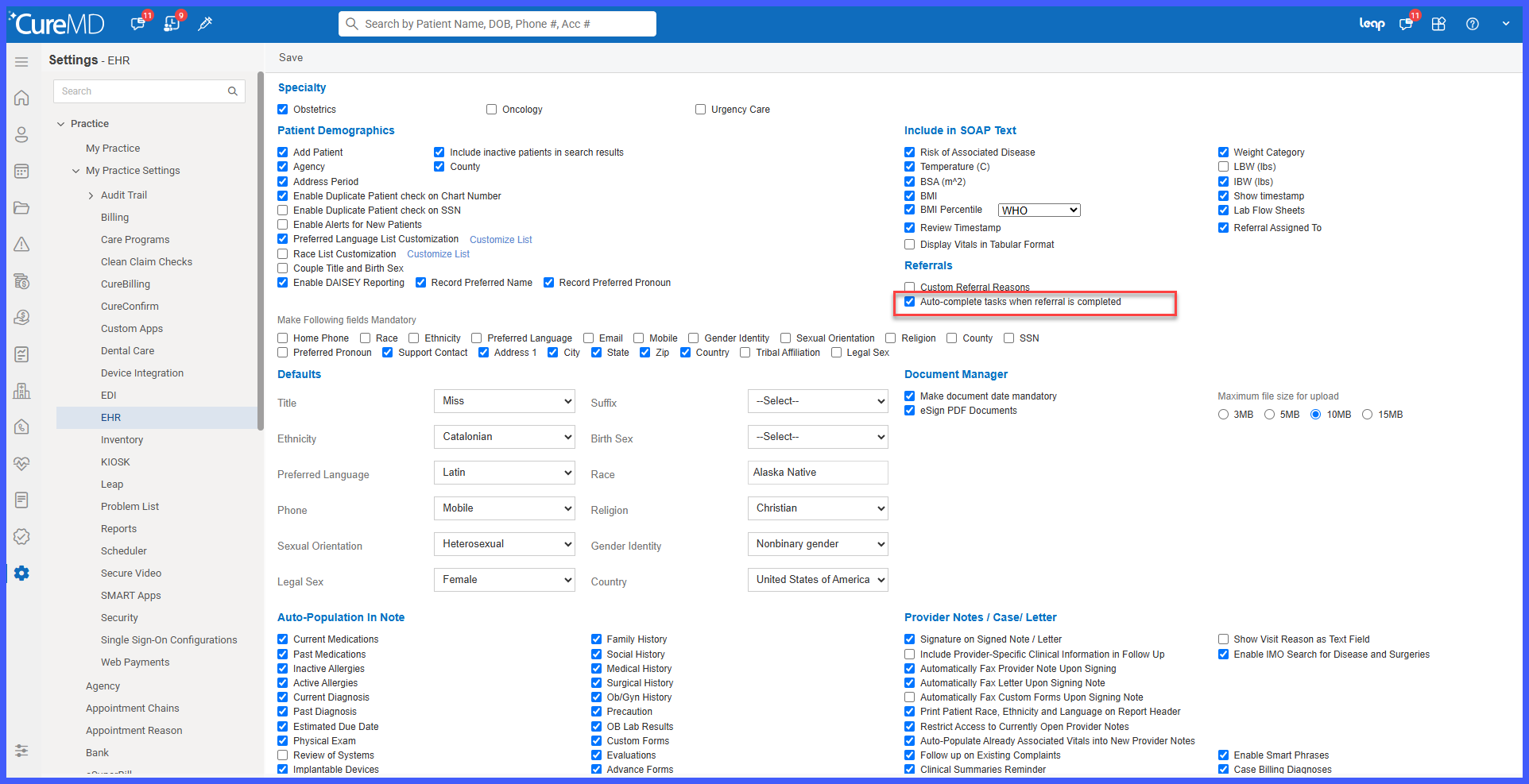
Auto-Complete Associated Tasks on Referral Completion

A new practice-level setting has been introduced to help keep referral and task workflows synchronized. When enabled, completing a referral automatically marks its associated open task as Completed, eliminating the need for users to separately close the task after completing the referral.

4a

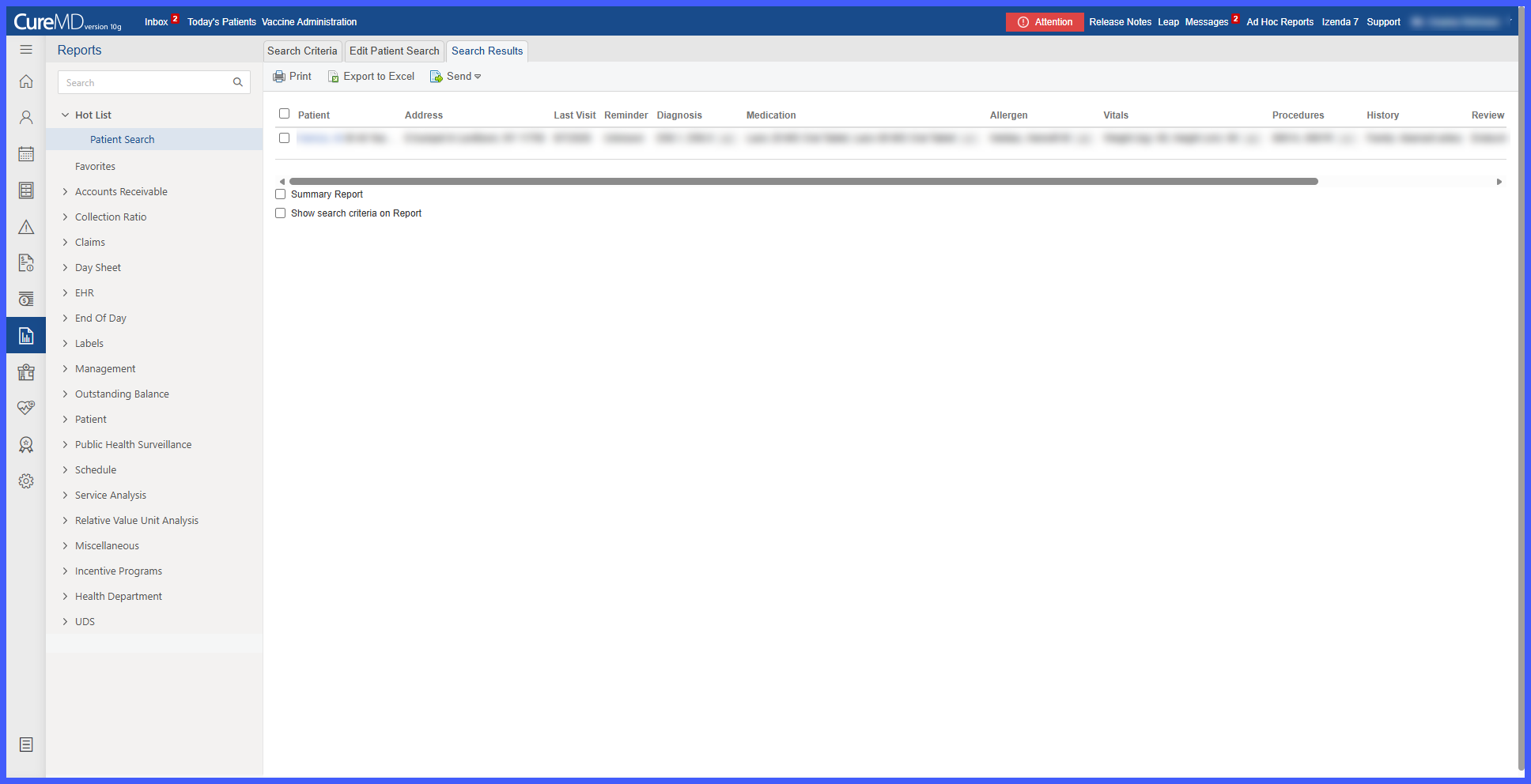
Enhanced Patient Search Results with Column-Based Criteria and Complete Excel Exports

Patient Search results have been enhanced to provide a clearer and more structured view of patient information. Each selected search criterion is now displayed as a separate column, making it easier to review and compare demographic and clinical information across patients.

location-1

Location-Specific Exam Room Display Order

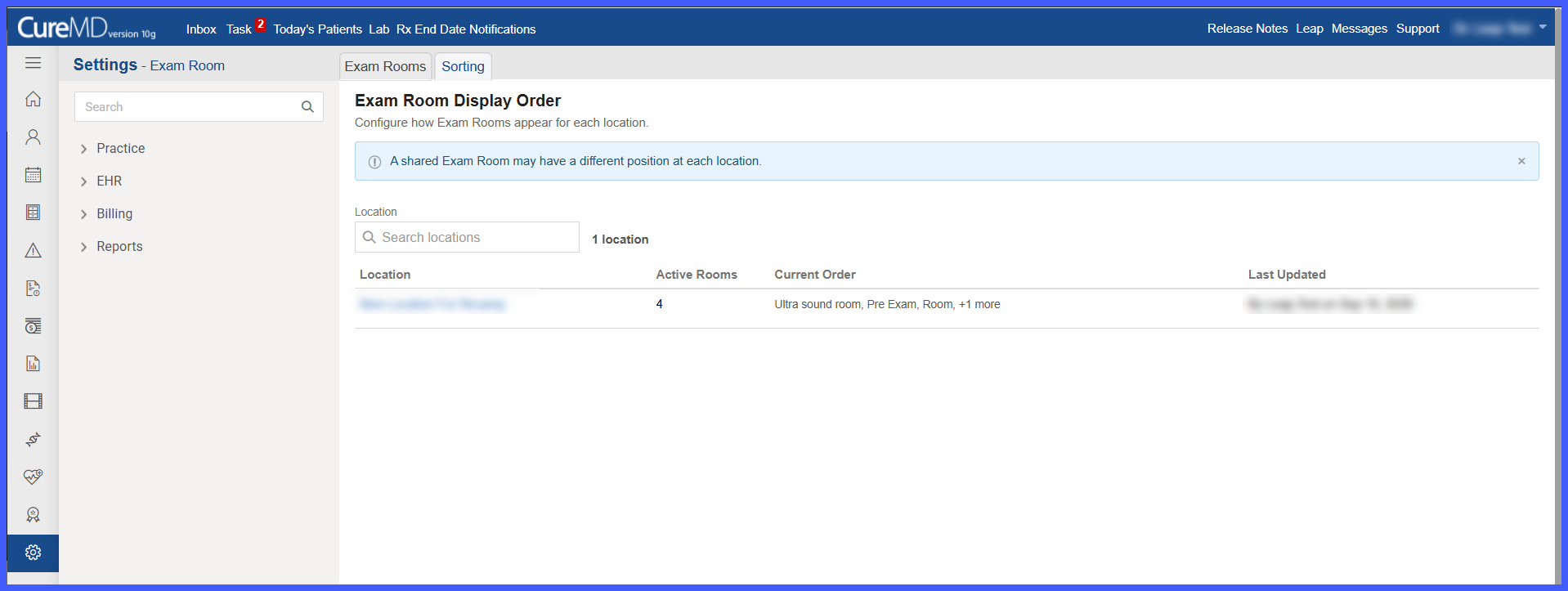
Exam Room configuration has been enhanced to allow practice administrators to define a separate display order for Exam Rooms at each location.

A new Sorting tab provides a centralized view for configuring room sequences. Administrators can arrange rooms according to each location's operational workflow, including assigning different positions to Exam Rooms shared across multiple locations. Once saved, the configured order is reflected in supported Exam Room dropdowns and lists throughout the application.

Picture7

Vanderbilt Follow-up Teacher Assessment

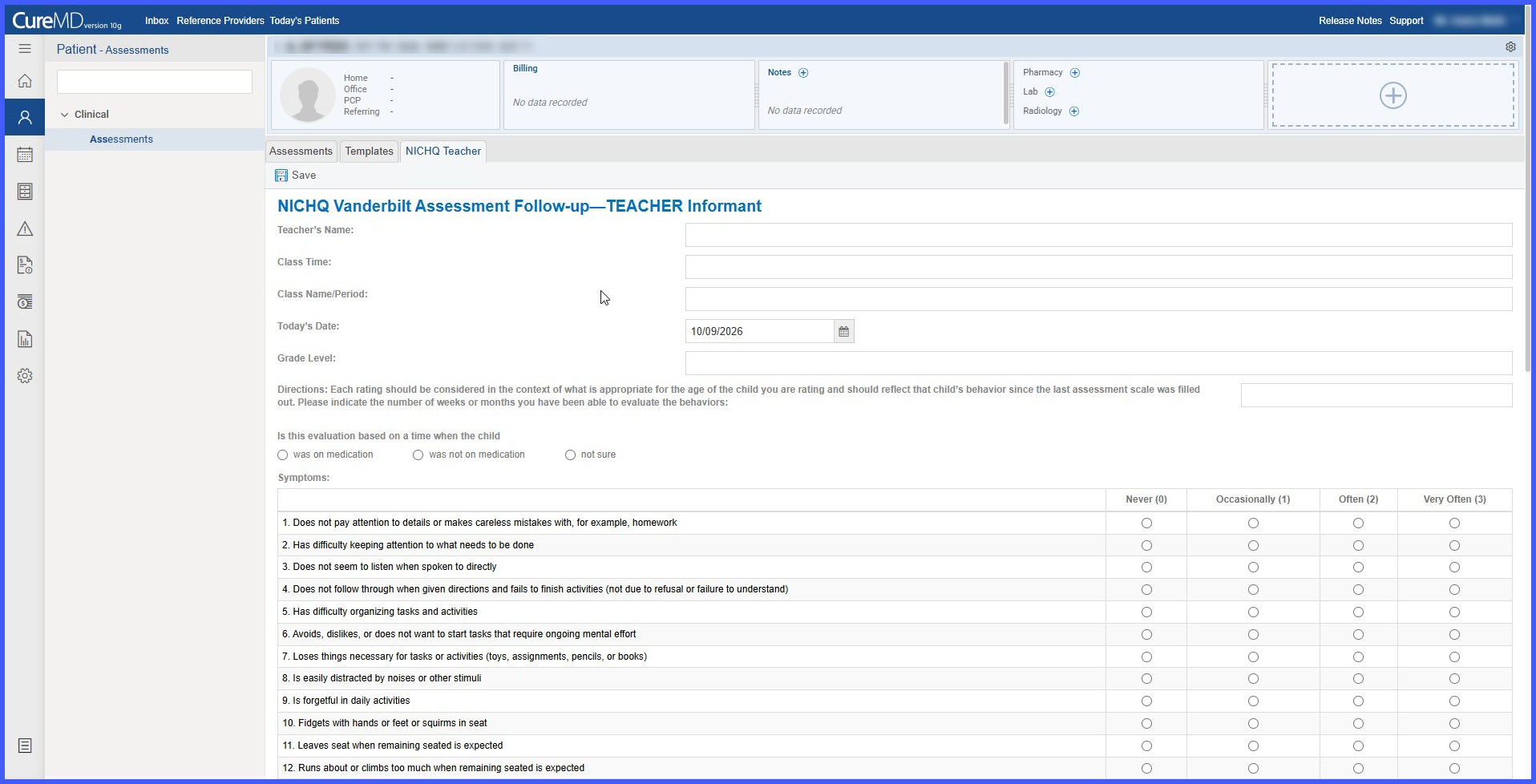
The Vanderbilt Follow-up Teacher Assessment has been added to CureMD under the Behavioral Health Assessments category, expanding the structured assessment options available within existing clinical documentation workflows.

Providers can complete or attach the assessment through Assessment Templates, Provider Notes, and Patient Clinical, allowing assessment responses and results to remain accessible within the patient's clinical record.

scheduler-1

Configurable Capacity Display for Scheduler Time Slots

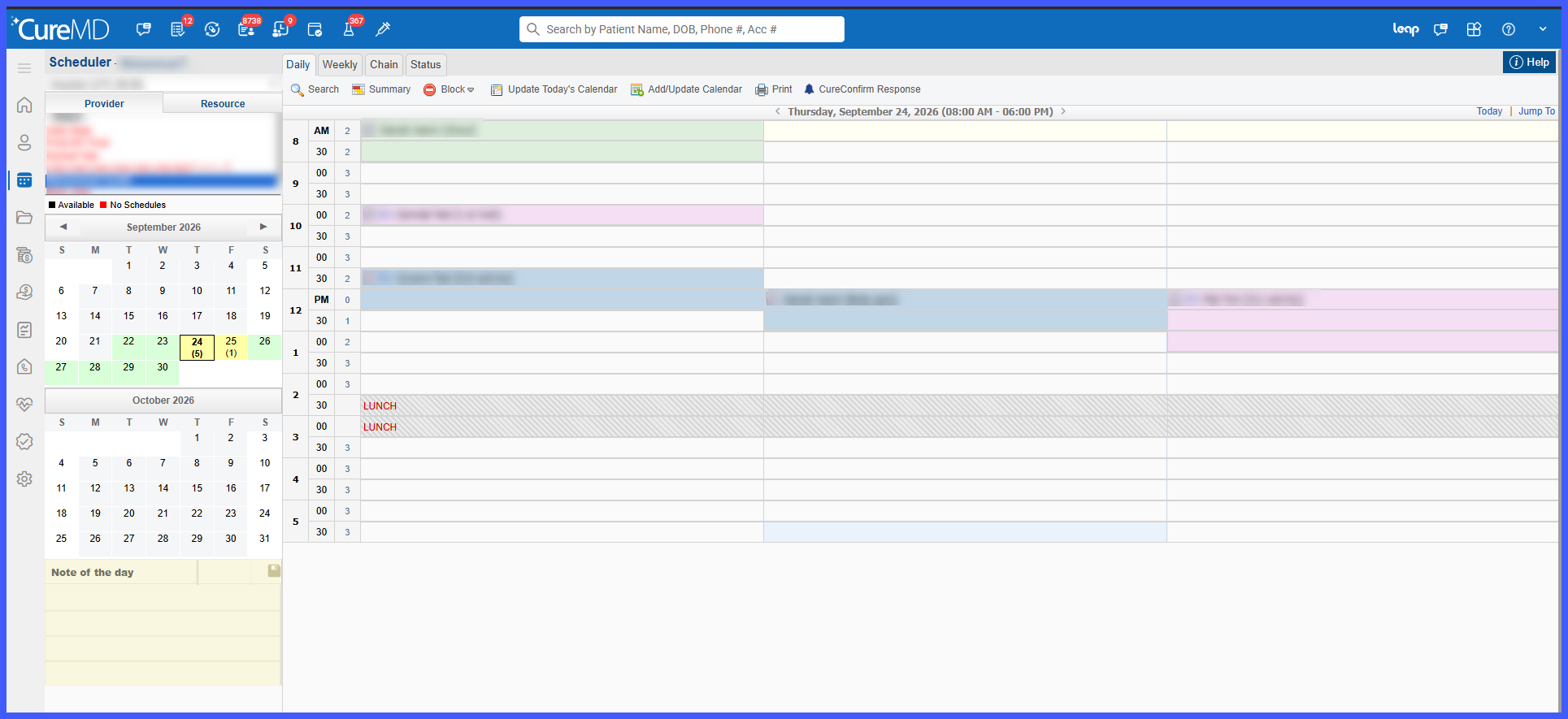
The Scheduler has been enhanced with a new Capacity Box View, giving users greater flexibility in how appointment capacity is displayed.

Once enabled at the practice level, individual users can choose between the existing Capacity Counter and the new Capacity Boxes display. Capacity Boxes visually divide each time slot according to its allowed booking capacity, making it easier to identify occupied and available slots at a glance without changing existing scheduling workflows.