Enhanced Patient Search Results with Column-Based Criteria and Complete Excel Exports
Run Patient Search
Review Multiple Values
Review Additional Columns
Export Complete Results
What’s New
- Each selected search criterion is displayed as an individual column in the Patient Search results.
- Up to 11 supported search criteria can be displayed as separate columns.
- Clinical criteria such as Immunizations, Results, and Vitals display the applicable item and associated result/value.
- Multiple values for the same criterion are displayed as comma-separated entries when space permits.
- When multiple values exceed the available display limit, the first value is displayed followed by “+N” to indicate additional values.
- Hovering over a condensed “+N” entry displays the complete list of values in a tooltip.
- Horizontal scrolling is available when the selected result columns exceed the visible screen width.
- Excel exports include each selected search criterion as an individual column.
- Excel exports contain the complete corresponding values, even when the on-screen results use the condensed “+N” presentation.
- The “+N” format affects on-screen presentation only and does not truncate the underlying exported information.
How It Works
- Navigate to Patient Search and select the applicable search criteria.
- Run the Patient Search.
- Each selected criterion is displayed as a separate column within the results grid.
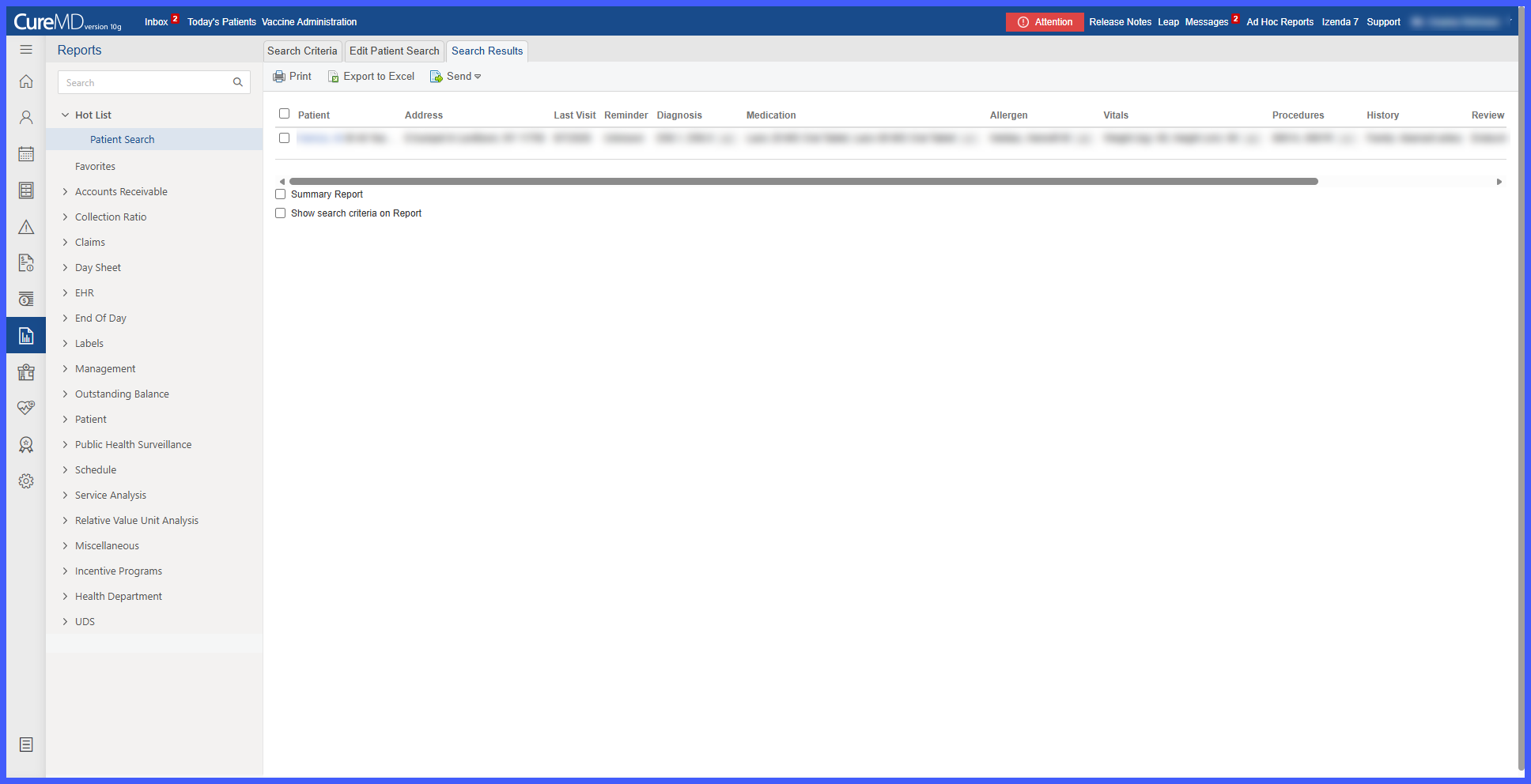
- When a criterion contains multiple values, the system displays the available information within its corresponding column.
- If the values exceed the available display limit, the first value is shown followed by “+N.”
- Hover over the condensed entry to view the complete list of values.
- Use horizontal scrolling to review additional criteria when the results extend beyond the visible screen width.
- Export the results to Excel when the complete search information is required for further review or analysis.

Benefits
- Makes it easier to identify which patient information corresponds to each selected search criterion.
- Improves readability when reviewing searches containing multiple demographic or clinical criteria.
- Provides clearer visibility into Immunization, Result, and Vital information.
- Keeps the on-screen results manageable when multiple values exist for a patient.
- Provides access to complete values through tooltips without overcrowding the results grid.
- Supports larger searches through horizontal scrolling.
- Ensures Excel exports retain complete information even when the on-screen presentation is condensed.
- Provides greater consistency between Patient Search results and exported data.
