Sorted:

pre-preg1

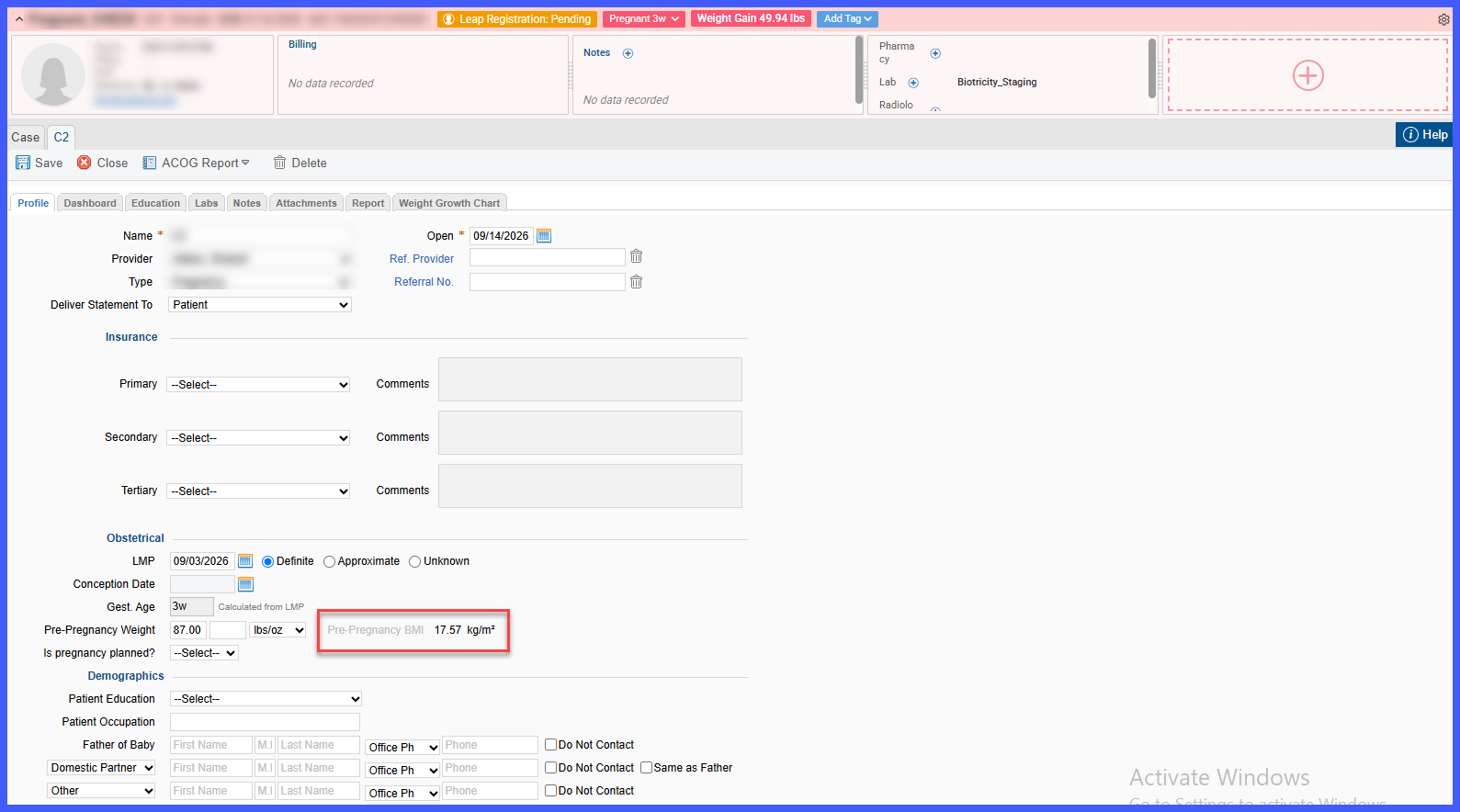
Automatic Pre-Pregnancy BMI Calculation in Case Review

The Pregnancy Case Review workflow has been enhanced to automatically calculate and display the patient's Pre-Pregnancy BMI within the Obstetrical section. When a provider enters the patient's pre-pregnancy weight, CureMD uses the patient's most recently recorded height from Vitals to calculate BMI and displays the result directly alongside the weight.
epds-1-1

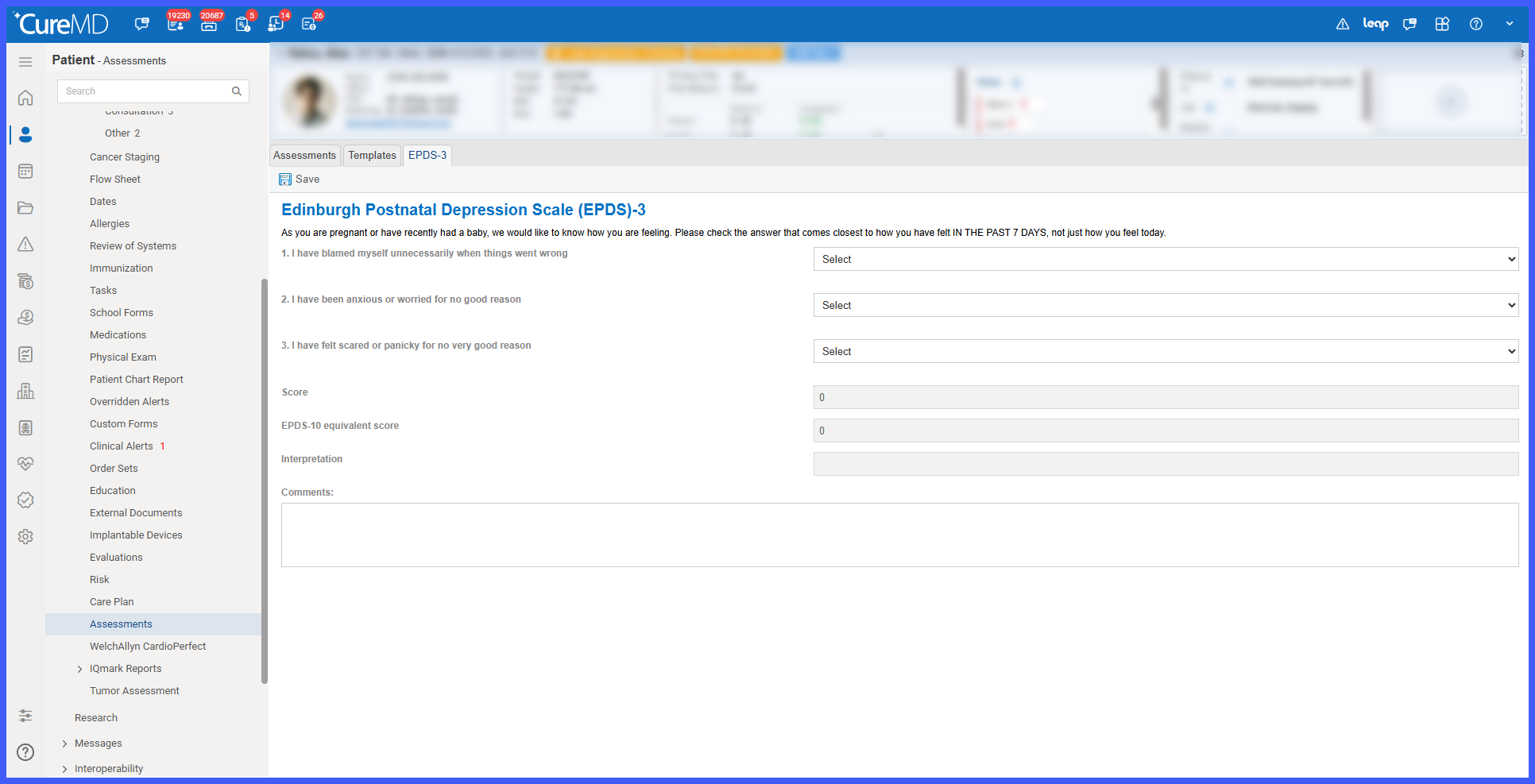
EPDS and EPDS-3 Behavioral Assessments with Standardized LOINC Coding

The 10G Assessments module has been enhanced to support standardized Edinburgh Postnatal Depression Scale (EPDS) and EPDS-3 behavioral assessments.

dropdown-1

Retain Dropdown Filter Selections Across Provider Note Tabs

Dropdown filter selections are now retained when physicians navigate between tabs within the Provider Note/EHR screen.

Previously, switching to another tab and returning could reset the selected dropdown option, requiring the physician to apply the same filter again. With this enhancement, dropdown selections remain active within the current session, reducing repetitive steps and providing a more consistent Provider Note workflow.

21-RN-6-BB

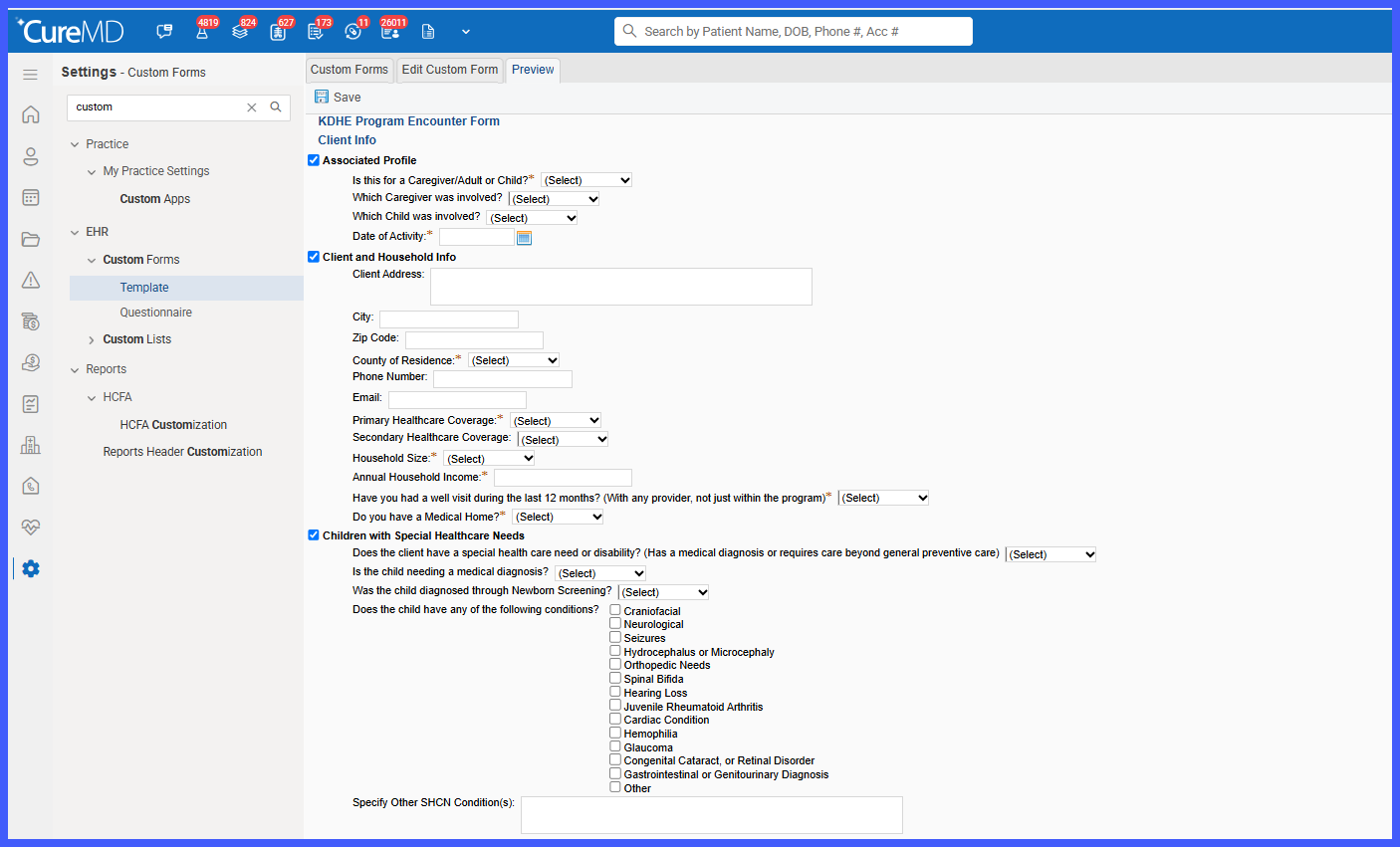
Consolidated KDHE Program Encounter Form in DAISEY Forms

A new consolidated KDHE Program Encounter Form has been introduced within DAISEY Forms, providing a single patient-specific workflow for documenting encounters across multiple KDHE programs.

The form dynamically adjusts based on the selected Subject, Program, and Pregnancy Status, displaying only the questions and sections relevant to the encounter. Supported patient information is automatically populated from the chart, while conditional logic and required-field validation help ensure complete and accurate documentation before the encounter is saved and prepared for DAISEY export.

Picture3

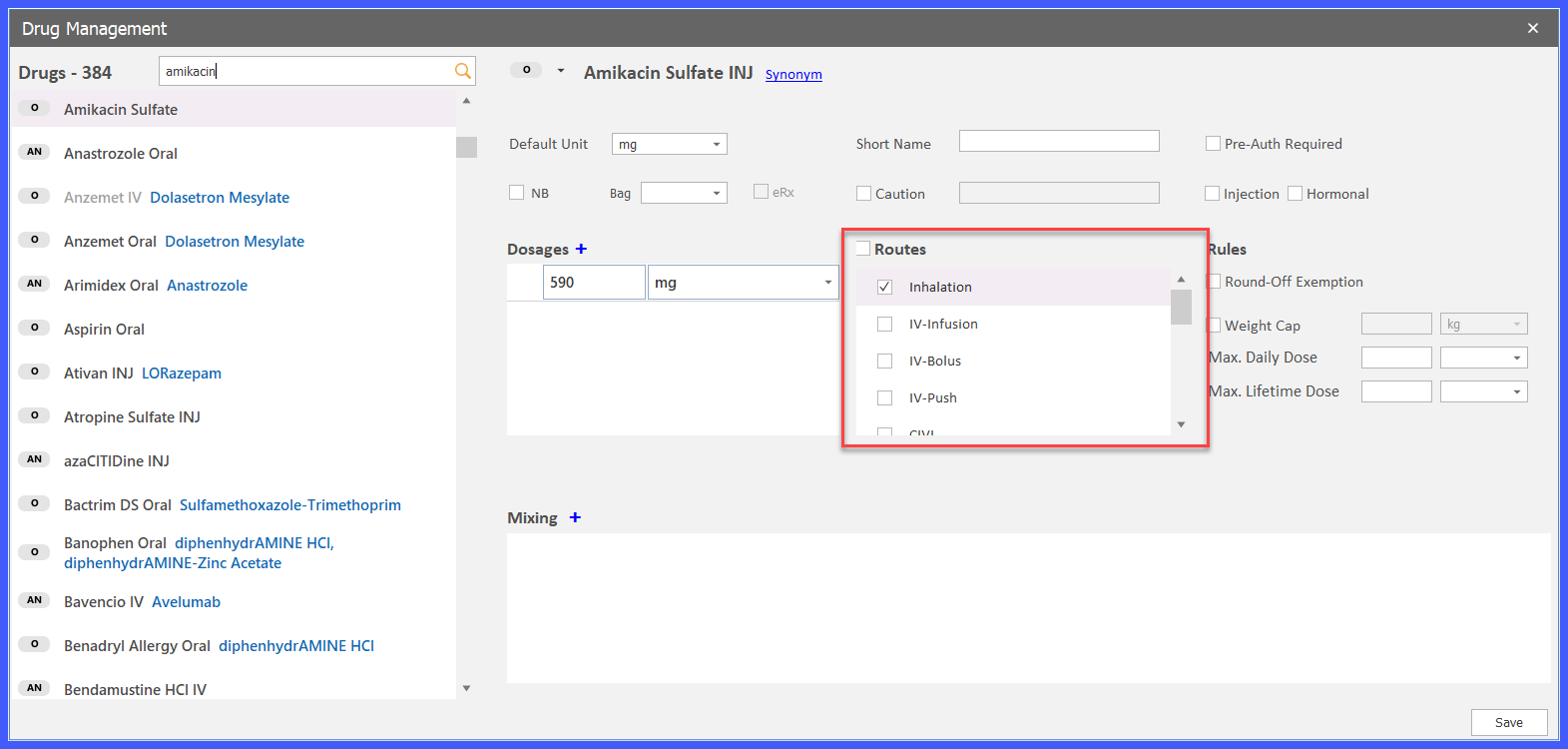
Support for Inhalation Route in Chemotherapy Manager

Chemotherapy Manager now supports Inhalation as a route of administration across the end-to-end treatment workflow. The Inhalation route can be configured for applicable drugs and carried through regimen development, treatment planning, administration, billing, documentation, and reporting.

Picture3

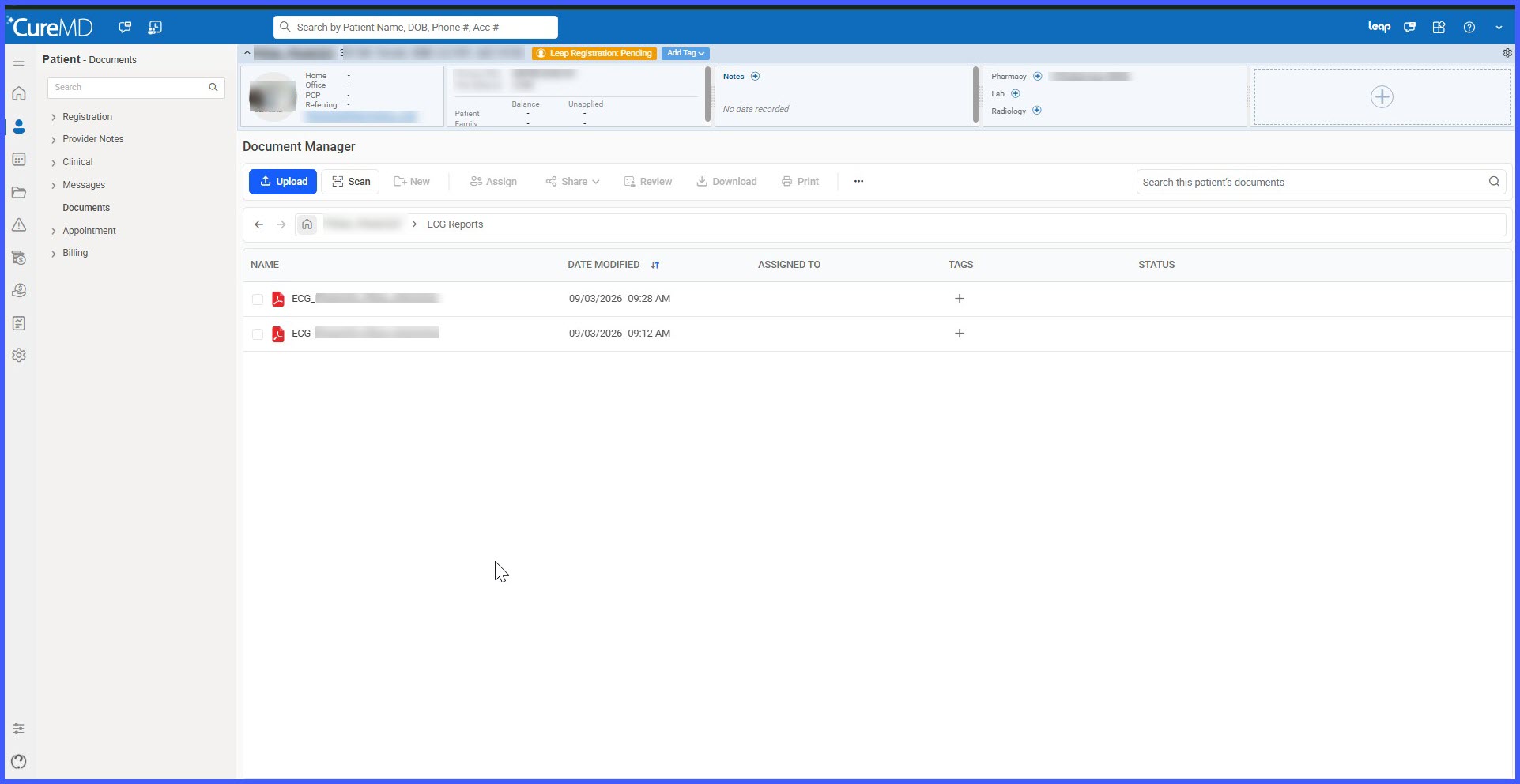
Automatic ECG Filing to Document Manager with Protected Document Handling

ECG reports created through the ECG (IQmark) utility are now automatically filed into the patient's Document Manager as PDFs. Reports are stored within a dedicated ECG Reports folder and linked to the appropriate patient and encounter, eliminating the need for manual filing.

24-RN-2-BB-1

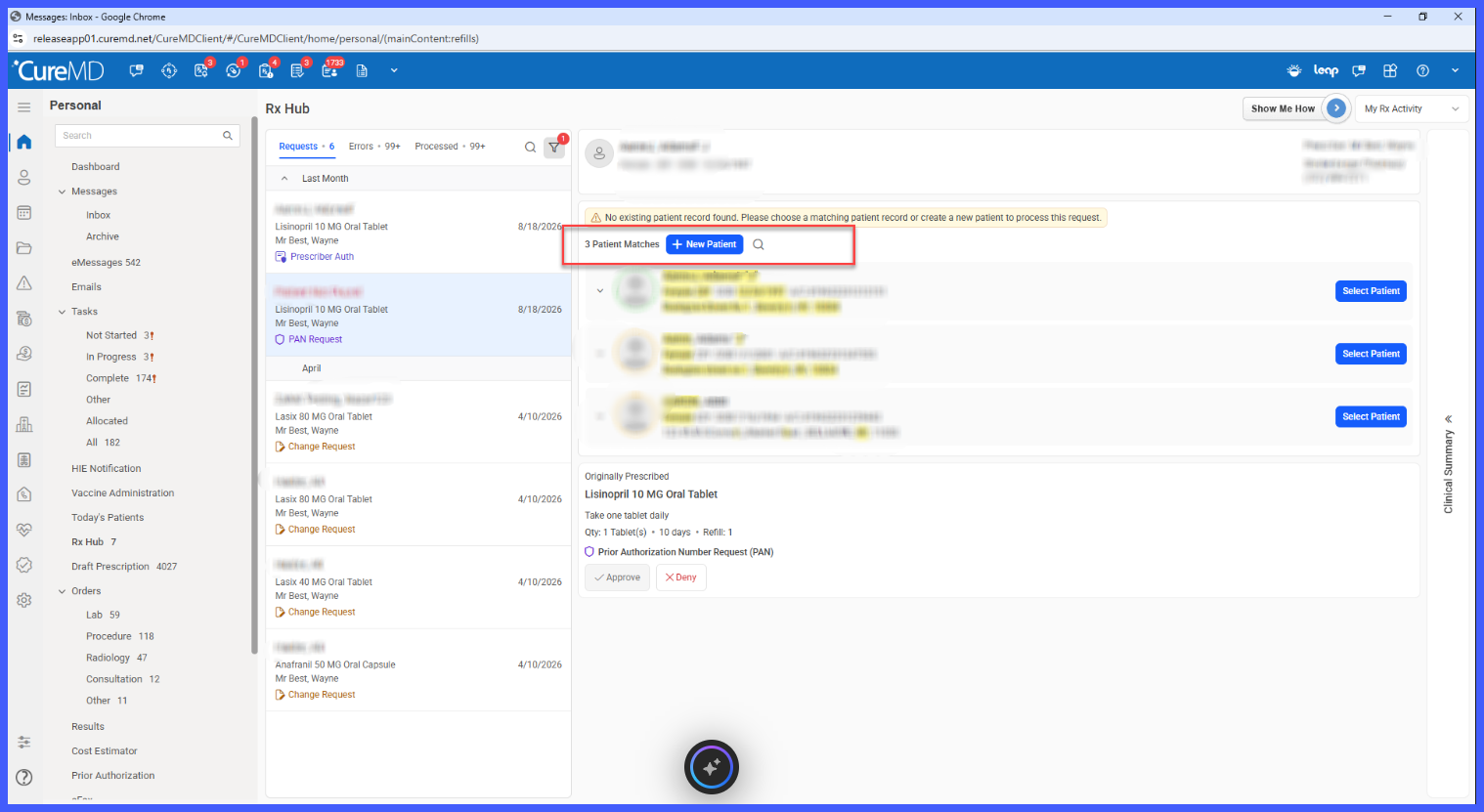
Link Unmatched Rx Hub Requests to the Correct Patient Using GPS Search

Rx Hub has been enhanced to help providers resolve prescription requests that could not be automatically matched to an existing patient. A GPS patient search option is now available directly within the unmatched request workflow, allowing providers to search the practice's patient records and link the request to the correct chart without leaving Rx Hub.

The enhancement works alongside the existing potential-match and + New Patient workflows, providing an additional way to locate an existing patient and helping reduce unnecessary duplicate patient records.

24-RN-1-BB

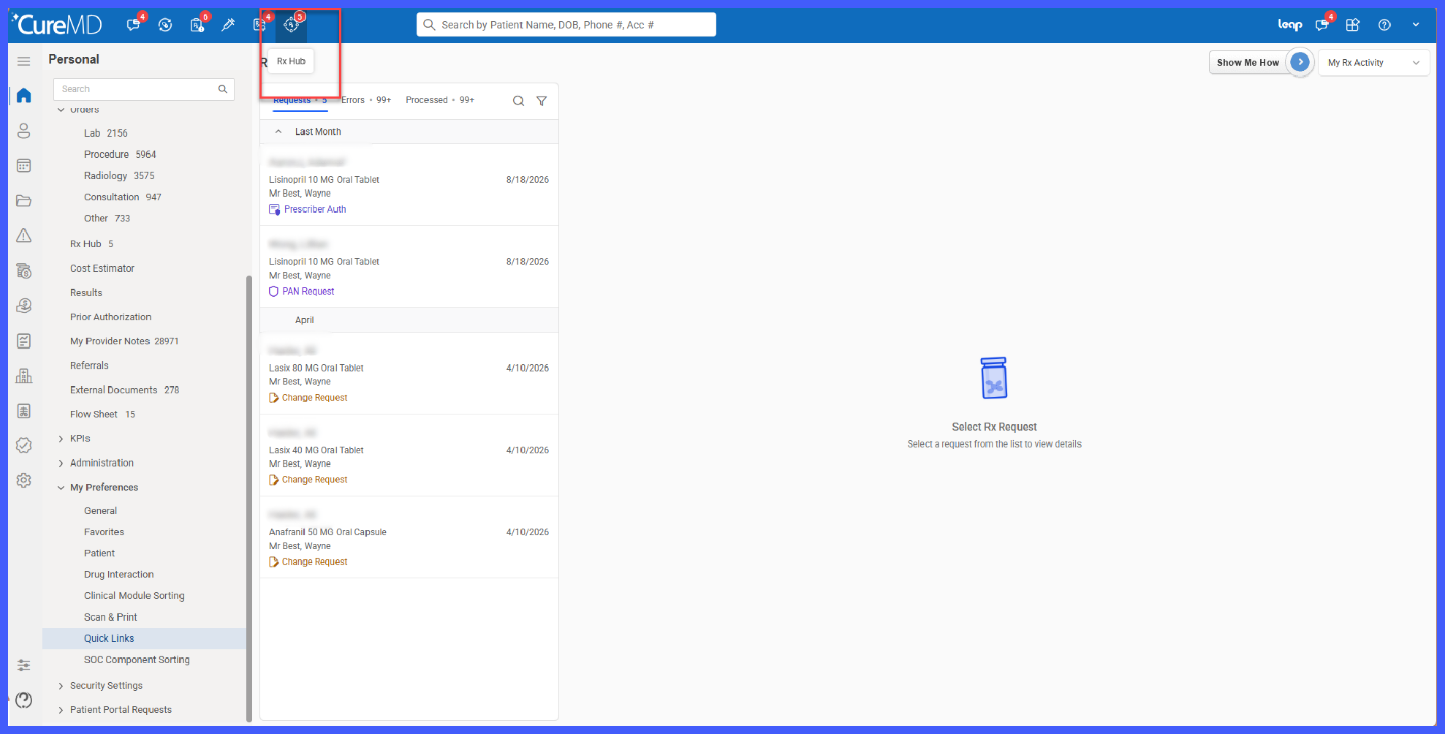
Rx Hub Quick Link with Pending Request Count

A new Rx Hub quick link has been added to the 11x EHR top toolbar, giving providers direct access to pending prescription requests without navigating through the left tree menu.

The quick link displays a consolidated count of applicable pending refill, change, and PAN requests. Selecting the icon opens Rx Hub directly on the Requests tab with no request-type filter applied, allowing providers to review their complete pending workload from a single entry point.

footer

Standardized Footer for Result Templates

Result reports generated using Result Templates now include a standardized footer, providing consistent report-generation and printing information across applicable result documents.

The footer identifies CureMD as the system that generated the report, records the date and time the report was printed and the user who initiated the print action, and displays page numbering for improved traceability.

location

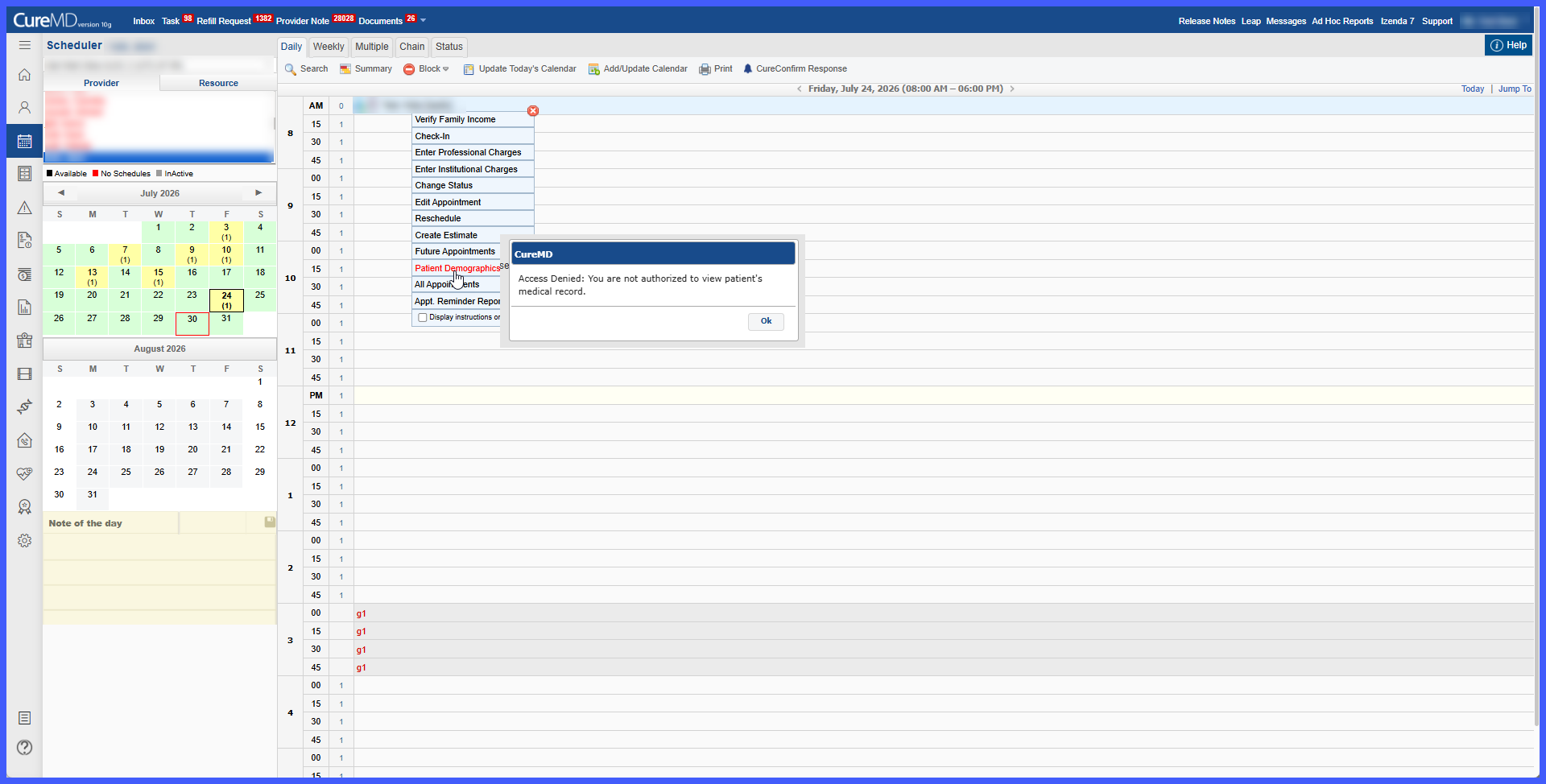
Location-Based Access Restriction for Patient Demographics from Scheduler

The Scheduler workflow has been enhanced to enforce existing location-based patient access restrictions when users attempt to open Patient Demographics.

When location-based restrictions are enabled, users may continue to see the patient within the Scheduler as permitted by their existing workflow. However, if the patient belongs to a location outside the user's authorized location access, the system prevents the user from opening the patient's Demographics and displays an access denied prompt.