Automatic Pre-Pregnancy BMI Calculation in Case Review
Document Pre-Pregnancy BMI
Height Source
Review Saved BMI
What’s New
- A new read-only BMI field is displayed alongside Pre-Pregnancy Weight when the Case Review type is set to Pregnancy.
- BMI is automatically calculated when a valid Pre-Pregnancy Weight is entered and the user moves focus away from the field.
- The calculation uses the patient’s most recently recorded height from Vitals.
- If multiple height entries exist, only the entry with the most recent recorded date is used.
- Updating the Pre-Pregnancy Weight automatically recalculates BMI when focus leaves the field.
- Imperial and metric measurements are handled automatically:
- Weight in lbs/oz is converted to kilograms.
- Height in centimeters is converted to meters.
- Height in inches is converted to meters.
- BMI is always displayed in kg/m² and rounded to two decimal places.
- The BMI field cannot be manually edited or overridden.
- If the Pre-Pregnancy Weight is blank or no height exists in Vitals, BMI remains blank without displaying an error or warning.
- Clearing a previously entered Pre-Pregnancy Weight also clears the BMI.
- The calculated BMI is saved with the Case Review record.
- When the Case Review is reopened, the saved BMI is displayed without recalculation as long as the Pre-Pregnancy Weight remains unchanged.
- BMI calculation is captured in the audit log alongside the Pre-Pregnancy Weight entry.
How it Works
- Open the patient’s Case Review and select Pregnancy as the Case Review type.
- Navigate to the Obstetrical section.
- Enter the patient’s Pre-Pregnancy Weight.
- When focus leaves the weight field, CureMD retrieves the patient’s most recently recorded height from Vitals.
- The system performs any required unit conversions and calculates BMI using the recorded weight and height.
- The calculated BMI appears beside Pre-Pregnancy Weight as a read-only value in kg/m².
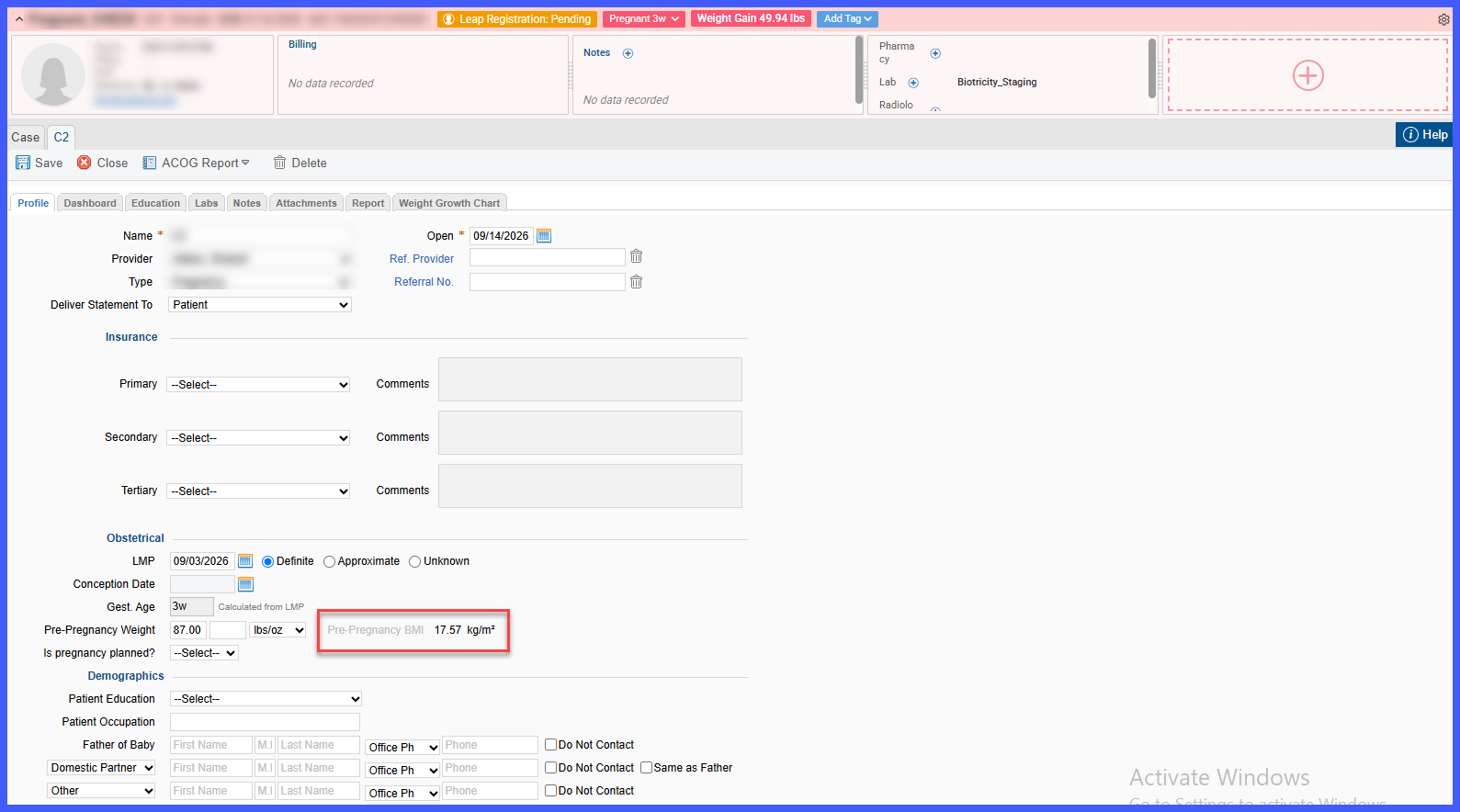
- If the Pre-Pregnancy Weight is updated, BMI is recalculated when focus leaves the field.
- Save the Case Review to retain the calculated BMI with the record.
Benefits
- Eliminates the need for providers to manually calculate Pre-Pregnancy BMI.
- Reduces calculation and transcription errors through automated calculation and a read-only BMI field.
- Keeps BMI immediately available within the Obstetrical workflow where pregnancy information is documented.
- Automatically handles imperial and metric measurements to provide a standardized kg/m² result.
- Uses the patient’s latest available height to support calculation accuracy.
- Preserves the calculated BMI with the Case Review as a stable longitudinal reference.
- Supports pregnancy documentation and clinical review without requiring an external BMI calculator.
