Consolidated KDHE Program Encounter Form in DAISEY Forms
What’s New
- Added a single consolidated KDHE Program Encounter Form within DAISEY Forms.
- The form launches directly within the context of the selected patient.
- Supported demographic, insurance, household, and clinical information is automatically populated from the patient chart.
- Supports the following KDHE programs:
- Becoming a Mom (BaM)
- Family Planning
- Maternal Child Health (MCH)
- Pregnancy Maintenance Initiative (PMI)
- Teen Pregnancy Targeted Case Management (TPTCM)
- Only the section associated with the currently selected program is displayed.
- Form content dynamically adjusts based on Subject, Program, and Pregnancy Status.
- Applicable programs support prenatal and postnatal workflows based on Pregnancy Status.
- Conditional and cascading questions dynamically appear or hide based on user responses.
- Supports compound conditions and multi-select dependencies.
- Program-specific informational banners can be displayed when applicable.
- Previously entered information is retained during the active session if a conditional question subsequently becomes hidden.
- Hidden questions are excluded from required-field validation and submission.
- Internal system-designated fields remain hidden from end users.
How It Works
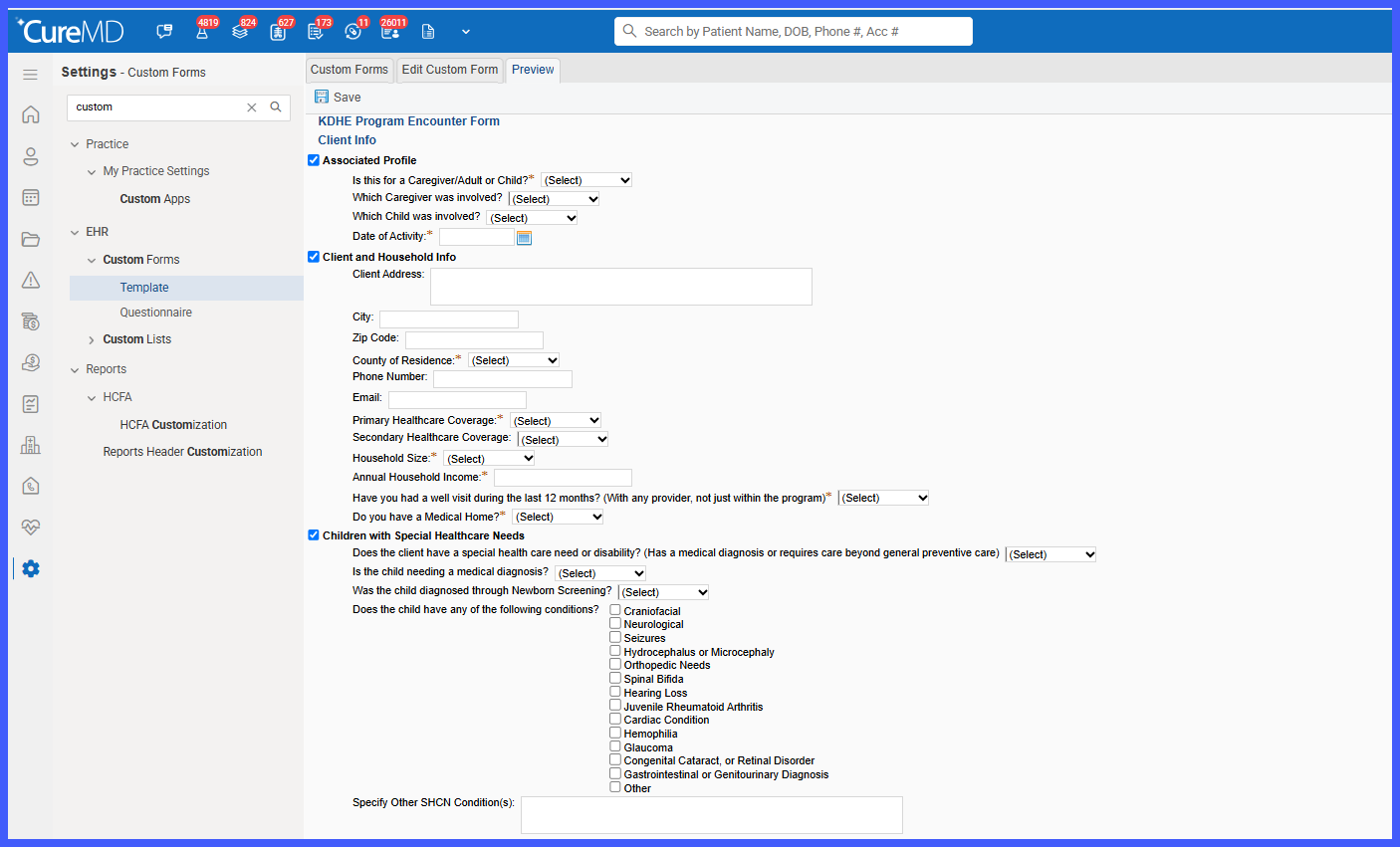
- Open DAISEY Forms from an active patient context.
- Launch the KDHE Program Encounter Form.
- Select the applicable Subject.
- Select the KDHE Program for the encounter.
- When applicable, select the patient’s Pregnancy Status.
- The form dynamically displays the questions and sections applicable to the selected encounter context.
- Complete the visible required fields and any dynamically presented follow-up questions.
- Save the encounter once all applicable required information has been completed.
Dynamic Form Behavior
Subject
- Caregiver/Adult displays the applicable adult-specific questions.
- Child hides adult-only questions and displays the applicable child-specific workflow.
| Selected Program | Form Behavior |
|---|---|
| Becoming a Mom (BaM) | Displays the BaM encounter section |
| Family Planning | Displays the Family Planning encounter section |
| Maternal Child Health (MCH) | Displays the MCH encounter section |
| Pregnancy Maintenance Initiative (PMI) | Displays the PMI encounter section |
| Teen Pregnancy Targeted Case Management (TPTCM) | Displays the TPTCM encounter section |
Only one program-specific section is active at a time. Non-applicable program sections remain hidden.
Pregnancy Status
For applicable programs:
- Yes displays the applicable prenatal workflow.
- No displays the applicable postnatal workflow.
Conditional and Cascading Questions
Based on responses entered during the encounter, the form can dynamically:
- Display additional follow-up questions.
- Hide questions that are no longer applicable.
- Display program-specific sections.
- Display prenatal or postnatal content.
- Present additional fields based on multi-select responses.
- Display informational banners when applicable.
Branching is controlled using configured Question IDs, allowing the appropriate logic to be applied even when similar question labels are used across different programs.
Validation and Save
- Only currently visible and applicable mandatory fields are validated.
- Missing required information is highlighted.
- The user is directed to the first applicable validation error.
- Hidden questions are excluded from validation.
- Once all applicable required information is completed, the encounter can be saved successfully.
DAISEY Export
Completed encounter information is structured for export according to the configured KDHE DAISEY mapping specification.
The export:
- Uses Question IDs to map responses.
- Includes responses applicable to the final encounter workflow.
- Excludes hidden and non-applicable fields.
- Preserves unique Question ID mappings when similar labels are used across programs.
- Supports configured multi-select response mappings.
- Excludes informational banners and internal system-designated fields.
- Produces encounter information in the format required for DAISEY import.
Benefits
- Consolidates multiple KDHE program workflows into a single encounter form.
- Reduces the need to locate and complete separate forms for individual programs.
- Presents only questions relevant to the selected patient and encounter context.
- Reduces repetitive data entry by automatically populating supported information from the patient chart.
- Improves data completeness through validation of applicable required fields.
- Reduces form complexity by hiding non-applicable questions and sections.
- Supports consistent prenatal and postnatal documentation across applicable programs.
- Improves DAISEY export accuracy by using Question IDs rather than display labels for mapping.
- Ensures only applicable encounter information is included in the resulting export.
