Multi-Select Assessments for Provider Notes with Single- and Multi-Instance Support
What’s New
- Multiple eligible Assessments can now be selected using checkboxes and added to a Provider Note with a single Accept action.
- The Assessments list displays the applicable Date, Questionnaire, Result, and Category for each Assessment.
- Selected Assessments are added to the Progress Note together and rendered individually under their questionnaire names.
- Each linked Assessment includes its applicable responses, scores, and screening result.
- Assessments already associated with another Provider Note are displayed as disabled and cannot be selected.
- Assessments already associated with the current Provider Note appear selected and can be reviewed or managed from the same list.
- Added filtering options to help locate Assessments by:
- Questionnaire
- Category
- Created By
- Date Range
- A Search action and Total Records count are available within the Assessment listing.
- Added a dedicated Assessments tab alongside the Assessment forms.
- Users can complete a new Assessment and then switch to the Assessments tab to select it for the Provider Note without leaving the current workflow.
- Provider Note templates now support both single-instance and multi-instance Assessment configurations.
- No new permissions are introduced.
How It Works
- Open the applicable Provider Note.
- Navigate to Current Provider Note > Assessments > Add.
- The Assessments window displays the patient’s available Assessments with a checkbox for each eligible record.
- Use the available filters or Search functionality to locate the required Assessments when needed.
- Select one or more eligible Assessments using the checkboxes.
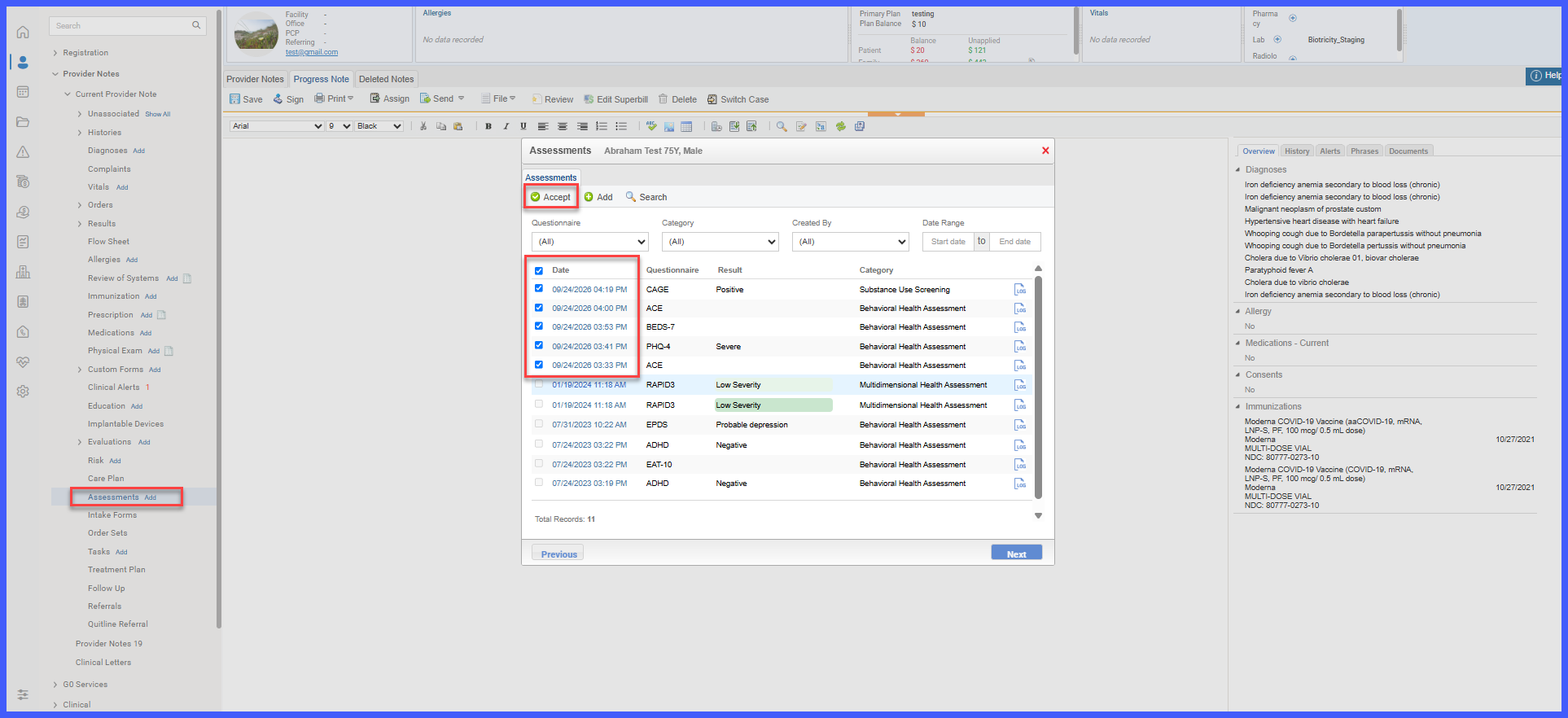
- Select Accept once.
- All selected Assessments are added to the Progress Note together.
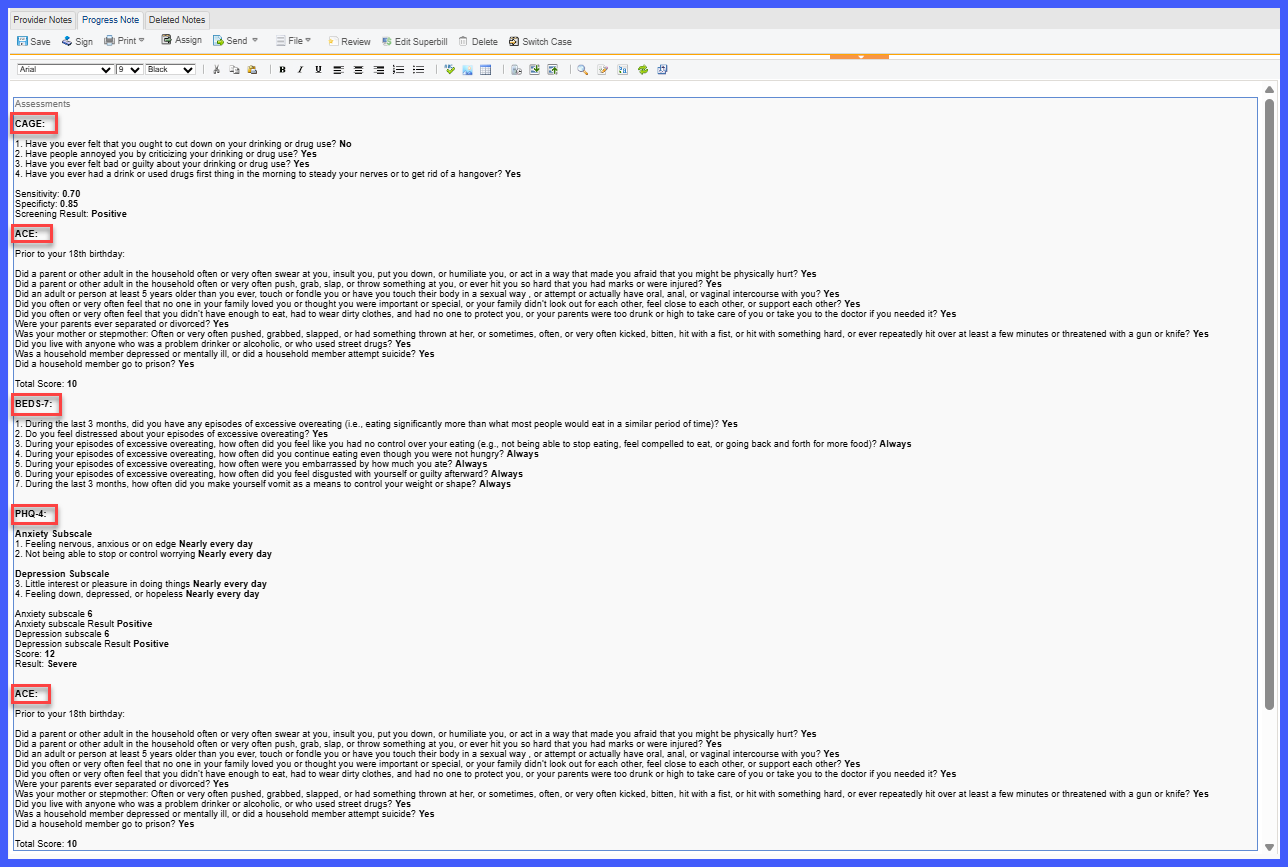
- Each Assessment is displayed under its questionnaire heading with its applicable responses, score, and result.
Benefits
- Reduces repetitive steps when several Assessments need to be documented within the same Provider Note.
- Allows multiple Assessments to be linked with a single Accept action instead of adding them individually.
- Provides clearer visibility into which Assessments are already associated with the current or another Provider Note.
- Makes it easier to locate Assessments through filters and Search.
- Keeps Assessment completion and selection within a single tabbed workflow.
- Provides template flexibility through single-instance and multi-instance Assessment components.
- Preserves existing Provider Note and Assessment behavior while improving documentation efficiency.
- Helps reduce the risk of Assessment documentation being missed when multiple concurrent Assessments are involved.
