Display NDC, NCT, Unit, HGB, and HCT Values on Signed eSuperBill Preview and Print
Capture eSuperBill Information
Finalize eSuperBill
Review Signed eSuperBill
Print Signed eSuperBill
What’s New
- NDC values remain visible after the eSuperBill is signed.
- NCT values remain visible after signing.
- Unit values remain visible after signing.
- HGB (Hemoglobin) values remain visible after signing.
- HCT (Hematocrit) values remain visible after signing.
- Applicable values are displayed in both:
- Signed eSuperBill Preview
- Printed eSuperBill output
- The printed eSuperBill reflects the same applicable values available in the signed Preview.
- Existing data-entry workflows remain unchanged; this enhancement extends the visibility of existing values after signing.
How It Works
- Enter the applicable NDC, NCT, Unit, HGB, and/or HCT information on the eSuperBill.
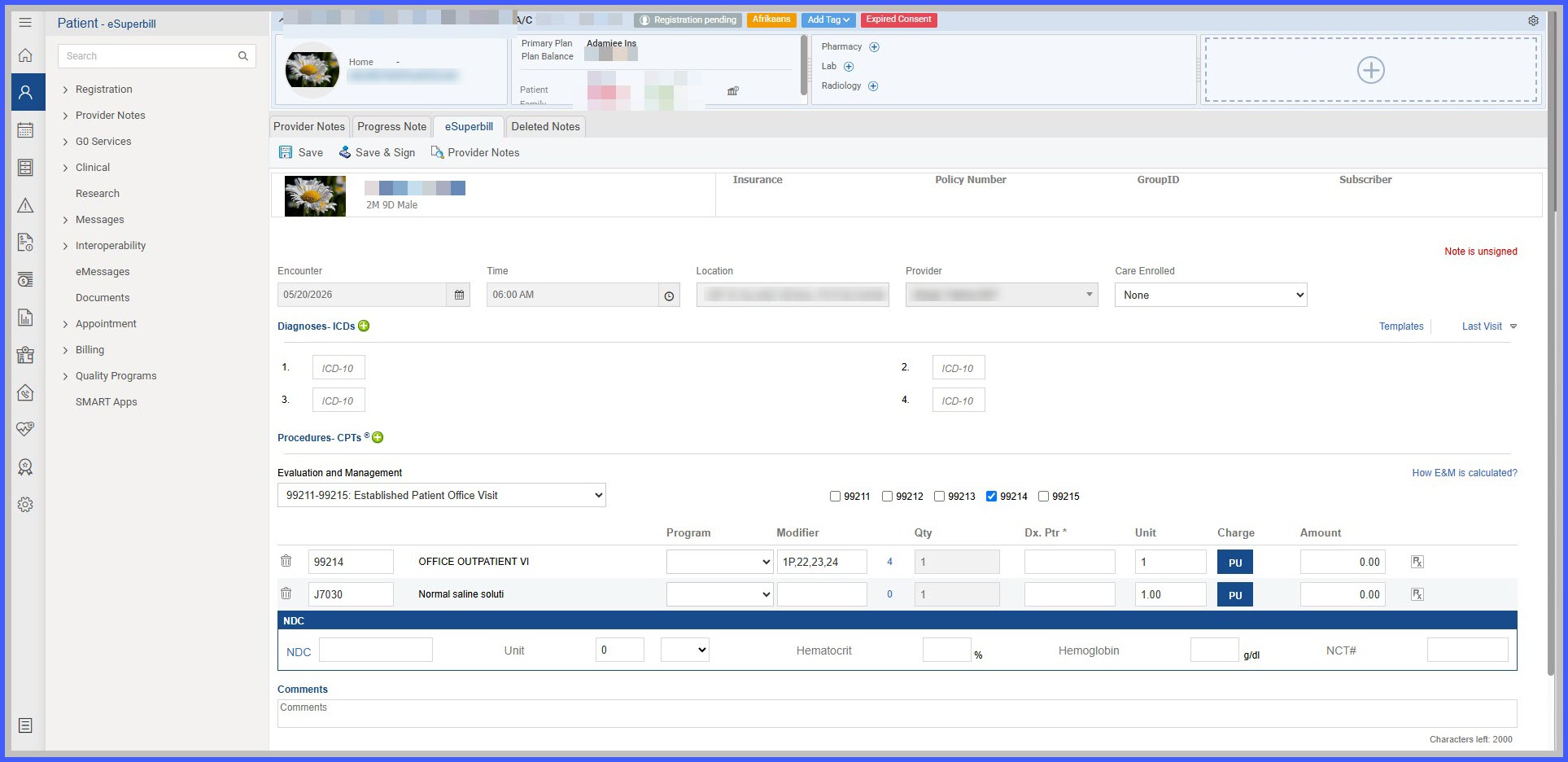
- Save and sign the eSuperBill.
- Open the signed eSuperBill Preview.
- The applicable values captured before signing remain visible in the Preview.
- Print the signed eSuperBill.
- The printed output includes the same applicable NDC, NCT, Unit, HGB, and HCT values.
Benefits
- Preserves medication and laboratory-related information after eSuperBill signing.
- Provides consistency between unsigned eSuperBill information and signed Preview/Print output.
- Reduces the need for billing or clinical staff to return to earlier workflows to verify captured values.
- Supports more complete post-sign billing review and documentation.
- Ensures printed eSuperBills contain the same applicable information available in the signed Preview.
