Sorted:

AppointmentReasonSettings-1

Custom Colors and Preferences for Visit Reason-Based Coloring

With this enhancement in the CureMD application, users can assign specific colors to Visit Reasons and configure how appointment tiles appear in scheduler views. From My Preferences, users can choose between Visit Reason or Appointment Status-based coloring. A default color is auto-assigned if no color is selected.

VoidRefund

Void and Refund Transaction Filter in Patient Payment Report

With this enhancement in the CureMD application, the Patient Payment Report includes a checkbox to filter and display only voided or refunded transactions. This enables the user to isolate and review void/refund activity, including transactions processed from unapplied balances.

VoidRefundOnlinePaymentLog

Voided and Refunded Transaction filter in Online Payment Log

With this enhancement in the CureMD application, the Online Payment Log includes a checkbox to filter and display only voided or refunded transactions. This allows the user to quickly review reversal activity processed through any payment vendor.

EligibilityInsurance2-1

Eligibility Access for Inactive or Out-of-Date Insurance Plans

With this enhancement in the CureMD application, users can perform eligibility inquiries and view eligibility history even when the associated insurance plan is inactive or outside the effective date range. This enables the user to retrieve historical coverage details necessary for audits, claim resolution, and appeals.

OnlinePaymentsAccEmail

Account Number Filter and Email Receipt Option in Online Payment Log

With this enhancement in the CureMD application, users can filter the online payment log by patient account number and send payment receipts via email directly from the listing page. This supports faster patient-specific lookups and ensures digital delivery of receipts with audit tracking.

GenericPaymentsCommment1

Comments for Generic Payments in Online Payment Log

With this enhancement in the CureMD application, the user can add an optional comment when entering a generic payment through the payment popup. This enables the user to capture payment context and view it later through a tooltip in the payment listing.

4-2

Task Filters Enhancement – "Assigned To" and "New Tasks" Filters Available Across All Task Nodes

With this enhancement in the CureMD application, users can now streamline task management through improved filtering options in Tasks module.

The introduction of "Assigned To" and "New Tasks" filters allows for better tracking and organization of tasks based on assignment and read status.

BIMS Assessment Option Added in CureMD

With this enhancement in the CureMD application, providers now have the option to complete the Brief Interview for Mental Status (BIMS) Assessment directly within CureMD.

This addition supports the identification of appropriate treatment goals and strategies for patients diagnosed with dementia by screening their cognitive status effectively.

3-1

Morse Fall Scale (MFS) Assessment Option Available in CureMD

This enhancement introduces the Morse Fall Scale (MFS) Assessment in CureMD, allowing providers to systematically evaluate patients' risk of falling.

This addition promotes patient safety and targeted care management during clinical encounters.

Real-time CPT Fee Schedule Update on Institutional Charge Page

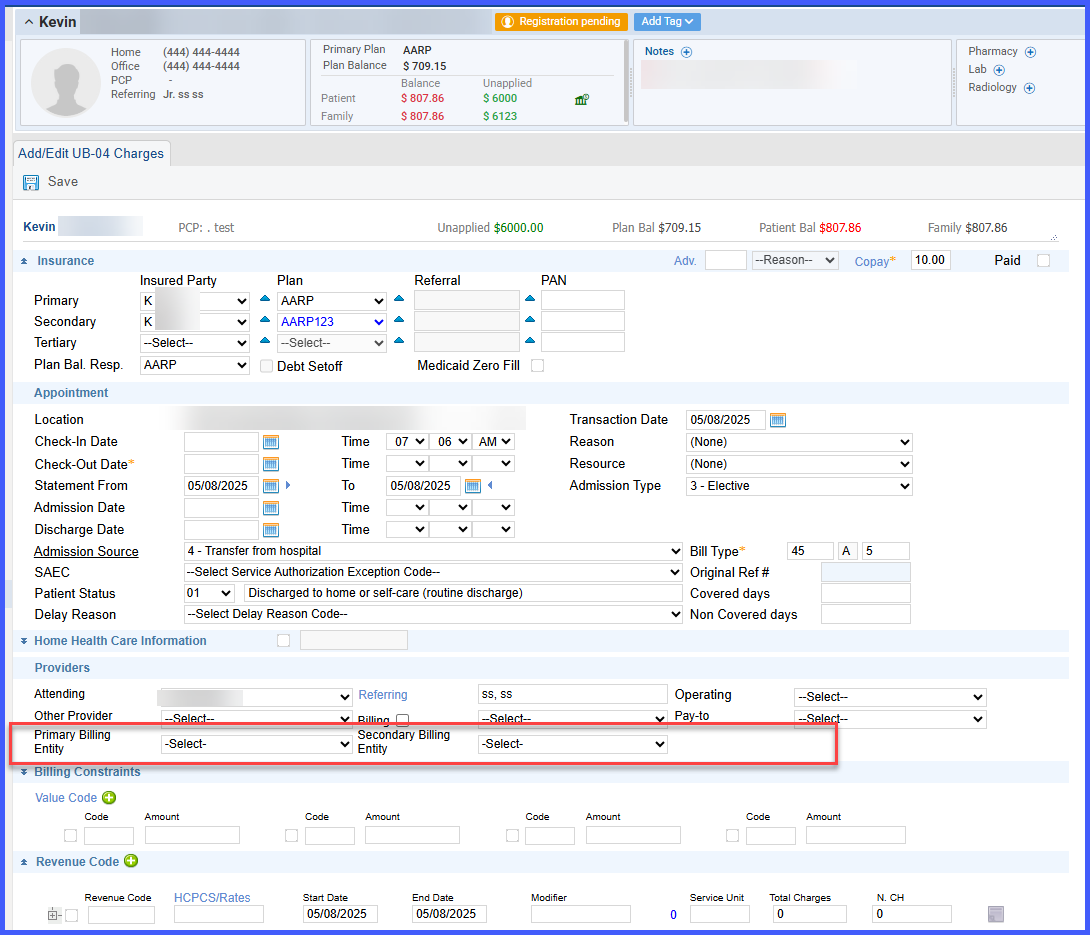
With this enhancement in the CureMD application, the CPT fee schedule amounts on the Institutional Charge Page update in real-time when the user changes the location, plan, or provider.

This ensures the user applies accurate charge amounts based on the correct fee schedule without manual recalculations.