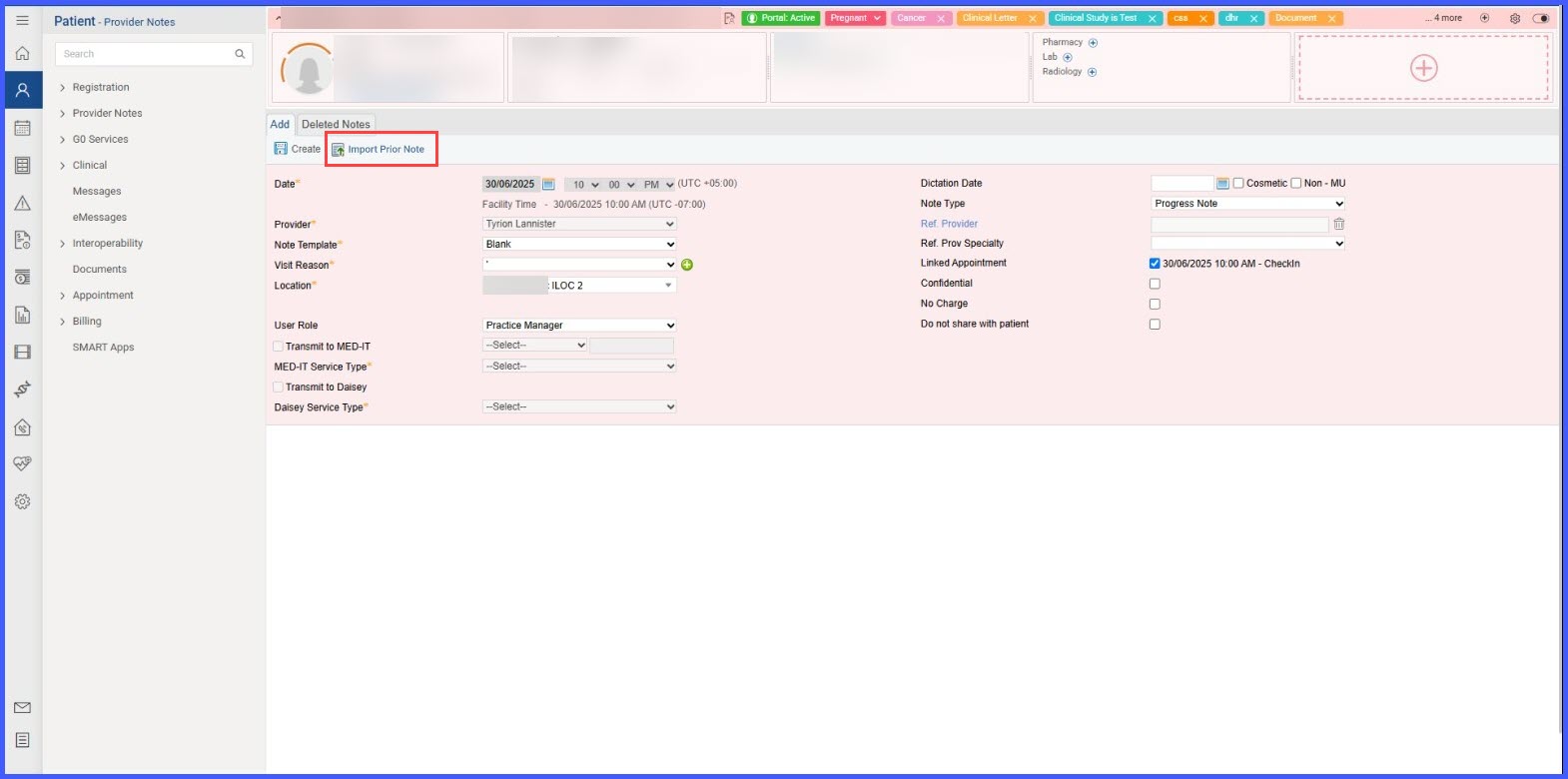
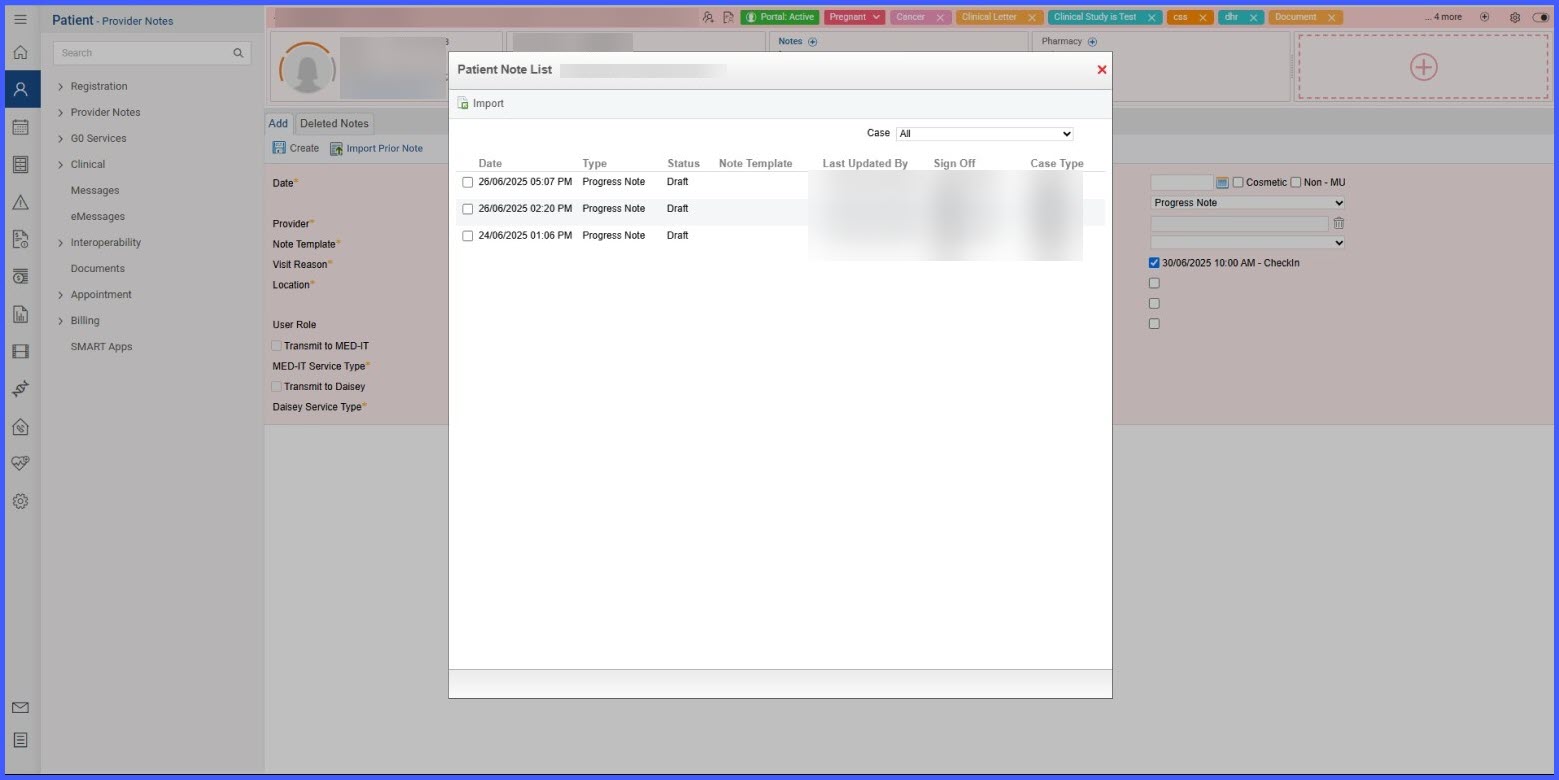
Import Prior Note When Creating a New Note
What’s New
Users will now see Import Prior Note button alongside Create button.
- Clicking this opens a popup to select a prior note to import.
- The import works the same as the existing Import option inside a blank note.
- If required fields are missing, prompts will appear just as they do with Create Note.
- The list of notes follows the same practice settings as the standard import list, including the Include Provider-Specific Clinical Information in Follow Up option.
Benefits
- This update reduces clicks and ensures a consistent note creation and import process across workflows.