Advance & Custom Payment Options to Web Patient Payment Page
What’s New
New options on the Web Patient Payment Page:
- Advance Payment (New): enter an amount to store as credit for future visits.
- Custom Amount: pay any amount (partial or full) toward the total balance
Smart UI:
- Clear tiles for Statement Balance, Total Balance, Custom Amount, and Advance Payment.
- Transaction Amount updates automatically based on your selection/entry.
- DOS (dates of service) show only for Statement Balance.
- Only the fields you need appear; others stay collapsed.
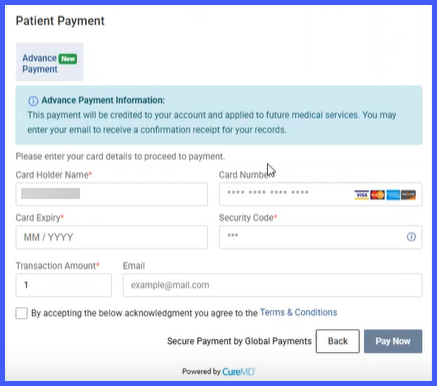
Validation & Receipts:
- Amount must be numeric and > $0.00.
- Terms & Conditions must be accepted before paying.
- Advance Payments generate a receipt and are stored as unapplied credit.
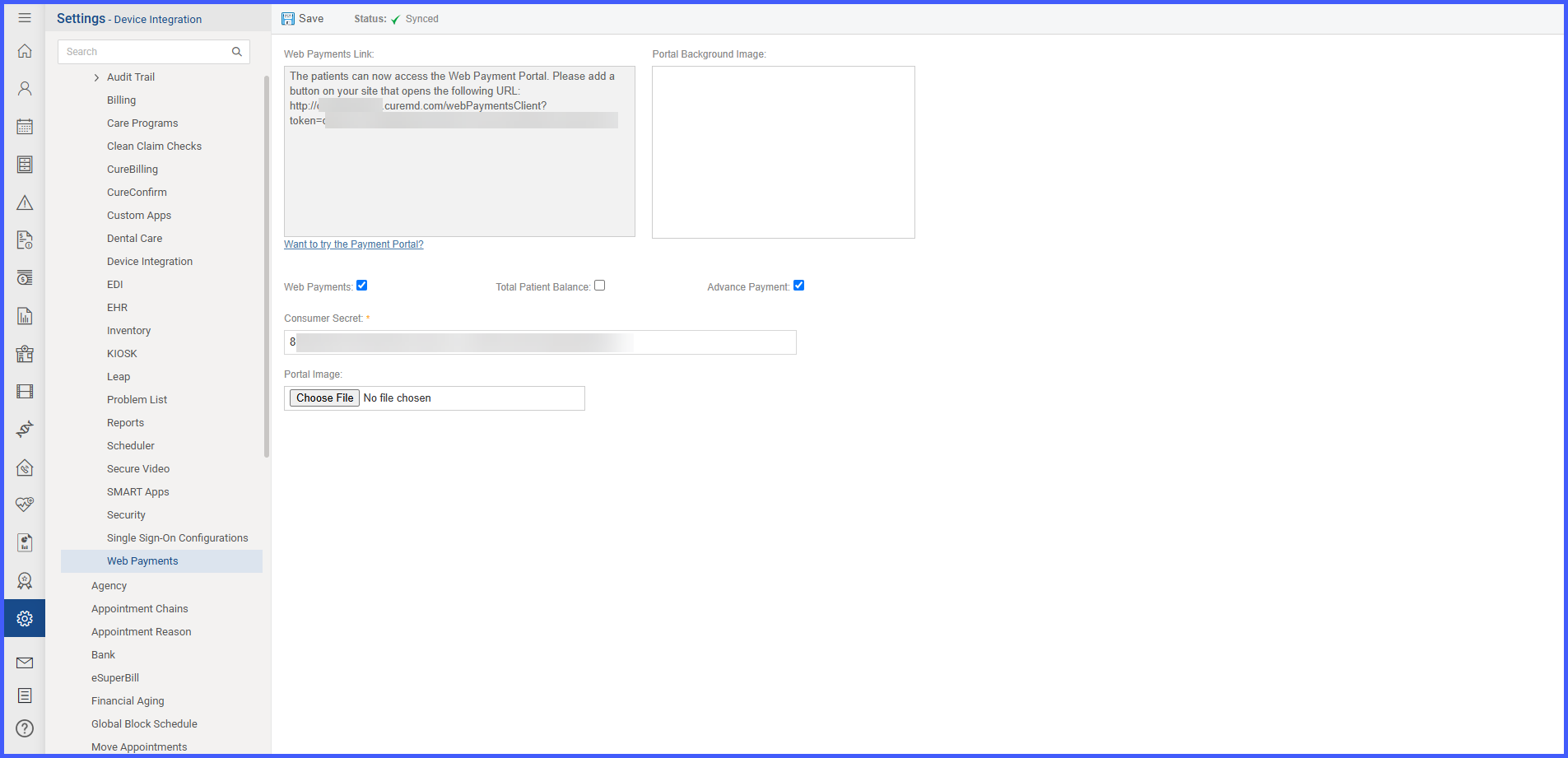 Workflow
- Navigate: Patient → Web Payment Link
- Choose one:
- Statement Balance (default; auto-fills amount; shows DOS)
- Total Balance (auto-fills amount)
- Custom Amount (enter any amount; applies to total balance)
- Advance Payment (enter any amount; stored as future credit)
- Review Transaction Amount, accept Terms & Conditions, and Submit.
Benefits
- More flexibility — partial, rounded, or prepayments supported.
- Fewer follow-ups — patients can prepay when providers request deposits.
- Better experience — simple choices, clear receipts.
- Accurate accounting — advance payments tracked as unapplied credit.
