Restrict Appointment Duration Editing for Authorized Users
What’s New
- When the “Allow Appointment Duration Editing” permission is disabled for a user or role, the duration dropdown in scheduling workflows (booking, rescheduling, or editing) is disabled, and the dropdown pre-populates with the predefined duration from visit reason settings. The user cannot modify this value, ensuring standardization of appointment durations.
- If the permission is enabled, the user can freely select a duration at the time of booking, rescheduling, or editing.
➤ Practice Level Settings
- At the practice level, if the setting “Edit duration for appointment reason” is disabled, all related user-level checkboxes become inactive. A tooltip appears stating:
“Editing appointment duration is disabled at the practice level.”
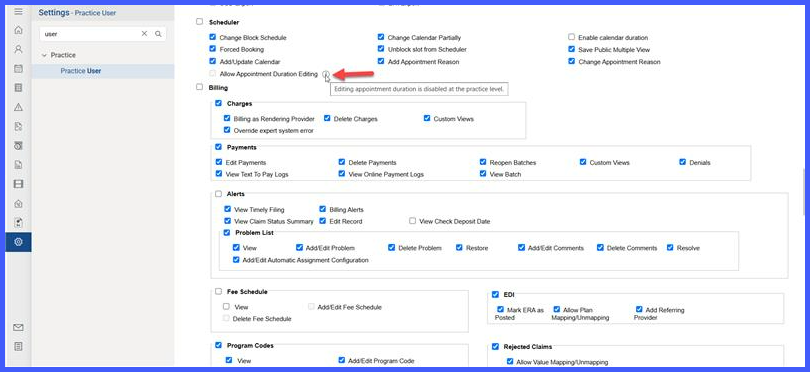
- When the practice-level setting is re-enabled, the user-level checkbox restores its previous state, reapplying the correct permission automatically.
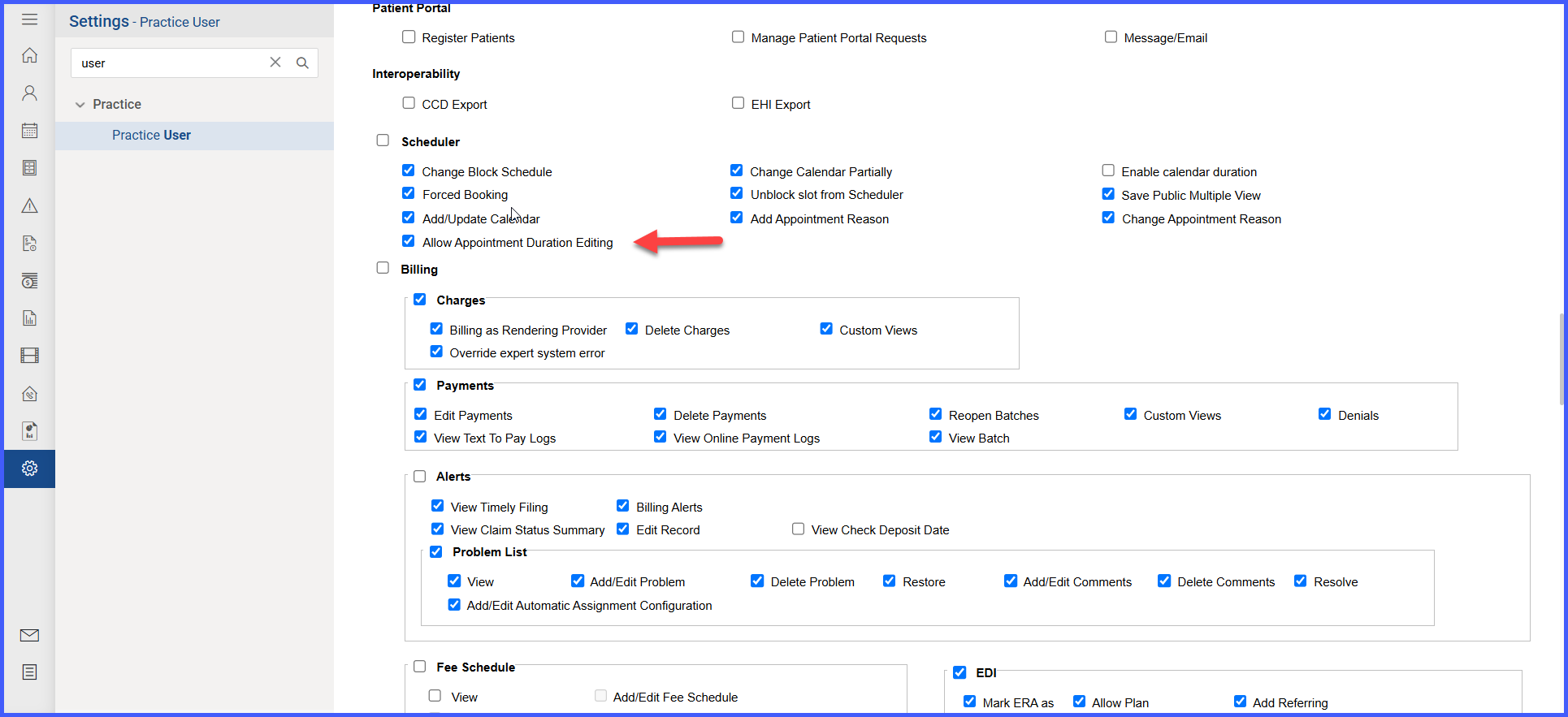
- User Level Permission Added with the name “Allow Appointment Duration Editing”
 ➤ Role Permissions
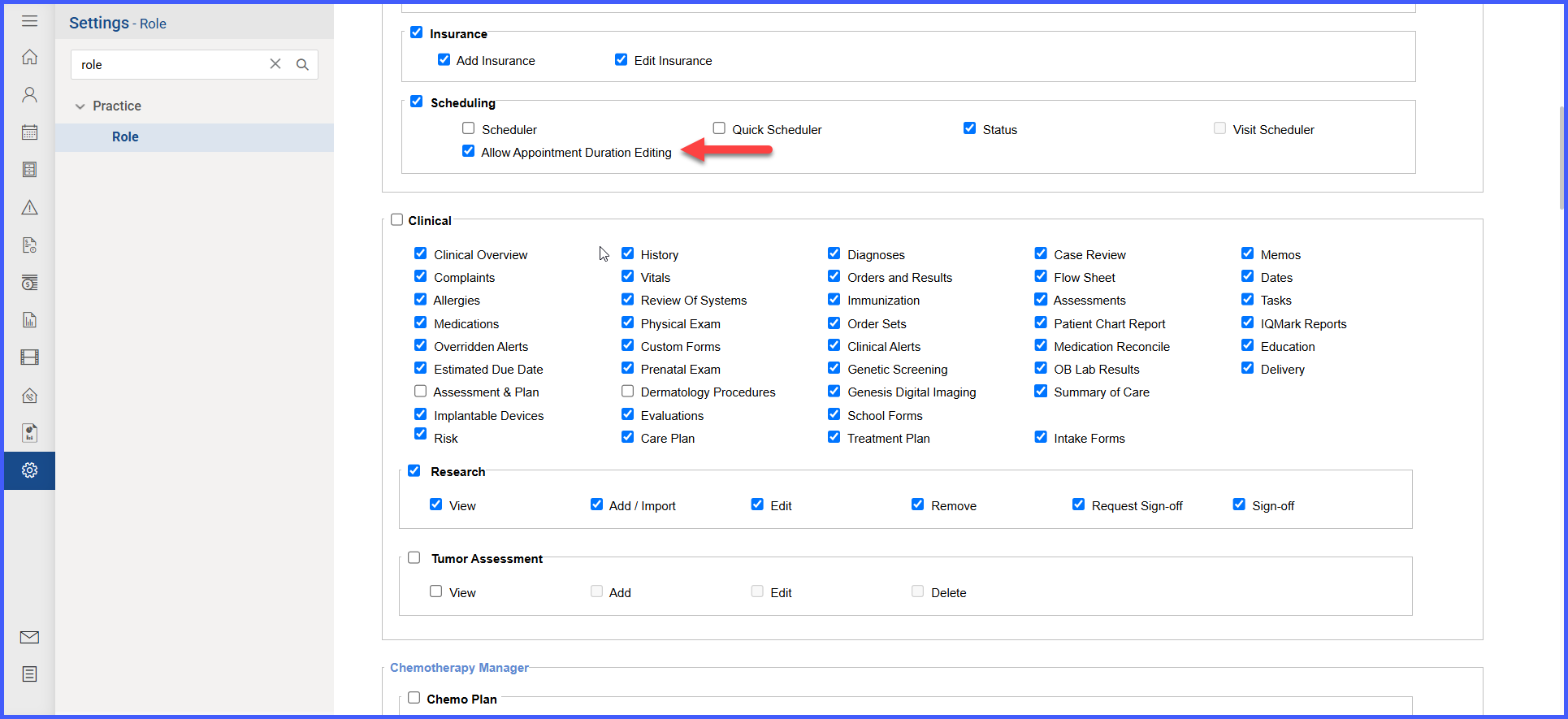
Role Permission Added “Allow Appointment Duration Editing”
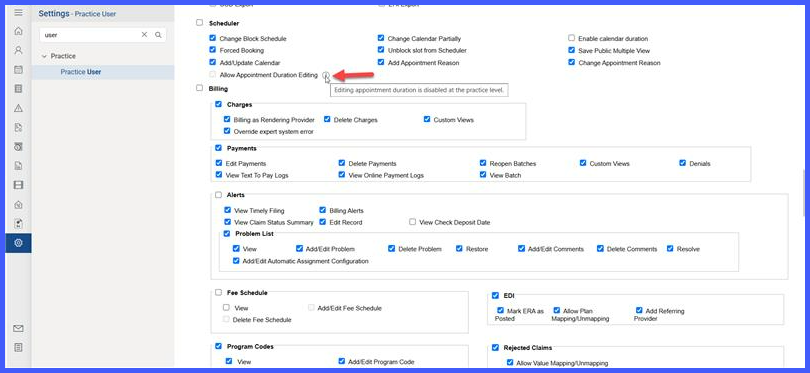
 When the practice level setting to edit appointment duration is disabled, practice user permission is force disabled and a tooltip will display “Editing appointment duration is disabled at the practice level.”
Benefits
- Consistency — fixed durations; no ad-hoc edits
- Accuracy — better time-based clinical/billing
- Control — role-based edit permissions
