Sorted:

Rel3-13

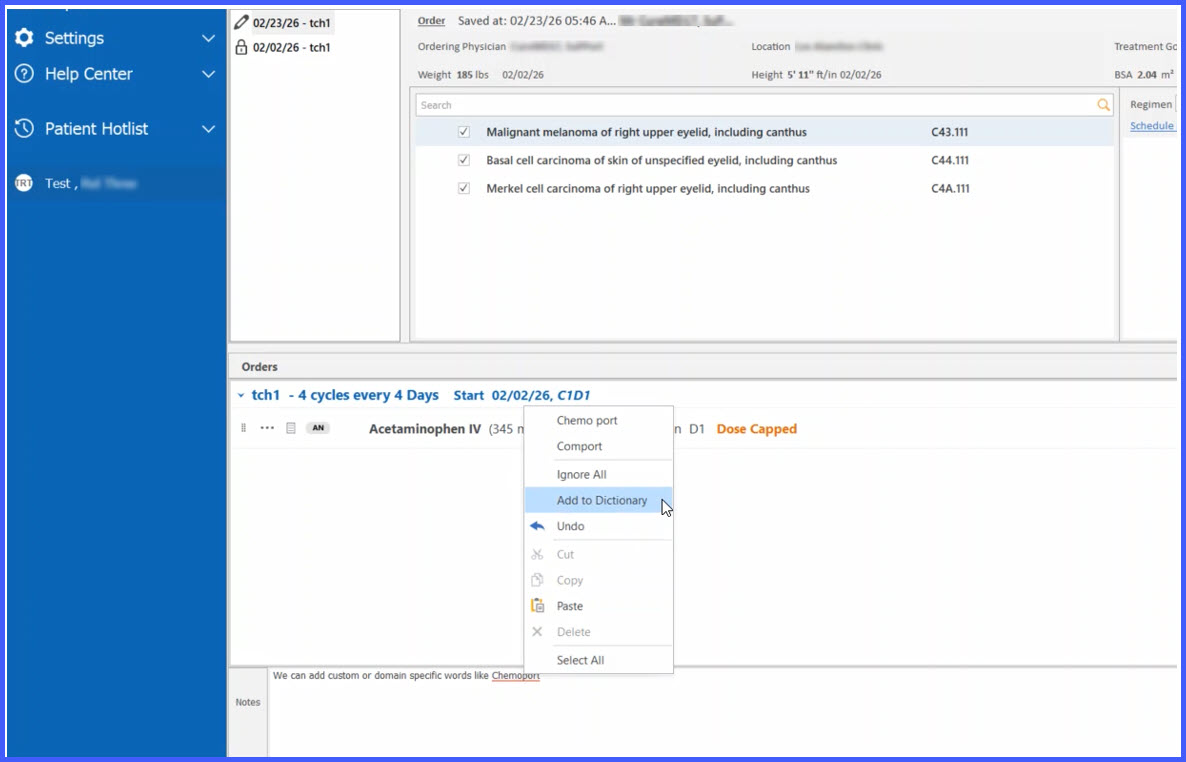
Personal dictionary support in Chemotherapy Manager spell checker

This enhancement introduces personal dictionary support within the Chemotherapy Manager spell checker. Users can now add domain-specific or frequently used terms to a personal dictionary, preventing them from being flagged as spelling errors while maintaining user-specific preferences.

Real-Time Spell Checker Enabled Across Chemotherapy Manager

This enhancement adds a real-time spell checker to the Chemotherapy Manager to support accurate and consistent clinical documentation. It is intended for users entering free-text information and helps identify and correct spelling errors during documentation without interrupting existing workflows.

Rel-12-3.1

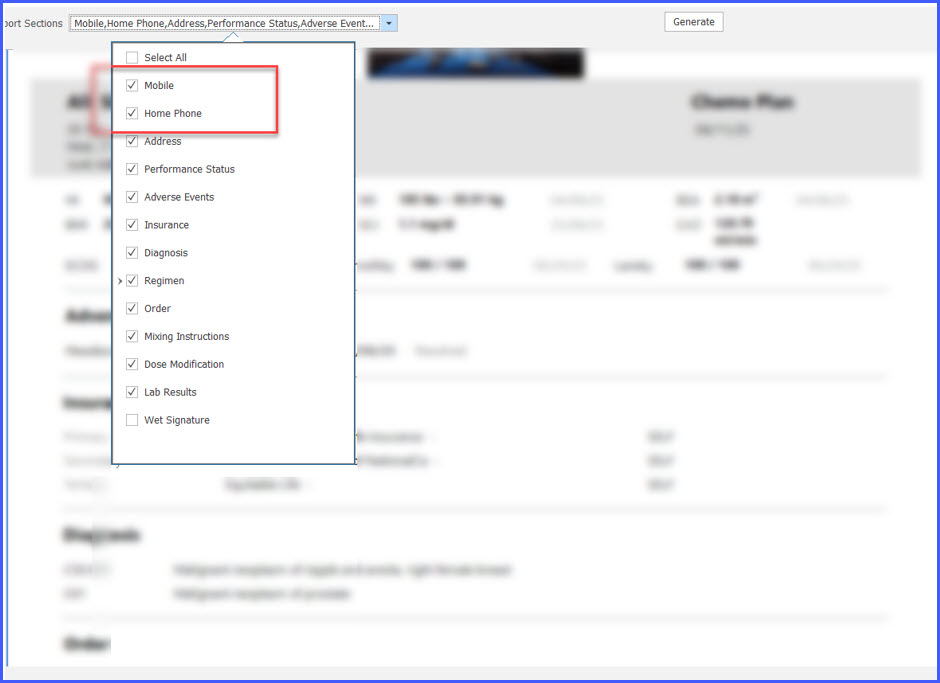
Chemo Plan Printout Phone Number Display Enhancement

With this enhancement in the CureMD application, the Chemo Plan printout displays the patient’s home phone number alongside the mobile number in both the patient banner and report section dropdown. This helps the user ensure complete contact information appears on the printed document for pharmacy and compliance requirements.

"Add Drug" Buttons Made Permission-Based in Chemotherapy Manager Admin Module

This enhancement updates the Chemotherapy Manager Admin module so that the visibility of the Drugs, Custom Drugs, Trial Drugs, and Injections buttons is now controlled by user permissions. This ensures that only authorized users can add or modify chemotherapy-related drug records.

HGBHCT

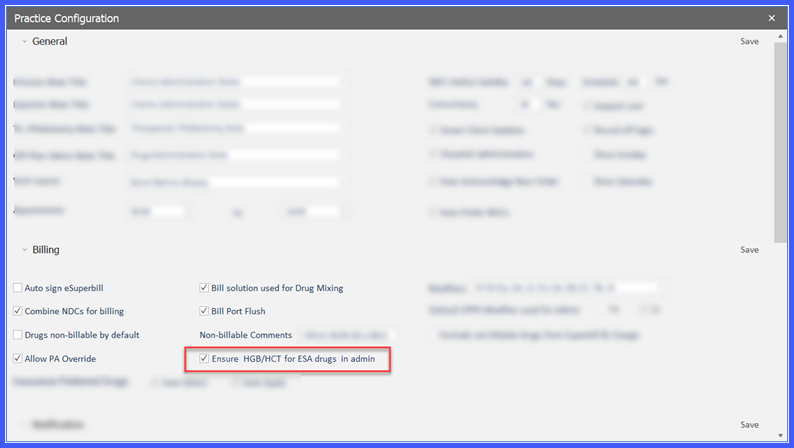
Practice Configuration to Enforce HGB/HCT Capture for ESA Drug Administration

This enhancement introduces a new Practice Configuration that allows practices to enforce the capture of Hemoglobin (HGB) and Hematocrit (HCT) values when administering Erythropoiesis-Stimulating Agent (ESA) drugs. When enabled, the system requires users to select the latest HGB and HCT results before proceeding with drug administration, ensuring compliance with billing, documentation, and clinical safety standards.

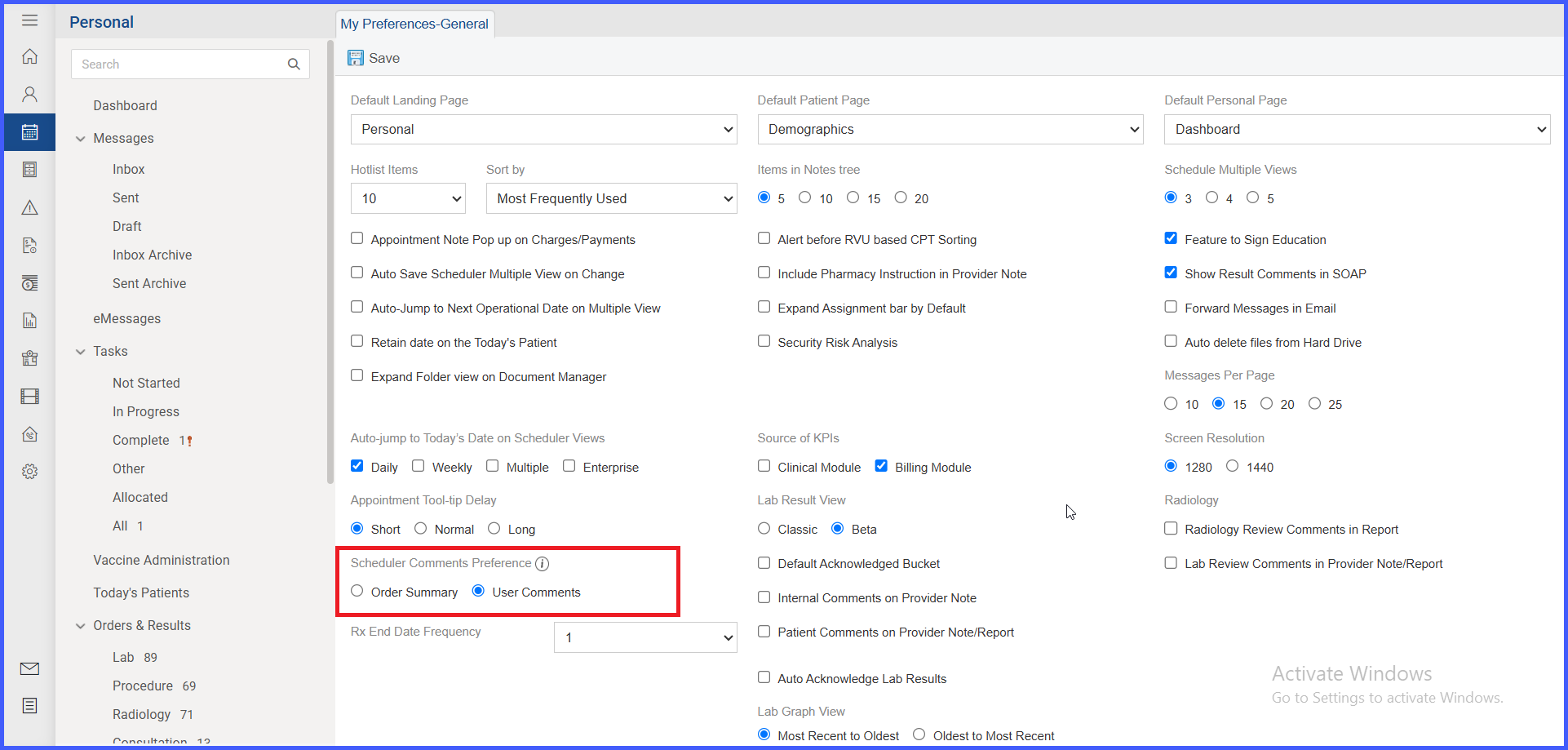
UserCommentSchedule

Enhanced Scheduler Comments: View User and System Notes Inline

This enhancement allows practices to view both system-generated order summaries and user-entered comments directly within the appointment scheduler. By displaying key details inline, users can quickly review important information without opening additional screens, improving clinical efficiency and workflow visibility.

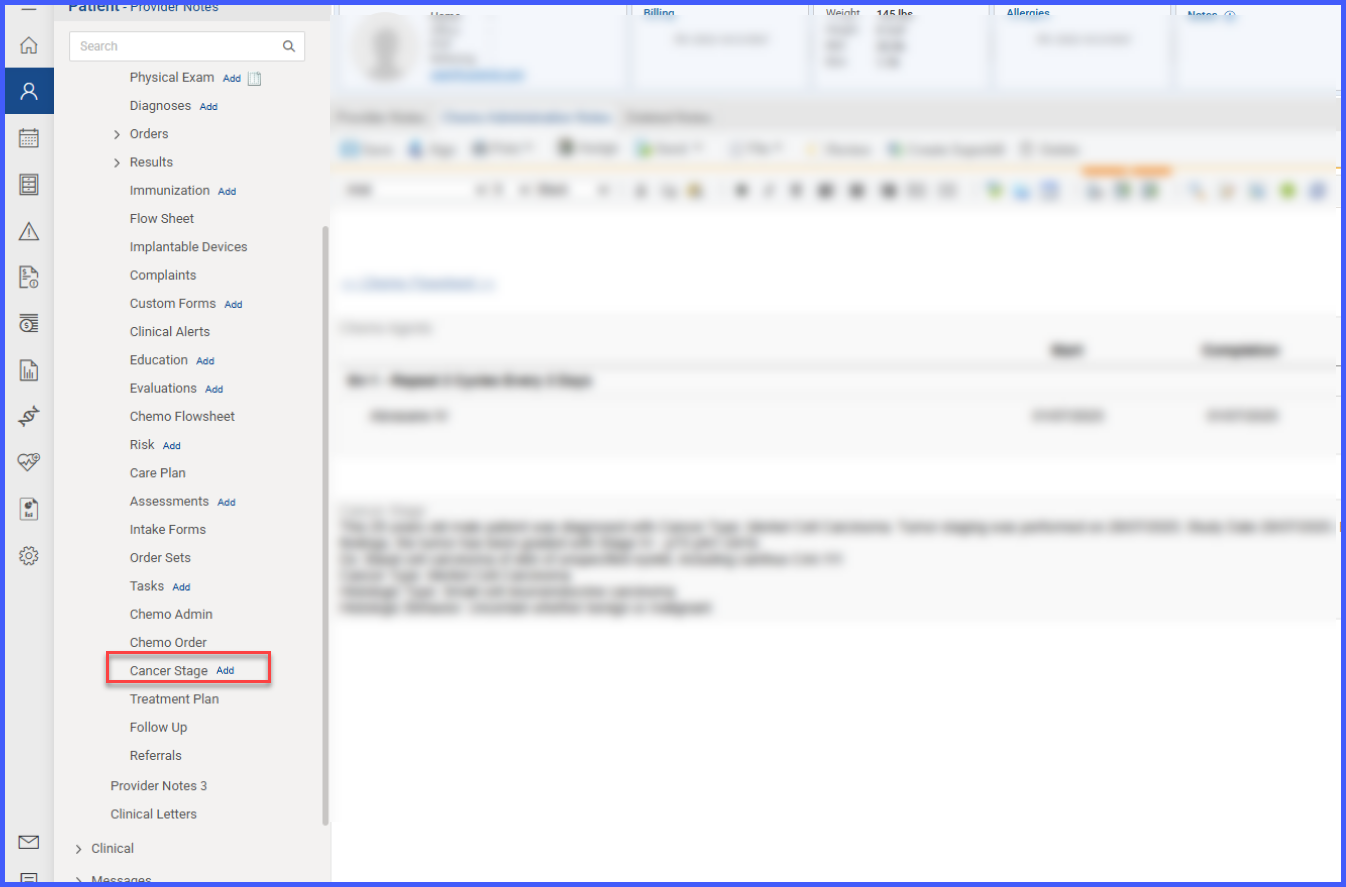
FlagCancerStage

Ability to Add Cancer Staging from Provider Note

With this enhancement in the CureMD application, providers can now add Cancer Staging screen directly from a draft provider note, with patient diagnoses automatically displayed. This will allow providers to stage or restage conditions seamlessly without navigating away from their clinical workflow.

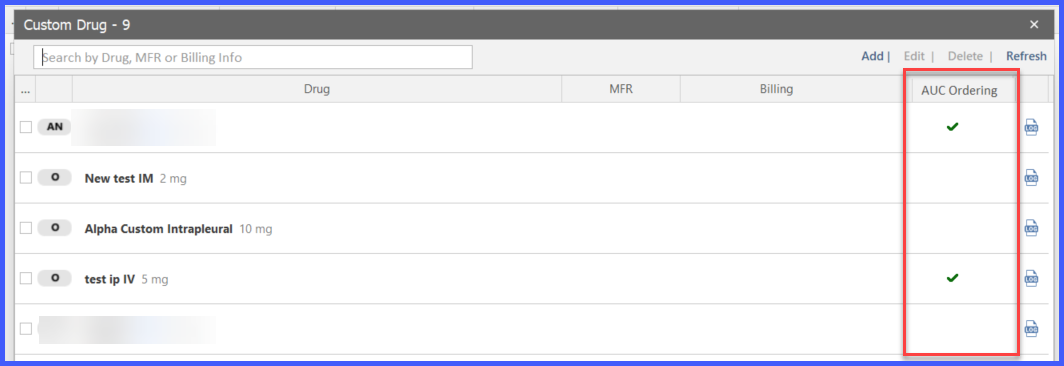
AUCTrial2

Support for AUC Ordering in Trial and Custom Drugs

With this enhancement in the CureMD application, providers can now enable AUC (Area Under the Curve) ordering for both Trial and Custom drugs through a new checkbox option. This allows AUC-based dosing workflows, including validation, dose capping, and billing, to be applied consistently while ensuring full audit tracking of any changes.

Addition of Intrapleural Route Support Across Modules

With this enhancement in the Oncology EHR application, users can now select the Intrapleural route in various modules such as Regimen Library, Chemo Plan, Administration, and Trial Drugs. This feature ensures accurate documentation, streamlined workflows, and appropriate billing for intrapleural drug administrations. 

clinicalalert

Export Functionality in Tumor Assessment

With this enhancement in the Tumor Assessment section, users can now seamlessly export tumor assessment data to an Excel file using the newly added "Export to Excel" button. This functionality streamlines the process, enabling users to easily analyze, store, and share tumor assessment data for further review or record-keeping.