“Add Drug” Buttons Made Permission-Based in Chemotherapy Manager Admin Module
What’s New
-
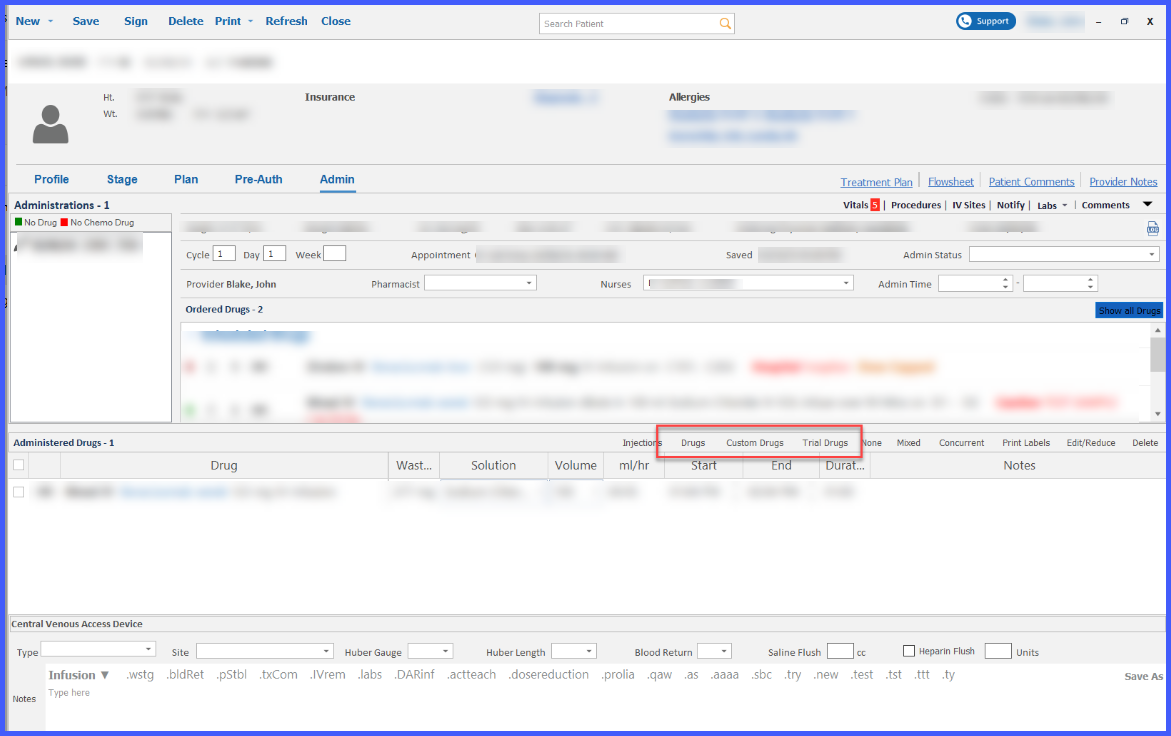
Visibility of the Drugs, Custom Drugs, Trial Drugs, and Injections buttons is now permission-based.
-
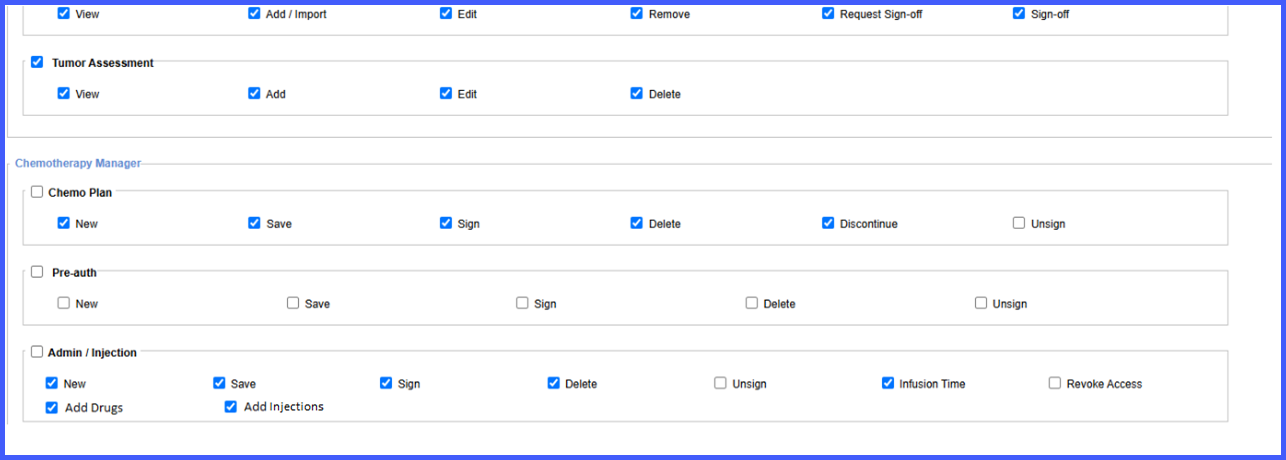
Two permissions—Add Drugs and Add Injections—determine whether each set of buttons is displayed.
-
Permissions can be configured at the individual user level (Practice User) or role level (Role settings).
-
Add Drugs and Add Injections permissions are enabled by default and function independently.
-
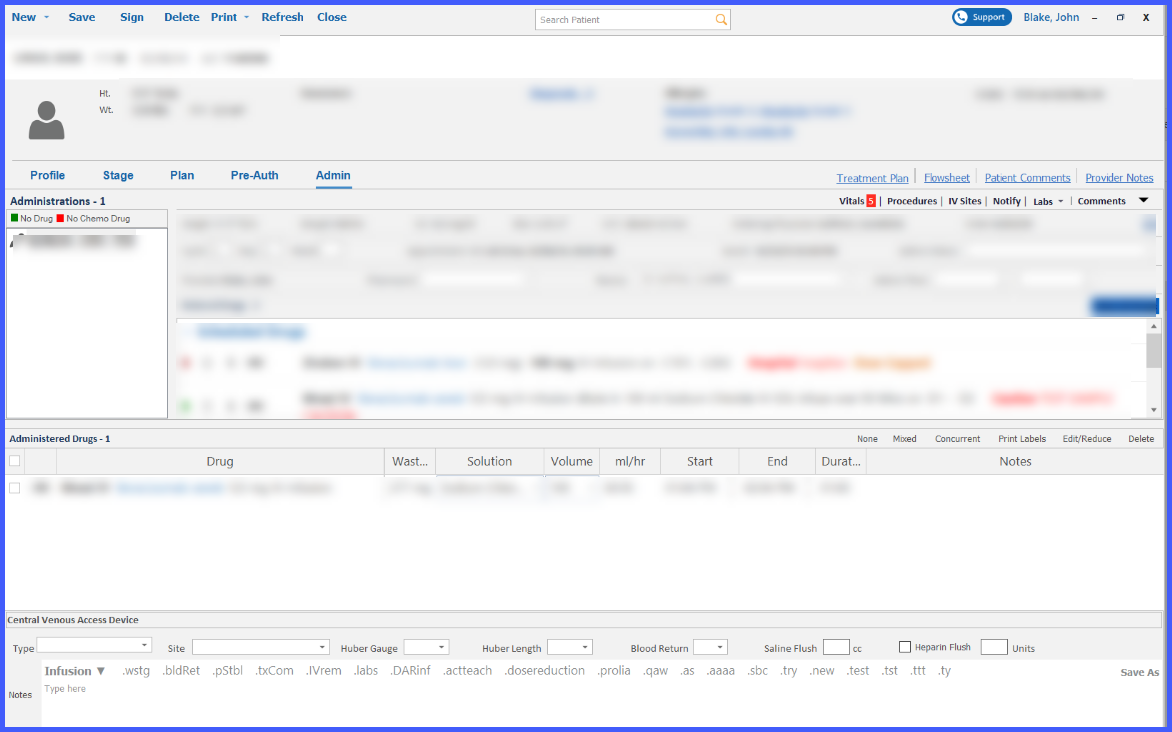
When permissions are disabled, the corresponding buttons are hidden from the Administration interface.
How It Works
-
Navigate to Settings > Practice > Practice User > Permissions to configure a specific user, or Settings > Practice > Role > Select Role to configure multiple users.
-
In the Admin/Injection section, locate the Add Drugs and Add Injections permission checkboxes.
-
Enable or disable each permission as needed:
-
Add Drugs determines visibility of Drugs, Custom Drugs, and Trial Drugs buttons.
-
Add Injections determines visibility of the Injections button.
-
-
Save the permission changes.
-
In the Chemotherapy Manager Admin module, users will see only the buttons allowed by their assigned permissions.
Benefits
-
Ensures only authorized staff can add or modify chemotherapy drug and injection records.
-
Improves security and compliance by restricting access to sensitive medication management tools.
-
Provides granular control through user- and role-based permissions.
-
Reduces risk of unauthorized changes within chemotherapy administration workflows.