Chemo Plan Printout Phone Number Display Enhancement
What’s New
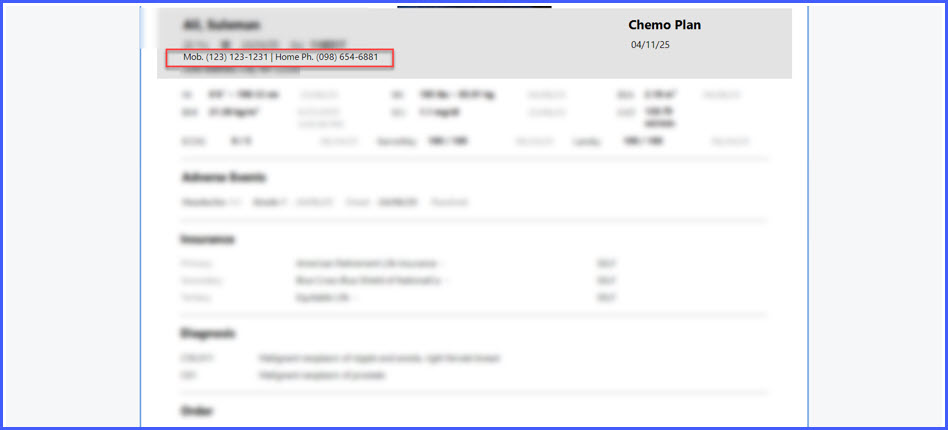
- The patient’s home phone number now appears next to the mobile number in the patient banner of the Chemo Plan printout.
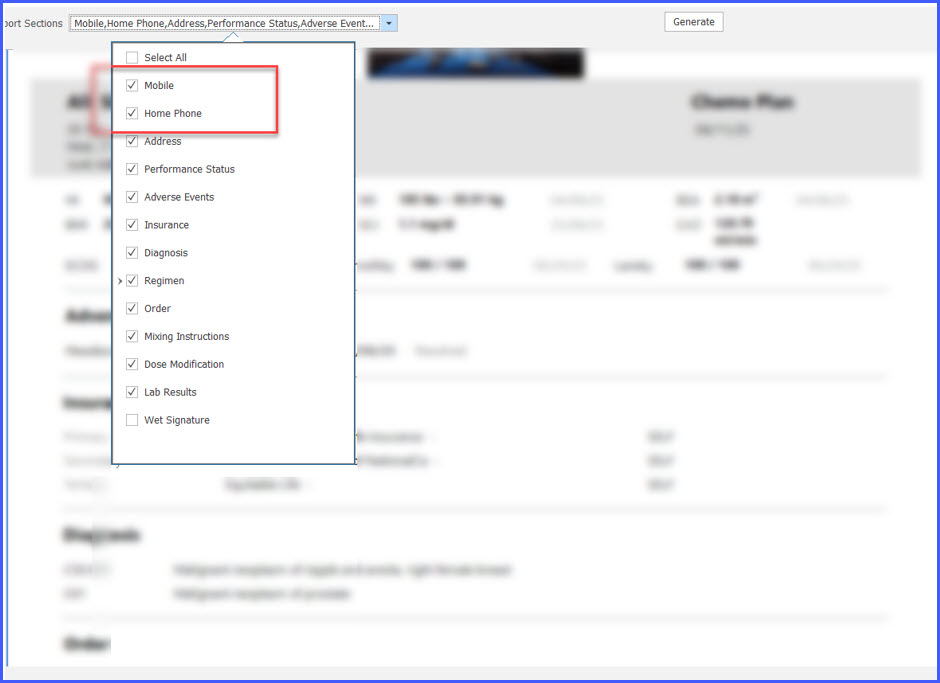
- Home Phone has been added as a selectable field in the report section dropdown.
- Users can enable or disable Home Phone visibility from the dropdown.
- The system guarantees that at least one valid phone number prints when available.
- If no phone numbers exist, the printout reclaims the space to display the patient’s address.
How It Works
- Navigate to Patient > Plan.
- Open the Chemo Plan report.
- In the patient banner, view the displayed Mobile Phone and Home Phone numbers (when available).
Benefits
- Ensures pharmacies and care teams receive complete patient contact information.
- Improves documentation accuracy by making both mobile and home phone numbers available.
- Automatically adjusts formatting when no phone numbers exist, preserving a clean print layout.
- Supports compliance and communication requirements for oncology workflows.