Configurable BSA Cap for Dosage Calculations Across Oncology Workflows
Configure BSA Cap
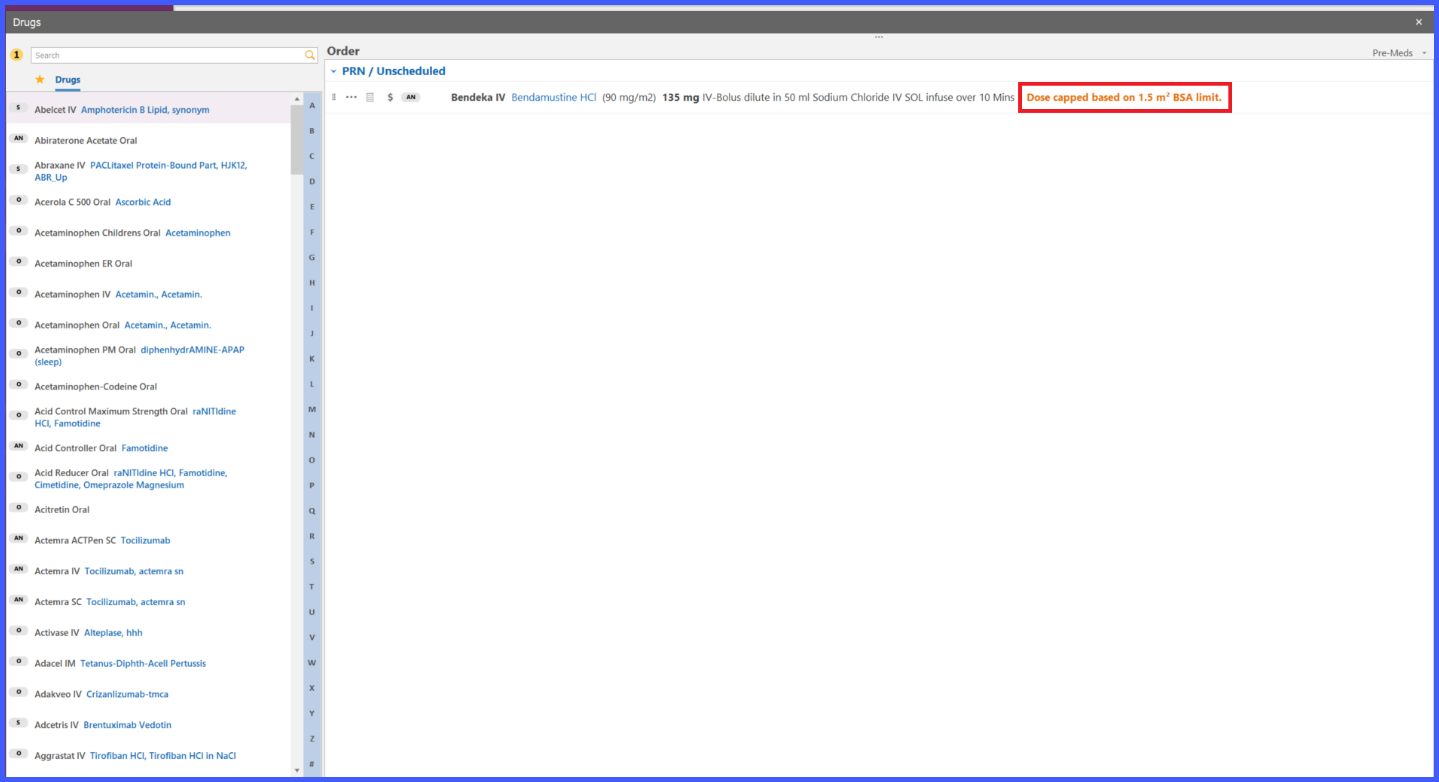
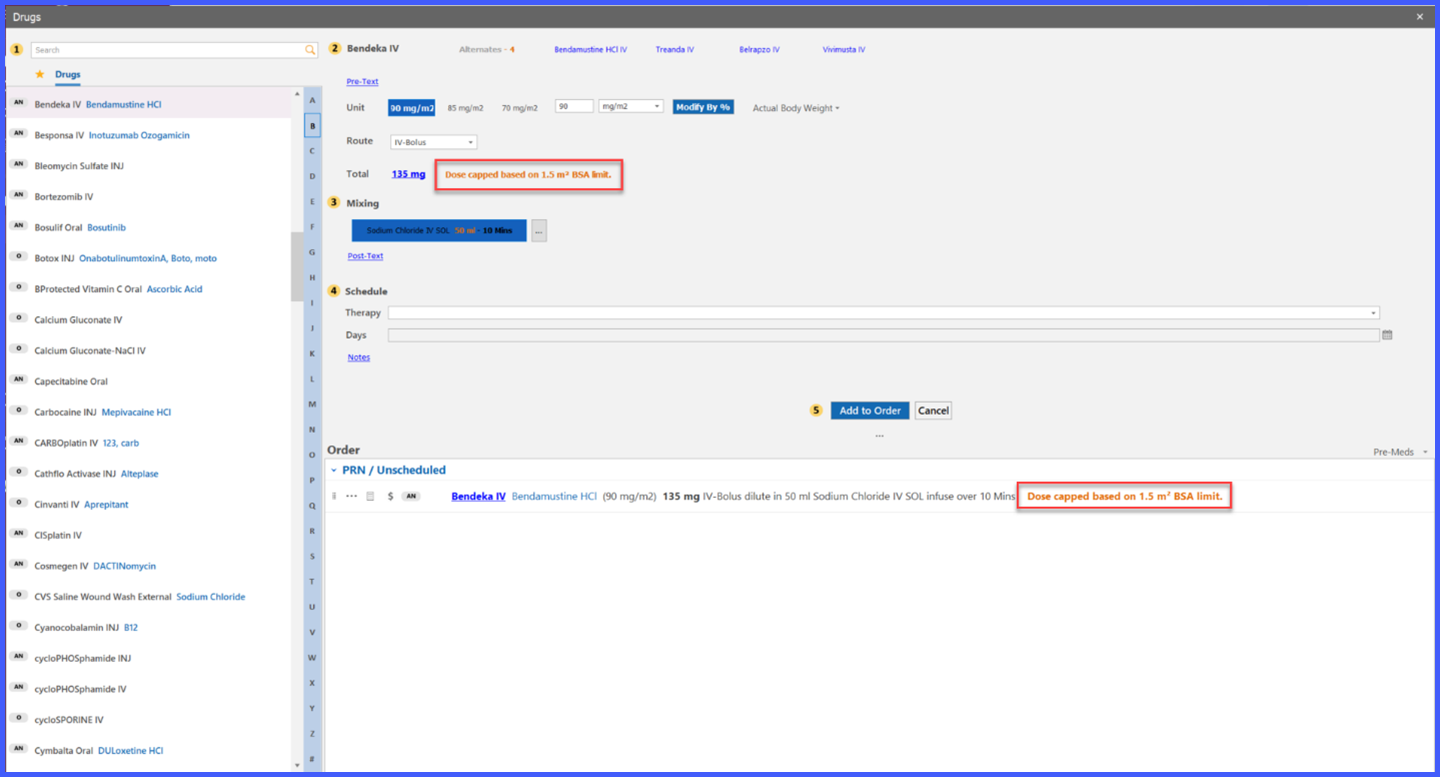
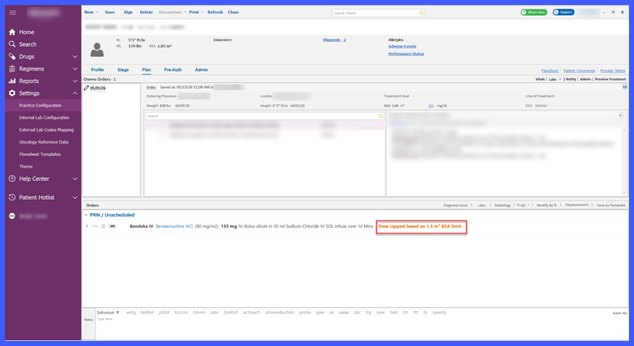
Apply BSA Cap During Ordering & Planning
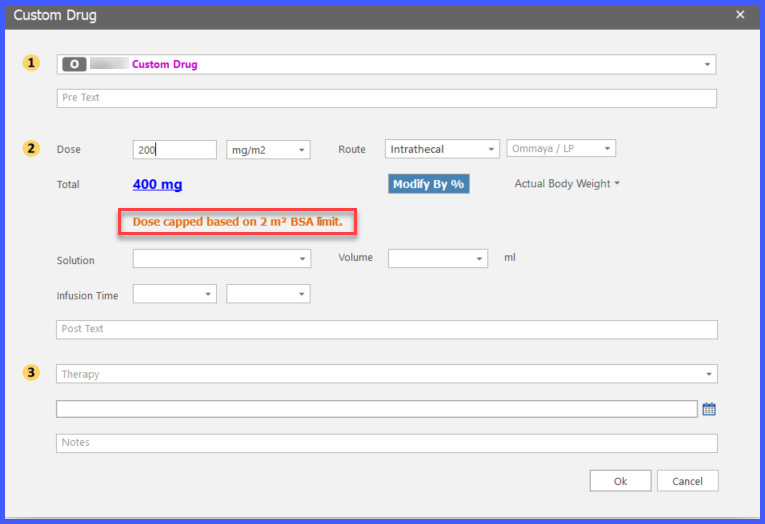
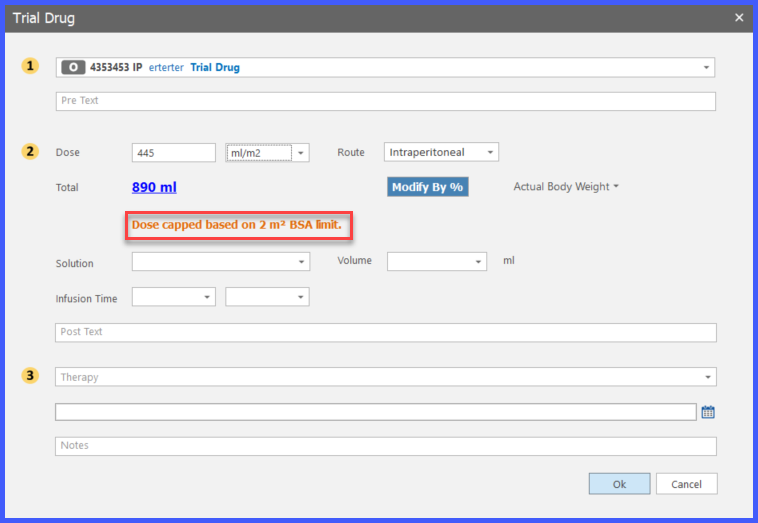
Apply BSA Cap to Custom & Trial Drugs
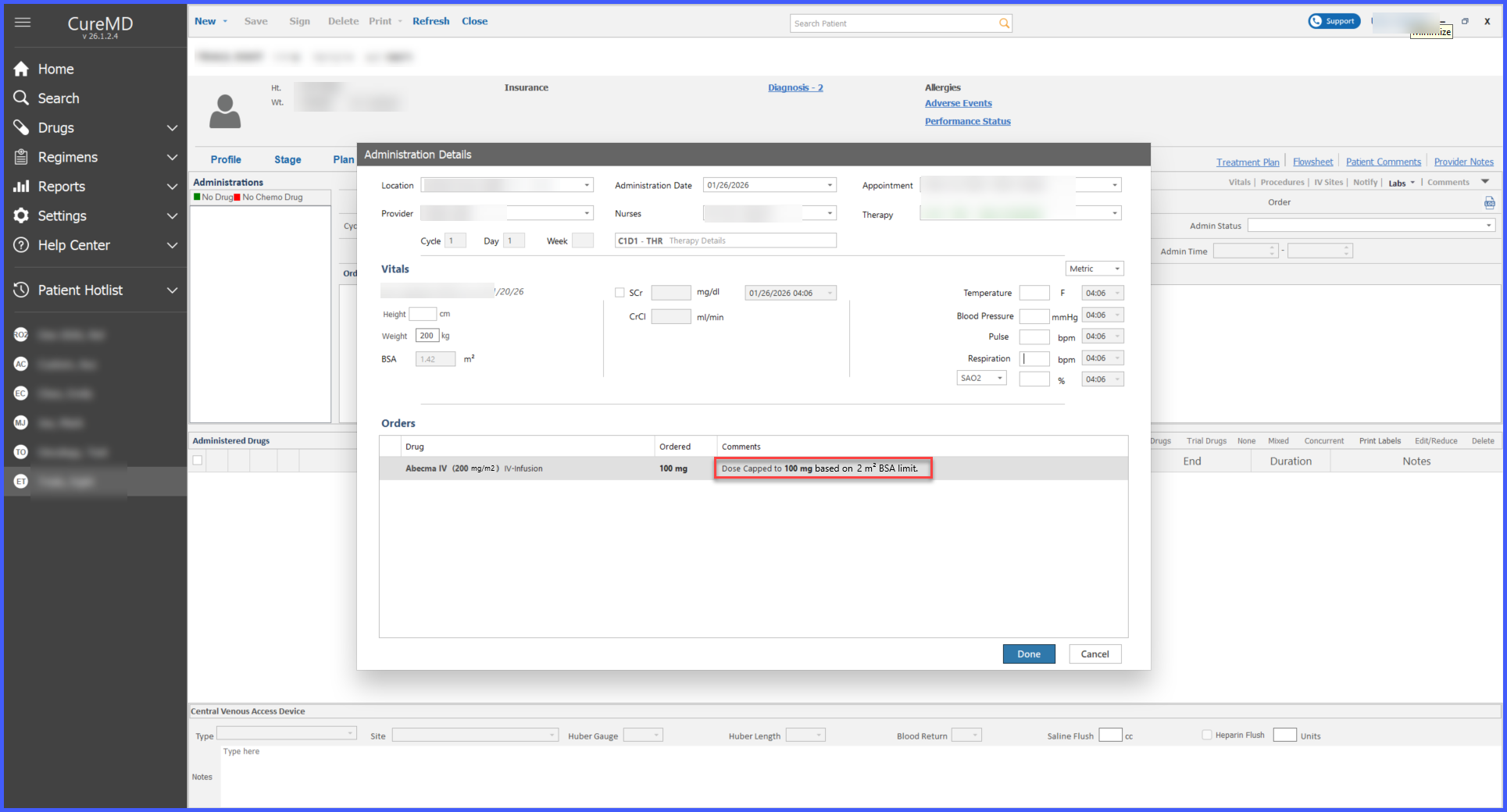
View BSA Cap During Administration
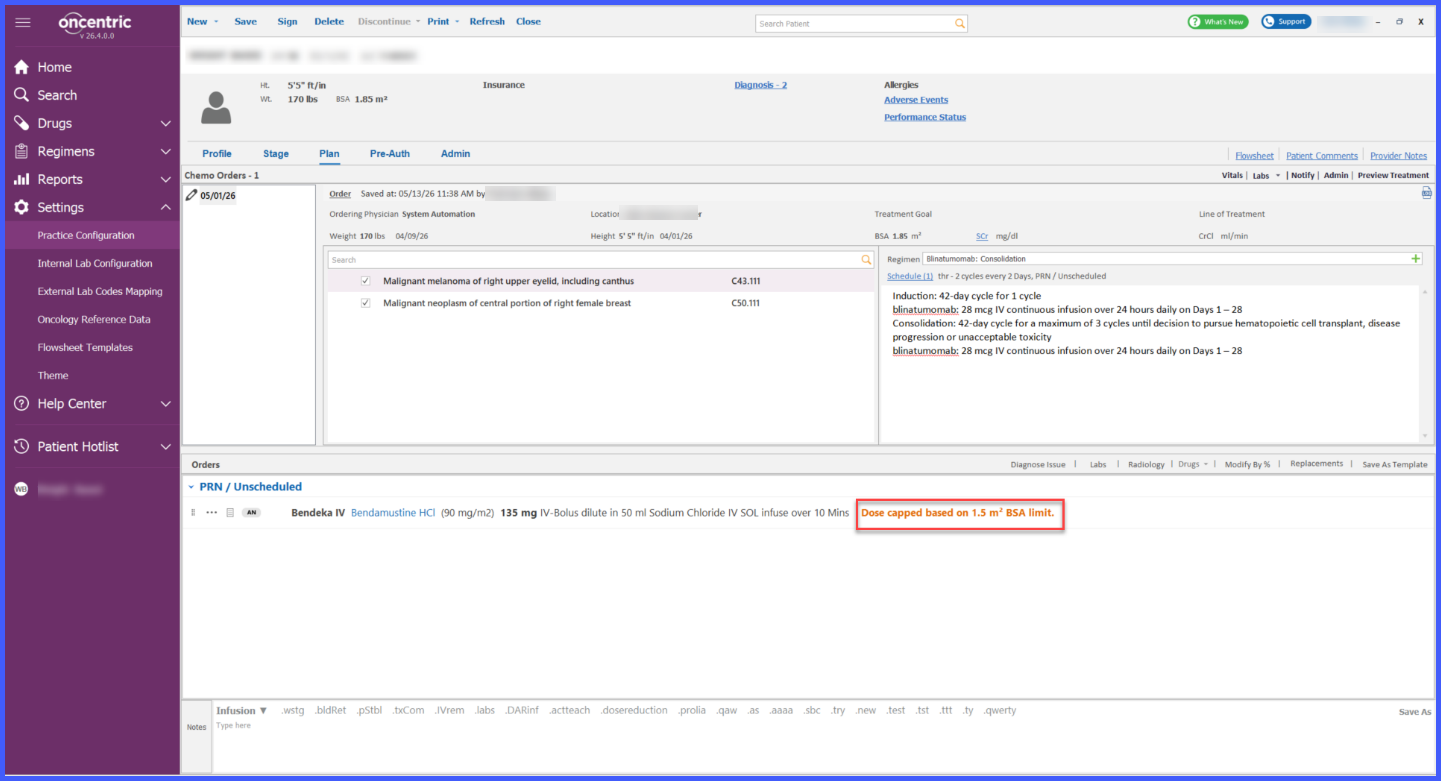
Review BSA Cap in Oncology Workflows
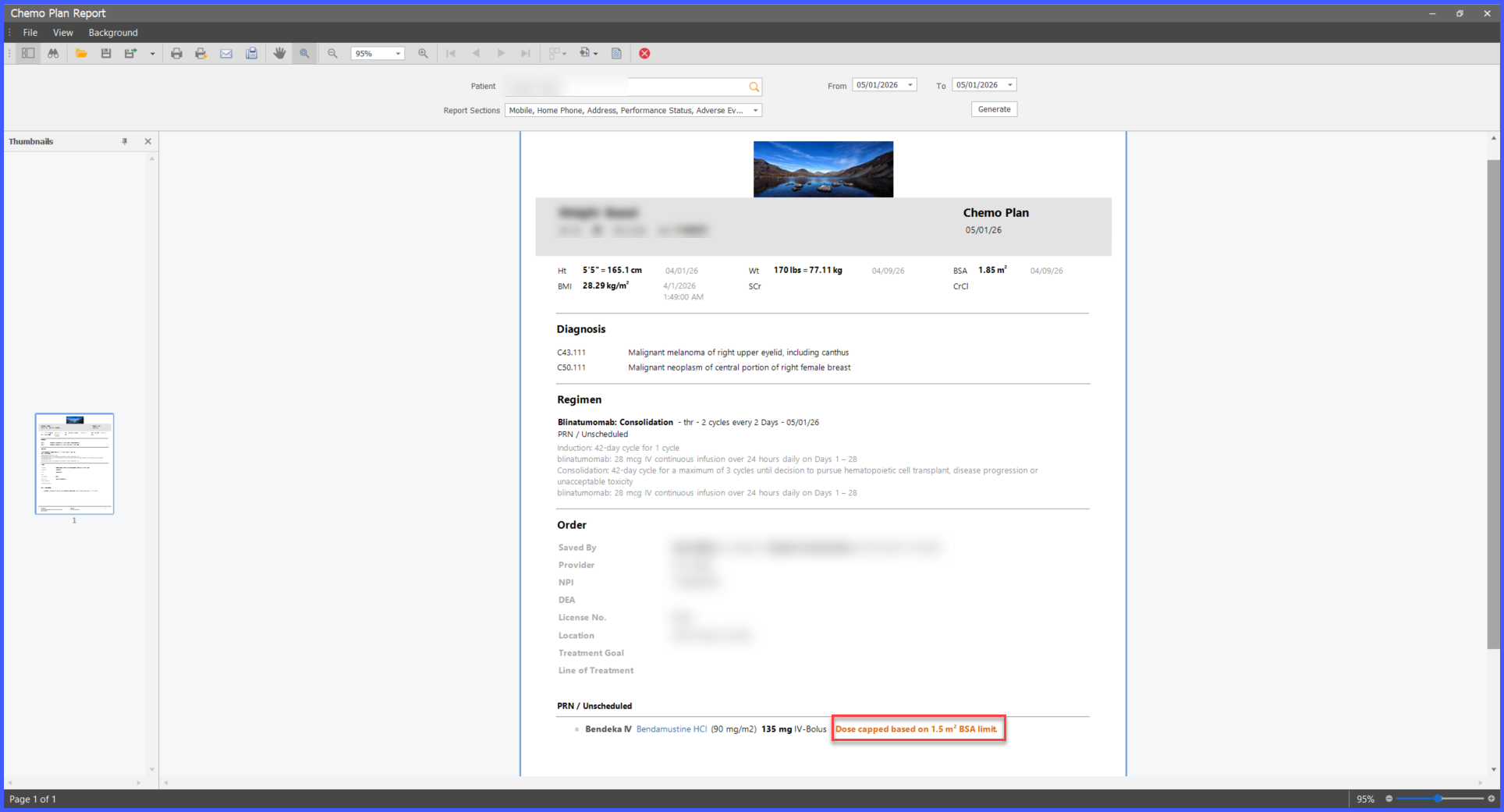
View BSA Cap in Reports
What’s New
-
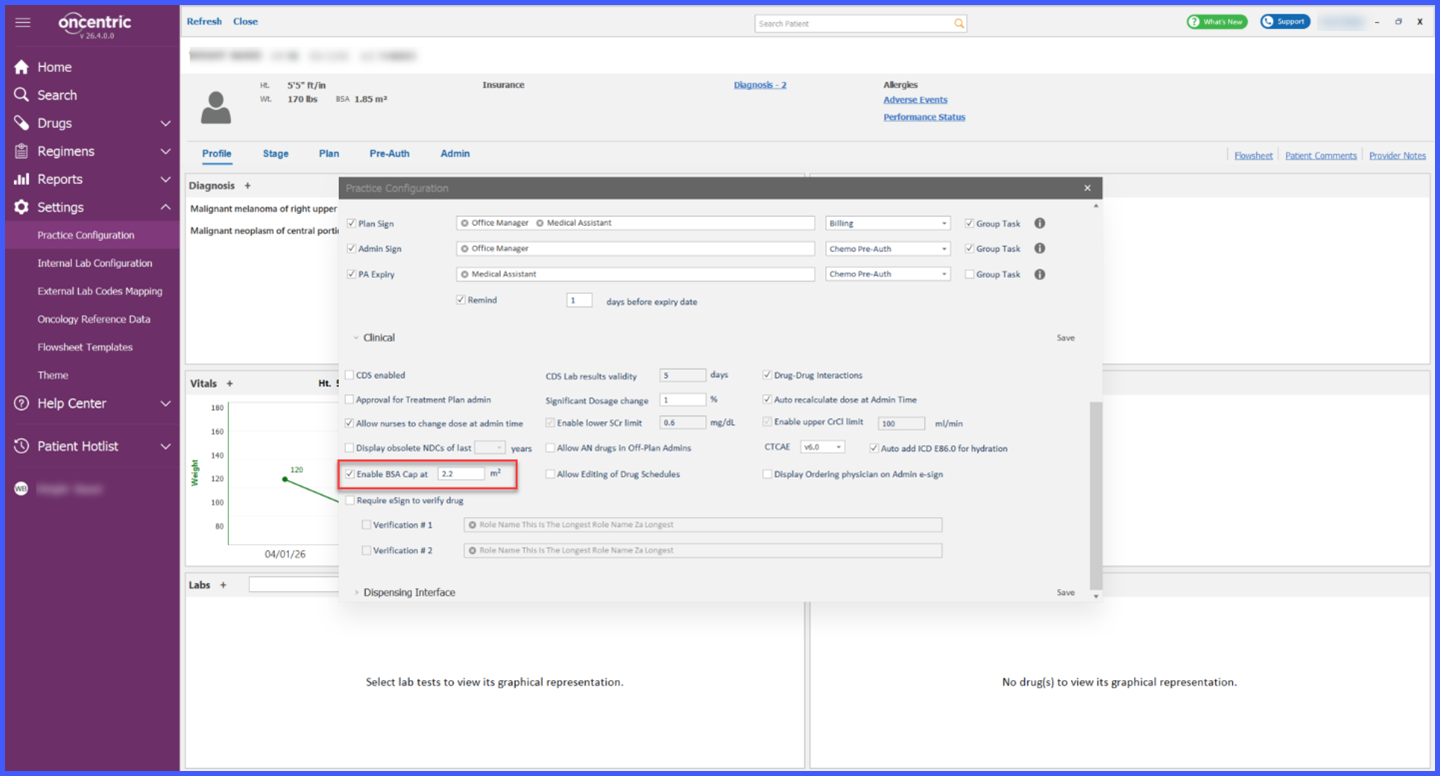
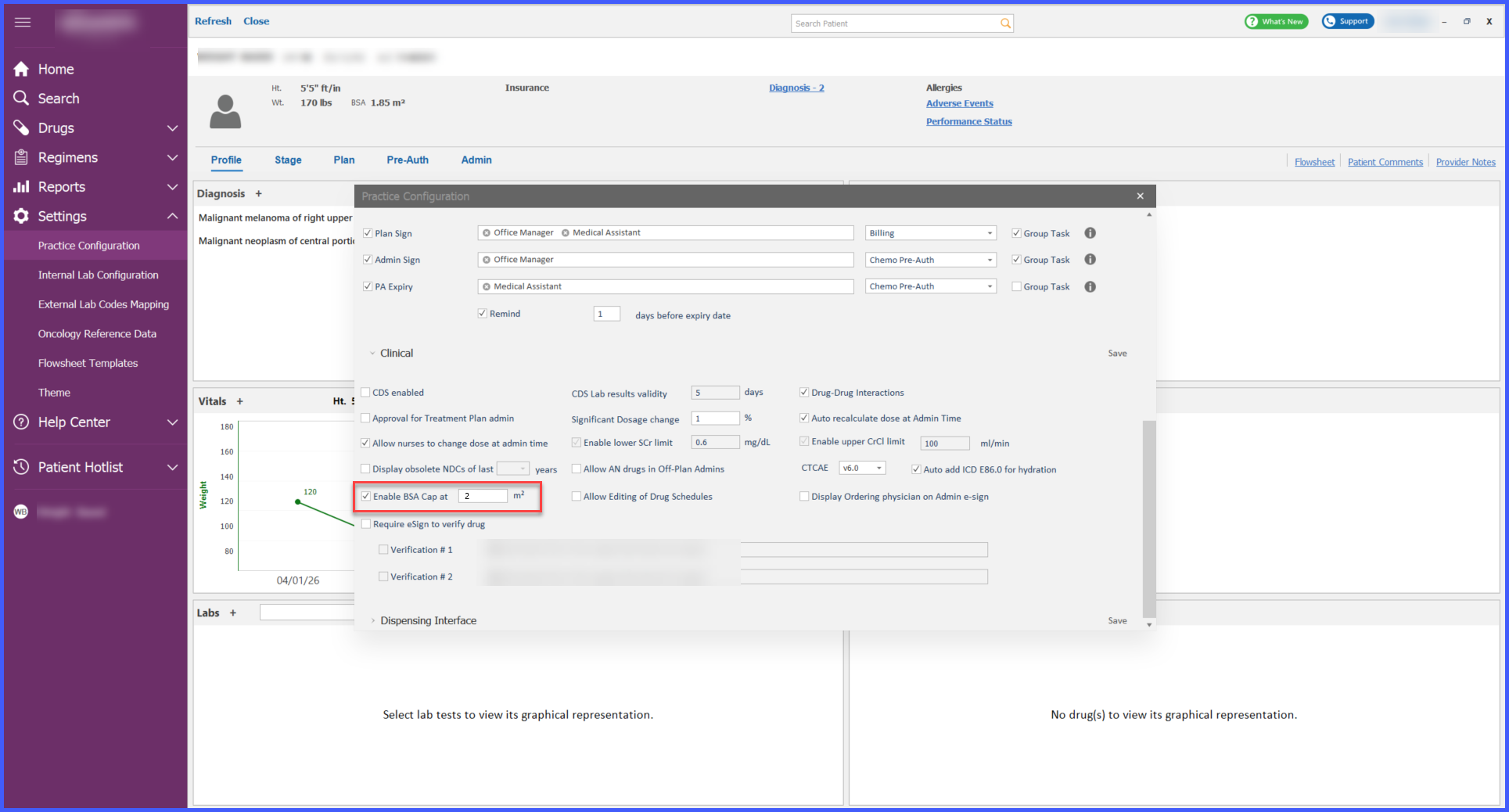
A new practice-level BSA Cap setting is available under Practice Configuration > Clinical.
-
The system automatically applies the configured cap when a patient’s calculated BSA exceeds the defined threshold.
-
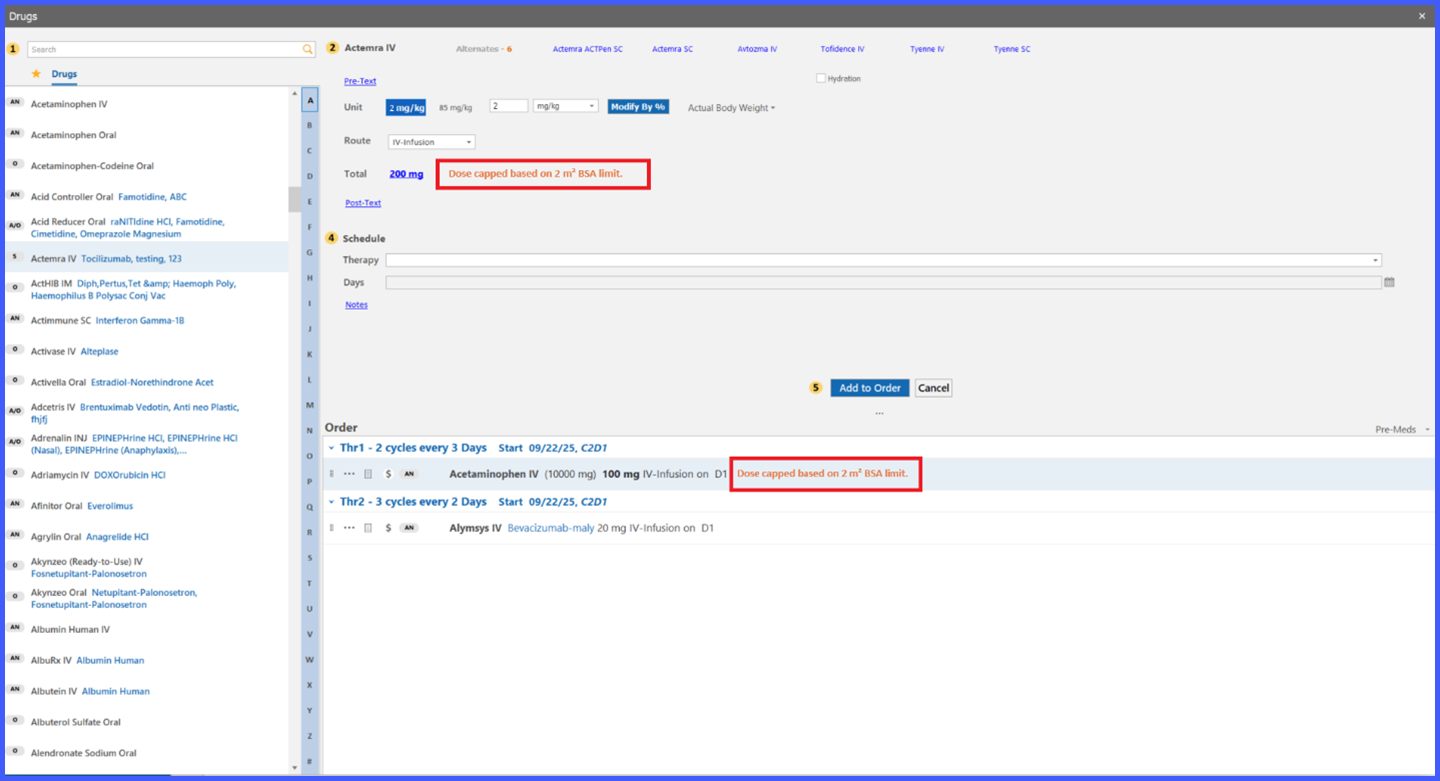
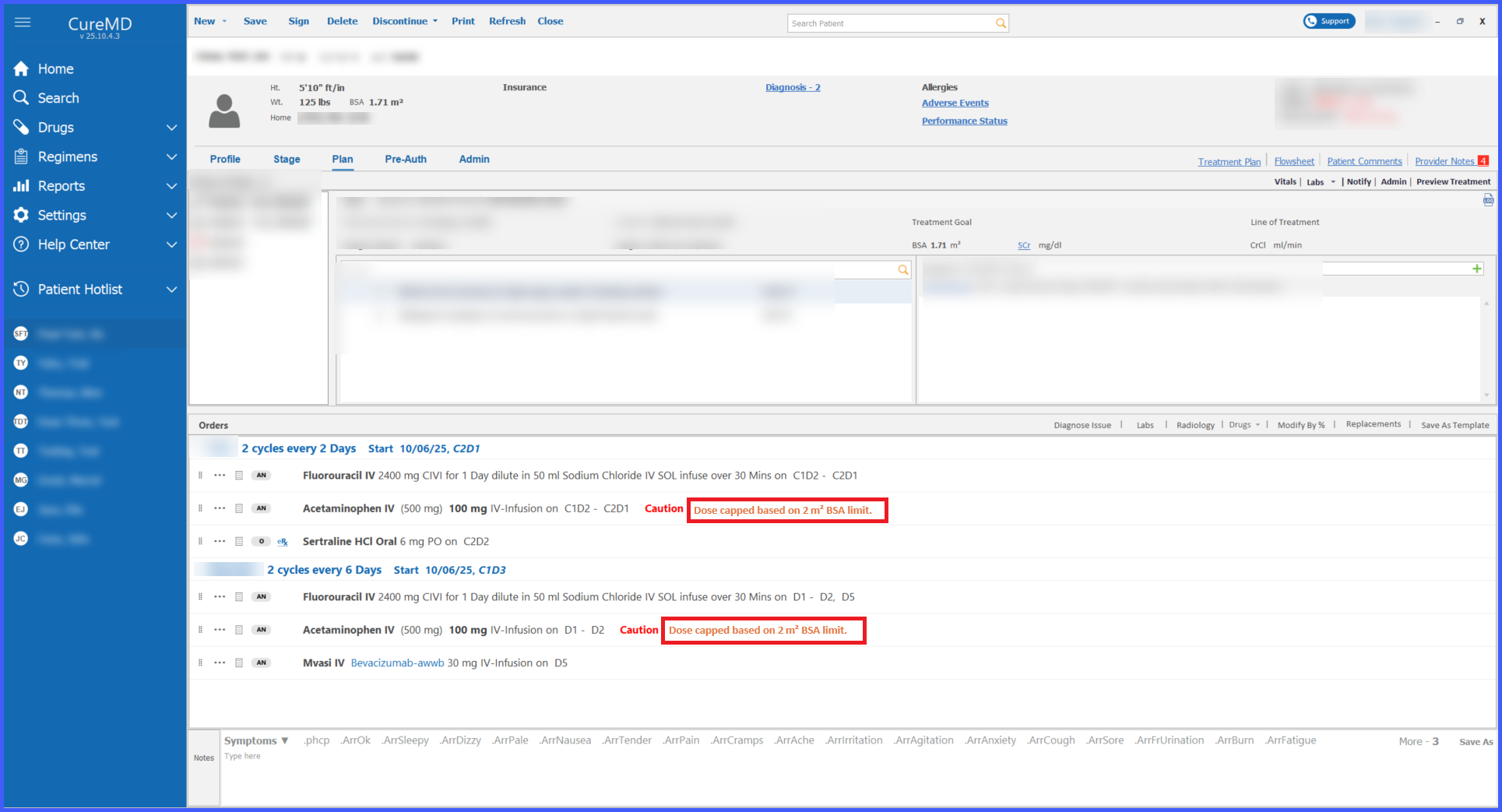
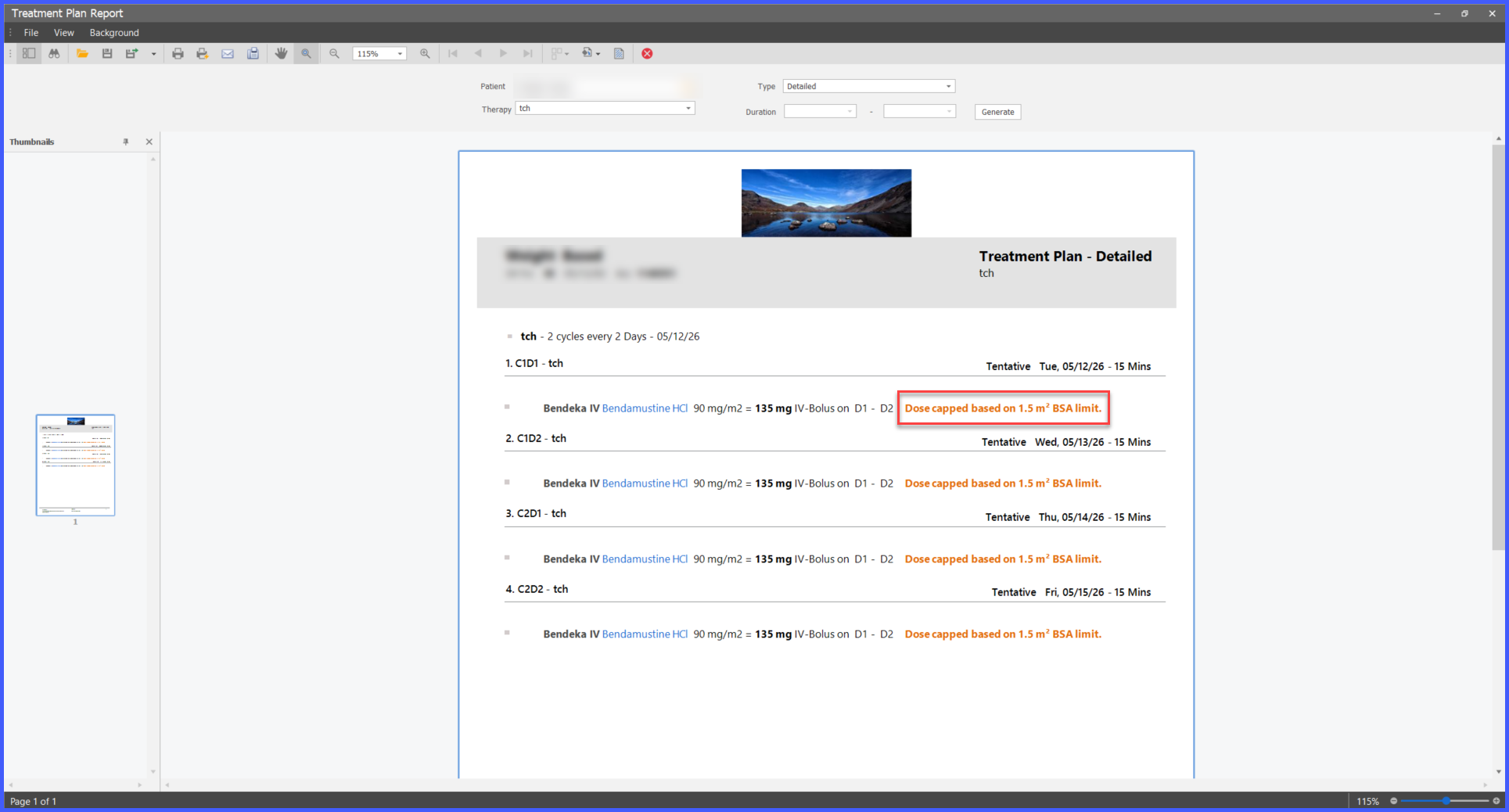
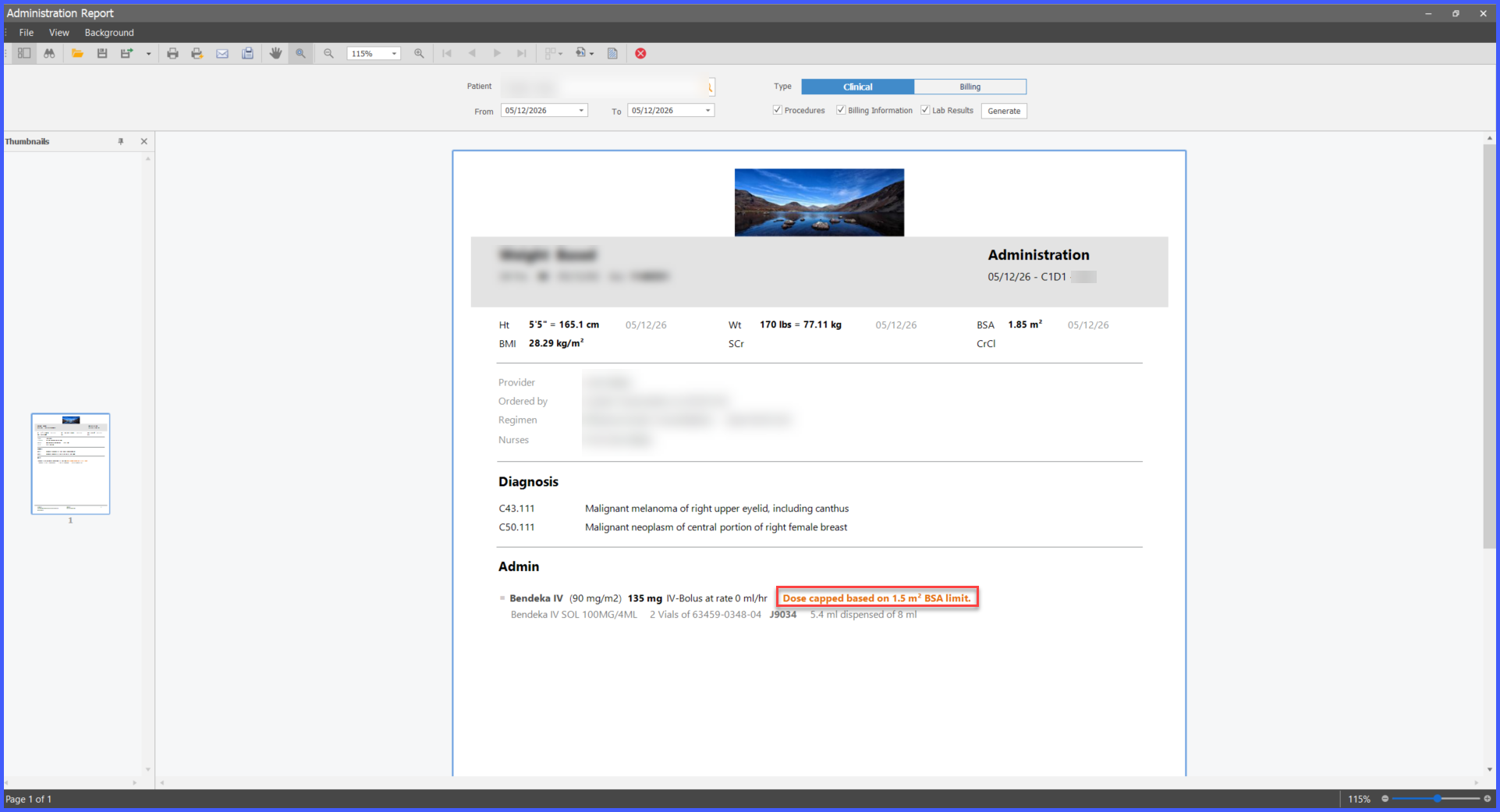
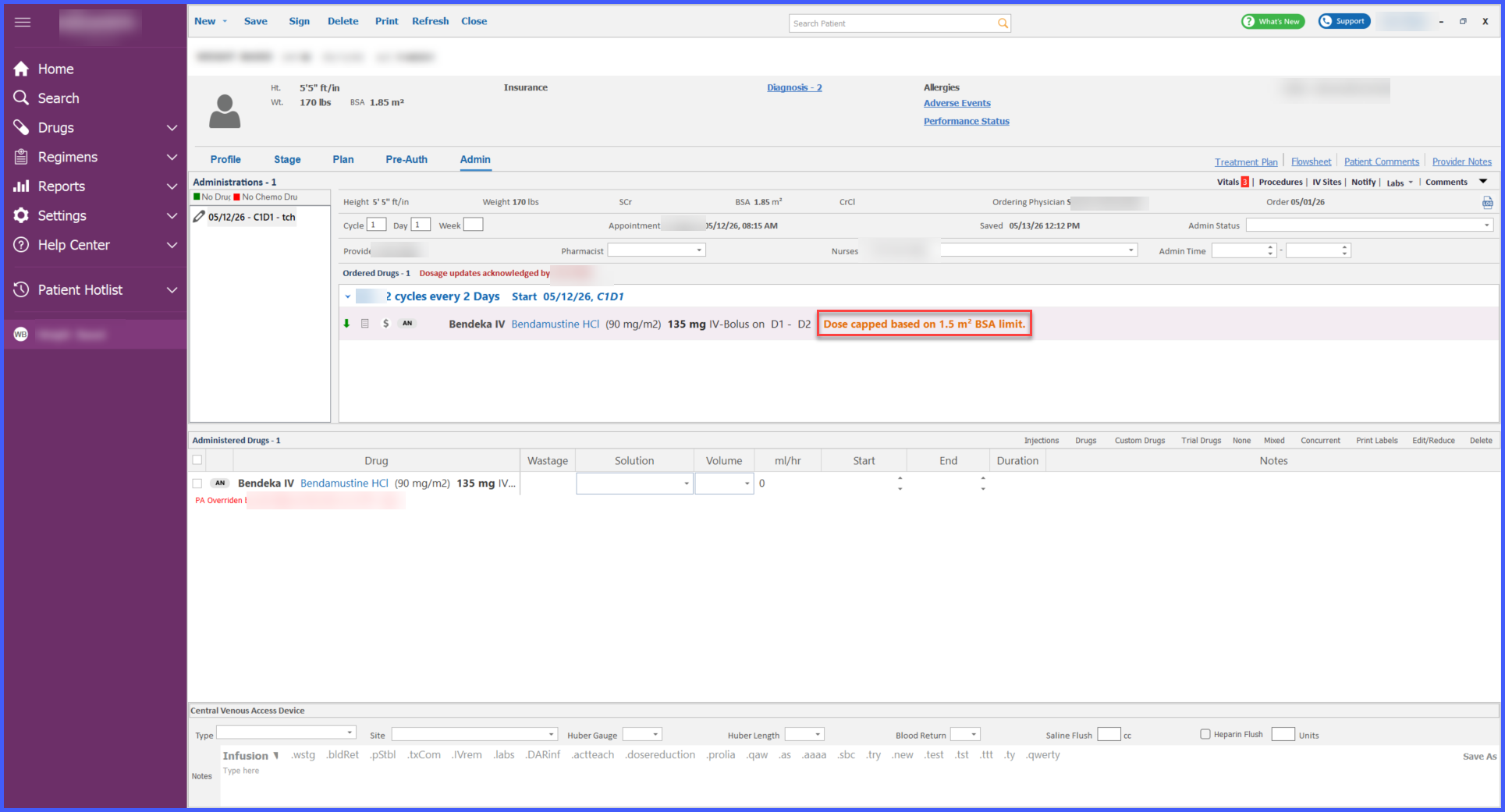
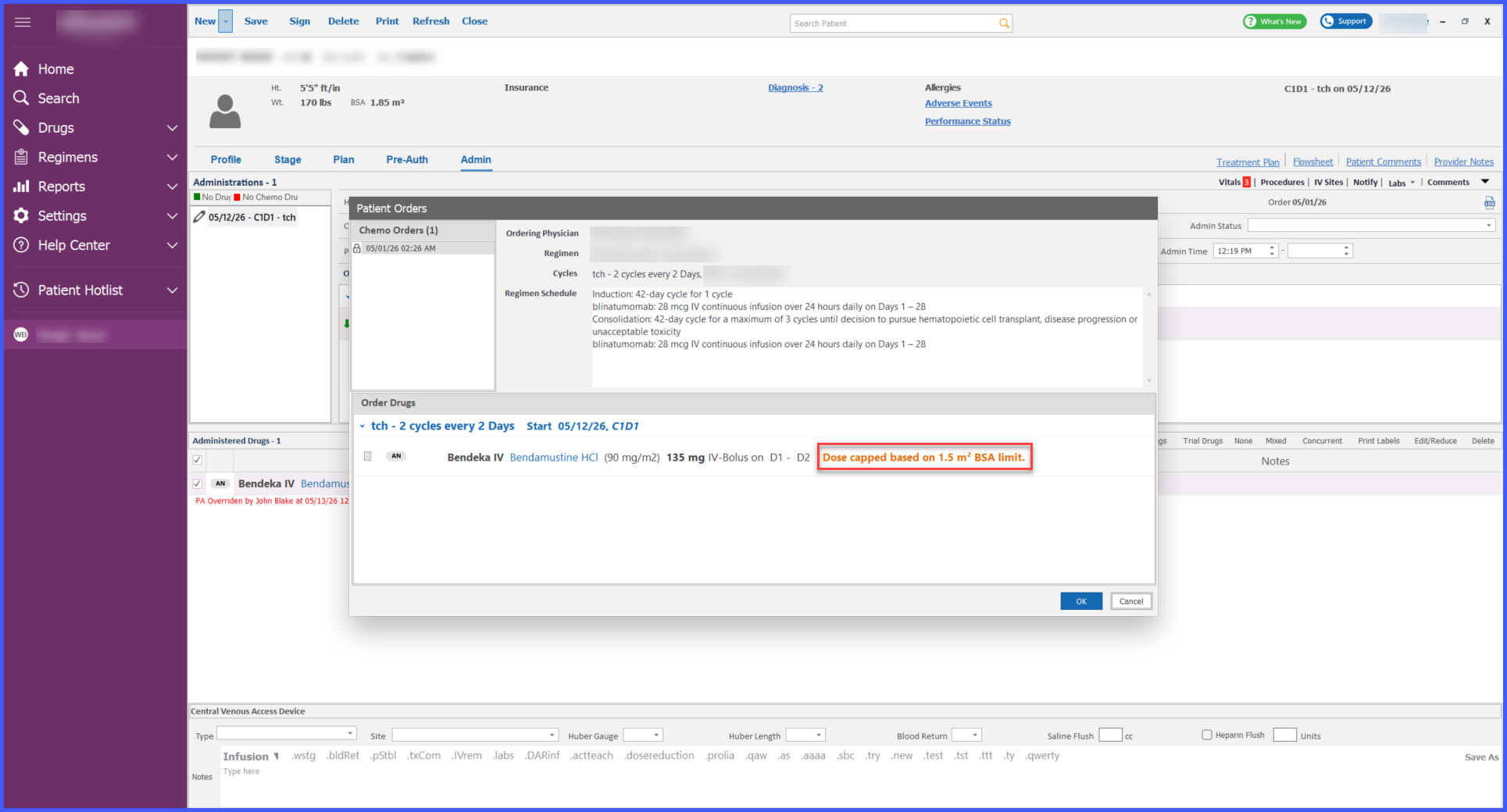
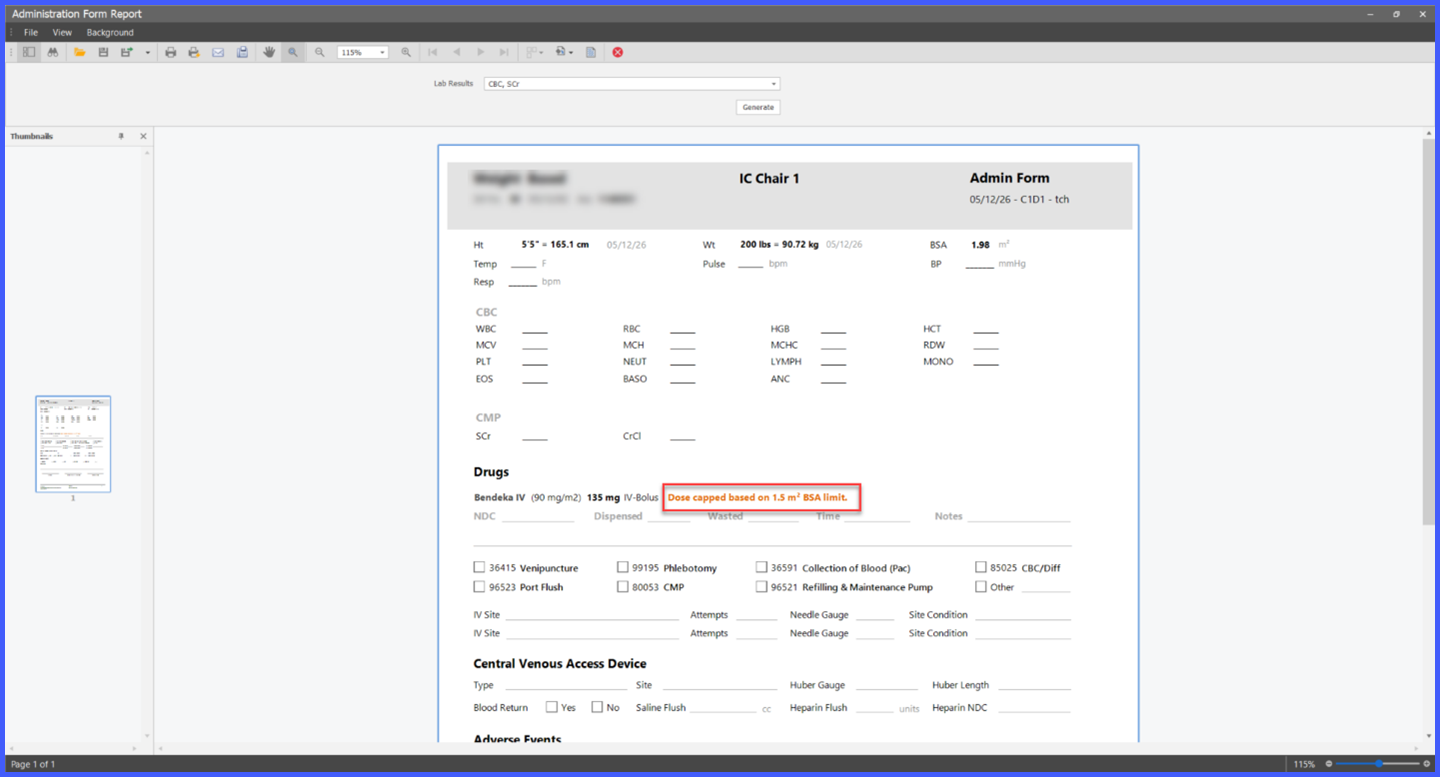
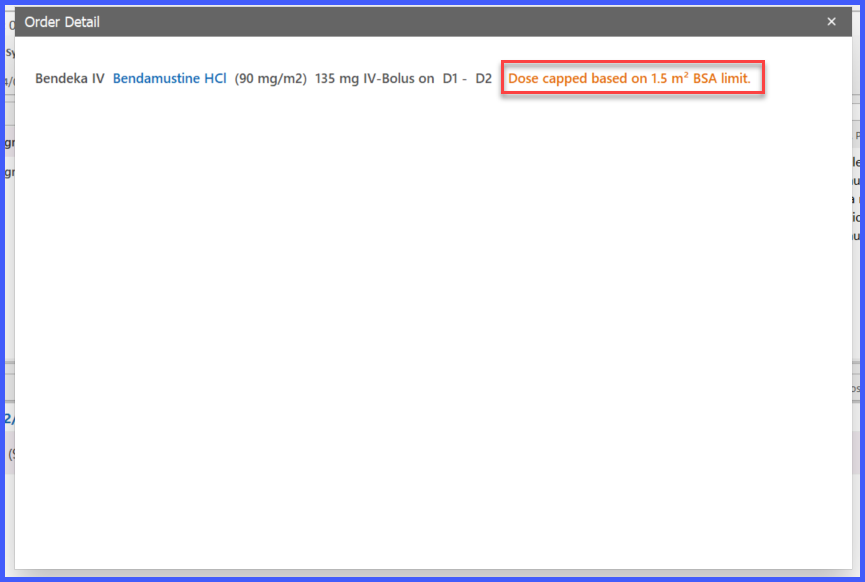
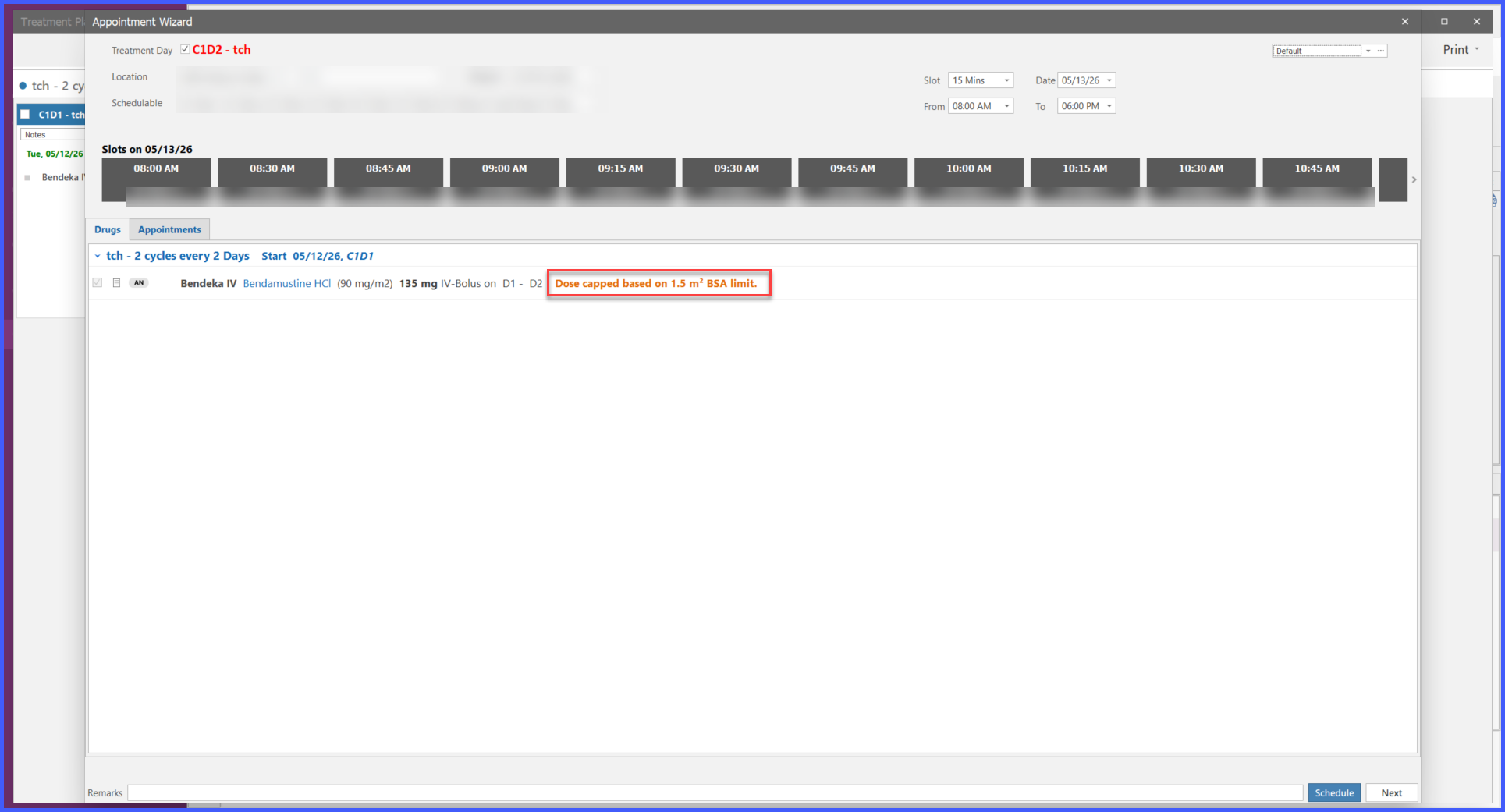
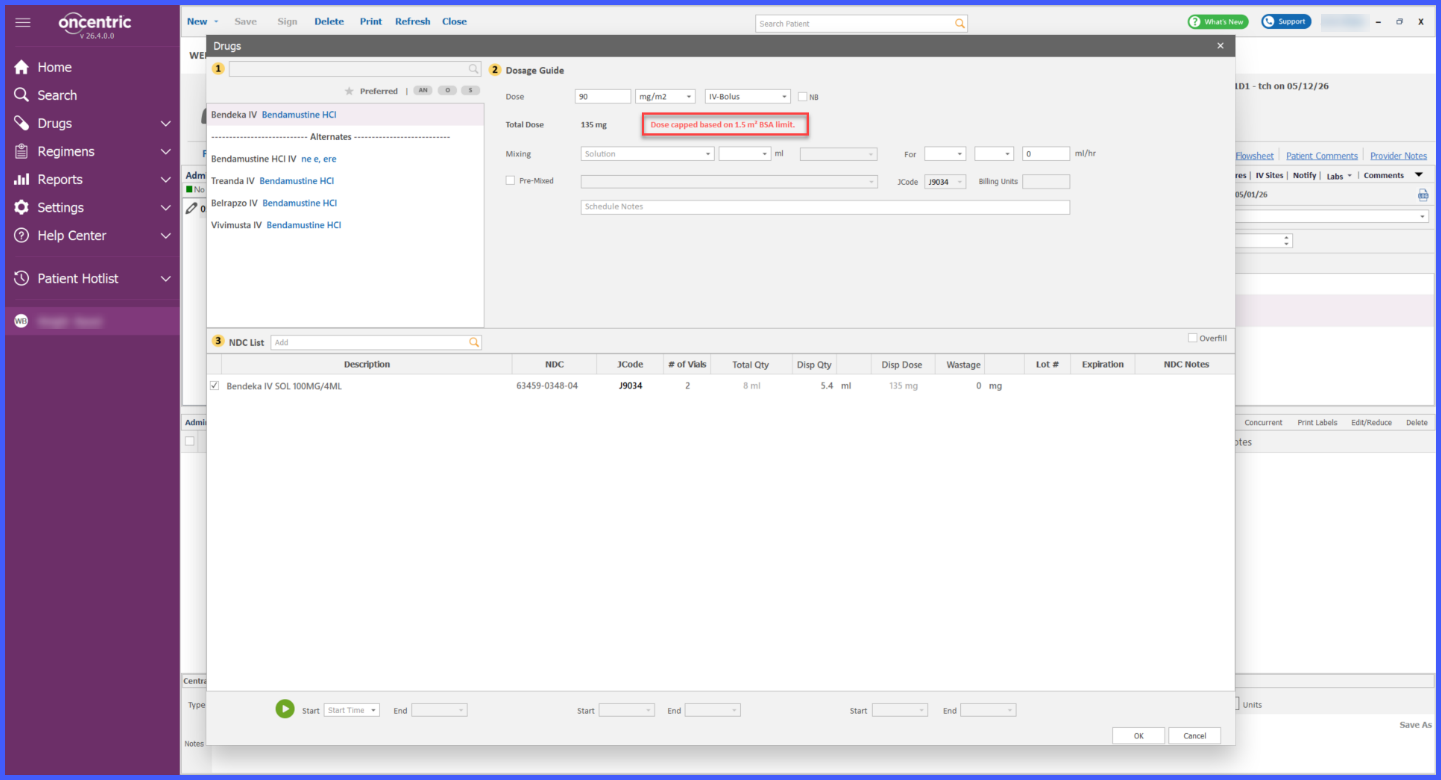
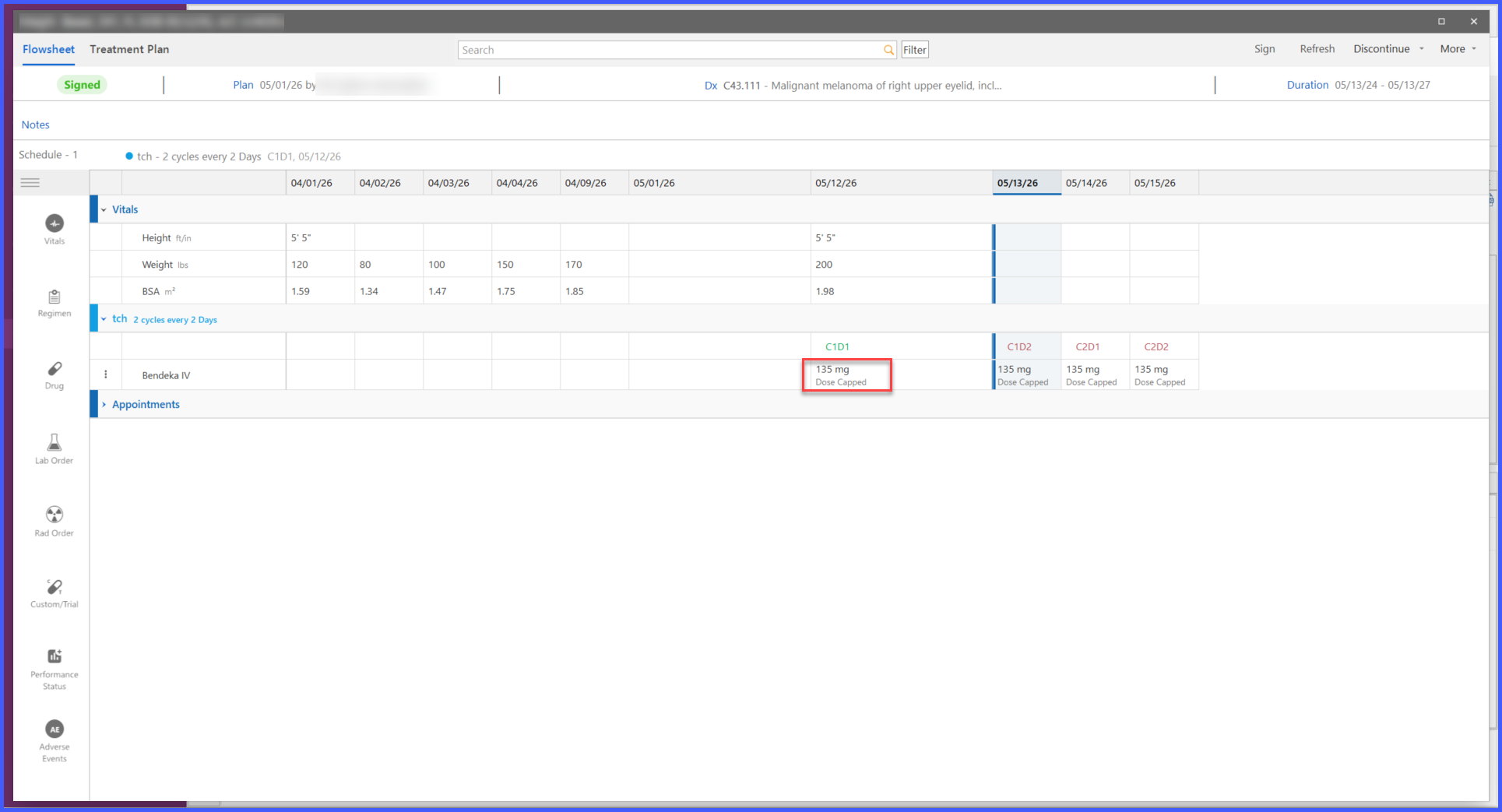
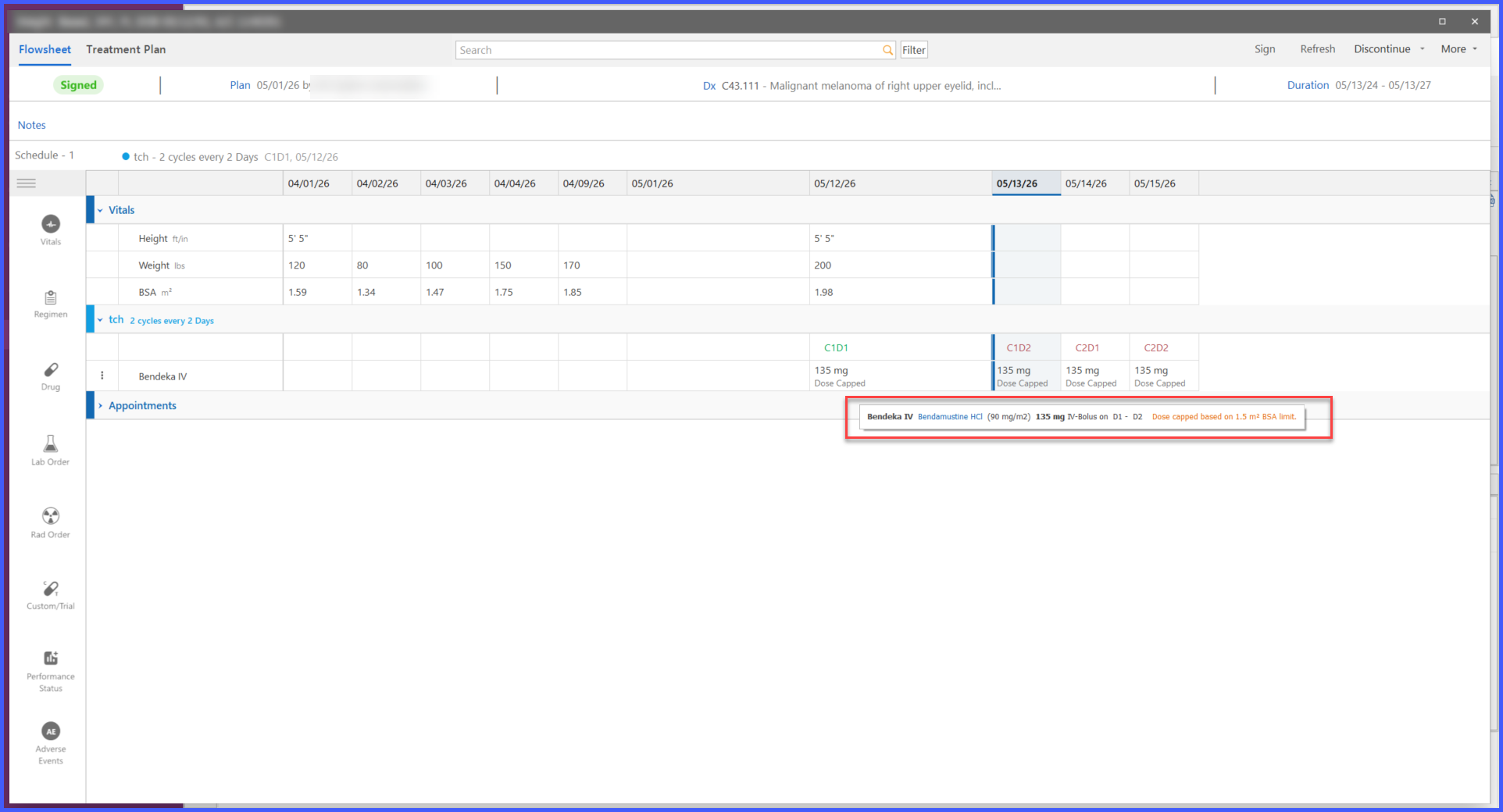
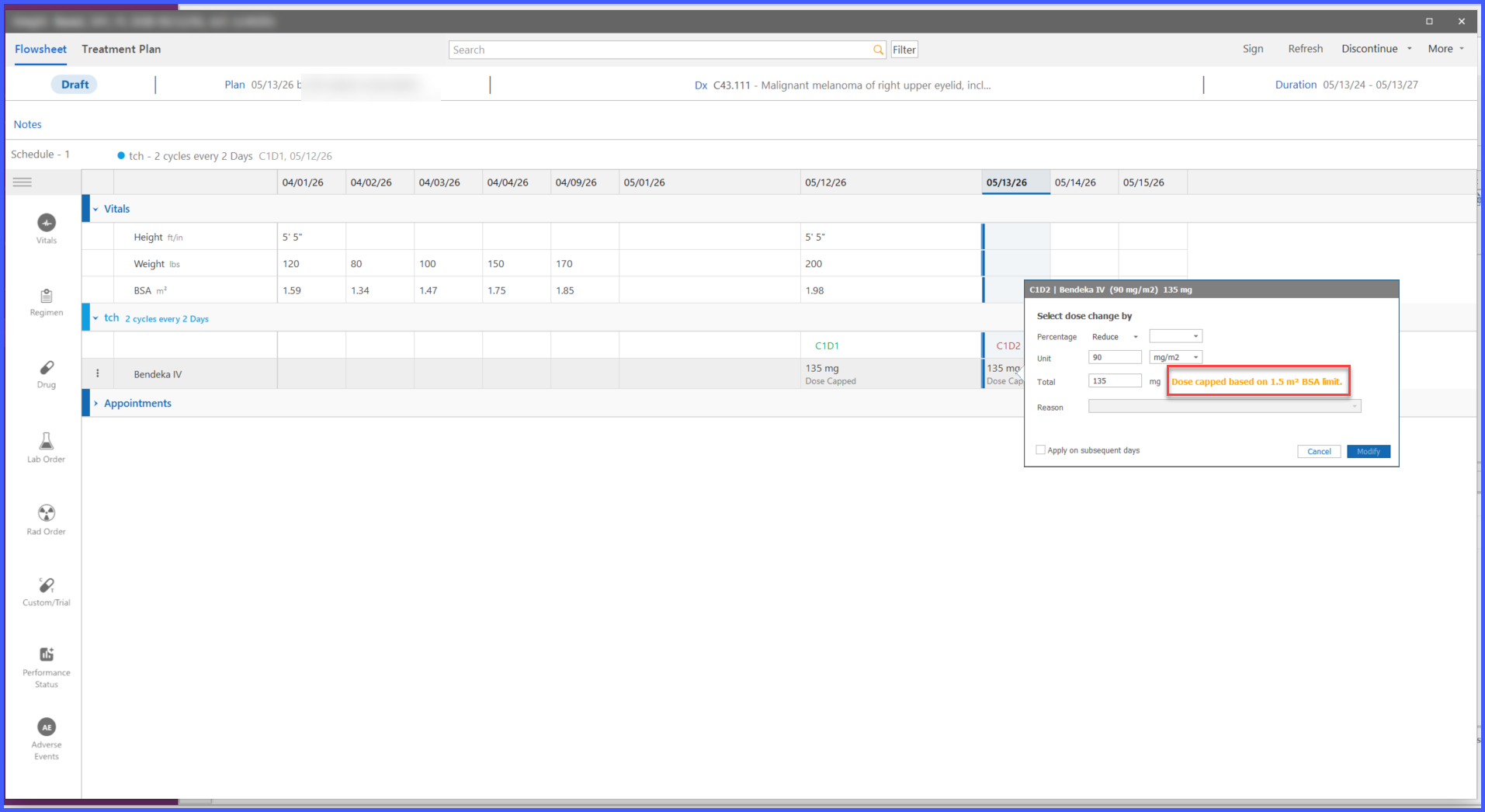
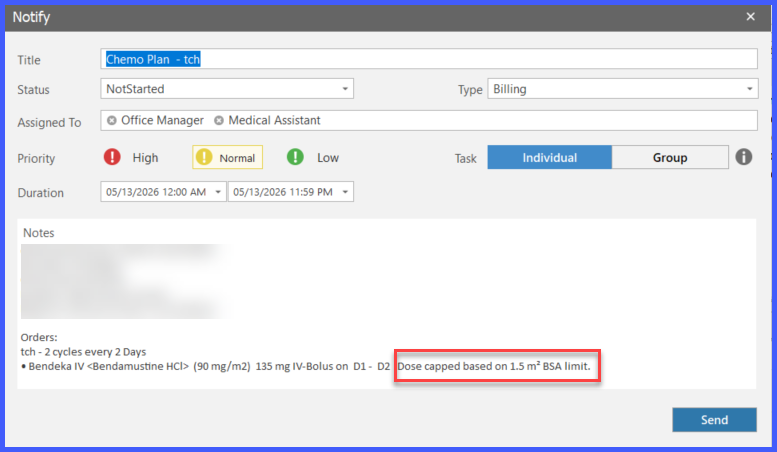
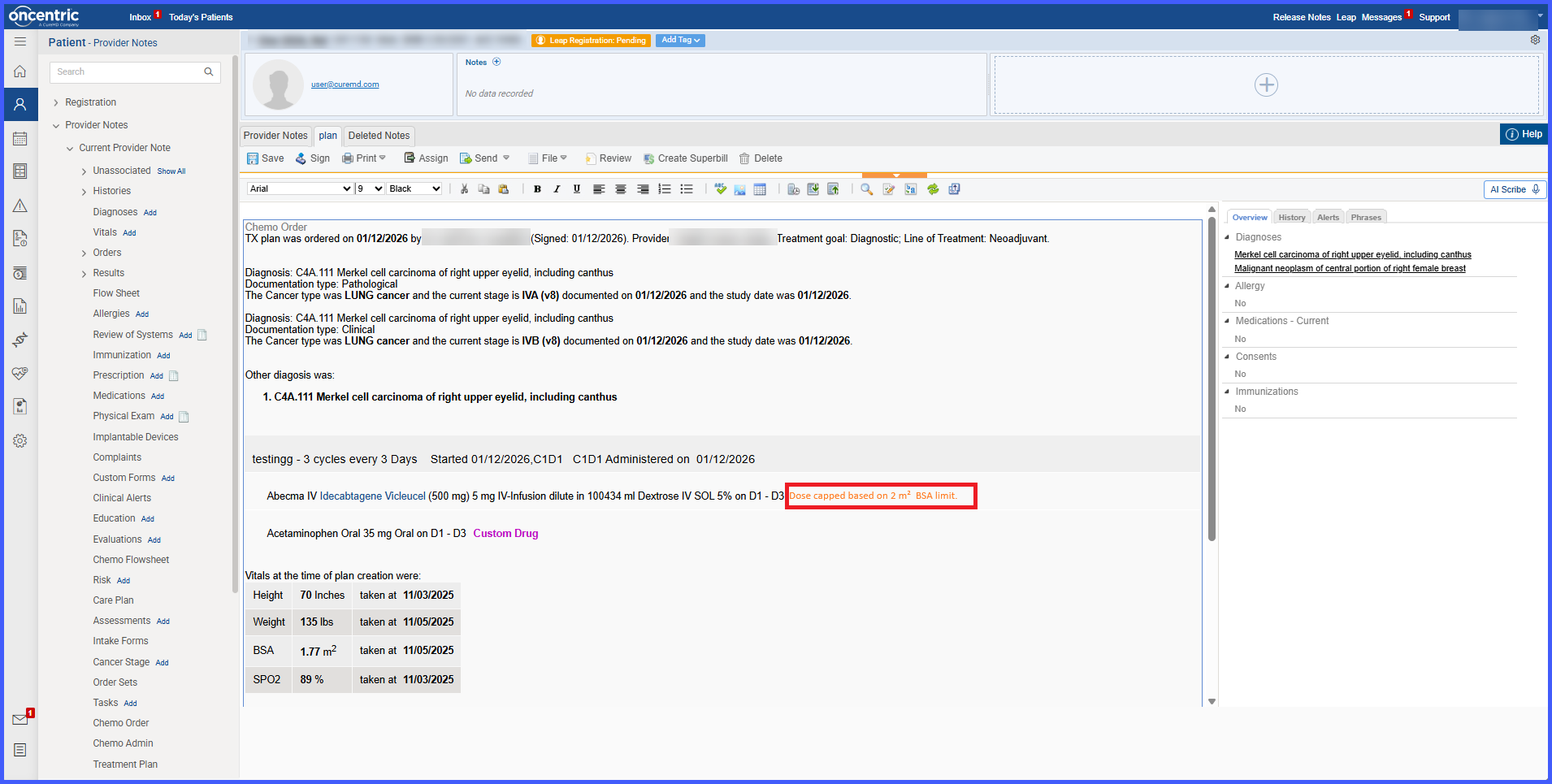
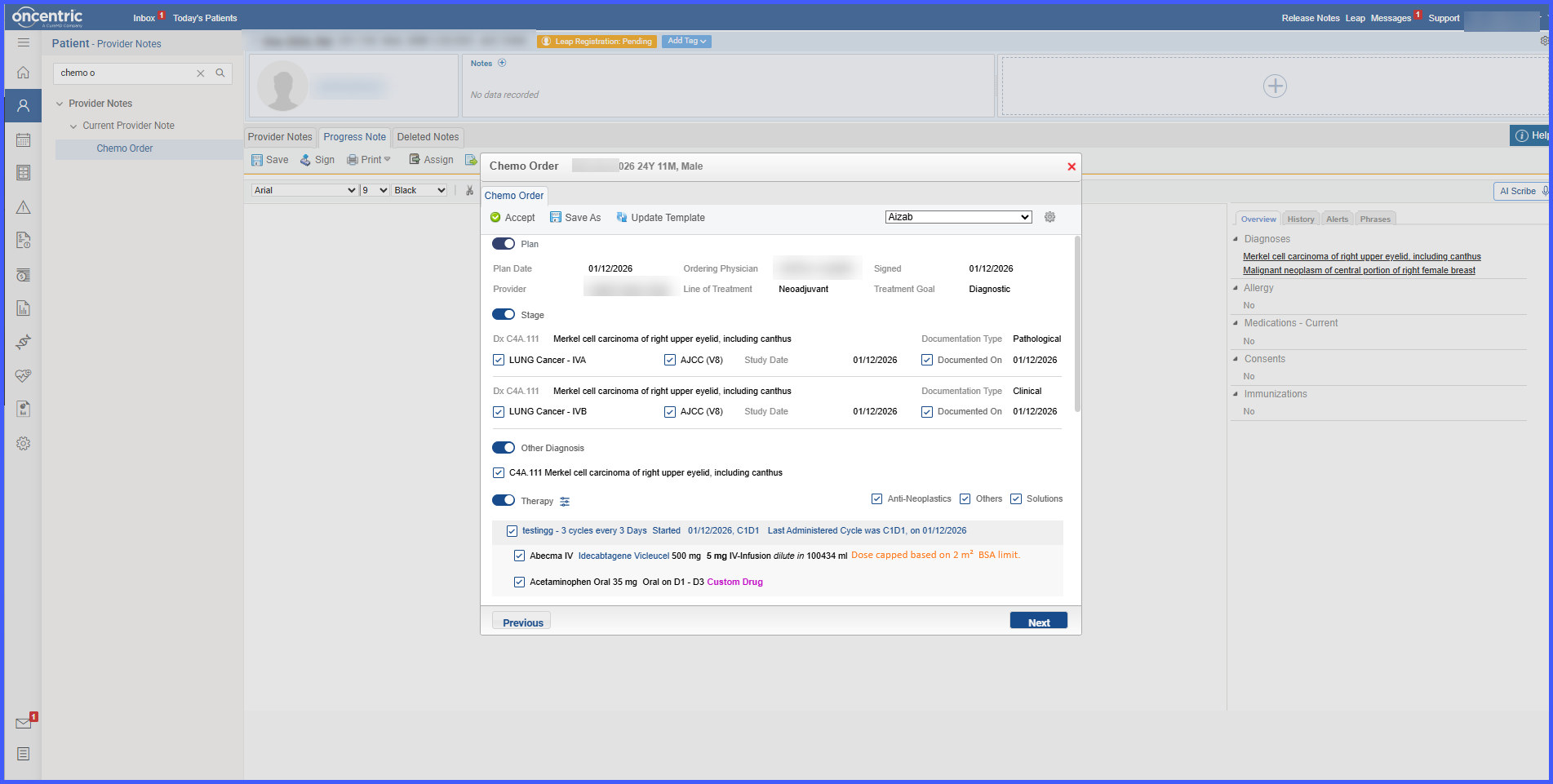
Inline indicators notify users whenever a dosage calculation is based on a capped BSA value rather than the patient’s actual BSA.
-
BSA cap indicators are displayed throughout ordering, planning, administration, flowsheet, provider note, notification, and reporting workflows.
-
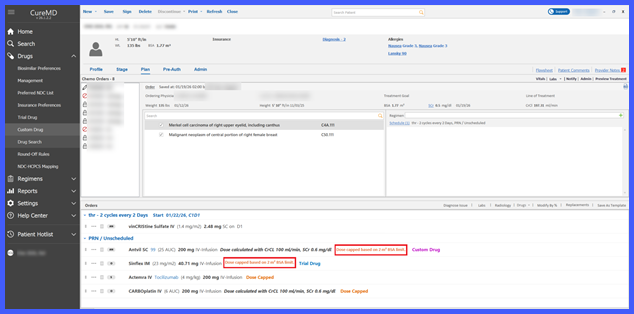
Custom and Trial Drugs now follow configured BSA cap calculations in both ordering and administration workflows.
-
Regimen-based drug ordering now respects the configured BSA cap.
-
Administration Details displays capped-dose indicators for BSA-based drugs.
-
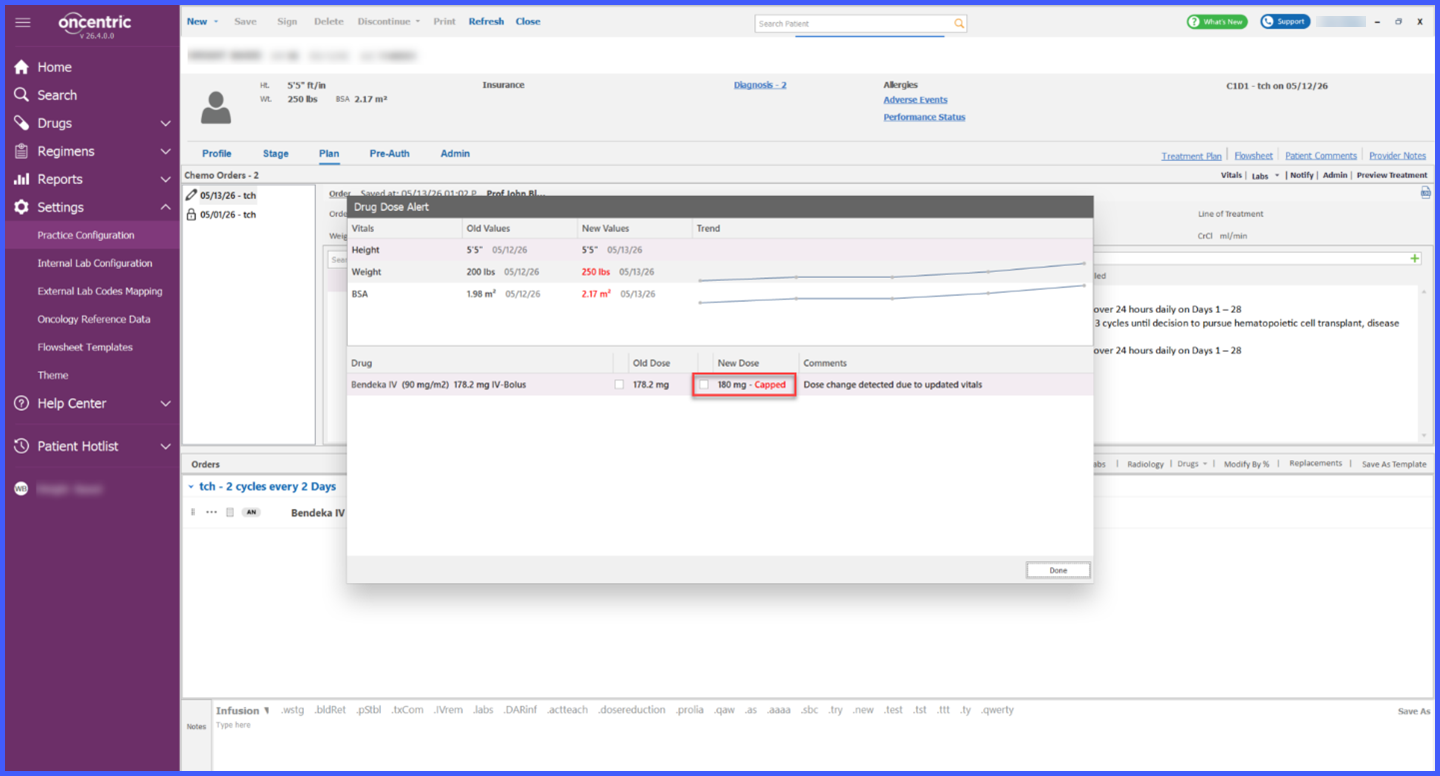
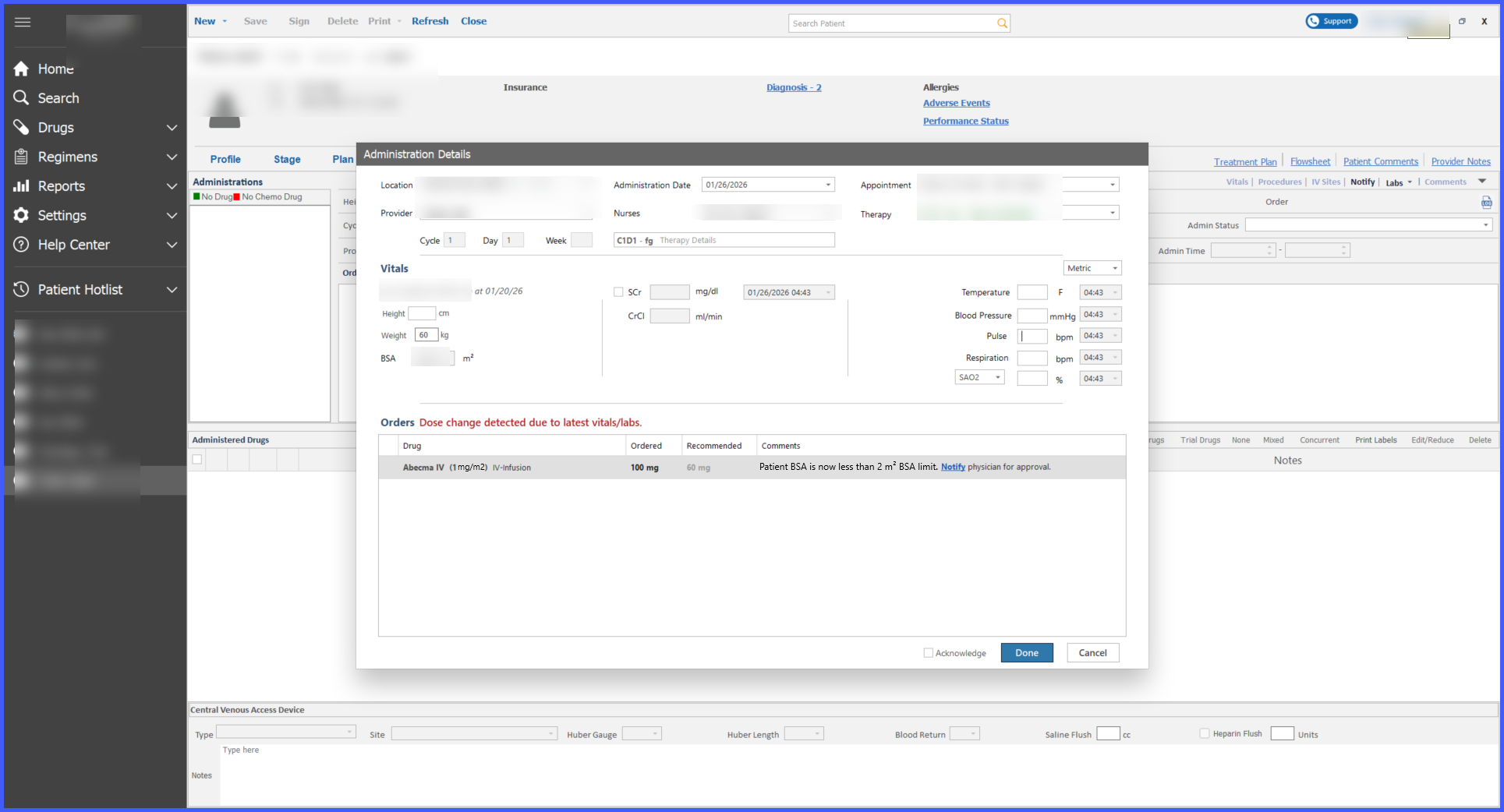
The system alerts users when previously capped doses become uncapped due to vitals changes.
-
BSA cap visibility is supported in
- Add to Order
- Order Listing
- Order Details
- Patient Orders
- Plan Page
- Appointment Wizard
- Administration Details
- Administration Page
- Drug Page on Admin
- Flowsheet
- Flowsheet Drug Tooltip
- Dose Modification Modal
- Notify Modal
- Dose Change Alerts
- Provider Notes
- Chemo Plan Report
- Treatment Plan Report
- Administration Report
- Administration Form Report
- Custom & Trial Drug Workflows
- Regimen Workflows
How It Works
- Navigate to Practice Configuration > Clinical and configure the desired BSA cap threshold.
- When a patient’s calculated BSA exceeds the configured limit, the system automatically applies the capped value during dosage calculations.
- All affected dosage calculations use the capped BSA value rather than the patient’s actual BSA.
- The system displays visual indicators throughout applicable workflows to identify when capped dosing has been applied.
- Custom, Trial, and Regimen-based drugs follow the same capped dosage calculation rules.
- If patient vitals change and a previously capped dose no longer requires capping, the system alerts users to the resulting dose change.
Benefits
-
Improves patient safety by preventing excessive dosing when BSA values exceed practice-defined thresholds.
-
Standardizes dosage calculations across oncology workflows.
-
Increases transparency through consistent capped-dose indicators.
-
Supports Custom, Trial, and Regimen-based drug workflows using the same dosage safety controls.
-
Helps users identify clinically meaningful dose changes caused by updated vitals.
-
Ensures consistent visibility of capped dosing throughout ordering, administration, documentation, and reporting processes.
