Sorted:

4a

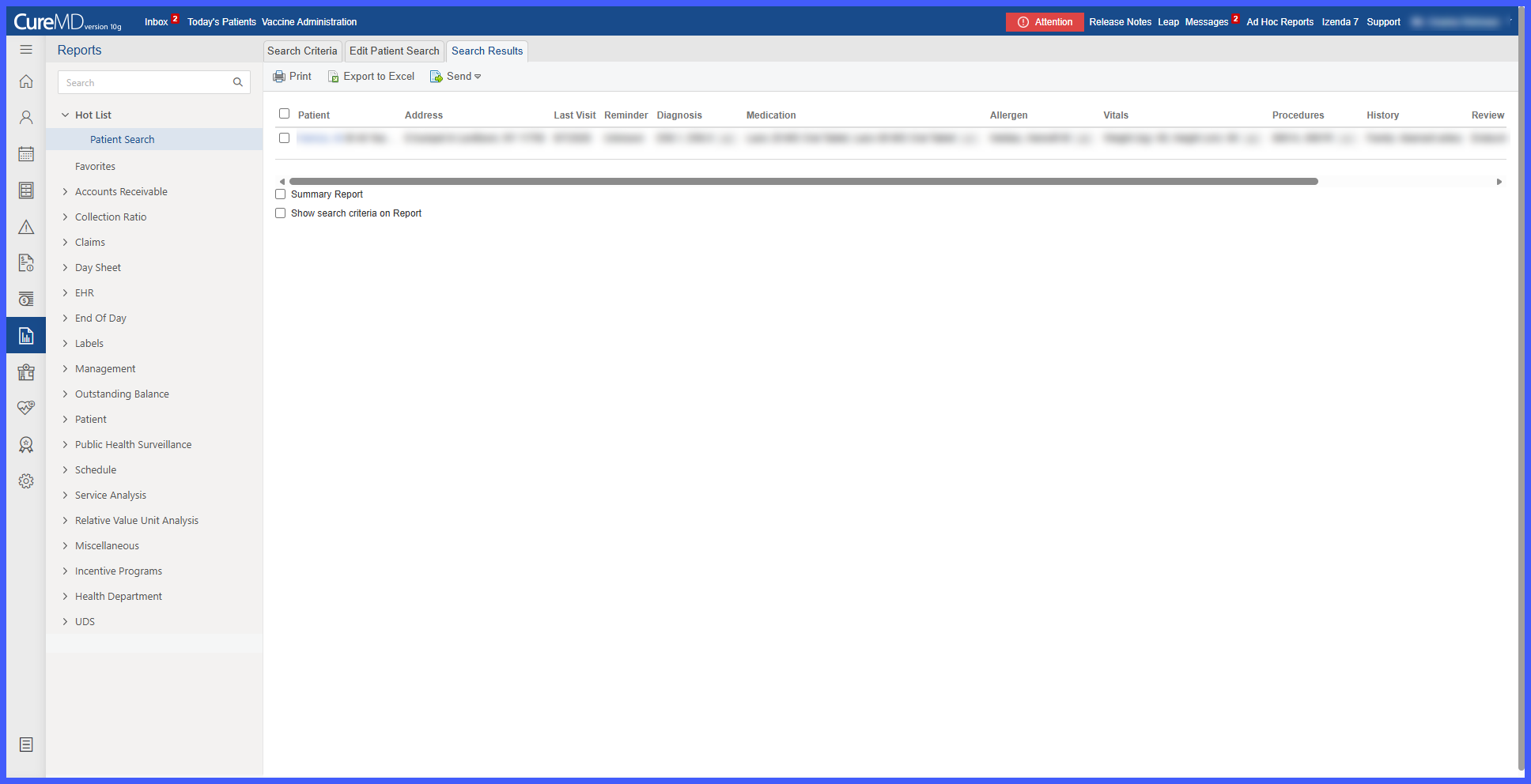
Enhanced Patient Search Results with Column-Based Criteria and Complete Excel Exports

Patient Search results have been enhanced to provide a clearer and more structured view of patient information. Each selected search criterion is now displayed as a separate column, making it easier to review and compare demographic and clinical information across patients.

location-1

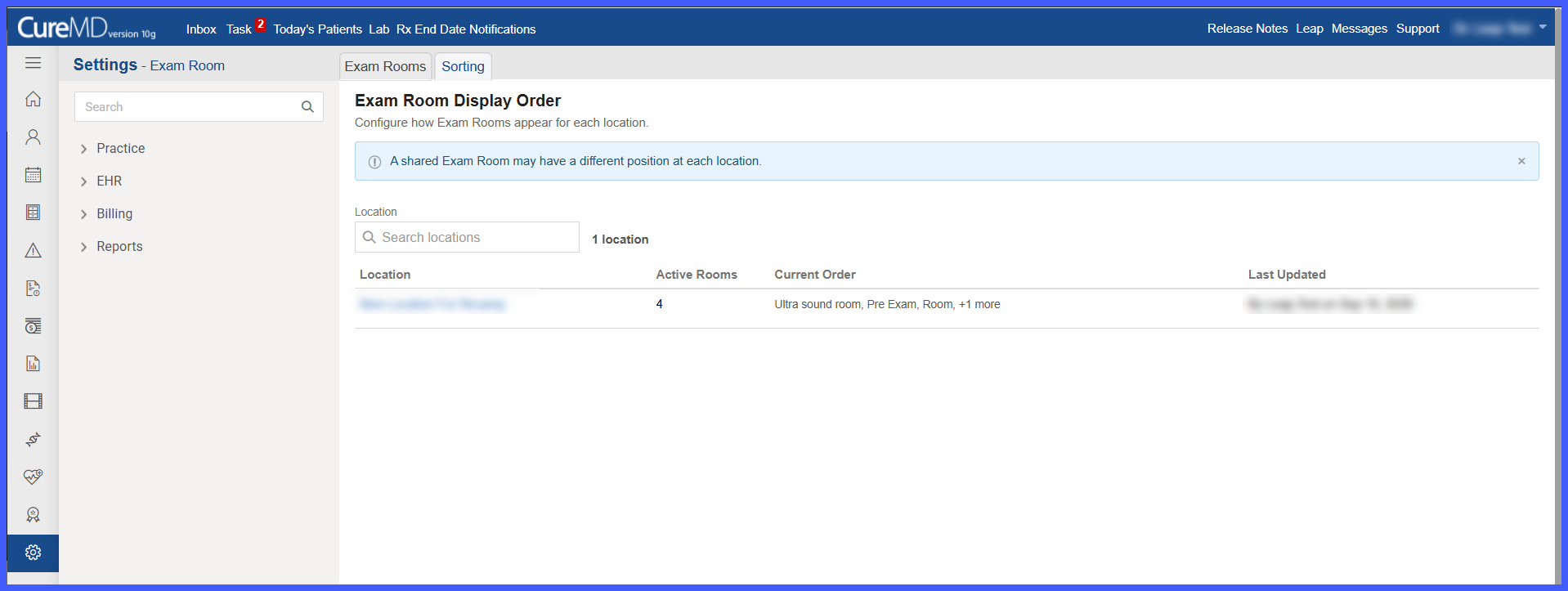
Location-Specific Exam Room Display Order

Exam Room configuration has been enhanced to allow practice administrators to define a separate display order for Exam Rooms at each location.

A new Sorting tab provides a centralized view for configuring room sequences. Administrators can arrange rooms according to each location's operational workflow, including assigning different positions to Exam Rooms shared across multiple locations. Once saved, the configured order is reflected in supported Exam Room dropdowns and lists throughout the application.

Picture7

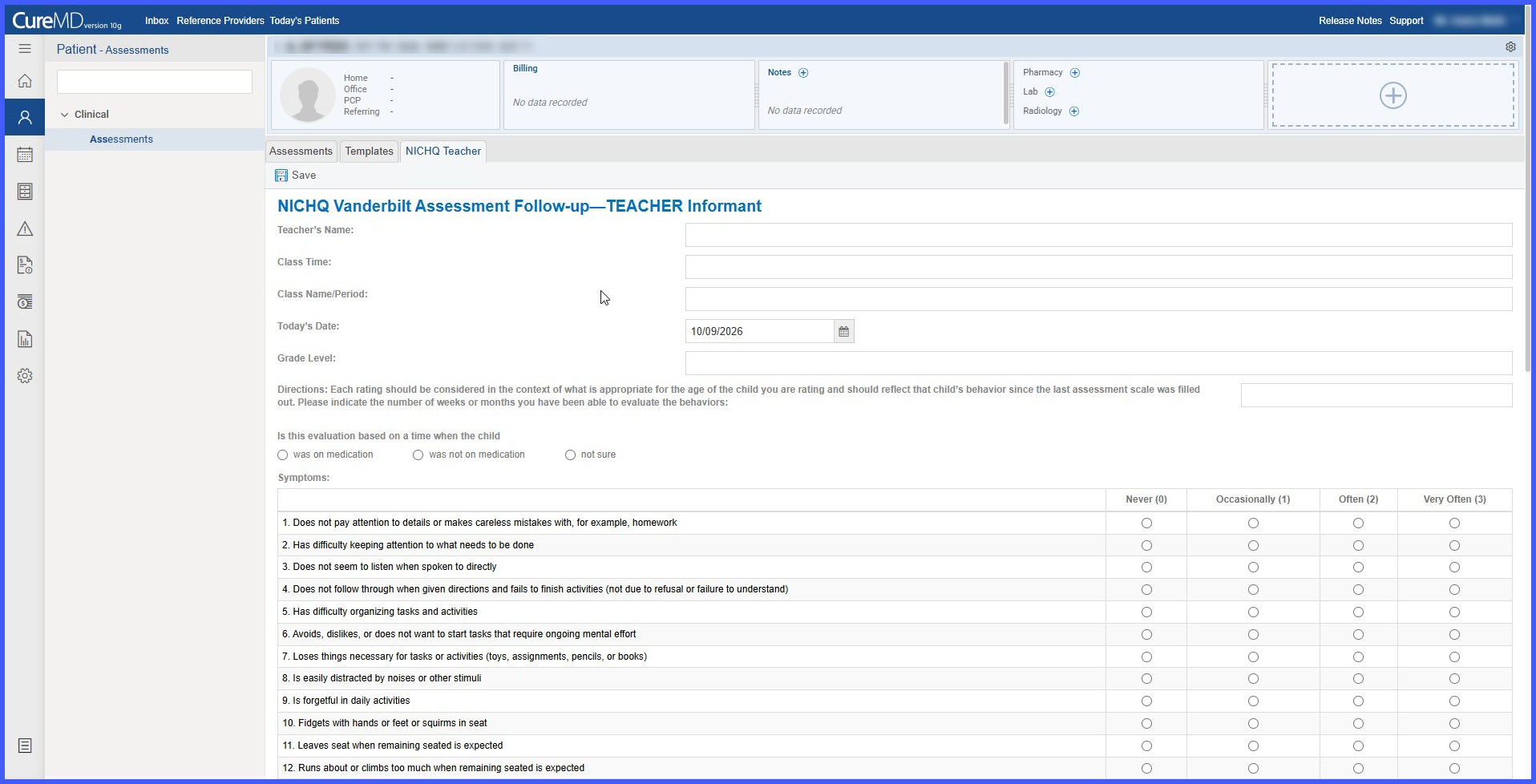
Vanderbilt Follow-up Teacher Assessment

The Vanderbilt Follow-up Teacher Assessment has been added to CureMD under the Behavioral Health Assessments category, expanding the structured assessment options available within existing clinical documentation workflows.

Providers can complete or attach the assessment through Assessment Templates, Provider Notes, and Patient Clinical, allowing assessment responses and results to remain accessible within the patient's clinical record.

scheduler-1

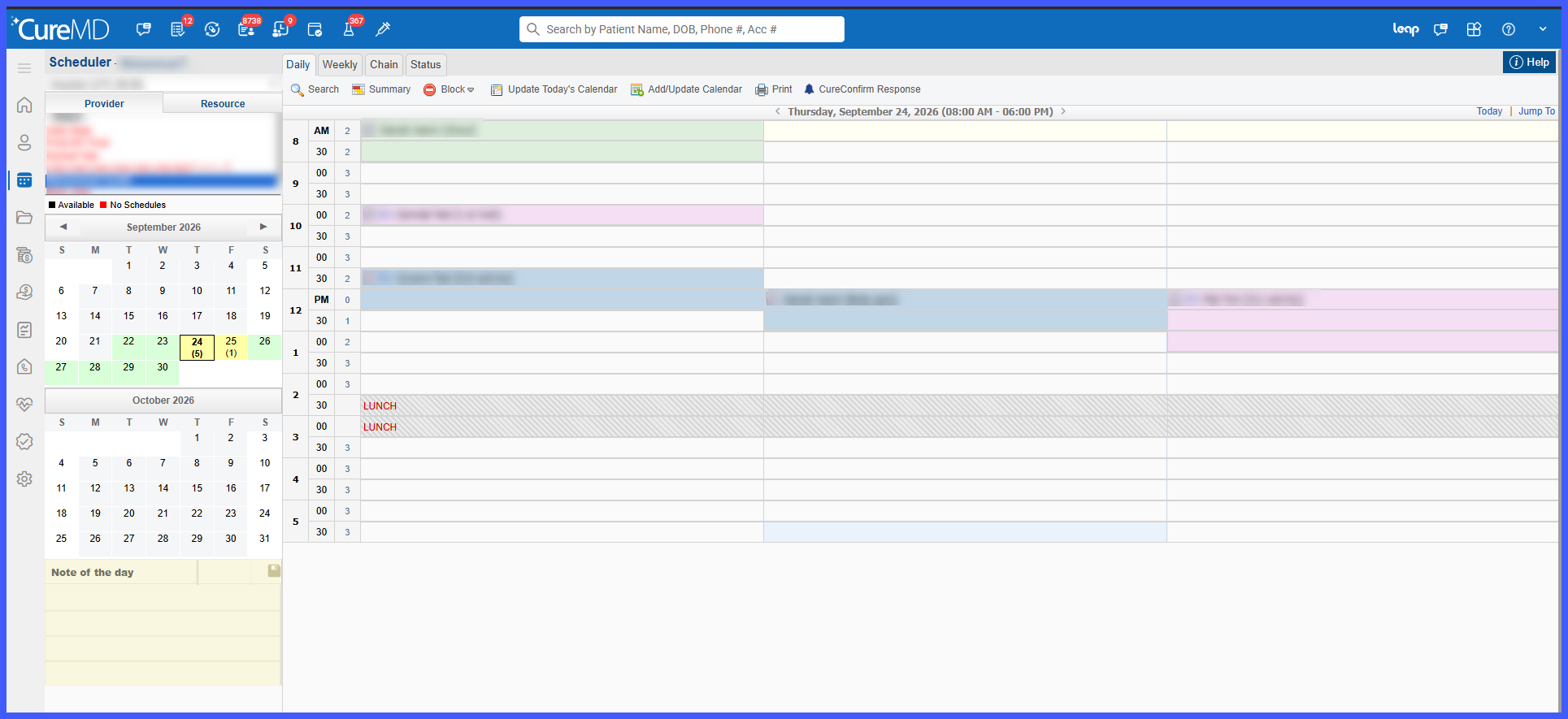
Configurable Capacity Display for Scheduler Time Slots

The Scheduler has been enhanced with a new Capacity Box View, giving users greater flexibility in how appointment capacity is displayed.

Once enabled at the practice level, individual users can choose between the existing Capacity Counter and the new Capacity Boxes display. Capacity Boxes visually divide each time slot according to its allowed booking capacity, making it easier to identify occupied and available slots at a glance without changing existing scheduling workflows.

111111111111111111111111111-2

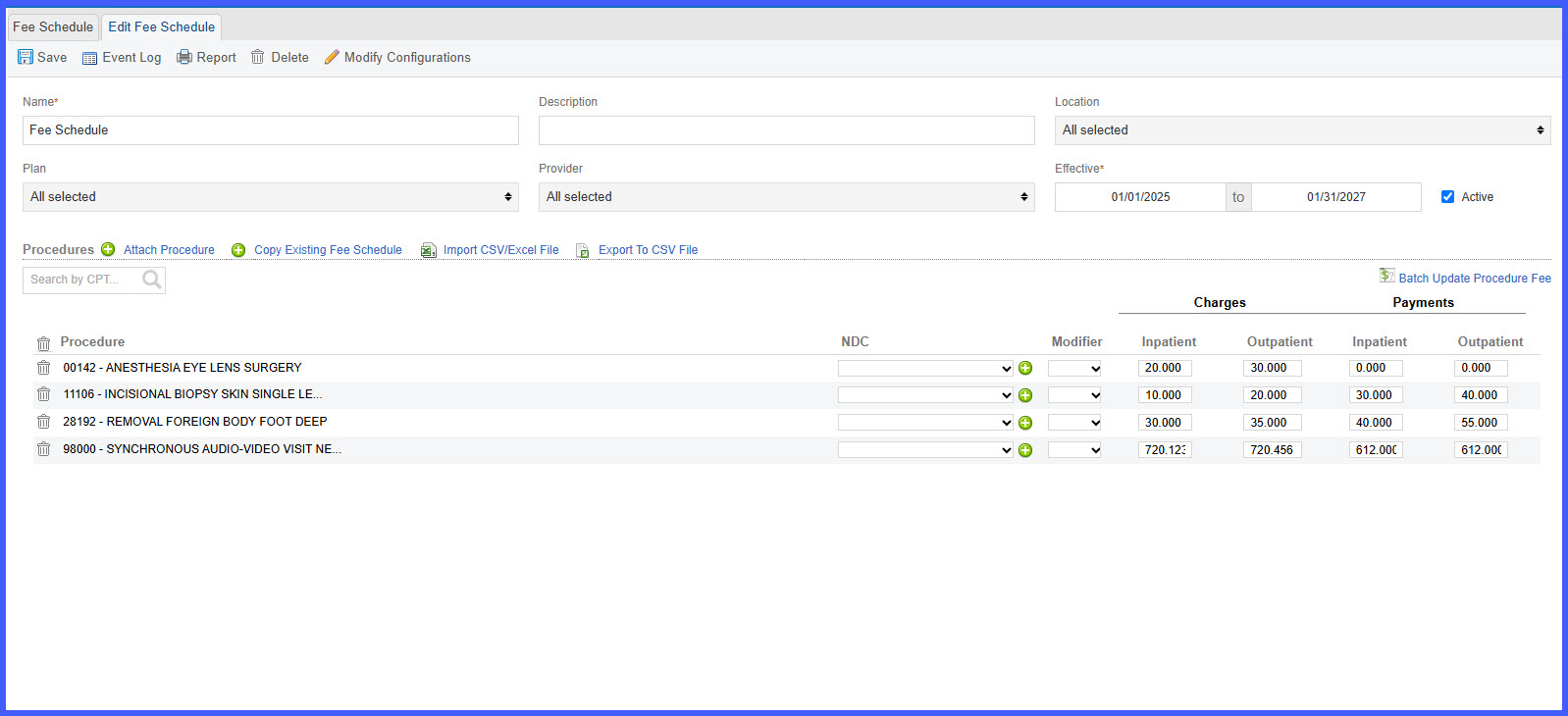
Support Three Decimal Places in Fee Schedule, Charge Master, and Contract Rates

This enhancement introduces support for three decimal places in rates configured within Fee Schedule, Charge Master, and Contract Rates. Administrators can now enter and maintain rates with precision up to 0.000, improving the accuracy of unit-based charge calculations and reducing discrepancies caused by premature rounding.

ABN-Form-REL

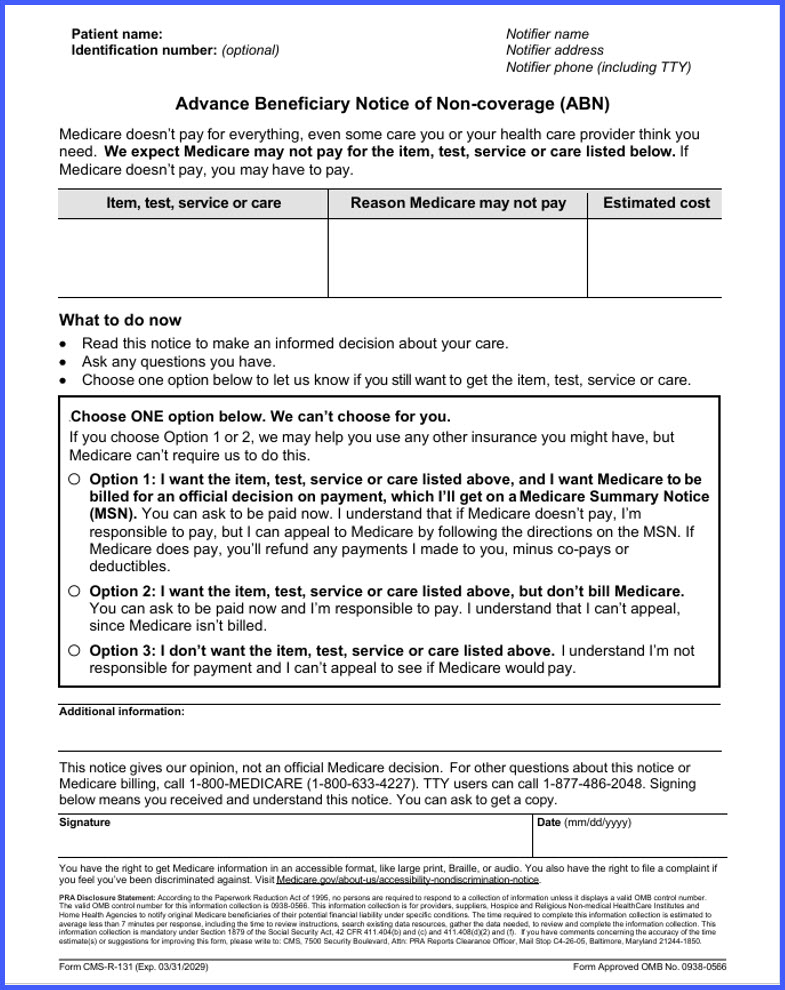
Updated Advance Beneficiary Notice of Noncoverage (ABN) Form

This enhancement updates the Advance Beneficiary Notice of Noncoverage (ABN), Form CMS-R-131, available within the Patient Consents workflow. The updated form ensures practices and patients are presented with the current version of the ABN for applicable Original Medicare services.

disable

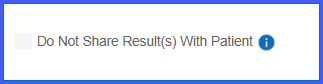
Disable "Share with Patient" for Procedures When Results Release on Acknowledgment

This enhancement aligns procedure-level patient sharing settings with the practice-wide Result Release configuration. When results are configured to release On Acknowledgment, the Share with Patient option is disabled for all procedures, ensuring results cannot be shared before provider acknowledgment.

Setting-side-2

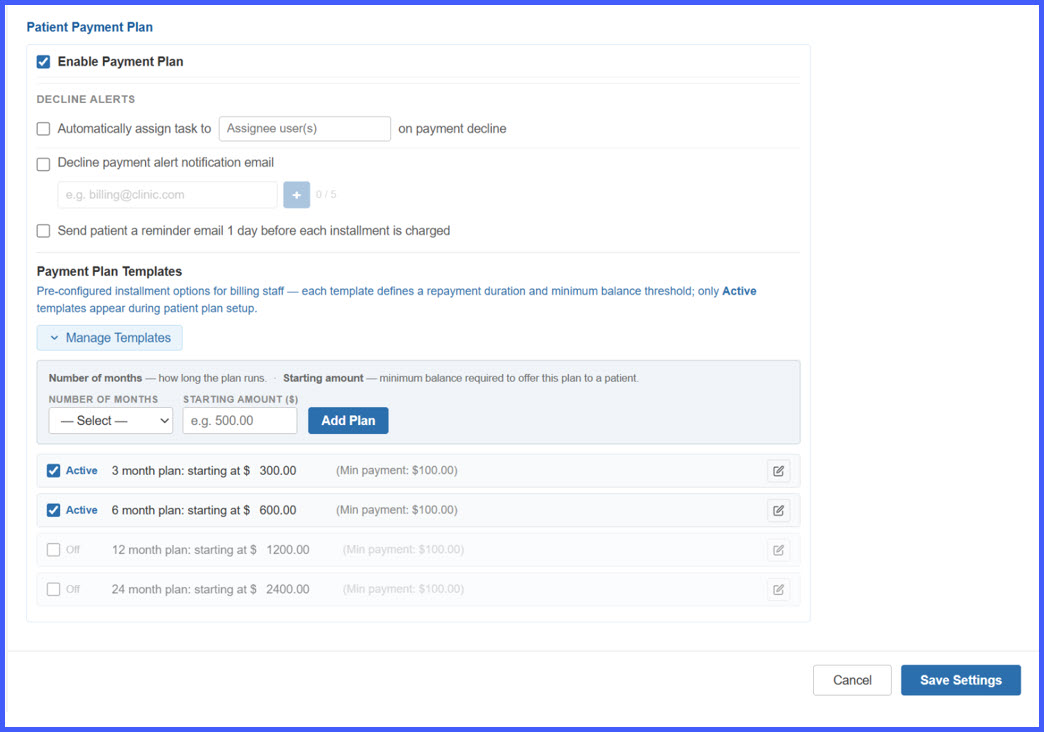
Enhanced Payment Plans – Configurable Templates, Automated Patient Reminders, Card Expiry Alerts, and Payment Decline Notifications

This release introduces a comprehensive set of enhancements to the Payment Plan workflow, covering practice-level configuration, patient payment plan creation, automated installment reminders, card-expiration notifications, payment-decline alerts, and staff-facing decline reporting.

Billing staff can now configure reusable Payment Plan Templates, apply eligible plans based on patient balances, and manage payment-plan alerts from a centralized settings area. Patients receive automated Email and SMS communications for upcoming installments, expiring cards, and failed payments, while practice staff can receive a consolidated Daily Payment Decline Summary for easier follow-up.
OB1

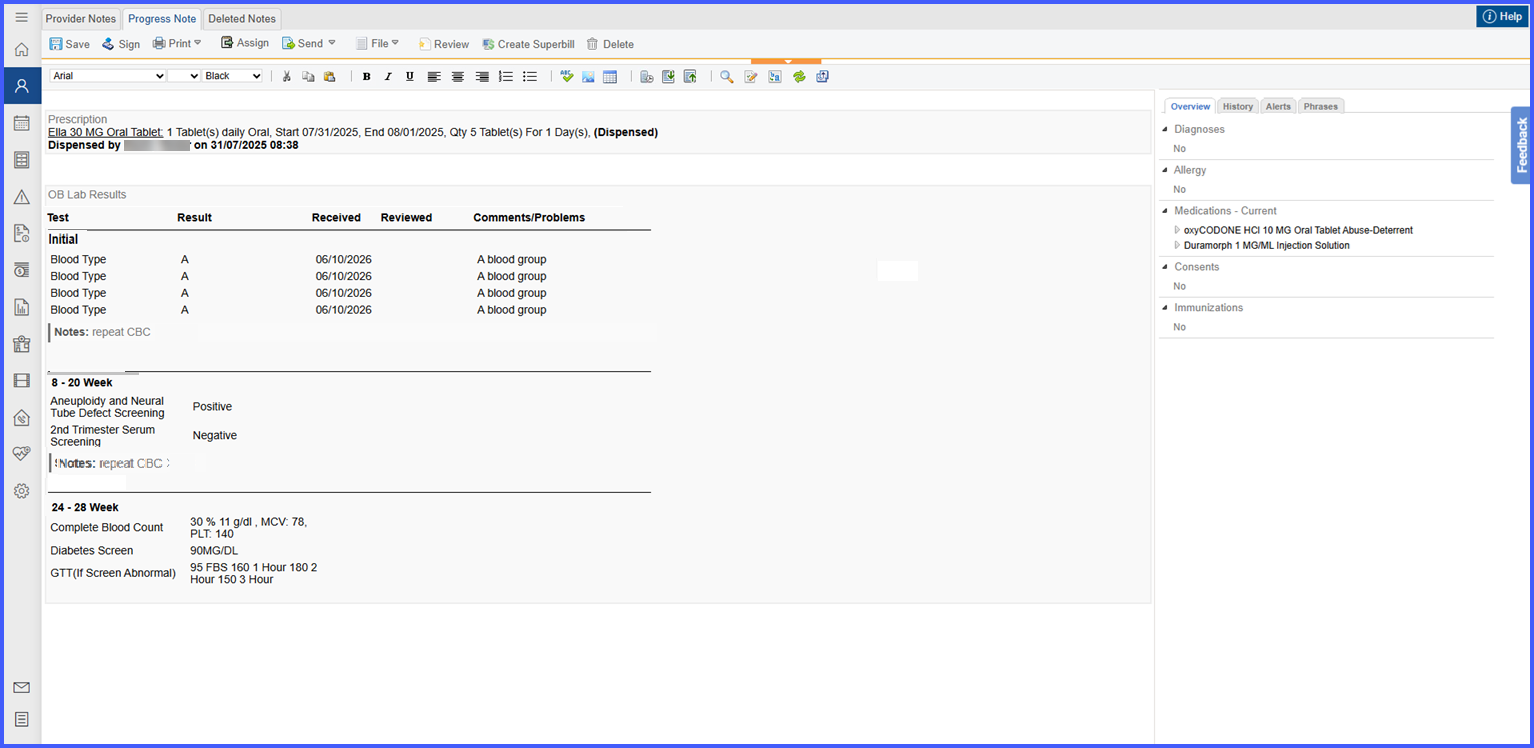
OB Lab Results Comments and Selected Results Now Display Correctly in Provider Notes

This enhancement improves OB Lab Results documentation within Provider Notes by ensuring that accepted test results and section-level comments are accurately carried over from the OB Lab Results modal. The updated layout also provides clearer organization of results, comments, and OB lab sections for easier clinical review.

Shared-Exam-Room-rel

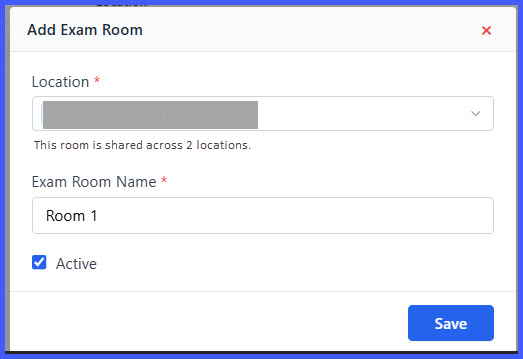
Shared Exam Rooms and Occupied Room Assignment

This enhancement introduces shared exam room support, allowing a single exam room to be associated with multiple locations while improving room assignment visibility across scheduling workflows. Users can now identify occupied rooms before assignment, view occupancy details, and assign shared rooms without maintaining duplicate room records.